Do you think IIT Guwahati certified course can help you in your career?
Introduction
In AWT, the TextArea control provides a multiline editing area. The user can enter as much as he likes in this box. When the text in the text area grows more significant than the viewing area, a scroll bar emerges, allowing us to scroll the text up and down and right and left. We shall be learning about more of this in the upcoming section of this blog.
The TextArea class constructs a multiline text area that allows users to type on numerous lines. TextArea is a small component that extends the TextComponent class, extending the JComponent class.
A multiline zone that displays text is the object of the TextArea class. It allows you to alter numerous lines of text. It is derived from the TextComponent class.
We may input as much text as we wish in the text field.
The scroll bar emerges automatically when the text in the text field grows more remarkable than the viewing area, allowing us to scroll the text up and down or right and left.
Syntax
public class TextArea extends TextComponent
You can also try this code with Online Java Compiler
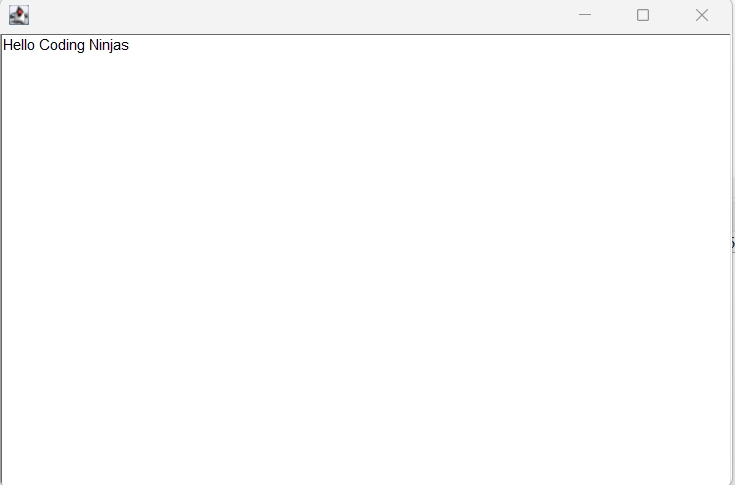
In this example, we have created a Text Area with the mentioned size and passed some text printed on the text area.
Now let us discuss another example but with an Action Listener. Action Listener is used to detecting particular events in the window frame. Try it on java online compiler.
Code 2
import java.awt.*;
import java.awt.event.*;

public class TextAreaDemo extends Frame implements ActionListener {

	Label l1, l2;
	TextArea area;
	Button b;

	TextAreaDemo() {


		l1 = new Label();
		l1.setBounds(50, 50, 100, 30);
		l2 = new Label();
		l2.setBounds(160, 50, 100, 30);
		area = new TextArea();
		area.setBounds(20, 100, 300, 300);
		b = new Button("Count Words");
		b.setBounds(100, 400, 100, 30);


		b.addActionListener(this);


		add(l1);
		add(l2);
		add(area);
		add(b);


		setSize(400, 450);
		setLayout(null);
		setVisible(true);
	}

	public void actionPerformed(ActionEvent e) {
		String text = area.getText();
		String words[]=text.split("\\s");
		l1.setText("Words: "+words.length);
		l2.setText("Characters: "+text.length());
	}
	// main method
	public static void main(String[] args) {
		new TextAreaDemo();
	}
}
You can also try this code with Online Java Compiler
In this example, we have created a text area with some specialty added to the text area. It counts the number of text and characters written in the text area.
Frequently Asked Questions
What is Java AWT?
Java AWT (Abstract Window Toolkit) is a Java API for creating graphical user interface (GUI) or window-based applications. It is Platform-dependent on which Java AWT components are shown in accordance with the operating system's perspective.
What is the textarea in Java AWT?
TextArea class object is a multiline zone that displays text. It allows you to alter numerous lines of text. It is derived from the TextComponent class.
How to scroll text in AWT textarea?
In AWT, the TextArea control provides us with a multiline editing area. The user can enter as much as he likes in this box. A scroll bar emerges when the text in the text area grows more significant than the viewing area, allowing us to scroll the text up and down and right and left.
Conclusion
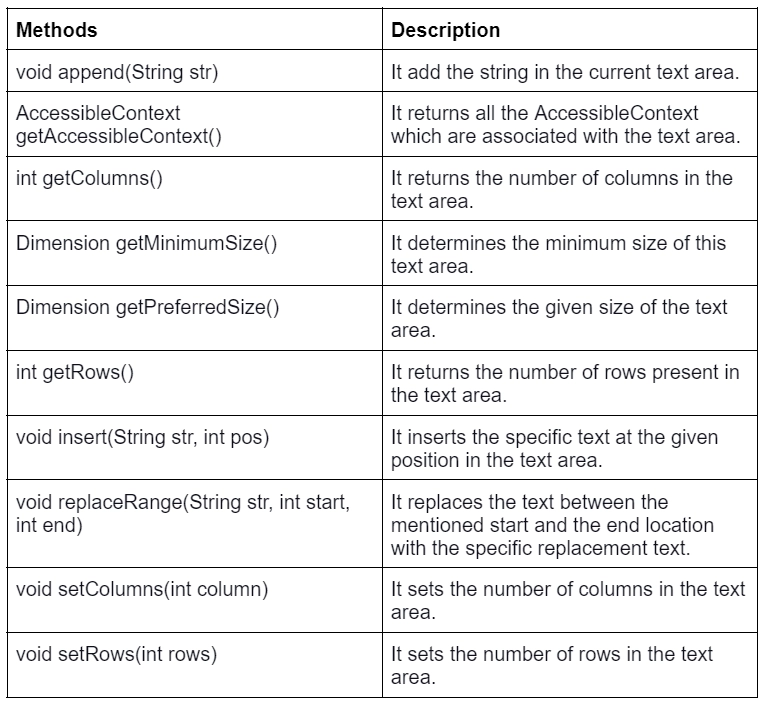
In this article, we have discussed the AWT Text Area. We have introduced the topic along with the field of text area class. We also discussed the constructors, methods, and several code examples and explanations.
If you want to explore more about AWT, visit here.







 7+ registered

