Do you think IIT Guwahati certified course can help you in your career?
Introduction🧑🏫
So are you wondering what Config Connector is? And how can it help in boosting your business?
Don't worry, Ninja! Just follow the article till the end. This blog will discuss the importance of config connector and its management and the commercial advantages it may bring to your company.
Google Cloud resource management is made possible using the open-source Kubernetes addon Config Connector. Many cloud-native development teams utilize various configuration systems, APIs, and tools to manage their infrastructure.
By using Config Connector, your environments can gain from how Kubernetes manages Resources, including:
Access control using RBAC(Role-based access control ).
For visibility, events
Use a single source for configuration and desired state management to reduce complexity.
Consistency for loosely coupled dependencies throughout time.
The complexity and cognitive load on developers can be decreased by managing your Google Cloud infrastructure in the same way you manage your Kubernetes apps.
How Config Connector works
Through Config Connector, Kubernetes Custom Resource Definitions (CRDs) and controllers are provided. The Custom Resource Definitions allow Kubernetes to create and manage Google Cloud resources when you configure and apply Objects to your cluster.
To use manual installation, you need to download and use a Kubernetes Operator. Manual installations track the current release of Config Connector more closely; the Operator applies new versions faster than the add-on.
The Service Usage API is used by Config Connector to enable service APIs. You must allow the Service Usage API to perform these steps. Using the Google Cloud CLI, you may enable this API:
Let us now understand how to enable the Google Cloud API, Create and manage a Pub/Sub topic by using the basics of Config Connector resource management.
Discovering the available Google Cloud resources
You can create with Config Connector to see what kinds of Google Cloud resources, run:
kubectl get crds --selector cnrm.cloud.google.com/managed-by-kcc=true
Enabling Pub/Sub service
Applying a YAML configuration to your cluster will enable the Pub/Sub API using Config Connector:
Create a file named enable-pubsub.yaml and copy the YAML below into it:
Config Connector creates the resource when you create it if it doesn't already exist. Config Connector acquires and manages the resource if a Google Cloud resource with the same name already exists.
Run the following command to view all your Pub/Sub topics:
kubectl describe pubsubtopics
Verifying that a resource is ready
You can check the status.condition of a Pub/Sub topic after you've created it. For instance, use the following command to check if your Pub/Sub topic resource is fully ready. Run the command:
2. To update the resource, use kubectl apply. Run the command below:
kubectl describe pubsubtopics
3. Check the Pub/Sub example for the name change:
kubectl describe pubsubtopics
Deleting a resource
For resource deletion, use kubectl delete. For instance, use your pubsub-topic.yaml file and run kubectl delete to delete the PubSubTopic you created previously:
kubectl delete -f pubsub-topic.yaml
Config Connector deletes the PubSubTopic resource by default. Take a look at the instructions in Managing and deleting resources if you prefer to keep this resource.
Installing with the GKE add-on
Let's examine how to use the Config Connector add-on to install Config Connector on a Google Kubernetes Engine (GKE) cluster.
Installing the Config Connector add-on
By creating a new GKE cluster or enabling an existing cluster, you can use the Config Connector add-on. You configure your Config Connector installation using your Google service accounts and namespaces after installing the Config Connector add-on.
Setting up a GKE
The Config Connector add-on is usable with both new and existing clusters.
With the Config Connector add-on enabled creating a new cluster Using the Google Cloud console or the gcloud CLI, you can create a GKE cluster.
On an existing cluster enabling the Config Connector add-on With gcloud or the Google Cloud console, you can enable the Config Connector add-on on an existing GKE cluster.
Creating an identity
By authenticating with an Identity and Access Management (IAM) service account and using GKE's Workload Identity to connect IAM service accounts with Kubernetes service accounts, Config Connector can create and manage Google Cloud resources.
Firstly create an IAM service account.
Give the IAM service account elevated project permissions:
Create a binding between the IAM service account and the predefined Kubernetes service account that Config Connector uses by creating an IAM policy.
Configuring Config Connector
For the ConfigConnector CustomResource, create a configuration file and apply it using the kubectl command to complete the installation. The Google Cloud Resource CRDs and Config Connector components are installed in your cluster by the Config Connector Operator.
Specifying where to create your resources
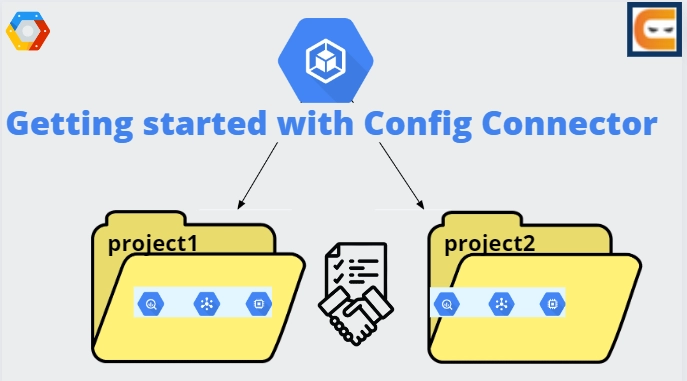
Similar to how you would organize resources in Google Cloud, Config Connector allows you to manage resources by project, folder, or organization.
Config Connector requires that you first configure where your resources will be created. The construction of the resource is determined by an annotation on either the resource configuration or an existing Namespace by Config Connector. SeeOrganizing resources for more details.
Verifying your installation
The namespace cnrm-system is where Config Connector runs all of its components. To verify whether the Pods are ready or not, run the following command:
kubectl wait -n cnrm-system \
      --for=condition=Ready pod --all
Configuring your kubectl client
By default, Config Connector expects the resource's namespace to match the Google Cloud project ID where it's created.
You can simplify commands and avoid adding --namespace to each kubectl command by changing the default context's namespace. To do so, run the following command:
When the values in the resource name and the manifest match, Config Connector takes ownership of the resources. The resource's ID is used if it lacks a name (such as a Project ID, for instance).
You may learn how Config Connector manages existing resources by generating an empty BigQuery dataset and then acquiring the dataset using Config Connector.
With bq, make a BigQuery dataset with the name bigquerydatasetsample.
By default, deleting an item from your cluster will also destroy any resources that Config Connector has acquired and managed. Set the resource's deletion policy.
The dataset will be removed from BigQuery, for instance, if the manifest used to obtain bigquerydataset-sample is deleted.
The kubectl delete command can be used to remove the bigquerydataset-sample dataset.
To confirm that the dataset is no longer available, use bq.
bq show PROJECT_ID:bigquerydatasetsample
Importing and exporting resources
You can export your current resources to Config Connector YAML files using the config-connector tool. Once you've done that, you can use kubectl to import the resources into Config Connector and apply them.
Installing config-connector
Download the most recent binary tar file of the config-connector:
gsutil cp gs://cnrm/latest/cli.tar.gz .
2. After that you need to extract the tar file:
tar zxf cli.tar.gz
3. A binary executable for MacOS, Linux, and Windows is included in the tar file. Choose the binary that fits your OS:
Linux: ./linux/amd64/config-connector
Windows: ./windows/amd64/config-connector
MacOS: ./darwin/amd64/config-connector
4. Store the binary to a location by copying on your ${PATH}. For example, you could use mv to move it into /usr/local/bin on Linux and MacOS.
mv linux/amd64/config-connector /usr/local/bin
5. Enable the Cloud Asset Inventory API on your Google Cloud Identity project with gcloud if you wish to utilise the config-connector tool to export directly from Cloud Asset Inventory.
gcloud services enable cloudasset.googleapis.com
Using Secrets to store sensitive data
In your GKE cluster, you can use a Secret to store secret configuration data like passwords and access keys.
Let us see an overview of how to use Secrets with Config Connector.
Using a Secret when creating a resource
When creating a resource, you can use the information contained in a Secret. By creating a Secret that includes a password and referencing it for a user on a Cloud SQL database, you can transmit a secret to a resource.
Updating Secrets
Config Connector refreshes the resource when it next reconciles your intended state after you apply an update to a Secret. Config Connector will update the user's password if, for instance, you change the Secret that is used as the password for a SQL user.
Deleting Secrets
Config Connector won't remove the resource's reference to a Secret if you delete one it is using. For instance, the password will stay on the SQLUser if you create it with a password that refers to a Secret and then delete the Secret.
Troubleshooting
Config Connector will generate a DependencyNotFound or DependencyInvalid Event if you create a resource that refers to an invalid Secret.
Secrets and multiple projects
If you are using Config Connector to manage multiple projects, you must apply secrets in every Namespace that corresponds to a project since Kubernetes does not permit access to secrets across Namespaces.
Monitoring Config Connector with Prometheus
Metrics from the Config Connector can be collected and shown using Prometheus.
Scraping metrics
By scraping an HTTP endpoint, Prometheus gathers metrics. The configuration of Prometheus and the Config Connector scrape endpoints are covered in this section.
Config Connector scrape endpoints
Service endpoints for Config Connector are at cnrm-controller-manager-service and cnrm-resource-stats-recorder-service on port 8888. The annotations prometheus.io/scrape: "true" and prometheus.io/port: "8888" are present on these services.
Configuring Prometheus
You may need to configure Prometheus for Kubernetes Service Discovery (SD) to find scrape targets from the Kubernetes REST API before you can scrape metrics.
Example queries
The PromQL query language is used by Prometheus. Any valid PromQL query can be configured to cause Prometheus to generate alerts.
Query reconciliation by status and resource kind
By resource kind and status, you can see the total number of failed reconcile requests.
Check the aggregate status of resources by kind and Namespace
The number of resources in a Namespace is visible.
Query the utilization of reconcile workers per resource kind
Metrics are typically aggregated based on the kind of resource (for example, PubSubTopic). Metrics that are aggregated by individual resources can be enabled.
Follow these steps to enable resource name aggregation.
Editing the cnrm-controller-manager StatefulSet object
Finding the array spec.args and add --resource-name-label=true.
Now it’s time for the questions. Let us now move to FAQs.
All of your Google Workspace data is automatically indexed by Google Cloud Search. A connector is a program you can create on your own to index data stored in a third-party repository. In addition to your repository, a separate program, a script that runs in its process, or another script can all be connectors.
What is a configuration connector?
You can manage Google Cloud resources with Kubernetes thanks to the open-source Config Connector add-on. To manage their infrastructure, many cloud-native development teams use a mix of configuration systems, APIs, and tools.
Describe GCP Deployment Manager.
The creation and maintenance of Google Cloud resources are automated via the infrastructure deployment service called Google Cloud Deployment Manager.
How does Config Connector work?
Kubernetes Custom Resource Definitions (CRDs) and controllers are provided through Config Connector. When you configure and apply Objects to your cluster, Kubernetes can create and manage Google Cloud resources via the Config Connector CRDs.
What is a workload identity namespace?
Workload Identity enables workloads in your GKE clusters to access Google Cloud services by impersonating Identity and Access Management (IAM) service accounts. On Autopilot clusters, Workload Identity is enabled by default.
Conclusion
In this article, we thoroughly discussed Config Connector. I hope that this article has helped you to enhance your knowledge regarding the working, installation, creating, updating and deleting secrets as well as secrets and monitoring-prometheus











 1+ registered

