




Introduction
In this blog, we will grab hold of a simple problem in which we used the properties of Depth First Search (DFS Algorithm). The problem aims to construct a palindrome of a given size using a binary number mentioned as input. The binary number repeats itself as often as it requires to make a palindrome out of it.
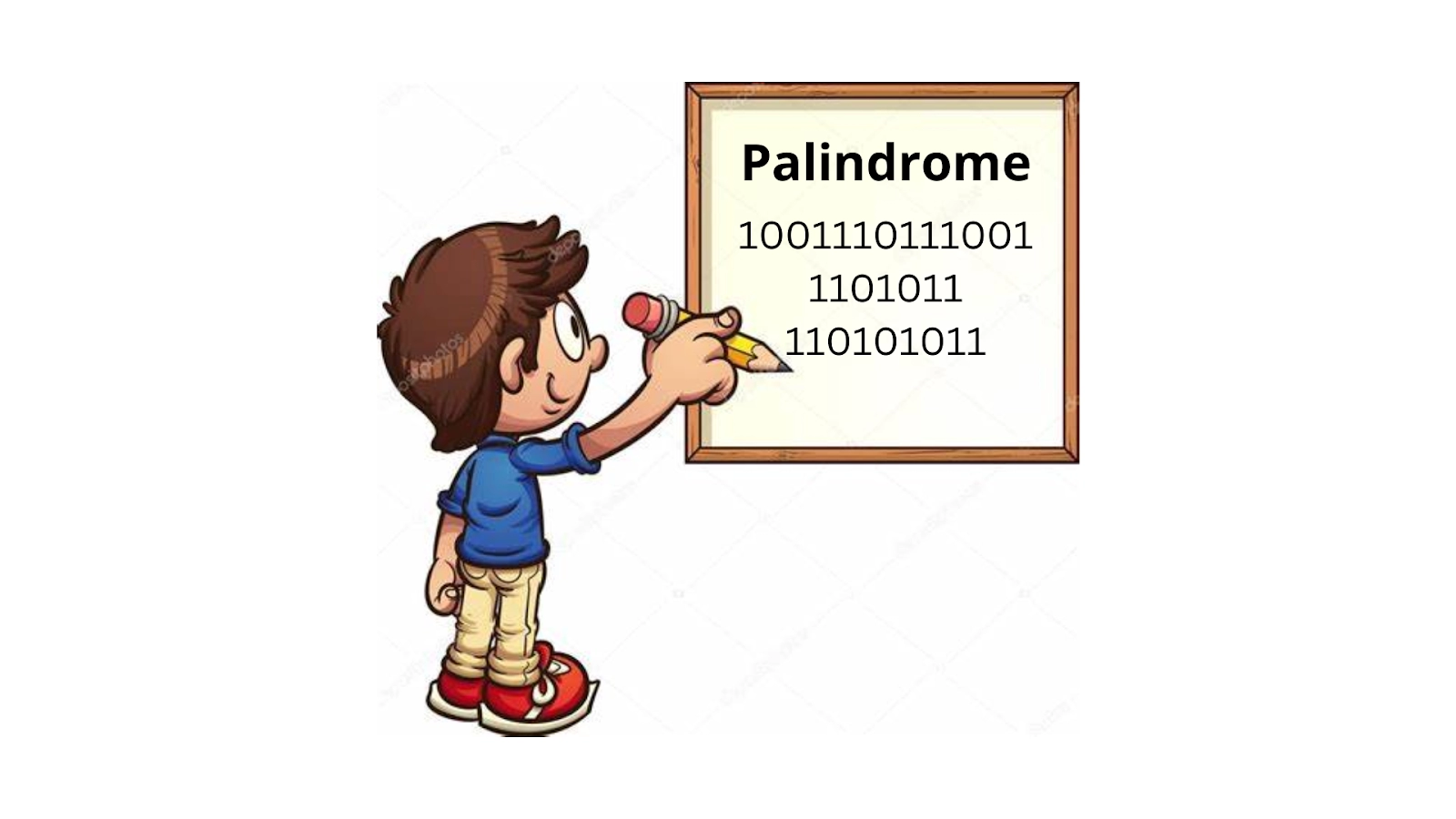
Through this problem, we will understand how to approach any such problem. We will briefly learn about Depth First Search (DFS), examine the problem statement, the sample examples will help you clear the concepts, the algorithm will facilitate you with simplified solutions, and implementation in programming languages will let you understand every step in detail.

What is DFS?
DFS stands for Depth First Search. By its name, it is implied that this search starts with the root node and traverses the tree in depth until we find a leaf node. A leaf node is a node that has no children. The search will then start backtracking. The DFS technique traverses or explores data structures such as trees and graphs. The procedure for traversal is a little different for both data structures. We will use an example each for a better understanding of how traversals are performed.
Binary Tree Traversal
There are three types of DFS Traversals for any Binary Tree: preorder, inorder, and postorder. The tree below has been used for all three to help you learn better. There are no cycles in a tree, so it becomes easy to find traversals in cases of trees. Learn more about Binary Tree Traversal.
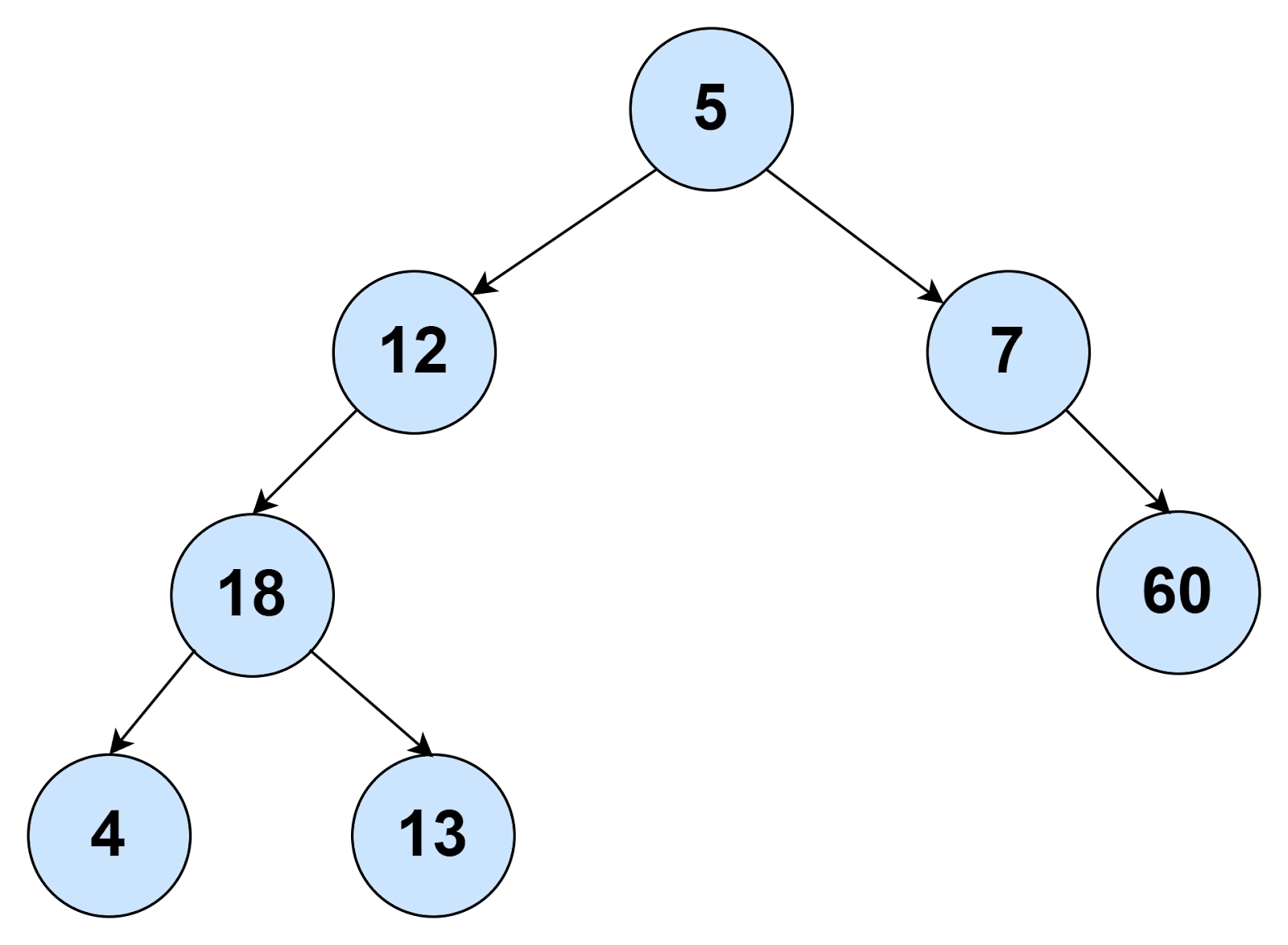
Preorder: 5 12 18 4 13 7 60
Inorder: 4 18 13 12 5 7 60
Postorder: 4 13 18 12 60 7 5
Graph Traversal
Graph Traversals are not as easy as Tree Traversals. This is because there are cycles in a graph. Let us understand DFS Traversal in a graph using an example.

Input:
N=4 (Nodes), E=7 (Edges)
1->2, 1->4, 4->3, 4->2, 3->1, 3->2, 2->3
Output:
DFS from vertex 1: 1->2->3->4
DFS from vertex 2: 2->3->1->4
DFS from vertex 3: 3->1->4->3
DFS from vertex 4: 4->3->1->2
For a detailed understanding of traversals in the graph, refer to this link.
Problem Statement
Firstly, we will have a look at what exactly the problem says.
We are given two inputs, the length of the palindrome we have to construct and the length of a binary number using which we will construct a palindrome. We need to output the constructed binary palindrome using both lengths.
We can use operations such as appending and trimming repeatedly to get the desired results. Here, we have assumed that the length of a palindrome is always greater than the length of the binary number, and both the lengths are never zero. There are no exceptions to this problem.
The necessary conditions that come with the problem are that the palindrome must always begin with 1 and contains the maximum number of zeros
To understand the problem statement better, let us see some examples.
Sample Examples
🥝 Example 1:
|
Input: palindrome_len = 6 Input: binary_len = 3 Output: 101101 |
Explanation
As seen in the example, we have taken two inputs. One input for the length of palindrome we want to construct is 6, and another for the binary number to be used for palindrome construction, that is, 3. We can observe that both the inputs are not equal to zero, so no exception occurs. Also, we get the output as per the algorithm of the program.
The binary length is 3 and the first binary number of length 3 is 100. The palindrome length is 6, so no trimming is required. If we append 100 twice, we get 100100, that is not a palindrome. The next binary number of length 3 is 101. If we append 101 twice, we get 101101. Yes, that is a palindrome and hence, the output.
🥝 Example 2:
|
Input: palindrome_len = 5 Input: binary_len = 1 Output: 11111 |
Explanation
As seen in the example, we have taken two inputs. One input for the length of palindrome we want to construct is 5, and another for the binary number to be used for palindrome construction, that is, 1. We can observe that both the inputs are not equal to zero, so no exception occurs. But, the length of the binary number we can use is 1. So, we will default use only the binary number ‘1’ for the palindrome construction. We get the output as per the algorithm of the program.
The binary length is 1 and the default binary number of length 1 set by the necessary condition is 1. The palindrome length is 5, so no trimming is required. So, 1 will be appended as many times as required. We get 11111, which is a palindrome and hence, the output.
🥝 Example 3:
|
Input: palindrome_len = 7 Input: binary_len = 2 Output: 1010101 |
Explanation
As seen in the example, we have taken two inputs. One input for the length of palindrome we want to construct is 7, and another for the binary number to be used for palindrome construction, that is, 2. We can observe that both the inputs are not equal to zero, so no exception occurs. The length of the binary number we can use is 2. So, we will consecutively use a combination of two binary numbers, ‘0’ and ‘1’, for the palindrome construction. Also, we get the output as per the algorithm of the program.
The binary length is 2 and the first binary number of length 2 is 10. The palindrome length is 7, so no trimming is required initially. If we append four times, we get 10101010, which is not a palindrome. The number is trimmed by one place. Next up, we get 1010101. Yes, that is a palindrome and hence, the output.
🥝 Example 4:
|
Input: palindrome_len = 3 Input: binary_len = 0 Output: Exception occurs |
Explanation
As seen in the example, we have taken two inputs. One input for the length of palindrome we want to construct, 3, and another for the binary number to be used for palindrome construction, that is, 0. We can observe that one of the inputs equals zero, so an exception occurs. Also, we will not get the output as per the program’s algorithm. This same exception would have occurred if the length of the palindrome had been equal to zero.


 7+ registered

