Do you think IIT Guwahati certified course can help you in your career?
Introduction
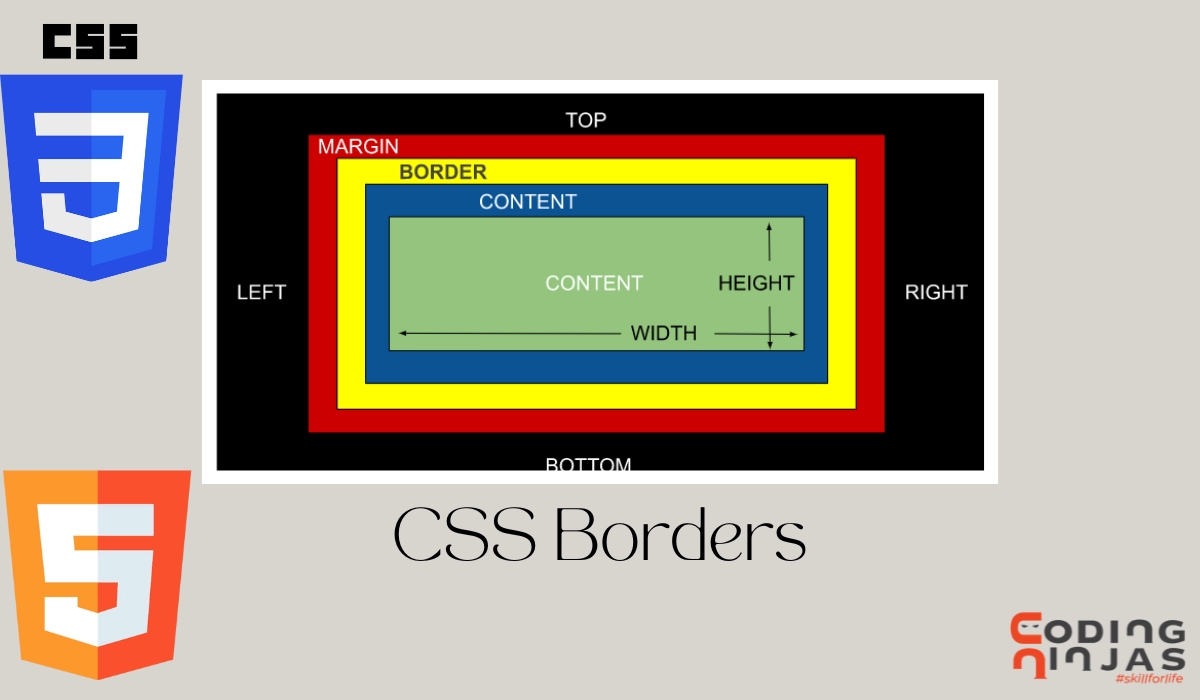
Hey Ninjas! In CSS(Cascading Style Sheet), the ‘border’ property is important for building a web page.HTML elements like divs, paragraphs, and images can add decorative and structural elements using CSS borders. Borders can be used to emphasise certain aspects, visually divide material, or highlight particular webpage areas.
It helps set up the border for an element, or we can say that it provides a framework for the component, which helps emphasise the element.
It has different values, such as style, values and color, which help specify the border property.
Border Declaration in CSS
An HTML element's border can be set using the border attribute in CSS. When setting the border property, the shorthand notation or independent properties can define the border's components separately.
Border: solid 4px red;
Here, we are using the border property to define the outer boundary of the element or content. ‘solid’ represents the style of the border, ‘4px’ means the width of the frame, and ‘red’ defines the color of the border.
Border-Style in CSS
The border-style property in CSS is used to describe the border style of an element. An element's top, right, bottom, and left borders can be styled using the border-style property, which accepts a value or a list of values.
The border-style property can be used with the following typical values:
Border-width property defines the width of the element's four borders. The thickness of the frame is indicated in the border-width property. Use the border-width attribute to specify the width of an element's border in CSS. The border-width property accepts a single value or a list of values for an element's top, right, bottom, and left borders.
The following typical values can be used for the border-width property:
Shown with a thin border (typically 1px).
A medium-sized border is shown (typically 3px).
Displayed is a thick border (typically 5px).
The border width can be specified in different sizes, such as:
px
pt
cm
em, etc.
NOTE: Always include the border-style property while using theborder-width property! It does not work if the border-style property is not specified.
For example
<!DOCTYPE html>
<html lang="en">
<head>
    <meta charset="UTF-8">
    <meta http-equiv="X-UA-Compatible" content="IE=edge">
    <meta name="viewport" content="width=device-width, initial-scale=1.0">
    <title>Document</title>
</head>
<style>
    p.one {
        border-style: solid;
        border-width: 5px;
    }
</style>
<body>
    <p class="one"> Let us try the border-width having 5px. </p>
</body>
</html>
OUTPUT:
The width property can also be specified by their predefined values:
Border-color property defines the color of the element's four borders. The color of the frame is indicated in the border-color property. To change the border color of an element in CSS, use the border color attribute. The border-color property allows you to select the color of an element's top, right, bottom and left borders by accepting a single value or a list of values.
The border-color property can be used to specify the color in various ways.
Named colors like red, green, or blue can be specified.
Hexadecimal code: You may use a number such as #ff0000, #00ff00, or #0000ff.
Use an RGB value such as RGB (255, 0, 0), RGB (0, 255, 0), or RGB (0, 0, 255).
RGBA values include RGBA(255, 0, 0, 0.5), RGBA(0, 255, 0, 0.5), and RGBA (0, 0, 255, 0.5).
There are different properties of border-color properties:
Color Name
Example: “border-color: red;”
Color Hex Code
Example: “border-color: #ff0000;”
Color Rgb Code
Example: “border-color: rgb(255, 0, 0);”
Color HSL value
Example: “border-color: hsl(0, 100%, 50%);”
Transparent property
This property helps in making the border-color transparent.
The border-radius property in CSS gives an element's border rounded corners. The horizontal and vertical radii of the border corners are specified by the border-radius property, which accepts one or two length values. The border-radius property helps in rounding up the corners of the border on HTML elements which gives a nice finishing touch if you are making a box.
The border property is helpful in web development as it helps differentiate between content and the margin. It provides a specific edge to the page, and we can also use borders around specific content to make it stand out from the rest.
Difference between border and margin in CSS.
A border in CSS has padding and content inside it. It has the border-color property too. While in the case of margin, the margin is transparent and generally defined as the outer space of an element’s border.
What are the different ways to define border-image-width property?
The different ways to define a border-image-width property:
Top | Horizontal | Bottom, i.e., border-image-width: 6% 10% 12%;
Top | Right | Bottom | Left, i.e., border-image-width: 6% 2em 15% auto;
Predefined value, such as, “inherit”, “initial”, “revert”, “unset”
How do we get rid of an element's border?
To make an element's border disappear, we can set the border property to none, as in border: none. To remove the border from a particular side, we can also set the individual border-top, border-right, border-bottom, and border-left attributes to none.
How can we make a dotted or dashed border?
We may utilise the border-style property with the dashed or dotted value to make a dashed or dotted border by doing as follows: Border styles include dashed and dotted. The border-width property can also change the dash or dot thickness.
Conclusion
This article discusses the topic of CSS borders. In detail, we have seen Border declaration in CSS along with border properties such as style, width, Color and Radius with proper code and output.
We hope this blog has helped you enhance your knowledge of CSS Borders. If you want to learn more, then check out our articles.
But suppose you have just started your learning process and are looking for questions from tech giants like Amazon, Microsoft, Uber, etc. In that case, you must look at the problems, interview experiences, and interview bundles for placement preparations.
However, you may consider our paid courses to give your career an edge over others!







 1+ registered

