Using Predefined function - arraycopy() method
Java provides a built-in method called arraycopy() that allows you to efficiently copy elements from one array to another. This method is part of the System class & can be used to merge two arrays seamlessly.
Let’s see how you can use arraycopy() to merge two arrays:
int[] array1 = {1, 2, 3};
int[] array2 = {4, 5, 6};
int[] mergedArray = new int[array1.length + array2.length];
System.arraycopy(array1, 0, mergedArray, 0, array1.length);
System.arraycopy(array2, 0, mergedArray, array1.length, array2.length);
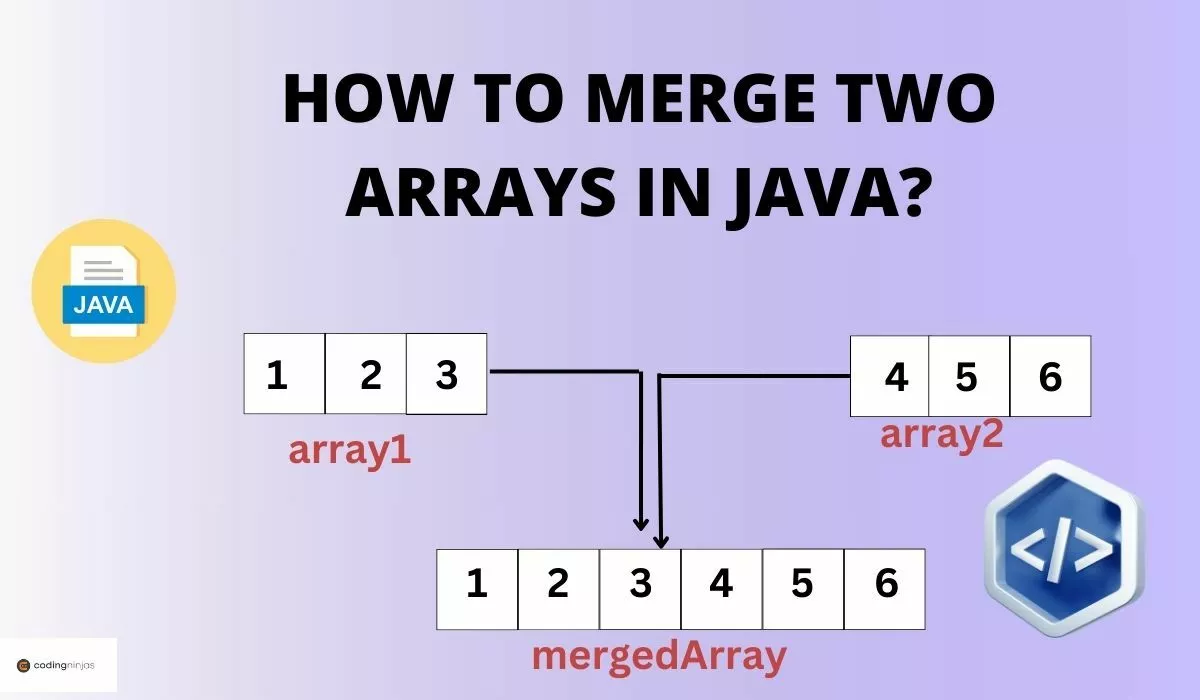
In this example, we have two arrays, array1 and array2, that we want to merge. We create a new array called mergedArray with a length equal to the sum of the lengths of array1 and array2.
The arraycopy() method takes five parameters, which are:
1. The source array (array1 or array2)
2. The starting index of the source array (0 in this case)
3. The destination array (mergedArray)
4. The starting index of the destination array (0 for array1, array1.length for array2)
5. The number of elements to be copied (array1.length or array2.length)
We use arraycopy() twice: first to copy all elements from array1 to mergedArray starting from index 0, and then to copy all elements from array2 to mergedArray starting from index array1.length.
After executing this code, mergedArray will contain the elements {1, 2, 3, 4, 5, 6}, which is the result of merging array1 & array2.
Note: The arraycopy() method provides a fast and efficient way to merge arrays. It is implemented natively in Java and optimized for performance.
Without using pre-defined function = arraycopy() method
If you prefer not to use the predefined arraycopy() method, you can merge two arrays using a custom implementation. This approach manually copies elements from the source arrays to the destination array using loops.
Let’s see an example of how you can merge two arrays without using arraycopy():
int[] array1 = {1, 2, 3};
int[] array2 = {4, 5, 6};

int[] mergedArray = new int[array1.length + array2.length];

int index = 0;

for (int element : array1) {
    mergedArray[index++] = element;
}

for (int element : array2) {
    mergedArray[index++] = element;
}
In this implementation, we create a new array called mergedArray with a length equal to the sum of the lengths of array1 & array2.
We initialize an index variable to keep track of the current position in mergedArray.
We use two separate for-each loops to iterate over array1 and array2. In each iteration, we assign the current element to mergedArray at the current index and increment the index.
After executing this code, mergedArray will contain the elements {1, 2, 3, 4, 5, 6}, which results from merging array1 & array2.
This custom implementation provides more flexibility & control over the merging process, as you can perform additional operations or apply specific conditions while copying the elements.
Point to remember: However, it's important to note that the custom implementation may not be as efficient for large arrays as the arraycopy() method, which is optimized for performance.
Java Collections
Java's Collections framework provides classes & interfaces that can be used to merge arrays efficiently. One common approach is using the ArrayList class, a dynamic array implementation in Java.
Let’s see how you can merge two arrays using an ArrayList:
Integer[] array1 = {1, 2, 3};
Integer[] array2 = {4, 5, 6};

ArrayList<Integer> mergedList = new ArrayList<>(Arrays.asList(array1));
mergedList.addAll(Arrays.asList(array2));

Integer[] mergedArray = mergedList.toArray(new Integer[0]);
In this example, we want to merge two arrays of Integer objects, array1 and array2.
We create an ArrayList called mergedList & initialize it with the elements of array1 using the Arrays.asList() method. This method converts the array into a List.
We then use the addAll() method of ArrayList to add all the elements of array2 to mergedList. The addAll() method appends the elements of the specified collection (in this case, array2 converted to a List) to the end of the ArrayList.
Finally, we convert the mergedList back to an array using the toArray() method, specifying the type of the array (Integer[]) & an empty array as the parameter. The empty array is used to determine the type of the resulting array.
After executing this code, mergedArray will contain the elements {1, 2, 3, 4, 5, 6}, which results from merging array1 & array2.
Using an ArrayList provides flexibility & dynamically resizes itself as needed. It also offers various methods to manipulate the elements, such as adding, removing, or modifying elements at specific positions.
However, if you need to work with primitive data types (e.g., int, double), you'll need to use their corresponding wrapper classes (e.g., Integer, Double) when using an ArrayList.
Java Stream API
The Java Stream API, introduced in Java 8, provides a functional and expressive way to manipulate collections, including merging arrays. Streams allow you to perform operations on sequences of elements in a declarative and concise manner.
For example :
Integer[] array1 = {1, 2, 3};
Integer[] array2 = {4, 5, 6};

Integer[] mergedArray = Stream.concat(Arrays.stream(array1), Arrays.stream(array2))
                              .toArray(Integer[]::new);
In this implementation, we have two arrays of Integer objects, array1 & array2, that we want to merge.
We use the Stream.concat() method to concatenate the streams created from array1 & array2. The Arrays.stream() method is used to convert each array into a stream of elements.
The concat() method returns a new stream containing the elements from the first stream (array1) followed by the elements from the second stream (array2).
Finally, we convert the merged stream back to an array using the toArray() method. We provide a method reference Integer[]::new to specify the type of the resulting array.
After executing this code, mergedArray will contain the elements {1, 2, 3, 4, 5, 6}, which results from merging array1 & array2.
Using the Stream API provides a concise & expressive way to merge arrays. It allows you to perform further operations on the merged stream, such as filtering, mapping, or reducing elements, before converting it back to an array.
However, similar to the ArrayList approach, if you need to work with primitive data types, you'll need to use the corresponding stream classes (e.g., IntStream, DoubleStream) or their wrapper classes.
Guava Library
Guava is a popular open-source library developed by Google that provides a wide range of utility classes & methods to simplify everyday programming tasks in Java. It offers a convenient way to merge arrays using the Iterables class.
For example :
int[] array1 = {1, 2, 3};
int[] array2 = {4, 5, 6};


int[] mergedArray = Ints.toArray(Iterables.concat(Ints.asList(array1), Ints.asList(array2)));
In this implementation, we want to merge two arrays of integers, array1 and array2.
We use the Ints.asList() method from Guava to convert each array into an Iterable of integers. This method provides a view of the array as an Iterable.
We then use the Iterables.concat() method to concatenate the two Iterables created from array1 & array2. The concat() method returns a new Iterable that combines the elements from both input Iterables in the order they appear.
Finally, we convert the merged Iterable back to an array using the Ints.toArray() method, which returns a new array containing the elements of the Iterable.
After executing this code, mergedArray will contain the elements {1, 2, 3, 4, 5, 6}, which results from merging array1 & array2.
Using Guava's Iterables class provides a concise and readable way to merge arrays. It offers various utility methods for working with Iterables, making it convenient to perform operations like concatenation, filtering, or transforming elements.
Guava also provides similar utility classes for other primitive types, such as Longs, Doubles, and Chars, allowing you to work efficiently with arrays of different data types.
Use Cases of Array Merging in Real-World Applications
Array merging is a practical operation widely used across domains like e-commerce, data analysis, and user management. Here are three real-world scenarios where it's commonly applied:
1. E-commerce – Merging Product Arrays
Online stores often aggregate products from different categories or vendors. For instance, if a user searches for “headphones,” results from multiple suppliers might be merged into a single array to display a unified product list. This improves user experience and simplifies inventory handling.
2. Data Analysis – Combining Data from Multiple Sources
Analysts often receive datasets in chunks, such as daily logs or periodic reports. Merging arrays of numerical or textual data enables seamless aggregation for trend analysis or visualizations. For example, combining weekly sales figures into one array allows easy calculation of monthly performance.
3. User Management – Merging Permissions or Preferences
In systems with multiple user roles or settings sources, merging arrays helps consolidate permissions or preferences. For example, a user might inherit permissions from both a team and an admin role, and merging ensures accurate access control evaluation.
Frequently Asked Questions
Can we merge arrays of different data types using the mentioned approaches?
Yes, you can merge arrays of different data types using the mentioned approaches. However, you need to ensure that the resulting array has a compatible data type that can accommodate all the elements from both arrays.
Is there a performance difference between using arraycopy() and manual copying?
Yes, arraycopy() is generally faster than manual copying using loops, especially for large arrays. This is because arraycopy() is a native method optimized for system-level memory copying.
How to merge arrays with duplicate values?
When you merge arrays in Java with duplicates, the result often contains repeated elements. To remove duplicates after merging arrays in Java, use a Set or HashSet, which automatically filters duplicates. Alternatively, Java 8's Stream API with distinct() can also efficiently eliminate duplicates.
Can we merge more than two arrays using these approaches?
Yes, you can merge multiple arrays using these approaches. You can either perform the merging operation multiple times or adapt the code to handle an arbitrary number of arrays by using loops or combining the approaches.
Conclusion
In this article, we discussed different approaches to merging two arrays in Java. We learned how to use the predefined arraycopy () method, implement a custom solution, use Java Collections with ArrayList, utilize the Stream API for concise merging, and take advantage of the Guava library. Each approach has its own benefits and use cases, allowing you to choose the most suitable one based on your specific requirements and preferences.







 7+ registered

