





Introduction
The people working with excel or even have worked with excel sometimes know the importance and meaning of cells. But don’t panic if you are new to Excel and don’t know much about cells. You are in the right place.
Suppose you want to insert data in the excel sheet, then where you would insert the data?
The answer to the above question is cells, which means you have to insert data in the cells. Like this, we will help you learn each concept related to the cell in Excel quickly while moving further with the blog, so without wasting any time, let's proceed with our topic.
Cells, Rows and Columns
Whenever you work in excel with data, whether analyzing, editing, deleting, inserting, etc. You will be working with cells as you can only enter data in the cell. These are the thousands of rectangular boxes visible on the excel worksheet.
One can understand it as the basic building unit of an excel worksheet. These are the intersections of rows and columns or the meeting point of rows and columns.
Rows are identified by numbers like 1,2,3,4. At the same time, columns are identified with alphabets like A, B, C, D.
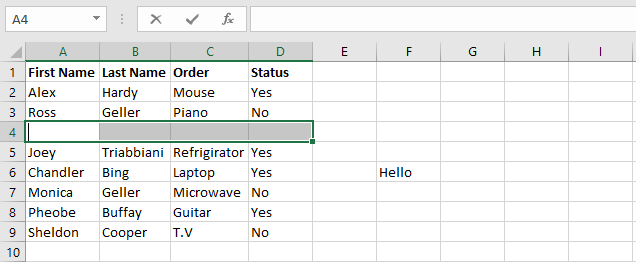
Each cell has its address, known as cell address using its row and columns. In the example shown below, the cell intersects column D and row 4, so the cell address is D4.

Note that when a cell is selected, its boundary is highlighted, and its name is also available in the name box on the top left corner.
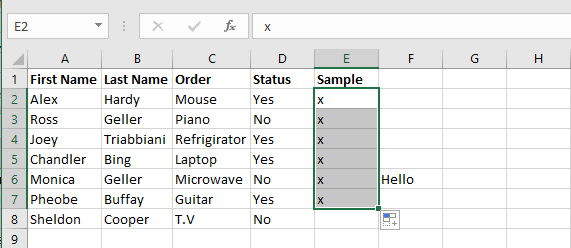
You can select a range of cells simultaneously, known as cell range. It will be represented by the address of the first cell of the range followed by a semicolon, and after that, the last address of the cell looks at the examples below.
A1:A5

A1:E1

A1:E5
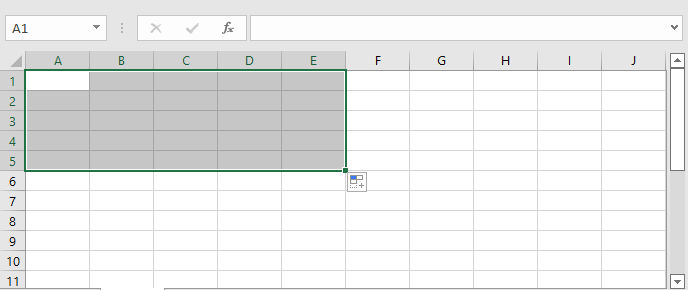
Row vs Column
Both of these properties are necessary for Excel as together they make a cell that is Excel's basic unit.
- Row refers to the horizontal line, whereas column refers to the vertical line.
- There are1,048,576 ranging from number 1 to 1,048,576. And there are 16,384 columns ranging from A to XFD.
- You can select the entire row by pressing shift+ spacebar, whereas to select a column, you can press Ctrl + spacebar.
- The default row has 25 pixels and 18.75 pt of height, and the default column has 64 pixels and 8.43 pt.








 1+ registered

