Do you think IIT Guwahati certified course can help you in your career?
Introduction
Welcome Ninjas. Most of us have done programming in Python. We have used the most common library NumPy in python, to perform computations of 2-D arrays, or simply, matrices. But are you familiar with the CuPy library? Are you curious to learn more about it? Well, let us get started!
What is CuPy?
CuPy is an open-source library used as a drop-in replacement for NumPy. It provides GPU-accelerated array computation for Python. It allows users to leverage the power of GPUs to speed up numerical calculations.
CuPy is implemented in C++ and uses the CUDA programming model to perform computations on the GPU. It supports a wide range of array operations, including element-wise operations, linear algebra, indexing, slicing, and reshaping, as well as many other functions and features. CuPy is also widely used in scientific and technical computing applications and is an important tool for researchers and developers working with large datasets and high-performance computing.
Features of CuPy
CuPy is now used very frequently. Some of its features include
With CuPy, we can write custom Python code that leverages CUDA and GPU speedups if you have something specific that still needs to be supported.
CuPy’s interface mirrors the Numpy.
It can be used as a direct replacement.
CuPy supports the array operations of Numpy, like indexing, broadcasting, math on arrays, and matrix transformations.
Functions Implementation in CuPy
CuPy implements many functions on cupy.ndarray objects.
To use CuPy, you will first need to install it and ensure that you have a compatible GPU and the necessary CUDA drivers and tools. You can then import CuPy and use it to define and run functions on the GPU.
Here's an example of a simple CuPy function:
import cupy as cp
def add(a, b):
    return a + b
# Create two arrays
a = cp.array([1, 2, 3, 4])
b = cp.array([5, 6, 7, 8])
# Run the function on the GPU
res = add(a, b)
print(res) # prints [6 8 10 12]
You can also try this code with Online Python Compiler
There are various other functions, such as cp.zeros() or cp.ones(), to create arrays on the GPU and use its math functions, such as cp.exp() or cp.sin(), to perform element-wise operations on GPU arrays.
It's important to note that CuPy functions can only operate on GPU arrays, so if you want to use a NumPy array as input to a CuPy function, you will need to convert it to a CuPy array using the cp.asarray() function. Similarly, if you want to convert a CuPy array to a NumPy array, you can use the cp.asnumpy() function.
Memory Management with CuPy
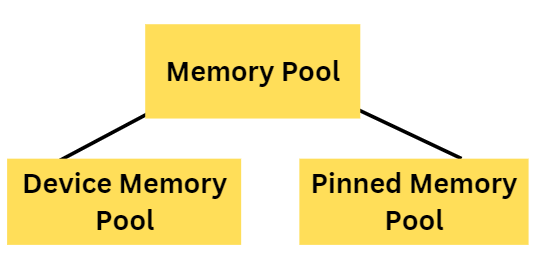
CuPy has a feature memory pool which makes the performance better by lowering the overhead for memory allocations and CPU/GPU synchronization.
There are 2 different memory pools:
Device memory pool is GPU device memory used for GPU memory allocations.
Pinned memory pool is non-swappable CPU memory used during CPU-to-GPU data transfer.
Memory Pool Operations
The Memory pool instance provides memory allocation statistics. To access the default memory pool instance, we use
cupy.get_default_memory_pool()
cupy.get_default_pinned_memory_pool
Limiting GPU Memory Usage
We can put a limit on the amount of GPU memory that can be allocated using the CUPY_GPU_MEMORY_LIMIT environment variable.
The limit can be set by using cupy.cuda.MemoryPool.set_limit(). This way, we can use a different limit for each GPU device. The limit counts only the memory allocated only inside the memory pool and not the memory allocated outside of it.
Changing Memory Pool
We can use the memory allocator rather than the default memory pool. It can be done by passing the memory allocation function to cupy.cuda.set_allocator() or cupy.cuda.set_pinned_memory_allocator() which takes 1 argument and returns cupy.cuda.MemoryPointer. We can also disable the default memory pool accordingly.
Frequently Asked Questions
Is CuPy compatible with NumPy?
CuPy is designed to be fully compatible with NumPy so that you can use it as a drop-in replacement for NumPy in most cases. You can use CuPy arrays instead of NumPy arrays, and many NumPy functions will also work on CuPy arrays.
Is CuPy faster than NumPy?
CuPy executes faster than NumPy as it operates on GPU rather than CPU.
Are all NumPy functions compatible with CuPy?
Not all NumPy functions are compatible with CuPy, so you may need to use CuPy-specific functions for some operations.
Conclusions
We hope this blog helped you understand the difference between NumPy and CuPy. Firstly, We discussed the basic features of both, followed by their comparison under various fields.










 5+ registered

