




Introduction
Welcome back, Ninjas; we are going to learn different ways to skip tests in Maven.

Testing is important while building the applications written in Maven structure work with multiple test cases or not. Skipping tests is a bad idea; however, sometimes it is necessary to skip them to save time or the overheads, especially for a large project.
In these cases, we explore all the possible commands to skip the tests in Maven.

Before moving into much more detail, let's start.
Ways to Skip Tests in Maven
There are various methods using which we can skip tests in Maven.
- The first way is to do it by using the command line.
- By using maven.test.skip property while using the maven command.
- Using skipping by default and then overriding it when necessary.
- By excluding some of the test cases using the exclude command.
Skipping the Tests
If you want to skip tests in Maven for a project and are using the maven-surefire-plugin in your pom.xml, then it's pretty easy to do so. You can specify the skipTests property = true in your plugin tag.
Before applying the properties:
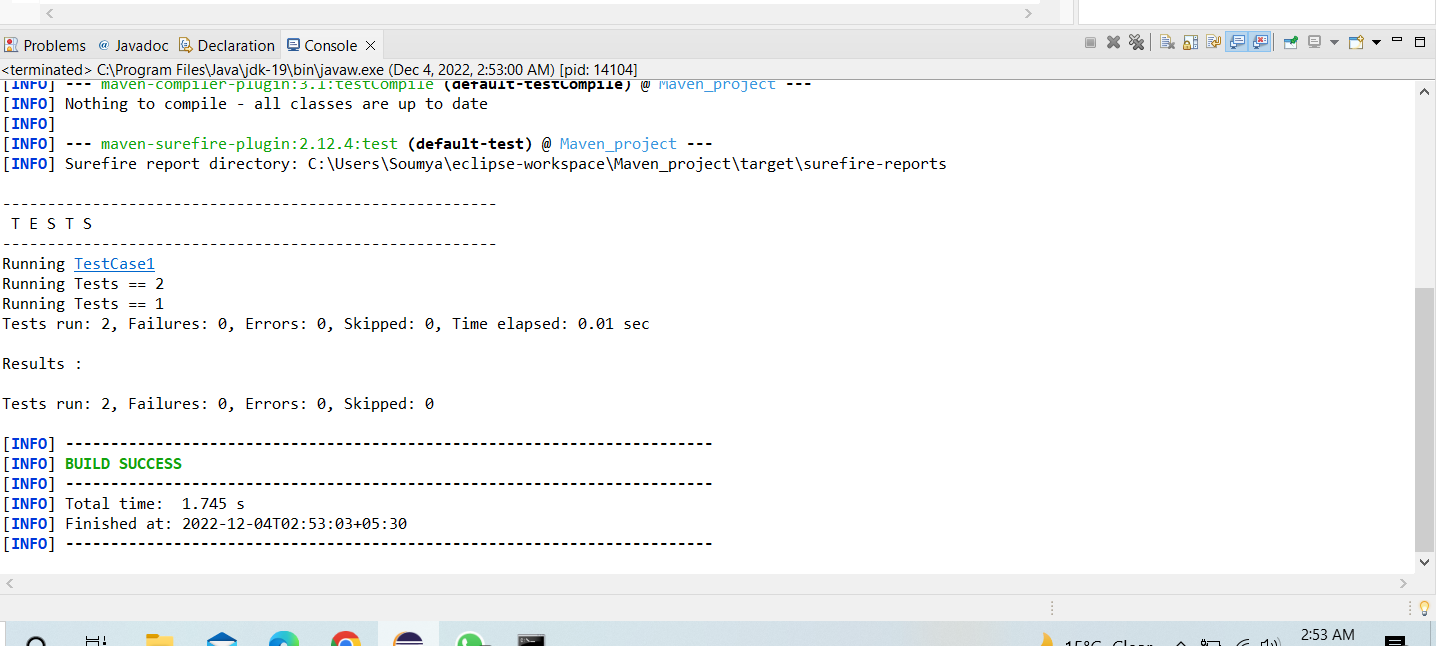
As you can see that our test cases are running properly. Till now we have not applied any properties in the plugin tag.
After specifying the properties where we will write the command to skip the tests.
Code
<project>
  <properties>
        <maven.test.skip>true</maven.test.skip>
    </properties>
    <build>
        <plugins>
            <plugin>
                <groupId>org.apache.Maven.plugins</groupId>
                <artifactId>maven-surefire-plugin</artifactId>
                <version>2.12.4</version>
                <plugin>
        </plugins>
    </build>
  <dependencies>
  <!-- https://mvnrepository.com/artifact/org.seleniumhq.selenium/selenium-java -->
<dependency>
    <groupId>org.seleniumhq.selenium</groupId>
    <artifactId>selenium-java</artifactId>
    <version>4.6.0</version>
</dependency>
<!-- https://mvnrepository.com/artifact/org.testng/testng -->
<dependency>
    <groupId>org.testng</groupId>
    <artifactId>testng</artifactId>
    <version>7.6.1</version>
    <scope>test</scope>
</dependency>
  </dependencies>

</project>
Output:
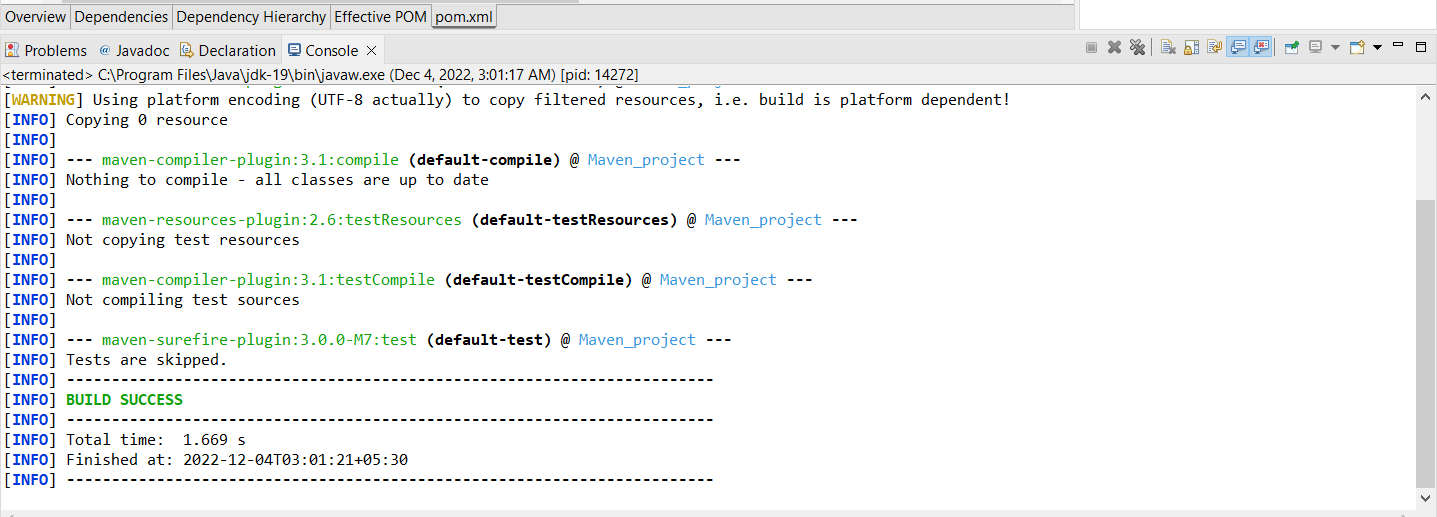
Explanation:
Now you can see that Tests are skipped as the data under the TestCase1 file is not printed.
Using Command Line
You can skip tests in Maven using the command line by executing the below command:
mvn install -DskipTests
Code:
<project>
	<build>
		<plugins>
			<plugin>
				<groupId>org.apache.maven.plugins</groupId>
				<artifactId>maven-surefire-plugin</artifactId>
				<version>3.0.0-M7</version>
				<configuration>
					<skipTests>true</skipTests>
				</configuration>
			</plugin>
		</plugins>
	</build>

	<dependencies>
  		<!-- https://mvnrepository.com/artifact/org.seleniumhq.selenium/selenium-java -->
  		<dependency>
    		<groupId>org.seleniumhq.selenium</groupId>
    		<artifactId>selenium-java</artifactId>
    		<version>4.6.0</version>
  		</dependency>
  		<!-- https://mvnrepository.com/artifact/org.testng/testng -->
  		<dependency>
    		<groupId>org.testng</groupId>
    		<artifactId>testng</artifactId>
    		<version>7.6.1</version>
    		<scope>test</scope>
  		</dependency>
  	</dependencies>
</project>
Output:
Here the command -DskipTests test command is used to run the program and skip the tests.
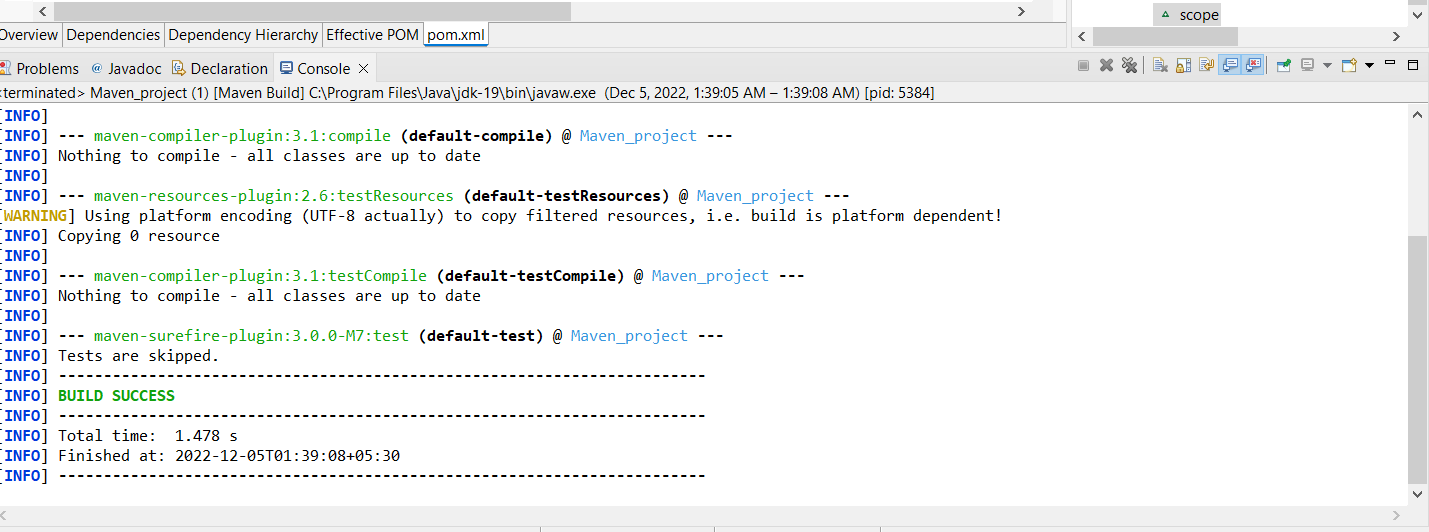
Explanation:
As you can see there is no test execution and Tests are Skipped. So using -DskipTests text command under the configuration is executed to skip the tests.
Output 2:
Here the command install -DskipTests = true is used to skip the tests.
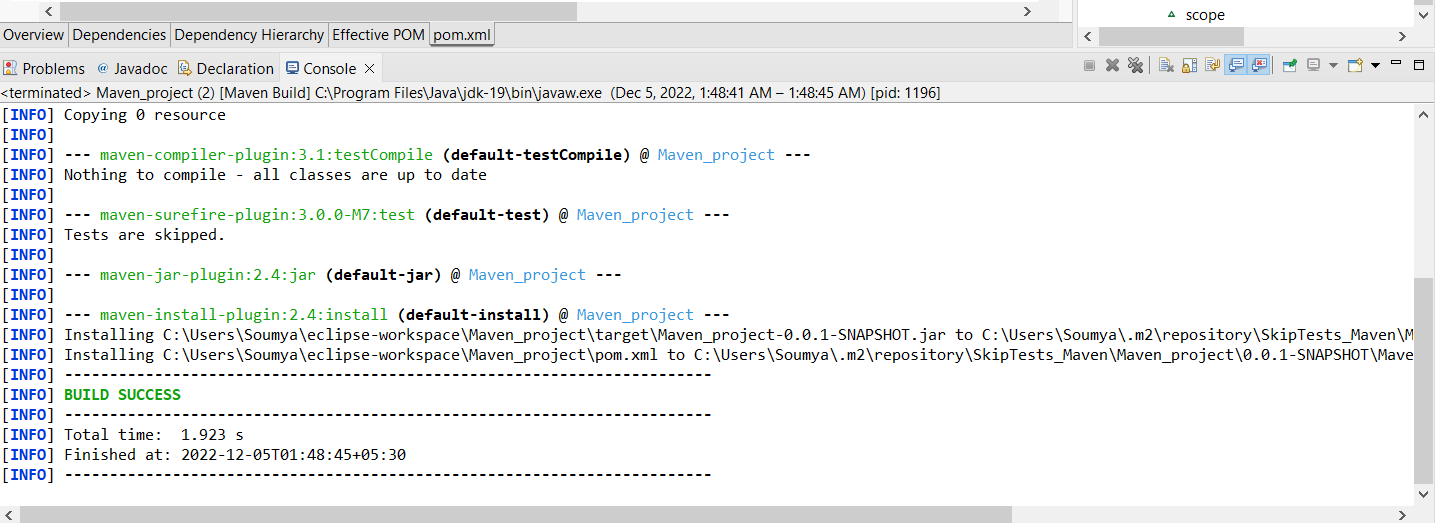
Explanation:
Using this command also we can skip the tests, Code written above will remain same for both the commands.
Using Maven.test.skip property
If you want to skip tests in Maven, you can use Dmaven.test.skip=true command in Maven. It will not compile and execute the test cases. This property is supported by most of the Maven testing plugins, including failsafe, surefire, and even the compiler plugin of Maven.
mvn package -Dmaven.test.skip=true
Output:
Here, the command package -Dmaven.test.skip= true is used to skip the tests.

Explanation:
As you can see from the output, there is no test execution by using the command package -Dmaven.test.skip= true.
Note: The default value of the -DskipTests argument is considered true when used without assigning the value.
Excluding some of the test classes
We can skip certain classes using the excluded element of the pom file by specifying them.
Code
<build>
    <plugins>
      <plugin>
        <groupId>org.apache.maven.plugins</groupId>
        <artifactId>maven-surefire-plugin</artifactId>
        <version>3.0.0-M7</version>
        <configuration>
        <excludes>
       		<exclude>**/TestCase1*.java</exclude>
        </excludes>
       </configuration>
     </plugin>
    </plugins>
</build>
Output:
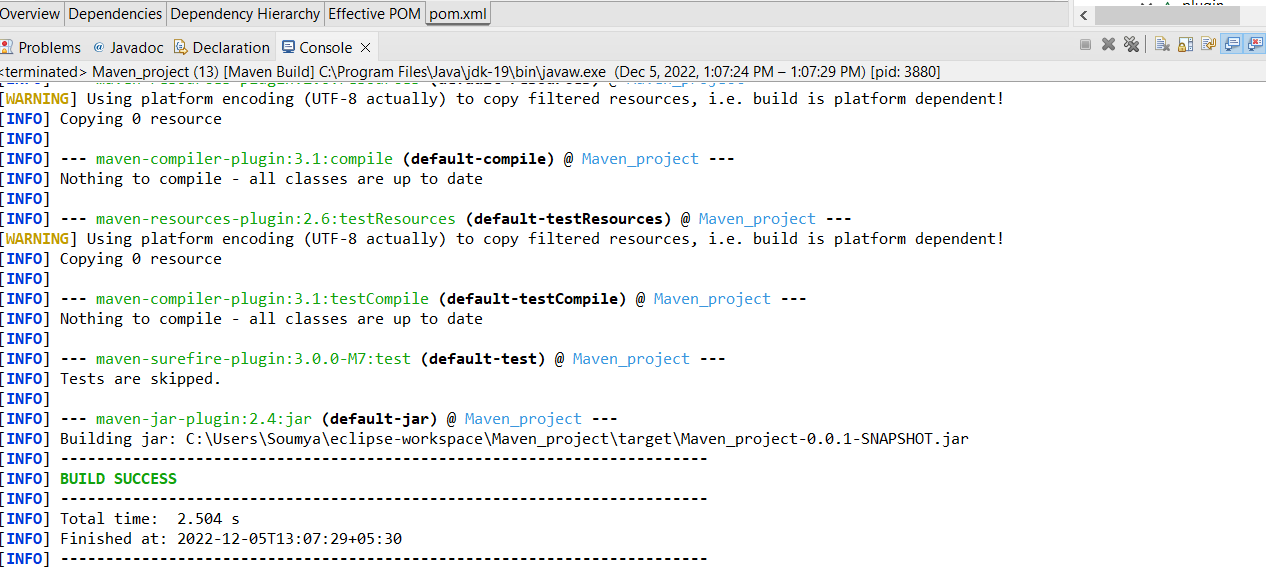
Explanation:
As you can see Test file will get excluded because it is mentioned in exclude, i.e., the element of configuration. The command which we will be using to exclude the test cases will be package -DskipTests.
Skipping by default
If you want to skip tests in Maven by default and want the ability to execute them sometimes when there is a necessity. Whenever we find the necessity to perform the test on our project, we may override the value of this property(Property value as true) by specifying the property value in the command that will be executed for Maven on the command line.
Code
<project>
  [...]

    <properties>
        <skipTests>true</skipTests>
    </properties>
  [...]

   <build>
        <plugins>
            <plugin>
                <groupId>org.apache.Maven.plugins</groupId>
                <artifactId>maven-surefire-plugin</artifactId>
                <version>2.12.4</version>
                <configuration>
                    <skipTests>${skipTests}</skipTests>
                </configuration>
             </plugin>
         </plugins>
    </build>
  [...]

</project>
Now, let's suppose, in the middle of the application, we feel a necessity to test the ongoing project; then, we can do that by setting the value of the property-> defaultValueOfSkip to false in our command as follows
Command:
mvn package -DdefaultValueOfSkip=false
OR
mvn install -DdefaultValueOfSkip=false
Explanation:
The command package -DdefaultValueOfSkip=false will revert our action of skipping the test cases. In simpler words if you feel that you want to execute the test cases then you can set the value of the defaultValueOfSkip to false.
Also read, Nmap commands


 1+ registered

