Test Syntax in Kotlin
Most of JUnit5 functionality works the same in Kotlin as it is supposed to do in Java. One difference is how we can customise the display names in the test report.
In Java, one could use @DispalyName annotation to make the method name readable. However, in Kotlin, we can use backtick identifiers for variables and methods.
@Test
fun `10 + 20 = 30`() {
   assertEquals(30, calculator.add(10, 20))
}

You can also try this code with Online Java Compiler
Lazy Evaluations in Kotlin
Suppose you wish to print the error message to the developer; we can do that too by adding error message into the lambda method as given below:
Program
@Test
fun `10 + 20 = 30`() {
   assertEquals(30, calculator.add(10, 20)) {
       "10 + 20 = 30"
   }
}
You can also try this code with Online Java Compiler
Output
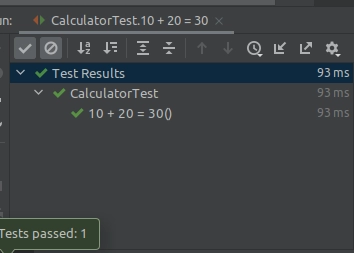
Thus code looks much cleaner and more readable in Kotlin than in Java.
Assertions in Kotlin
These assertions methods are declared in top level functions of org.JUnit.jupiter.api package.
Here is an example of asserting the code throws an exception.
Program
@Test
fun `Divide by zero should throw ArithmeticException`() {
   assertThrows<ArithmeticException> {
       calculator.divide(156, 0)
   }
}
You can also try this code with Online Java Compiler
Output
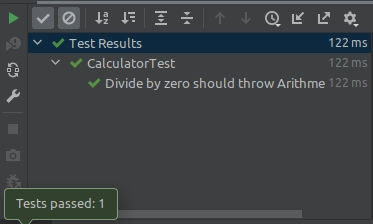
The lambda syntax is also applicable to grouped assertions. Using grouped assertions, you may run numerous assertions at once and report failures all at once.
We can write lambdas within the assertAll() function in Kotlin, just like we do in Java, but the syntax is less verbose.
Program
@Test
fun `Square of a number = the number multiplied by itself`() {
   assertAll(
       { assertEquals(1, calculator.square(1)) },
       { assertEquals(4, calculator.square(2)) },
       { assertEquals(9, calculator.square(3)) }
   )
}
You can also try this code with Online Java Compiler
Output
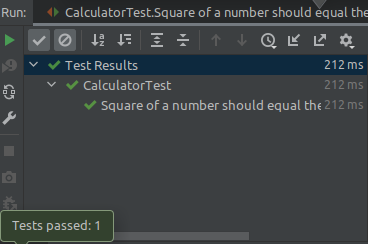
Parameterized Test in Kotlin
There are numerous approaches to writing parameterized JUnit 5 tests. The majority of these techniques also work in Kotlin without any modifications.
There is a distinction to be made when utilising the @MethodSource annotation with this in mind. According to the annotation, the source of the arguments is expected to be a static method within the class.
In Kotlin, we must build a companion object and annotate the method with @JvmStatic to achieve the same result. Because of the annotation, the method will be a Java static method.
Program
companion object {
   @JvmStatic
   fun squares() = listOf(
       Arguments.of(1, 1),
       Arguments.of(2, 4),
       Arguments.of(3, 9)
   )
}


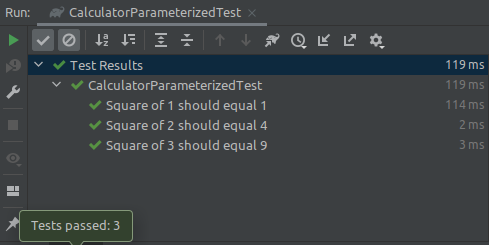
@ParameterizedTest(name = "Square of {0} should equal {1}")
@MethodSource("squares")
fun `Square of a number`(input: Int, expected: Int) {
   assertEquals(expected, calculator.square(input))
}
You can also try this code with Online Java Compiler
Output
Dynamic Test in Kotlin
JUnit 5 offers a new programming approach that uses a factory method marked with the @TestFactory annotation to produce dynamic tests at runtime.
Normally, we'd provide you a list of DynamicTest instances. Let's have a look at the calculator we used in the previous instances.
Program
@TestFactory
fun `Square of a number`() = listOf(
   DynamicTest.dynamicTest("Square of 10 should equal 100") {
       assertEquals(100, calculator.square(10))
   },
   DynamicTest.dynamicTest("Square of 3 should equal 9") {
       assertEquals(9, calculator.square(3))
   },
   DynamicTest.dynamicTest("Square of 5 should equal 25") {
       assertEquals(25, calculator.square(5))
   }
)
You can also try this code with Online Java Compiler
Each dynamic exam would appear as a separate test. However, there is some repetition and this is not very neat.
@TestFactory
fun `Square of a number`() = listOf(
   1 to 1,
   2 to 4,
   3 to 9
).map { (input, expected) ->
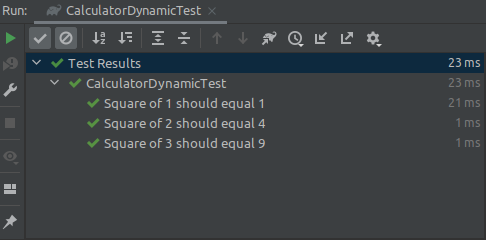
   DynamicTest.dynamicTest("Square of $input should equal $expected") {
       assertEquals(expected, calculator.square(input))
   }
}
You can also try this code with Online Java Compiler
Output
Nested Tests in Kotlin
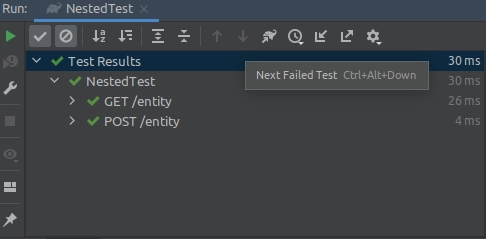
In JUnit 5, nested tests allow us to create a hierarchical framework for our tests. We may expect the following example to function if it came from Java.
class NestedTest {
   @Nested
   class GetRequest {
       @Test
       fun `return existing entity`() {}
   }


   @Nested
   class PostRequest {
       @Test
       fun `create new entity`() {}
   }
}
You can also try this code with Online Java Compiler
Such an example will serve as a warning. @Nested test classes can only be non-static nested classes. JUnit 5 will not be able to find any tests to run.
A nested class in Kotlin is identical to a static class in Java by default. @Nested test classes can only be non-static nested classes (i.e. inner classes).
Program
class NestedTest {
   @Nested
   inner class GetRequest {
       @Test
       fun `return existing entity`() {}
   }

   @Nested
   inner class PostRequest {
       @Test
       fun `create new entity`() {}
   }
}
You can also try this code with Online Java Compiler
Output
Static methods and fields in Kotlin
Static methods and Kotlin have previously been mentioned briefly. Create a companion object and annotate the method with @JvmStatic to make a Kotlin method visible as a Java static method.
companion object {
   @JvmStatic
   fun squares() = listOf(
       Arguments.of(1, 1),
       Arguments.of(5, 25),
       Arguments.of(7, 49)
   )
}
You can also try this code with Online Java Compiler
Another potential stumbling block arises when we must employ static fields. You make a field static in Java, so if you're new to Kotlin, you'd expect something similar to work.
class RegisterStaticExtensionTest {
   companion object {
       @RegisterExtension
       val jettyExtension: JettyExtension = JettyExtension()
   }
}
You can also try this code with Online Java Compiler
The answer is to use @JvmField to annotate the field.
Program
class RegisterStaticExtensionTest {
    companion object {
        @JvmField
        @RegisterExtension
        val jettyExtension: JettyExtension = JettyExtension()
    }
}
You can also try this code with Online Java Compiler
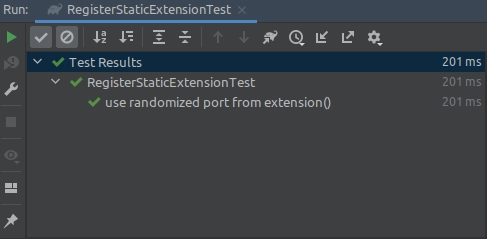
Output
Life Cycle Method in Kotlin
By default, the methods annotated with @BeforeAll and @AfterAll must be static.
Because JUnit 5 produces a new test object for each test function, there is no alternative way to share state across all tests.
Fortunately, with JUnit 5, by annotating the test class with @TestInstance(Lifecycle.PER CLASS), it can generate a test instance per class instead. Static methods are no longer required due to the life cycle modification.
Program
@TestInstance(TestInstance.Lifecycle.PER_CLASS)
class LifecycleTest {
   @BeforeAll
   fun beforeAll() {
       println("=== Before CN ===")
   }

   @AfterAll
   fun afterAll() {
       println("=== After CN ===")
   }

   @Test
   fun firstTest() {
       println("First test for coding ninjas")
   }

   @Test
   fun secondTest() {
       println("Second test for coding ninjas")
   }
}
You can also try this code with Online Java Compiler
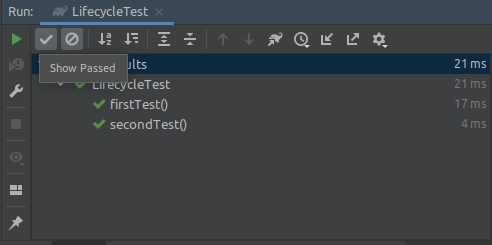
Output
FAQs
-
What is the Kotlin test JUnit?
Independent of the test framework used, the kotlin. test library offers annotations to designate test routines and a collection of utility functions for making assertions in tests. The Asserter class is used to abstract the test framework.
-
What is org JUnit Jupiter?
In JUnit 5, JUnit Jupiter combines the new programming paradigm with the extension concept for developing tests and extensions. A TestEngine is provided by the Jupiter sub-project for performing Jupiter-based tests on the platform. JUnit Vintage includes a TestEngine that allows you to run JUnit 3 and JUnit 4 tests on the platform.
-
Is JUnit 5 backwards compatible?
JUnit 5 is not backward compatible with JUnit 4, but the JUnit team created the JUnit Vintage Project to support JUnit 4 test cases on top of JUnit 5.
-
Is JUnit 5 the same as Jupiter?
JUnit Jupiter is a JUnit version 5 API for developing tests. The separation of concerns is represented in all three major modules: JUnit Jupiter, JUnit Platform, and JUnit Vintage.
Key Takeaways
If you have reached till here you must find this article interesting, Although there are few circumstances where the syntax differs from that of Java, most of the JUnit 5 capabilities operate flawlessly in Kotlin. However, because of the nature of the Kotlin programming language, we can frequently make the code more understandable.
Check out JUnit Interview Questions here.
If you want to learn more, head over to our library section for many such interesting blogs.
Happy Learning!





 1+ registered

