Do you think IIT Guwahati certified course can help you in your career?
Introduction
Welcome to our blog! Here, we're going to talk about something cool: conio.h in C programming. Have you ever wanted to make your computer programs more interactive and fun to use? Well, that's where conio.h comes in. It's like a secret tool that few people know about, but it can make a big difference in how your programs work.
Conio.h is also a header file in C and is used to include input-output library functions. In this article, we will cover the conio.h header file in C.
The ‘conio.h’ header file is a C library that provides functions for handling console input and output operations. It is a non-standard C header file i.e., it is not part of the official C language specification. It is not supported by modern compilers such as GCC.
Syntax
The syntax of the conio.h file in C is as follows:
#include <conio.h>
What is the use of conio.h in C?
The conio.h header in C is not part of the standard C library but was used primarily in older DOS-based systems. It provides functions for console input and output, screen handling, and text-based interface development. Programmers used conio.h to create interactive text-based applications with features like colored text, cursor control, and keyboard input.
However, it's essential to note that conio.h is not portable and is not supported by modern compilers or operating systems. Standard input/output functions like printf and scanf have largely replaced its use in favor of more platform-independent and maintainable code. Programmers today typically avoid using conio.h in favor of more standardized approaches to achieve similar functionality.
Functions of Conio.h in C
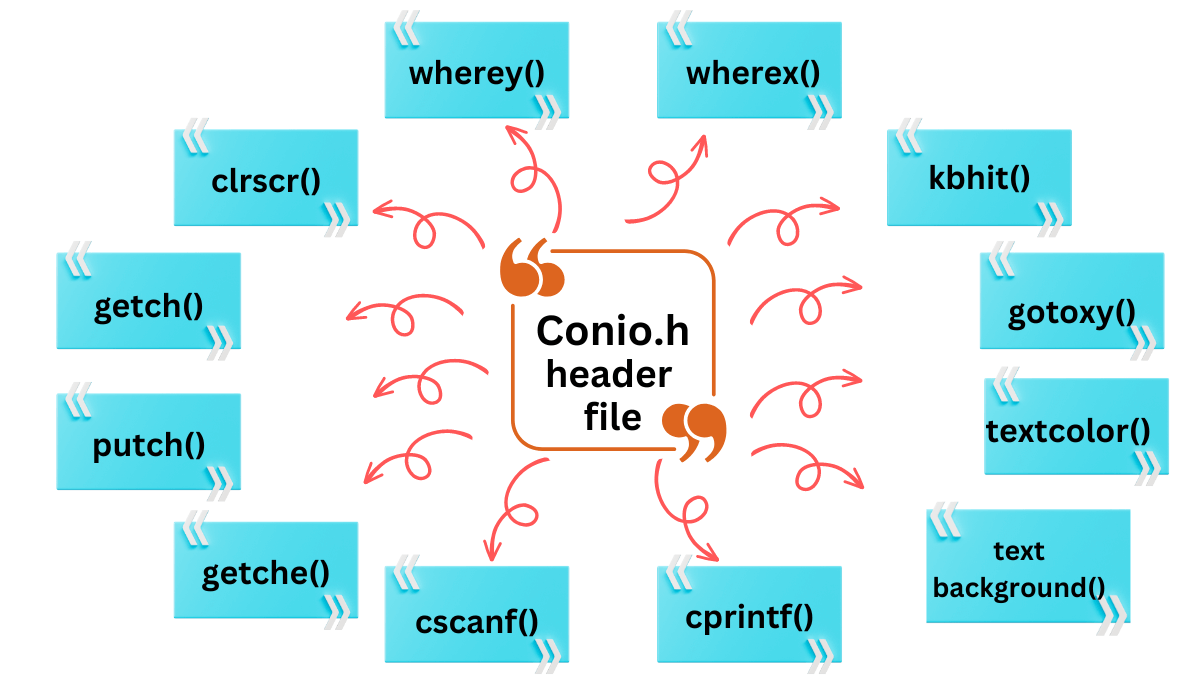
Let’s discuss some of the popular functions of conio.h in C as follows
1. clrscr()
You can use this function to clear the output screen.
Example:
C
C
#include<stdio.h>
#include<conio.h>


int main()
{
    printf("Welcome Ninja.");
    printf("\nThe clrscr() function will clear these two lines.");
    clrscr();
    printf("Clear Screen.");
    return 0;
}
In the output above, ‘Welcome Ninja’ is displayed on the console, before the program terminates.
7. cgets()
You can input a string of characters from the console until carriage-return (CR) and linefeed(LF) are encountered. Carriage-return(\r): It helps to move the cursor to the start of the current line.
Linefeed: It used to imply moving down to the next line.
They can be combined to create a new line(\n) effect.
Example:
C
C
#include<stdio.h>
#include<conio.h>

int main()
 {
    char name[20];
    char *ptr;
    name[0] = 10;
    printf("User Input:");
    ptr = cgets(name);
    printf("\n Here is your output: %s", ptr);
    return 0;
 }
These two values(x,y) were provided to the function gotoxy() as a parameter, and after program execution, the cursor location will be modified.
12. kbhit()
Here kb stands for keyboard and kbhit results in keyboard hit. This feature enables us to determine whether or not a person has hit any keys. Knowing whether or not a player has hit a key is helpful in games. It is a non-standard library method.
Example:
C
C
#include <iostream.h>
#include <conio.h>
int main()
{
  while (!kbhit())
   printf("Press any key\n");
  return 0;
}
Sharing of Data: The primary function of a conio.h header file is to transfer data between different files stored inside it. If you want to use various functions and view them all, you must store all the functions in the same file.
Reuse: You can reuse the desired function repeatedly by only including the separate header file.
Modularity: It maintains modularity by putting all related types of functions in a single file.
Less Complex Code: Including the header file decreases the lines of code, resulting in a less complex program.
Reduces Risk: Using appropriate header files can reduce the risk of unknown errors.
Disadvantages of using Conio.h
The disadvantages of using Conio.h are as follows:
Tight Coupling: Even if two files in your project are totally independent, it will still result in a tight coupling dependency between them.
Increased execution time: Regardless of whether it is required, every project header is included in every source file resulting in an increased number of operations and execution time.
Third-party libraries: Let's say that you created a module for your application. Let's imagine that this module implements an API. You then want to create a different app that should make use of this module.
In this scenario, either you have to keep track of the header files you need to include, or you can simply copy your previous header file. Copying the file will also include many unnecessary third-party libraries.
Frequently Asked Questions
Why do we use #include conio h in C?
This C statement is used for including the conio header file in your program which provides functions for handling console input and output operations.
Is it necessary to use conio.h in C?
No, it's not necessary to use conio.h in C. It's a non-standard header primarily used in older DOS-based systems for console I/O operations. Modern C programming typically relies on standard input/output functions like printf and scanf.
What is getch () in C?
getch() is a function in C that reads a single character from the keyboard without displaying it. It is commonly used to capture user input without immediately showing it on the screen.
How to install conio h for C?
To install conio.h for C, simply include it in your C program and link it during compilation. No separate installation is required; it's a standard C header file.
What is the use of Stdio H and Conio H in C?
stdio.h is for standard input/output functions, while conio.h provides functions for console input/output and screen control in C programming.
Conclusion
In this article, we extensively discussed the conio.h header file in C. We also discussed various functions defined inside this header file and the advantages of using a header file.
We hope this blog has helped you with your interview. We recommend you visit our articles on different topics of C, such as








 8+ registered

