


 Try this free template
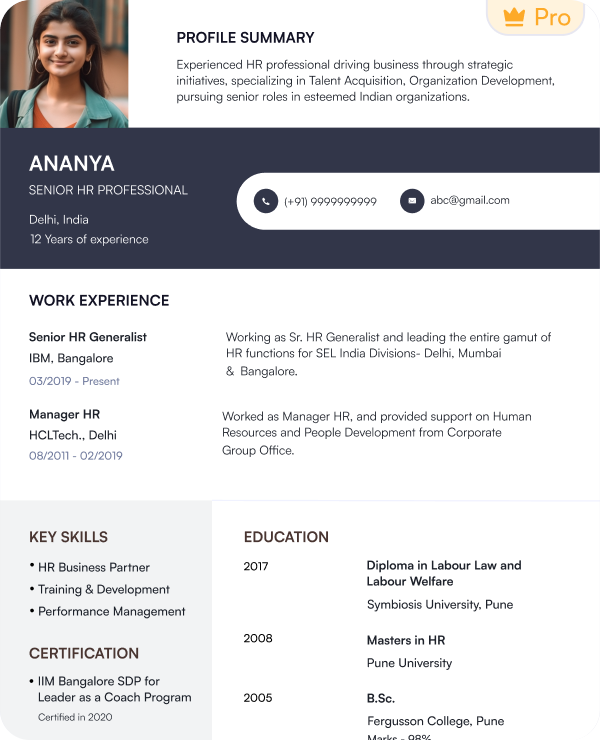
Executive Pro
Clean corporate design for senior roles
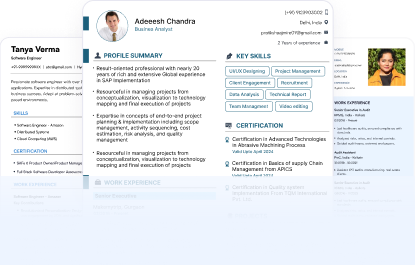
Find combination resume templates for different professions and career levels. Every design combines modern styling with ATS-friendly formatting for job applications.
Try this free templateTry this free templateTry this free templateTry this free templateTry this free templateTry this free templateTry this free templateTry this free templateTry this free templateA combination resume format brings together the skills-based approach of a functional resume and the detailed work history of a reverse chronological resume. Also called a hybrid resume format, it places professional skills before employment history.
This arrangement helps recruiters identify relevant expertise before reviewing previous employers and job titles. It is particularly useful for professionals changing careers or applying for positions that require skills developed across different jobs.
A combination hybrid resume generally includes the following sections:
Unlike a functional resume that keeps employment details brief, a combination resume includes a detailed work history.
A combination resume template is a ready-made design that gives equal space to professional skills and employment experience. These templates help candidates present achievements from different jobs while maintaining a clear employment timeline.
Here are the main features of combination resume templates:
Naukri’s combination resume templates offer flexible designs for different career backgrounds. You can arrange your skills and employment details using our AI resume builder.
Yes. A combination resume format can work well with Applicant Tracking Systems (ATS) when it uses clear headings and readable text. Its detailed employment section allows ATS software to identify job titles and employment periods while the skills summary presents relevant qualifications.
To make your hybrid resume template ATS-friendly:
ATS compatibility depends on how your resume is structured and saved. Use Naukri’s ATS Resume Checker to detect formatting problems and review your resume before submitting it.
Select a combination resume template that gives enough space to your specialised skills and relevant employment experience.
| Template Name | Best For | Why Choose |
|---|---|---|
| Minimal Edge | Career Changers | Highlights transferable skills and work history |
| Tech Stack | IT and Technical Professionals | Separate sections for technical skills and projects |
| Executive Pro | Senior Managers and Executives | Space for leadership achievements and career history |
| Bold Impact | Freelancers and Contractors | Showcases client projects and results |
| Classic Plus | Corporate Professionals | Formal design with clear employment details |
| Creative Spark | Creative Professionals | Space for portfolio projects and creative skills |
| Amber Classic | Career Returners | Highlights recent certifications and previous experience |
A combination resume format is suitable for professionals who can support specialised skills with a verifiable record of employment.
Choose a hybrid resume format when job requirements demand specific abilities that are not obvious from your previous job titles.
Another resume format may work better when a skills summary adds repetition or pushes relevant employment details too far down.
Here are some combination resume samples showing how professional skills are presented alongside detailed work experience.
Create a combination resume format that presents your professional abilities with supporting achievements and a complete employment record. Follow these six steps.
Place your personal and professional details in the resume header. Include:
Introduce your career background in 2 to 3 sentences. State your years of experience and areas of expertise. Include one measurable accomplishment relevant to the position. Adjust the summary as per the job description. Show transferable skills here if you are changing career.
Choose 3 to 5 skill categories based on the job description. Under each category:
Arrange previous jobs from the most recent to the earliest. Each employment entry should include:
Avoid repeating the same accomplishments already covered in your skills summary.
Mention your academic qualifications with the institution name and graduation year. Add professional certifications with issuing organisations and completion dates. Include technical training or relevant projects when applicable.
Compare your combined resume with the job description before applying. Update skill categories and achievements to match the position. Remove unrelated information and verify employment dates. Check formatting and ATS readability before downloading.
A hybrid resume format requires careful distribution of skills and employment details. Your skills summary should show specific abilities through results. The work experience section should establish where you applied those abilities and the responsibilities you handled.
Follow these guidelines:
A hybrid resume format needs enough space for skill-based achievements and detailed employment records. Follow these formatting guidelines.
| Element | Recommended Formatting Guidelines |
|---|---|
| Layout | Single-column in most cases Two-column layout when space is limited |
| Section Order | Contact Details → Summary → Skills → Work Experience → Education → Certifications |
| Skills Placement | Keep the skills within the upper third of the first page |
| Work Experience | Latest job first with 2 to 3 bullets per position |
| Employment Dates | Consistent Month/Year format (Jan 2022 - Present) |
| Typography | Arial, Calibri or Aptos with 10 to 12 pt body text |
| Headings | Bold 12 to 14 pt headings |
| Margins and Spacing | 0.6 to 0.9 inch margins and 1.0 to 1.15 line spacing |
| Colours | Dark text with one professional accent colour |
| Resume Length | One page for concise profiles Two pages for extensive relevant experience |
| Graphics | Avoid skill bars, text boxes and decorative graphics |
| File Format | PDF for preserving layout DOC/DOCX when requested by employers |
Formatting Tip: Keep your skills summary compact enough for your latest employment entry to begin on the first page. Avoid filling the entire upper half with skill categories because recruiters also need to review your recent job titles and employment dates.
A combination resume format presents professional skills alongside a dated employment history. However, its detailed structure requires careful organisation to avoid repetition and excessive length.
You can easily create a professional hybrid resume using Naukri’s free combination resume templates. Follow these steps to build a resume using our AI resume builder.
Build your resume once and update it for different job applications. Naukri provides editing tools that simplify resume writing and help you manage your professional details.
Before submitting your combination hybrid resume, use Naukri’s additional tools to check your resume and prepare a complete job application.
The templates were amazing. Got 3 interviews in my first week.

Naukri360 saved me hours. Done in 15 minutes.
Outstanding quality. Got a call that doubled my salary.
Helped me highlight transferable skills. Hired in 2 weeks!
Yes. A combination hybrid resume presents professional skills and achievements before a detailed work history. Both terms describe the same resume format.
Yes. Freshers with internships, academic projects or practical training can use this format to show relevant skills alongside their experience.
One page is suitable for candidates with limited experience. Professionals with extensive skills and relevant employment histories can use two pages.
Include three to five relevant skill categories with two supporting achievements under each. Select skills that match the job requirements.
A functional resume highlights skills with a brief employment history. A combined resume includes a prominent skills section followed by detailed job entries.
The skills summary usually comes first after the professional summary. Work experience follows in reverse chronological order with employers and employment dates.
Yes. A hybrid resume template can highlight recent certifications, freelance projects and transferable skills while keeping your employment dates accurate.
Check Naukri’s free combination resume samples for career changers and experiences professionals.
Browse our complete library of professional templates
Bring your career achievements and work history together in one resume. Pick a combination template and customise it for your next job application.
