


finally Statement
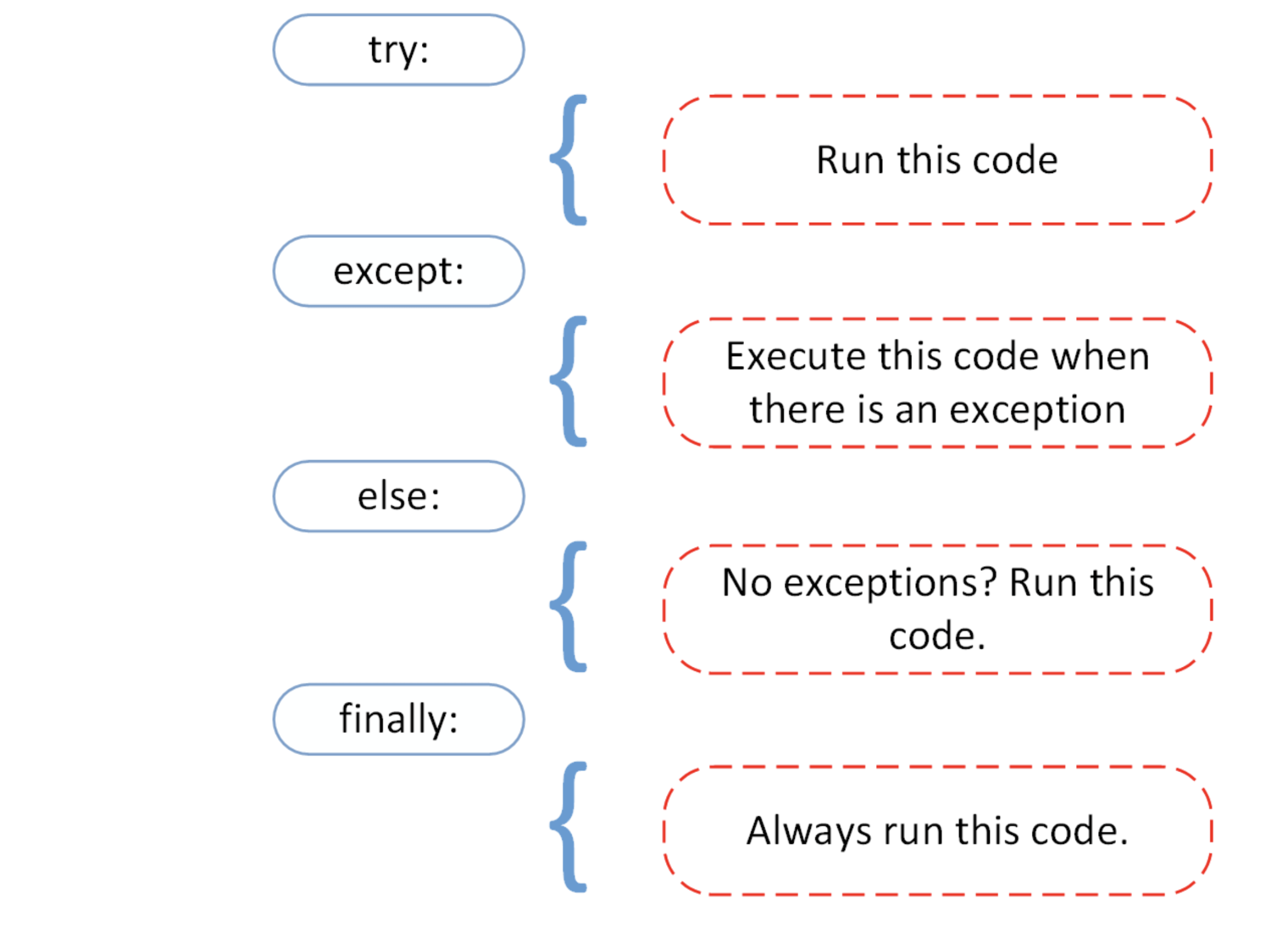
Syntax:
try:
       # Some Code....

except:
       # optional block
       # Handling of exception (if required)

else:
       # execute if no exception

finally:
      # Some code .....(always executed)
The try statement in Python can have an optional finally clause. This clause is executed no matter what and is generally used to release external resources. Here is an example of file operations to illustrate this:
Let’s first understand how the try and except works –
- First, the try clause is executed i.e. the code between try and except clause.
- If there is no exception, then only try clause will run, except clause will not get executed.
- If any exception occurs, the try clause will be skipped and except clause will run.
- If any exception occurs, but the except clause within the code doesn’t handle it, it is passed on to the outer try statements. If the exception is left unhandled, then the execution stops.
- A try statement can have more than one except clause.
Example: Let us try to take user integer input and throw the exception in except block.
# Python code to illustrate
# working of try()
def divide(x, y):
    try:
        # Floor Division : Gives only Fractional
        # Part as Answer
        result = x // y

    except ZeroDivisionError:
        print("Sorry ! You are dividing by zero ")
    else:
        print("Yeah ! Your answer is :", result)
    finally:
        # this block is always executed
        # regardless of exception generation.
        print('This is always executed')

# Look at parameters and note the working of Program
divide(3, 2)
divide(3, 0)
Output:
Yeah ! Your answer is : 1
This is always executed
Sorry ! You are dividing by zero
This is always executed
Raising Exceptions in Python
In Python programming, exceptions are raised when errors occur at runtime. We can also manually raise exceptions using the raise keyword. We can optionally pass values to the exception to clarify why that exception was raised. Given below are some examples to help you understand this better
>>> raise KeyboardInterrupt
Traceback (most recent call last):
...
KeyboardInterrupt
>>> raise MemoryError("This is an argument")
Traceback (most recent call last):
...
MemoryError: This is an argument
Now, consider the given code snippet:
Example:
try:
 a = -2

 if a <= 0:
     raise ValueError("That is not a positive number!")

except ValueError as ve:
    print(ve)
Output:
That is not a positive number!