





HTML Placeholder Attribute
What are competencies?
EXP:

40
HTML Placeholder Attribute
Add placeholder text to input elements with the placeholder attribute.
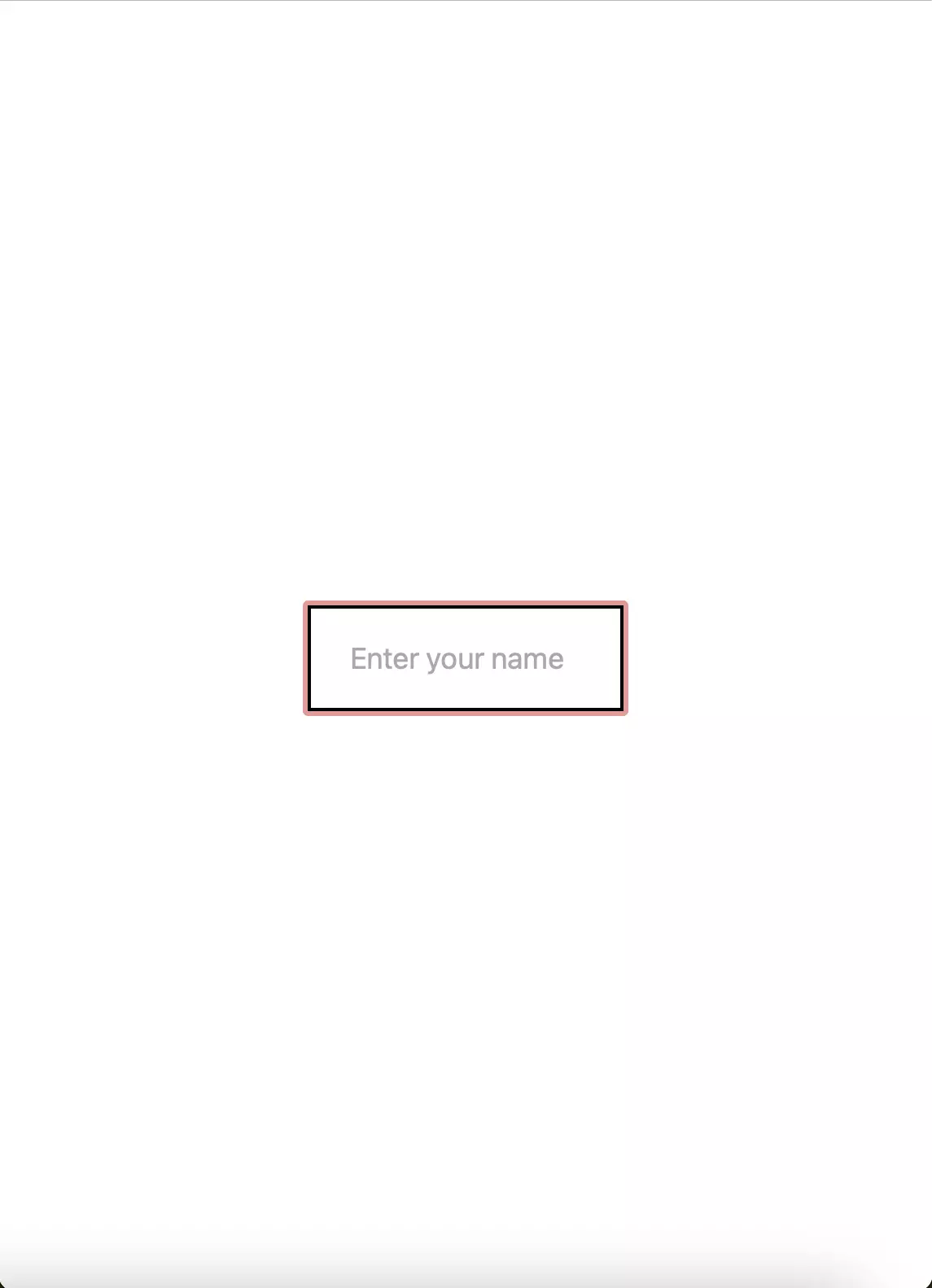
Add the placeholder text & also style it using the placeholder pseudo-element as per the instructions . Refer to the screenshots provided & try to mirror them.
Syntax Hint for targetting placeholder pseudo-element is : input::placeholder {}
Task for students
- Must to have
- add a placeholder attribute to the input with class "my-input" and set it to 'Enter your name'
- target this placeholder text pseudo element of the input with class "my-input" and apply it a font-size of "18px"
UI reference
- Use the given provided code and try to mirror the UI.
- Initial

- Final
Evaluation
- After submission, your solution will be evaluated automatically based on the tasks defined above.
- Upon successful completion of all the tasks/requirements, you will get a full score, and there will not be any partial scoring.
- You can work on your failed test cases & resubmit your solution.
- Your problem will get evaluated instantly.
Do’s & don’t
- Use the given code structure in editor and do not make any changes.
- Do not modify existing classes or tags.
- Focus on correct HTML structure and class names.
Query & feedback
- In case of any query/feedback on this project, please fill this form & we will soon get in touch with you to resolve.
Best of luck, developers!