





Javascript confirm() function
What are competencies?
EXP:

40
Javascript confirm() function
In JavaScript, confirm() displays a dialog box with a specified message and "OK" and "Cancel" buttons, returning true if "OK" is clicked and false if "Cancel" is clicked.
Your task in this problem is to implement the handleConfirm() function. The function should
- Open a confirmation modal using the built-in confirm() function.
- the confirmation modal should have OK & Cancel buttons
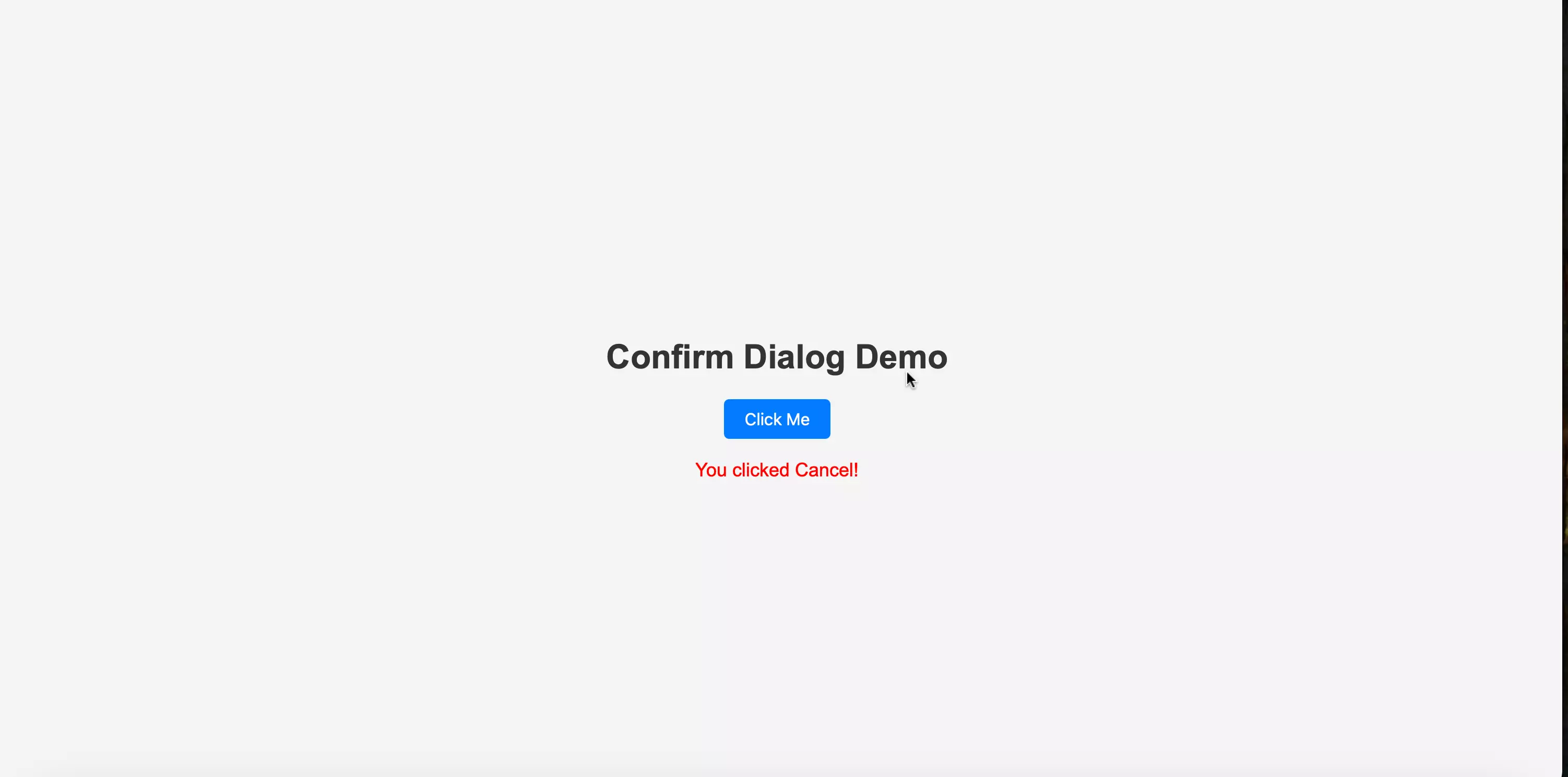
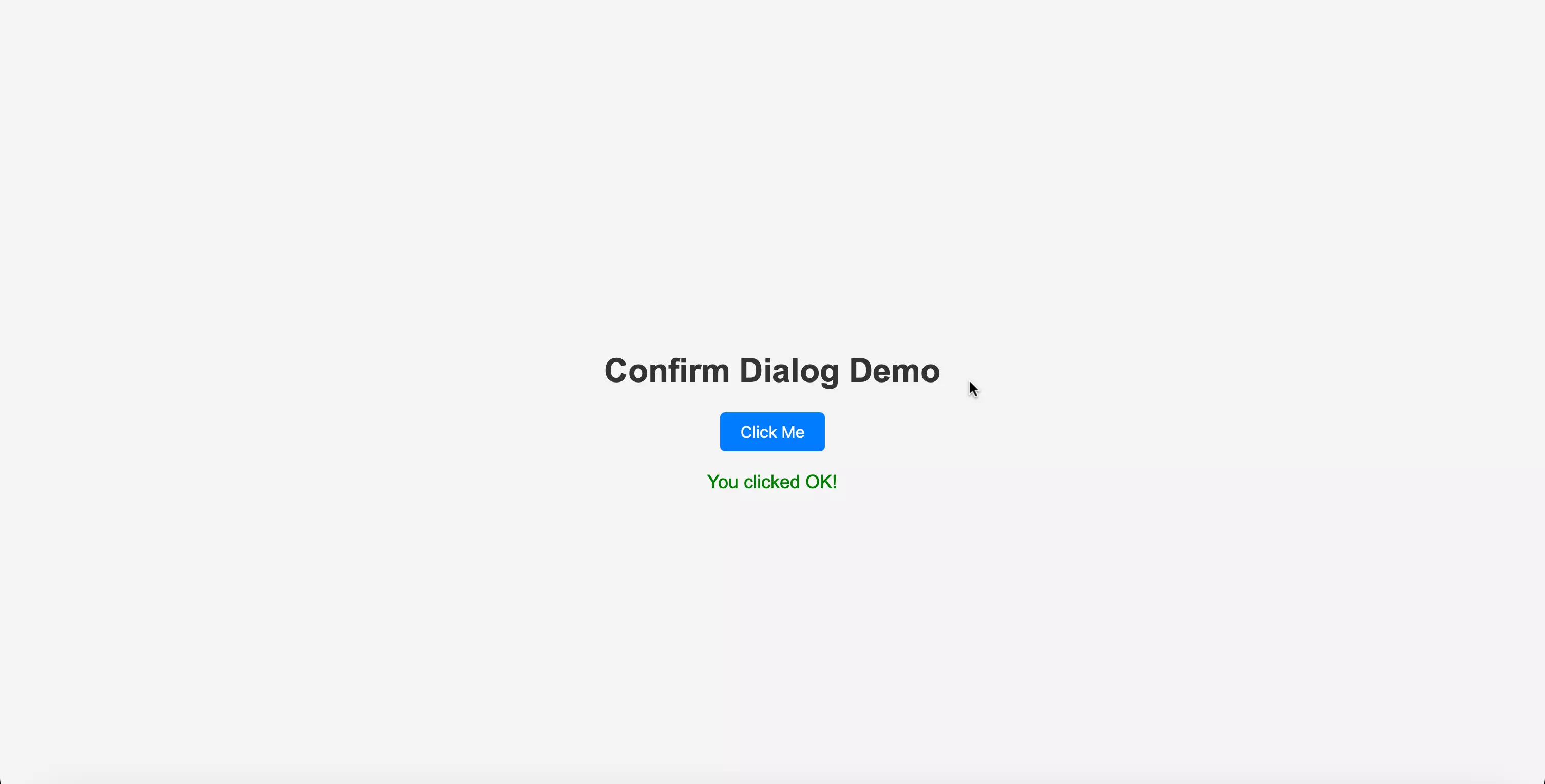
- If OK is clicked, populate the #result element's with OKTEXT & apply OKCOLOR to it.
- Otherwise, populate the #result element with CANCELTEXT & apply CANCELCOLOR to it.
INSTRUCTIONS:
| Step No | Crucial Component | Instruction | |
|---|---|---|---|
| 0 | confirm() function | capture the return value of confirm() function in a variable. say result. | code : const result = confirm('Do you want to proceed?') |
| 1 | div#result | Select it with document.getElementById | code : const resultElement = document.getElementById('result') |
| 2 | if result is true | set the textContent of resultElement equal to OKTEXT and color to OKCOLOR | code: resultElement.textContent = OKTEXT resultElement.style.color = OKCOLOR |
| 2 | if result is false | set the textContent of resultElement equal to CANCELTEXT and color to CANCELTEXT | code: resultElement.textContent = CANCELTEXT resultElement.style.color = CANCELCOLOR |
Refer to the intial & final screenshots provided below.
UI reference
On clicking the Cancel Button
On clicking the OK Button
Evaluation
- After submission, your solution will be evaluated automatically based on the tasks defined above.
- Upon successful completion of all the tasks/requirements, you will get a full score, and there will not be any partial scoring.
- You can work on your failed test cases & resubmit your solution.
- Your problem will get evaluated instantly.
Do’s & don’t
- Use the given code structure in editor and do not make any changes.
- Do not modify existing classes or tags.
- Focus on correct HTML structure and class names.
Query & feedback
- In case of any query/feedback on this project, please fill this form & we will soon get in touch with you to resolve.
Best of luck, developers!