





Javascript mousever & mouseout events
What are competencies?
EXP:

80
Javascript mouseover & mouseout events
The mouseover event triggers when the mouse pointer enters an element, while the mouseout event triggers when the pointer leaves the element.
Your task in this problem is to apply javascript on the div with id of 'hoverBox' that changes the styling of the box.
Refer to the table below for the instructions.
INSTRUCTIONS
| Step No | Crucial Component | Instruction | code instruction |
|---|---|---|---|
| 1 | div#hoverBox | Select it with document.getElementById | code : const hoverBox = document.getElementById('hoverBox') |
| 2 | mouseover (javascript event) | add event listener to the hoverBox variable (created in step 1) | code: hoverBox.addEventListener('mouseover',()=> { // step 3, 4 & 5 here }) |
| 3 | inside the event listener function (added in step 2) | set the #hoverBox's background color to "#FF5733" |
hoverBox.style.backgroundColor = '#FF5733' |
| 4 | inside the event listener function (added in step 2) | transform the #hoverBox to scale 1.1 times |
hoverBox.style.transform = 'scale(1.1)' |
| 5 | inside the event listener function (added in step 2) | set the #hoverBox's textContent to "Mouse Over" |
hoverBox.textContent = 'Mouse Over!' |
| 6 | mouseout (javascript event) | add another event listener to the hoverBox variable (created in step 1). this time the event should be 'mouseout' event | code: hoverBox.addEventListener('mouseout',()=> { // step 7,8 & 9 to be written here }) |
| 7 | inside the event listener function (added in step 6) | set the #hoverBox's background color to "#4CAF50" | hoverBox.style.backgroundColor = '#4CAF50' |
| 8 | inside the event listener function (added in step 6) | transform the #hoverBox to bring it back to its original state | hoverBox.style.transform = 'scale(1)' |
| 9 | inside the event listener function (added in step 6) | set the #hoverBox's textContent to "Hover over me!" |
hoverBox.textContent = 'Hover over me!' |
Refer to the intial & final screenshots provided below.
UI reference
- Initial (this will be the default state)
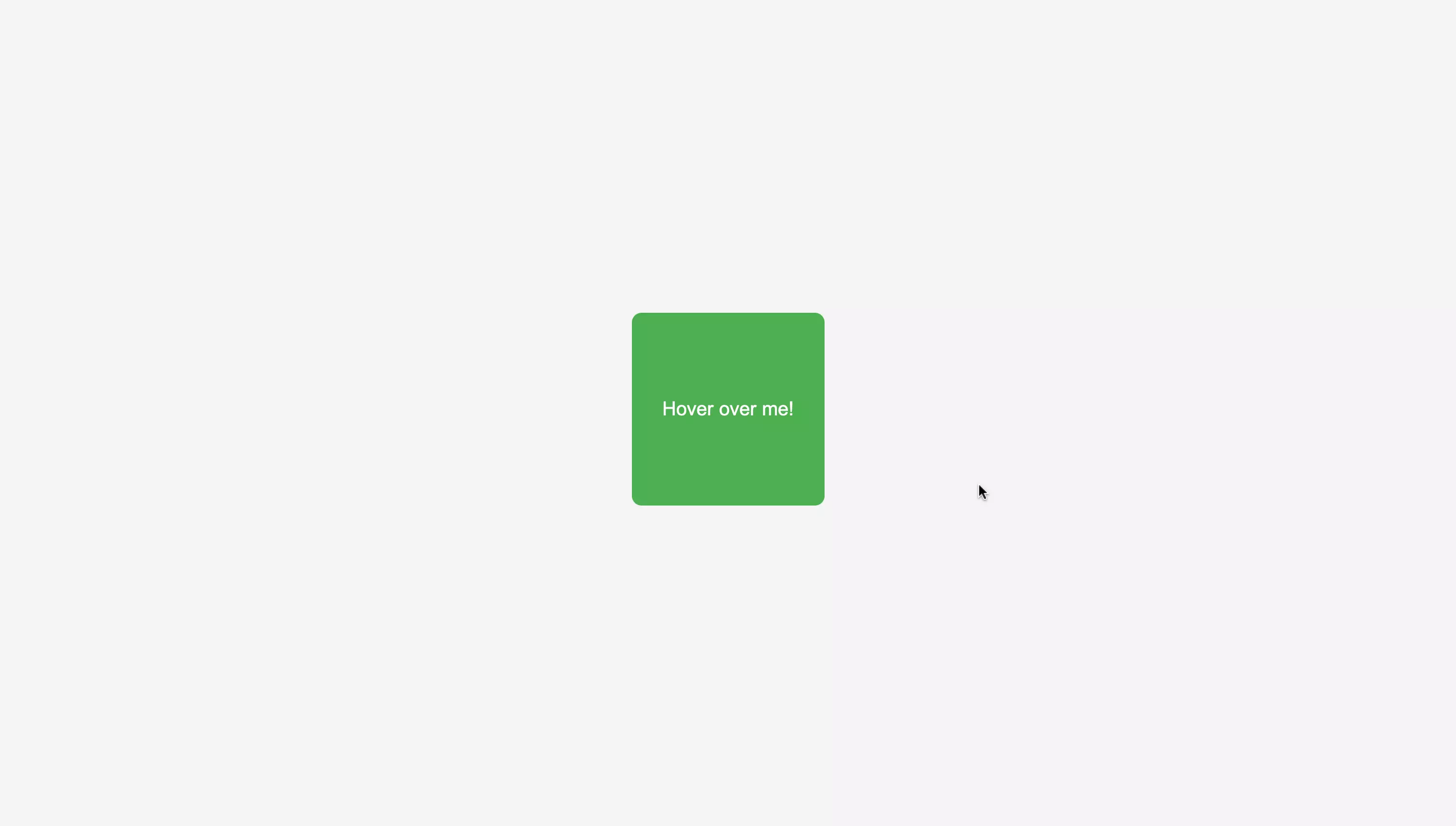
- Final Example 1 (hover over the box to trigger 'mouseover' event)
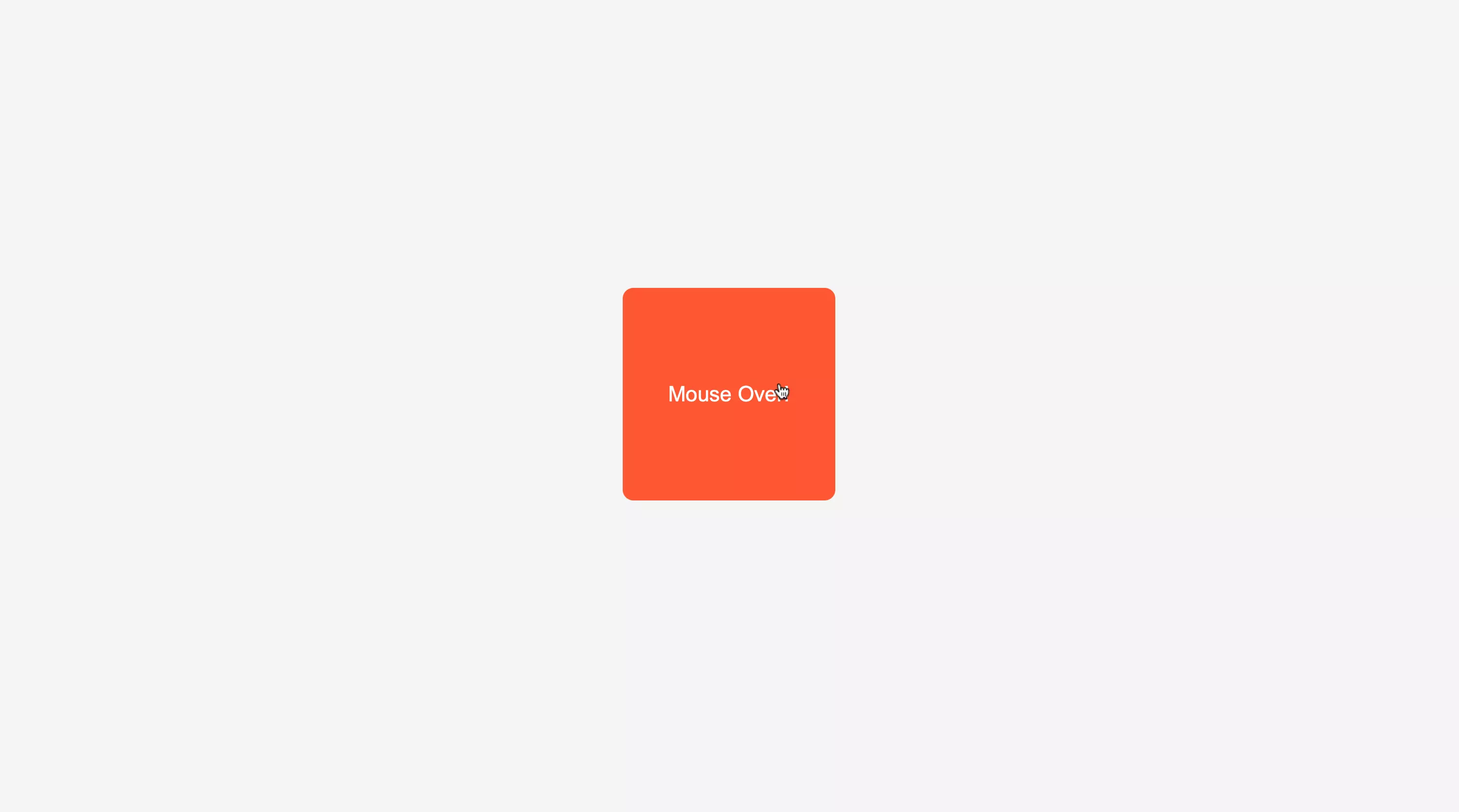
- Final Example 2 (move the cursor out of the box, to trigger 'mouseout' event)
Evaluation
- After submission, your solution will be evaluated automatically based on the tasks defined above.
- Upon successful completion of all the tasks/requirements, you will get a full score, and there will not be any partial scoring.
- You can work on your failed test cases & resubmit your solution.
- Your problem will get evaluated instantly.
Do’s & don’t
- Use the given code structure in editor and do not make any changes.
- Do not modify existing classes or tags.
- Focus on correct HTML structure and class names.
Query & feedback
- In case of any query/feedback on this project, please fill this form & we will soon get in touch with you to resolve.
Best of luck, developers!