





Theme Toggler
What are competencies?
EXP:

80
Problem statement
Lets get started with CSS and JavaScript!
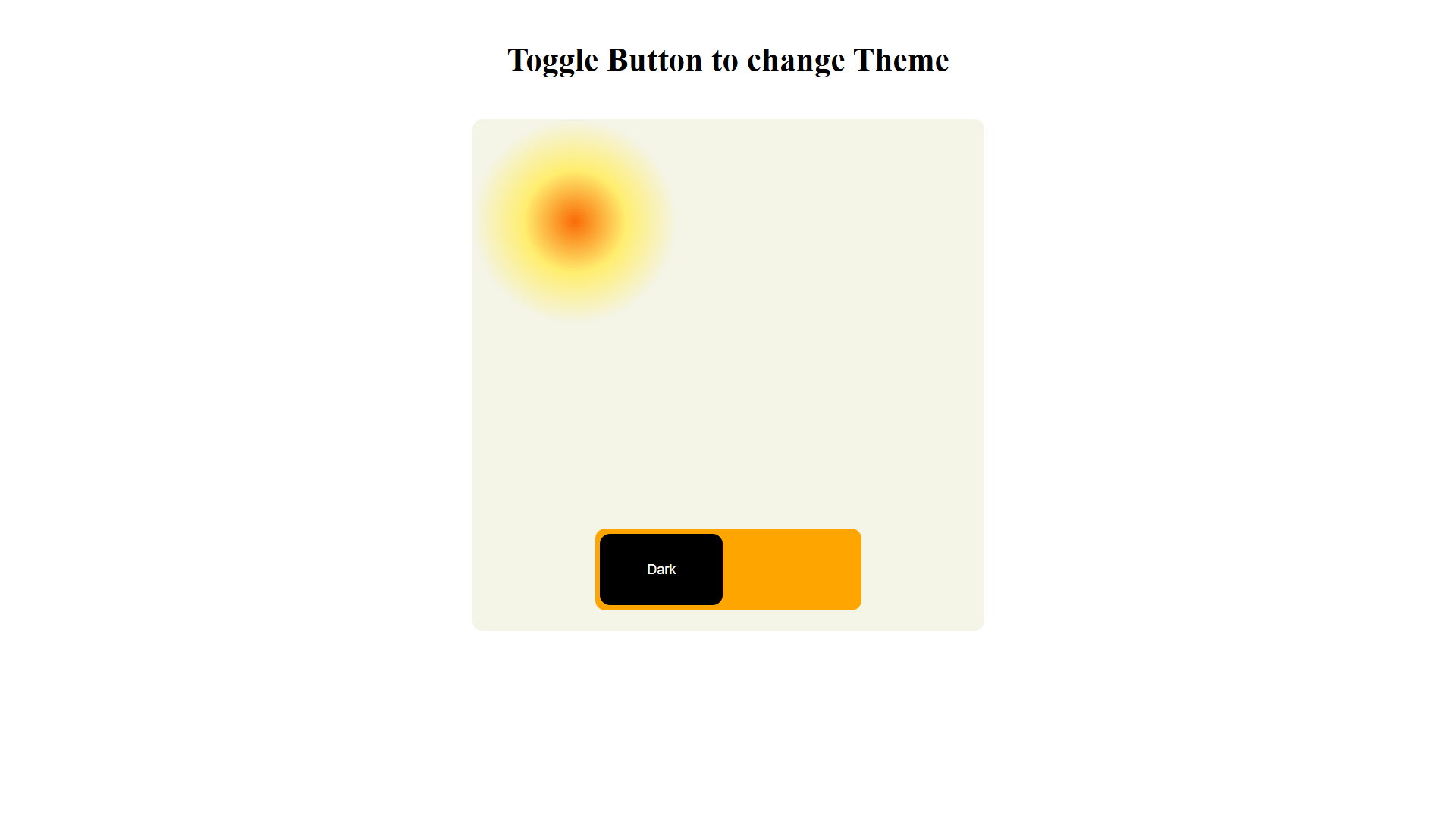
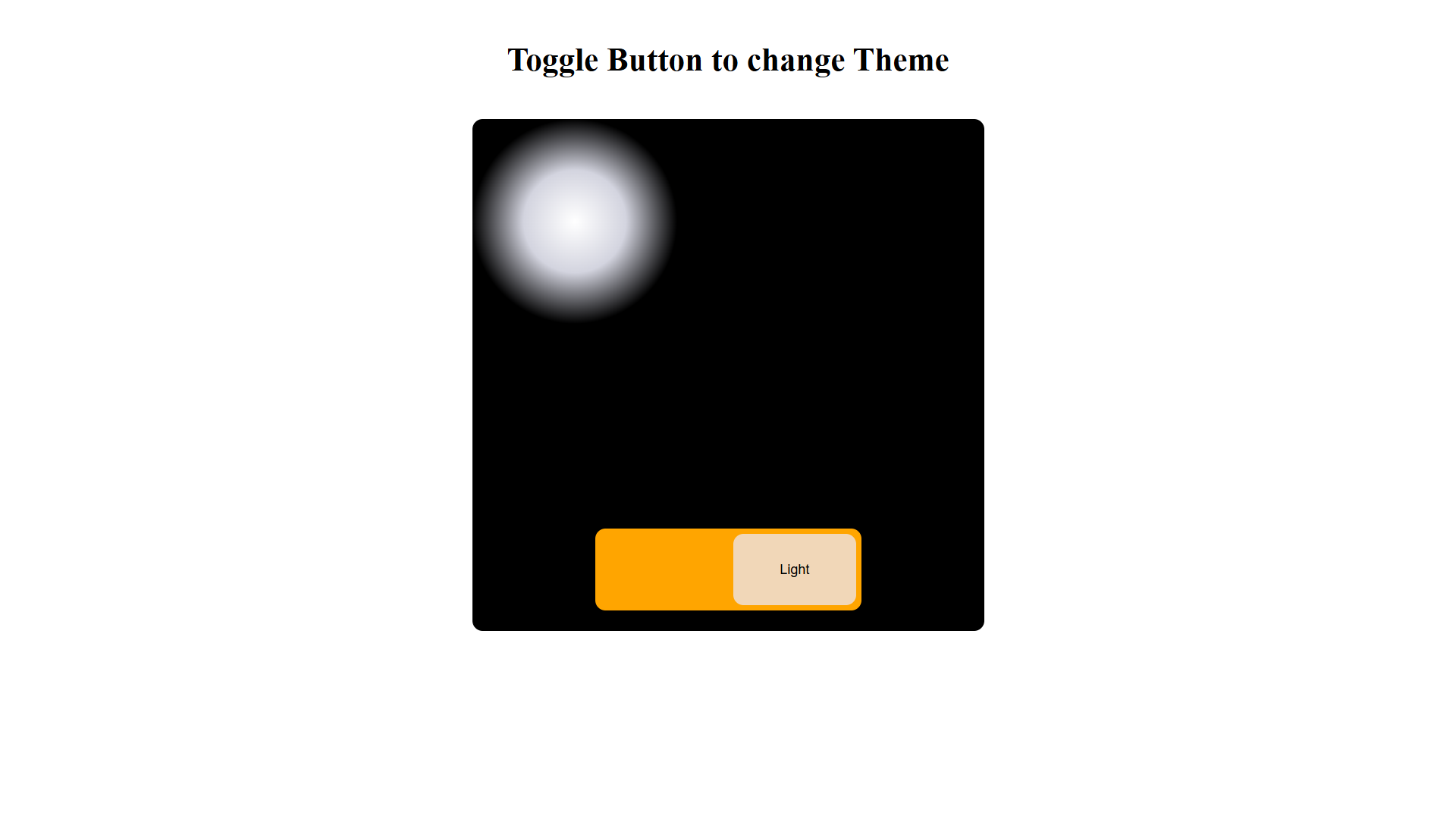
Welcome, developers! You have been assigned a task to design a theme changer, which change dark theme to light theme and vic-versa. Intially element have light theme and button for changing to dark theme will be displayed. Lets gets ready to design most fundamental feature which allmost every website posses.
Task for students
- Must to have
- define an element having class 'toggle-btn-container' which contains two button elements as children.
- each button have class 'btn' and click event which invokes 'toggleTheme' method on click.
- a button with id 'dark-mode-btn' have text 'dark'(case-Insensitive) and a child element having class 'dark-mode'.
- a button with id 'light-mode-btn' have text 'light'(case-Insensitive) and a child element having classes 'light-mode' and 'hide'.
- Intially light mode button should be disabled and light mode would be the theme.
- Must have classes these styles
- section element styles:
- horizontally center the element and have 20px margin from top and bottom, use margin css property.
- border radius will be 20px.
- display will be flex.
- flex direction will be column.
- flex items should be kept from bottom and it should be horizontally centered.
- padding should be 20px.
- width and height should be 500px.
- toggle-btn-container class styles:
- background should be orange.
- border radius should be 10px.
- padding should be 5px.
- width should be 'fit-content'.
- btn class styles:
- position should be relative.
- border radius should be 10px.
- border should be 0.
- width should be 120px and height 80px.
- dark-mode-btn id styles:
- background should be black.
- color should be white.
- light-mode-btn id styles:
- background should be 'rgb(241, 215, 184)'.
- light-mode and dark-mode class styles:
- background should be orange.
- display should be inline-block.
- position should be absolute.
- top should be 0.
- left should be 0.
- width should be 0.
- height should be 100%.
- transition should be '0.5s'.
- hide class styles:
- width should be '100%'.
- section element styles:
- Functionality tested
- toggleTheme method should toggle the theme by adding the 'hide' class to the child element of the clicked button and disabling the clicked button while enabling the other button. It should also remove the 'hide' class from the child element of the non-clicked button. Additionally, the method should add the 'dark-section' class to the section element in dark mode and remove it in light mode.
UI reference
- Use the given provided code and try to mirror the UI.
Light Mode
Dark Mode
Evaluation
- After submission, your solution will be evaluated automatically based on the tasks defined above.
- Upon successful completion of all the tasks/requirements, you will get a full score, and there will not be any partial scoring.
- You can work on your failed test cases & resubmit your solution.
- Your problem will get evaluated instantly.
Do’s & don’t
- Use the given code structure in editor and do not make any changes.
- Do not modify existing classes or tags.
- Focus on correct HTML structure and class names.
Query & feedback
- In case of any query/feedback on this project, please fill this form & we will soon get in touch with you to resolve.
Best of luck, developers!