

Engineering is a highly competitive field, with more than 1.5 lakh students graduating every year in India. That is why a strong engineering student resume is essential to secure a…


10 Resume Mistakes That Quietly Lower Your ATS Score
9 min read
13,591 views

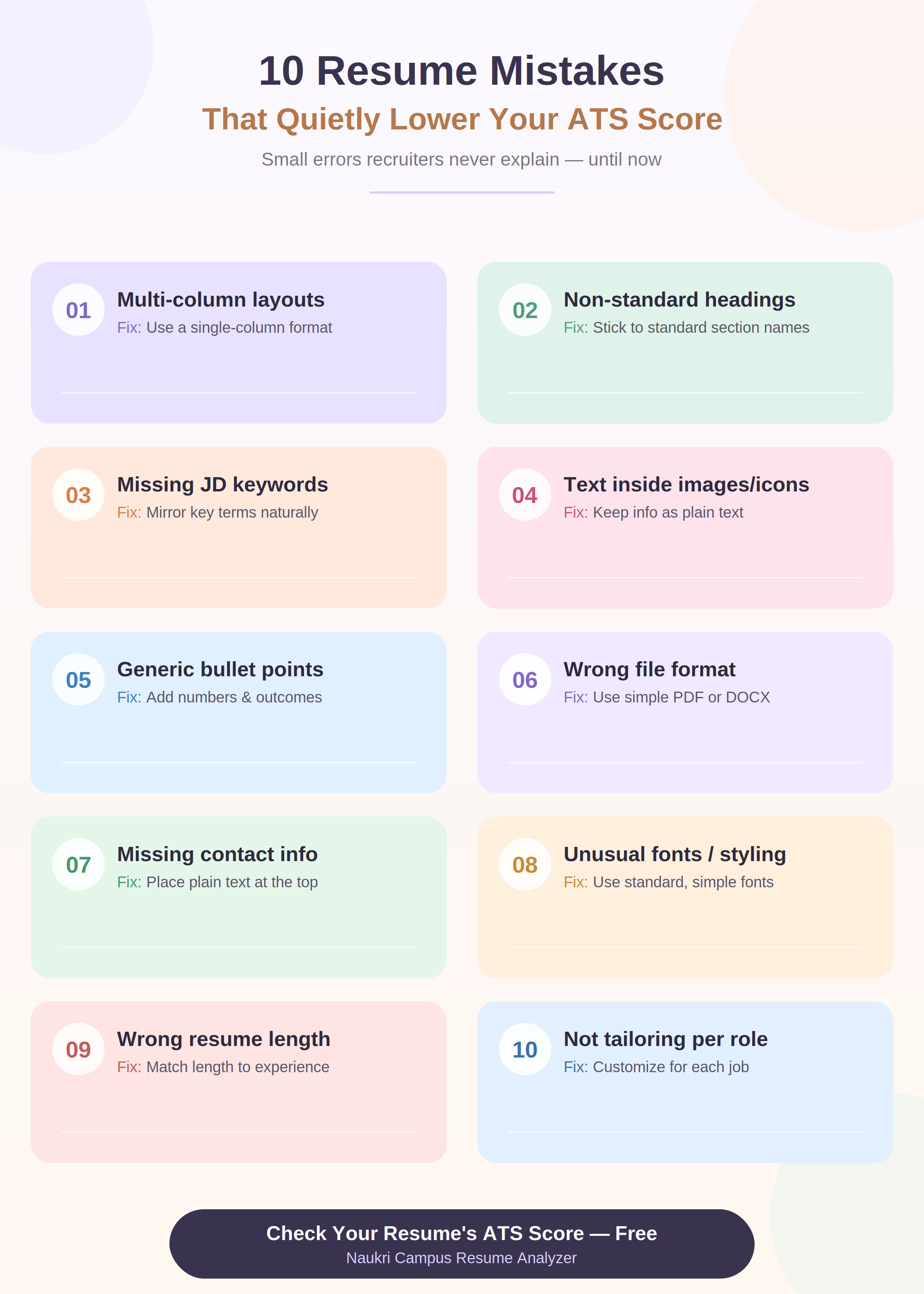
Most resume mistakes that hurt your ATS score don’t look like mistakes at all; they look like design choices, formatting habits, or wording you picked up because it “sounded professional.” Things like multi-column layouts, creative section headings, and image-based icons make your resume look polished, but they can confuse the very software that decides whether a recruiter ever sees it.
The tricky part is that none of these mistakes come with a warning. You don’t get rejected with an explanation; you just don’t hear back. Below are the 10 most common, quietly damaging mistakes, why each one hurts your score, and exactly how to fix it.
Quick Reference: All 10 Mistakes at a Glance
| Sr. No. | Mistake | Why It Hurts Your Score | Quick Fix |
| 1 | Multi-column or table-based layout | ATS parsers often read columns in the wrong order or skip them entirely | Use a single-column, linear layout |
| 2 | Non-standard section headings | ATS looks for recognized headings like “Experience,” not creative alternatives | Stick to standard section names |
| 3 | Keywords missing from job description | ATS ranks resumes by relevance match to the JD | Mirror key terms from the JD naturally |
| 4 | Text inside images, icons, or graphics | Parsers can’t read text embedded in images | Keep all information as plain, selectable text |
| 5 | Overly generic bullet points | ATS and recruiters both reward specificity and outcomes | Add numbers, tools, and measurable results |
| 6 | Wrong or inconsistent file format | Some formats parse poorly across different ATS platforms | Save and submit as a simple, text-based PDF or DOCX |
| 7 | Missing or buried contact information | ATS may fail to extract your contact details correctly | Place contact info as plain text at the top |
| 8 | Unusual fonts or excessive styling | Decorative fonts can be misread or dropped by parsers | Use standard, ATS-safe fonts |
| 9 | Resume length mismatched to experience | Too short looks incomplete; too long dilutes relevance | Match length to experience level |
| 10 | Not tailoring the resume per application | A generic, one-size-fits-all resume scores lower on relevance | Adjust keywords and emphasis per role |
1. Using a Multi-Column or Table-Based Layout
Two-column resumes and heavily templated designs are visually appealing, which is exactly why they’re so common and exactly why they’re such a frequent ATS trap. Many ATS parsers read resumes in a linear, top-to-bottom, left-to-right order. When your layout splits information into side-by-side columns or tables, the parser can scramble the order it reads things in or skip sections entirely.
What this looks like in practice:
- Skills listed in a sidebar next to your work experience
- Education and certifications placed in a separate column from your main content
- Contact details boxed into a colored header banner
The fix: Use a single-column, top-to-bottom layout. It’s less “designed,” but it’s what both ATS software and time-pressed recruiters actually process most reliably.
2. Using Non-Standard or Creative Section Headings
Headings like “My Journey,” “Where I’ve Made an Impact,” or “Toolkit” might feel more personal and less corporate, but ATS systems are typically built to recognize a specific set of standard section headings. When your heading doesn’t match what the system expects, it may fail to correctly categorize that section’s content or drop it from its analysis altogether.
Standard headings that parse reliably:
- Work Experience / Professional Experience
- Education
- Skills
- Certifications
- Projects
- Summary / Professional Summary
The fix: Save the creativity for your content and achievements; keep section headings conventional and predictable.
3. Missing Keywords From the Job Description
An ATS doesn’t just parse your resume in isolation; in most cases, it ranks your resume against the specific job description it’s being matched to. If your resume doesn’t include the key skills, tools, and terms mentioned in that JD, you can be pushed lower in the ranking even if you’re genuinely qualified.
Common keyword gaps:
- Using a different term for the same skill (e.g., “customer support” instead of “client servicing,” when the JD specifically uses “client servicing”)
- Missing specific tool or software names mentioned in the JD
- Not repeating the exact job title or role-specific terminology anywhere in the resume
The fix: Read the job description carefully and naturally work in the specific terms it uses, not by stuffing resume keywords, but by genuinely reflecting the language of the role wherever it truthfully applies to your background.
4. Putting Important Text Inside Images, Icons, or Graphics
Visual resumes that use icons for contact details, graphical skill bars, or infographic-style layouts often look sharp, but ATS software generally cannot read text embedded within images. If your phone number is inside a graphic icon, or your skill levels are shown only as visual bars rather than text, that information may be functionally invisible to the system scoring your resume.
Common places this mistake hides:
- Contact information paired with icon graphics
- Skill proficiency shown only as bars, stars, or charts
- Section headers designed as image banners instead of text
The fix: Keep every piece of information you want recognized- contact details, skills, and headings, as plain, selectable text, even if you also use icons decoratively alongside it.
5. Writing Overly Generic Bullet Points
Bullet points like “Responsible for managing team tasks” or “Worked on various projects” don’t give an AI resume analyzer, an ATS, or a recruiter anything specific to evaluate. Both algorithms and humans are looking for evidence of impact, not just a list of duties.
Generic vs. specific, side by side:
| Generic (Low-Impact) | Specific (High-Impact) |
| “Responsible for managing team tasks” | “Led a 5-member team to deliver 3 projects ahead of deadline” |
| “Worked on marketing campaigns” | “Executed 4 social media campaigns that increased engagement by 22%” |
| “Handled customer queries” | “Resolved 40+ customer queries daily with a 95% satisfaction rate” |
The fix: Rewrite bullet points to include a number, an outcome, or a concrete tool/skill wherever genuinely possible.
6. Using the Wrong or Inconsistent File Format
Not every file format parses the same way across every ATS. A resume saved in an unusual format, or one exported with unusual encoding, layout artifacts, or embedded design elements, can render inconsistently, sometimes losing formatting, sometimes losing content entirely.
Safer choices:
- A clean, text-based PDF (not a scanned image or flattened design file)
- A simple DOCX without heavy embedded design elements
The fix: Unless a job posting specifically requests otherwise, stick to a simply formatted PDF or DOCX, and avoid exporting from heavily templated design tools that embed non-standard formatting.
7. Missing or Buried Contact Information
If your contact details are only present in a header/footer, inside a graphic, or formatted unusually, some ATS platforms can fail to extract them correctly, meaning a recruiter interested in your profile may not even have a working way to reach you.
What to check:
- Is your phone number and email in plain text, not inside a design element?
- Is your contact information placed near the top of the document body, not only in a header/footer field some parsers ignore?
- Is your location, email, and phone number each clearly separated, not run together in one string?
The fix: Place your name, phone number, email, and location as plain text at the very top of the main document body.
8. Using Unusual Fonts or Excessive Styling
Decorative or script-style fonts might make your resume feel distinctive, but ATS parsers are generally built and tested around a set of standard, widely used fonts. Unusual fonts can occasionally be misread character-by-character, and excessive styling (multiple font sizes, colors, and decorative elements) can distract from, rather than support, a clean read.
Safer font choices: Standard sans-serif or serif fonts such as Calibri, Arial, Georgia, or similar widely used, simple typefaces.
The fix: Use one, at most two, standard fonts throughout, and limit styling to simple bold/italic emphasis rather than decorative elements.
9. Resume Length Mismatched to Your Experience Level
A one-page resume for someone with 8 years of relevant experience often reads as incomplete, cutting content that could otherwise boost your relevance score. Conversely, a 3-page resume for a fresher can dilute the important details in unnecessary length, making it harder for both an ATS and a recruiter to quickly find what matters.
General guidance:
- Freshers/early-career: typically 1 page
- Mid-career professionals: typically 1–2 pages
- Senior professionals with extensive relevant experience: up to 2–3 pages, only if genuinely necessary
The fix: Match your resume length to your experience level, prioritizing relevance over trying to fill (or artificially shrink) the page.
10. Not Tailoring Your Resume Per Application
Submitting the same resume to every job posting, regardless of role differences, is one of the most common and most avoidable reasons for a lower relevance score. ATS ranking is often relative to a specific job description, so a resume that isn’t adjusted to reflect each particular role’s emphasis will naturally score lower on keyword and skill relevance for that specific application.
- What tailoring actually means (not rewriting from scratch):
- Adjusting which skills and projects you emphasize based on the specific JD
- Making sure role-specific keywords genuinely present in your background are reflected
- Reordering bullet points so the most relevant experience for that particular role appears first
The fix: Keep a strong base resume, but spend a few minutes adjusting emphasis and keywords for each meaningfully different type of role you apply to.
How to Check If Your Resume Has These Mistakes
Reading through this list manually is a good start, but it’s easy to miss things in your own resume since you already know what you meant to say. This is exactly the gap an AI resume analyzer is built to close; it checks your resume for these exact issues (layout parsing problems, missing keywords, generic bullet points, and formatting inconsistencies) in one pass and gives you a prioritized list of what to fix first.
Naukri Campus’s free Resume Analyzer scans your resume for these common ATS score-lowering mistakes in under a minute and gives you specific, actionable feedback rather than a generic “improve your resume” note.
Frequently Asked Questions
What is the biggest mistake that lowers a resume’s ATS score?
Layout issues, particularly multi-column designs and text embedded in images or graphics, tend to have the biggest impact, since they can prevent an ATS from correctly reading your information at all, regardless of how strong the content is.
Can a resume look good visually but still score poorly on ATS?
Yes. Visual design and machine-readability are different things. A resume can be professionally designed and still perform poorly with an ATS if it uses columns, graphics, or non-standard formatting the parser struggles with.
Do resume mistakes affect freshers more than experienced professionals?
Freshers are often more affected by content-related mistakes, like generic bullet points or missing keywords, since they may be less familiar with translating academic or internship experience into role-relevant language, while formatting mistakes affect candidates at every experience level equally.
Is it a mistake to use a creative or designer-style resume template?
For roles where ATS screening is used, which is most mid-to-large companies, heavily designed templates with columns, graphics, and nonstandard layouts are risky, even if visually appealing, since they’re more likely to be misread by parsing software.
How many keywords should I include from the job description?
There’s no fixed number; the goal is to naturally and truthfully reflect the specific skills, tools, and terminology used in the job description wherever they genuinely apply to your background, rather than hitting a keyword count.
Does file format really make a difference to ATS scores?
Yes, to some extent. A simple, text-based PDF or DOCX generally parses more reliably across different ATS platforms than files exported from heavily templated design tools or saved as scanned images.
Should I use the same resume for every job application?
It’s better to keep a strong base resume and adjust keyword emphasis and bullet ordering for each meaningfully different type of role, since ATS ranking is often relative to the specific job description you’re applying against.
How can I quickly check if my resume has these mistakes?
An AI resume analyzer can scan for most of these issues—layout problems, missing keywords, generic content, and formatting inconsistencies — in a single pass, giving you a prioritized list rather than requiring manual review.
Do simple fonts really matter for ATS scoring?
Yes. Unusual or decorative fonts can occasionally be misread character-by-character by parsing software, so standard, widely used fonts are a safer choice for both readability and accurate parsing.
Is a one-page resume always better for ATS scoring?
Not necessarily. Length should match your experience level — a one-page resume is generally appropriate for freshers, but experienced professionals may need more space to include relevant details, as long as content stays genuinely relevant rather than padded.
Latest Posts
What Is a Good ATS Score? Full Benchmarks Guide
A good ATS score is generally 80 or above out of 100; this range typically indicates your resume is well-formatted for automated parsing, relevant to the role you’re applying for,…
How to Improve Your Resume Score to 90+ (Step-by-Step)
To improve your resume score to 90+, you need to fix issues in a specific order — ATS parsing and formatting first, then keyword relevance, then content quality — because…
Job Profile vs Job Description: Which One Should You Read First?
Entering the job market as a fresher can be daunting. Your resume is the first impression you make on potential employers, so it’s essential to craft it meticulously. Understanding the…
How to Write an ATS-Friendly Resume? – Best Tips and Samples
In today’s competitive job market, fresh graduates often face significant challenges in landing their first job. A major hurdle is getting past the initial resume screening, usually handled by Applicant…
Popular Posts
What is SSC CGL Exam? – Complete Details for 2026
If you’re a college student or a fresh graduate wondering, “Should I appear for SSC CGL?” you’re in the right place. Every year, over 30 lakh students apply for this…
How to Make a Fresher Resume That Recruiters Notice
If you are a college student or a fresher stepping into the professional world, creating a well-structured resume is your first step to success. A polished and ATS-friendly resume can…
Engineering Student Resume: A Complete Guide for BTech Freshers
Engineering is a highly competitive field, with more than 1.5 lakh students graduating every year in India. That is why a strong engineering student resume is essential to secure a…
How to Negotiate Salary With HR in an Interview?
Stepping into your first job is an exciting milestone, but it’s also a moment when many freshers shy away from one of the most crucial conversations, salary negotiation. While the…
How Does an ATS Score Your Resume? Everything You Need to Know
An ATS (Applicant Tracking System) scores your resume by comparing its text against the job description, matching keywords, required skills, years of experience, and education level, then assigning a percentage…
Was this post helpful?
Thanks for your feedback!