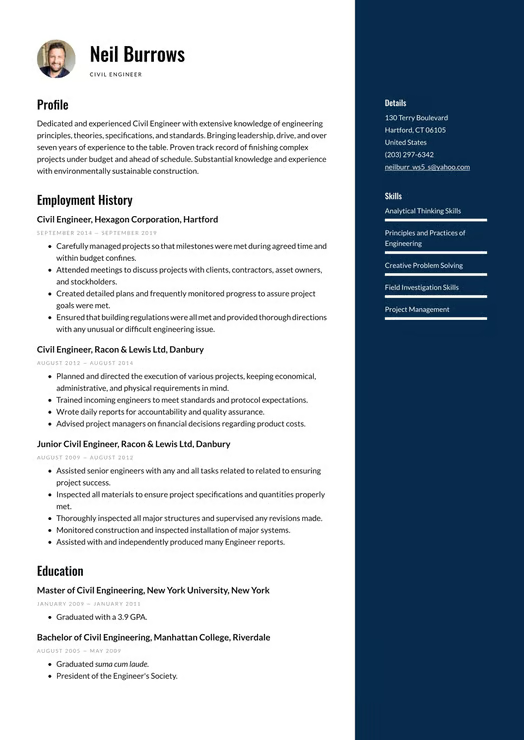
Why Use Word Cover Letter Templates?

Word Cover Letter Templates: Microsoft Word is an easy-to-use application. These templates can be adapted in a short period and in a professional manner simultaneously. Benefits include:
Easy editing and formatting in Microsoft Word.
The majority of employers welcome the utilization of the professional structure.
Individualized designation of various posts.
Periodic design that can improve readability.
Connection with most applicant tracking systems.
With a nice Word Cover Letter Format, your cover letter will be fine, short, and business-like as well.
Key Elements of a Word Cover Letter Format

A powerful Word Cover Letter Format has a definite format that brings out the qualifications and interest for the position. Typical sections include:
Header Section: Name, contact information, date, and employer information
Opening Paragraph: Take a moment to introduce yourself and speak a little bit about the position you're applying for. And explain your excitement about the opportunity.
Main Body: List your achievements, experience, and skills, which are relevant to the job description.
Conclusion: In closing, express gratitude by thanking the company for allowing you to discuss the position in a little more depth.
Looking at an example will help you understand how to fill each section of the Word cover letter template.
How to Customize Word Cover Letter Templates
By looking at an example, you can learn how to fill each section of the Word cover letter template. Here’s how to do it:
Modify your title and contact information.
Modify the introduction to match the job description.
Emphasize your achievements rather than your responsibilities.
Keep your paragraphs concise and clear.
Keep professional language in the letter.
A Word cover letter sample may be used to assist you in making your final cover letter look professional.
Who Should Use Word Cover Letter Templates?
Word Cover Letter Templates can be applicable to numerous categories of job seekers as they are flexible and very easy to use. They prove particularly helpful in:
Learners and new graduates.
Entry-level professionals
Applicants for several jobs.
Professionals who want to update their job applications.
Candidates who prefer their documents in an editable format.
A simple Word cover letter example can give directions to people on how to write a cover letter that best communicates their experience and qualifications.
Tips for Writing a Strong Word Cover Letter
When using Word cover letter templates, it is important to make sure that the cover letter is tailored to the job you are applying for. Important tips include:
Make the cover letter focused and related to the job.
Do not use long blocks of text; instead, use clear paragraphs.
You should always highlight your successes.
Keep the closing statement professional.
Re-read to ensure that there are no grammatical or formatting mistakes.
A good Word Cover Letter Sample is written professionally, and it also helps in forming a good first impression.
Conclusion
Word Cover Letter Templates enable job seekers to draft their professional cover letters within a short duration. Although the cover letter is simple and well-organized, the templates can make the writing process easier and make your application appear clean and easy to read.
Using a Word cover letter format makes it easier to efficiently and properly arrange your accomplishments, abilities, and expertise. Examining an example of a Word cover letter can also help you understand how to communicate successfully, and a well-written sample will undoubtedly help you create a strong first impression on prospective employers.