


 Try this free template
Pulse
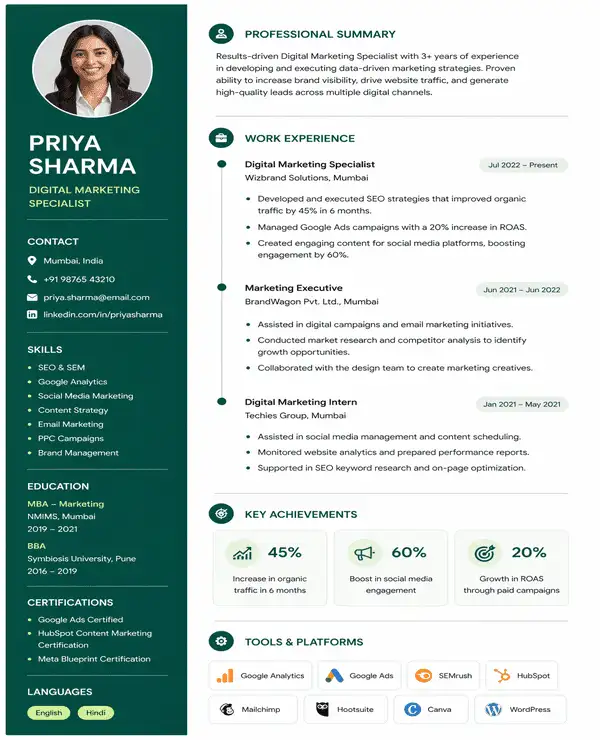
Classic photo layout for corporate job roles
Find free photo resume templates for different roles and career levels. Each template uses an ATS-friendly layout suited to current Indian hiring standards.
Try this free template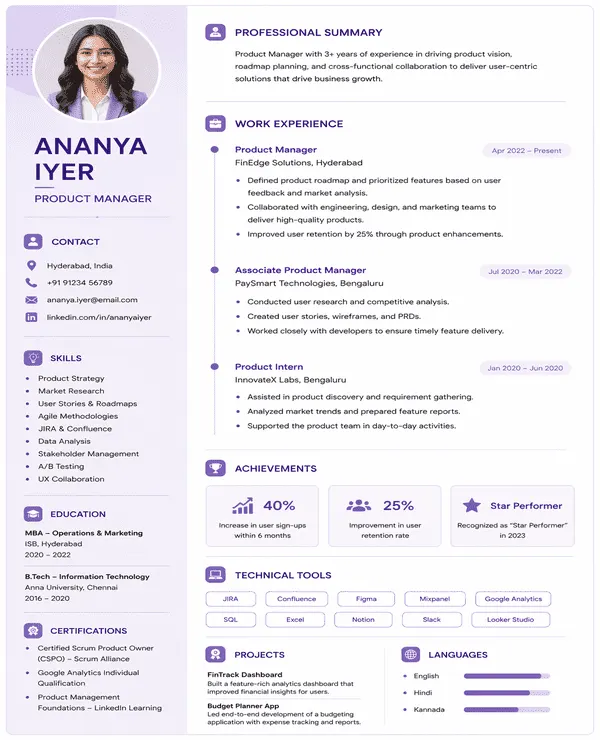 Try this free template
 Try this free template
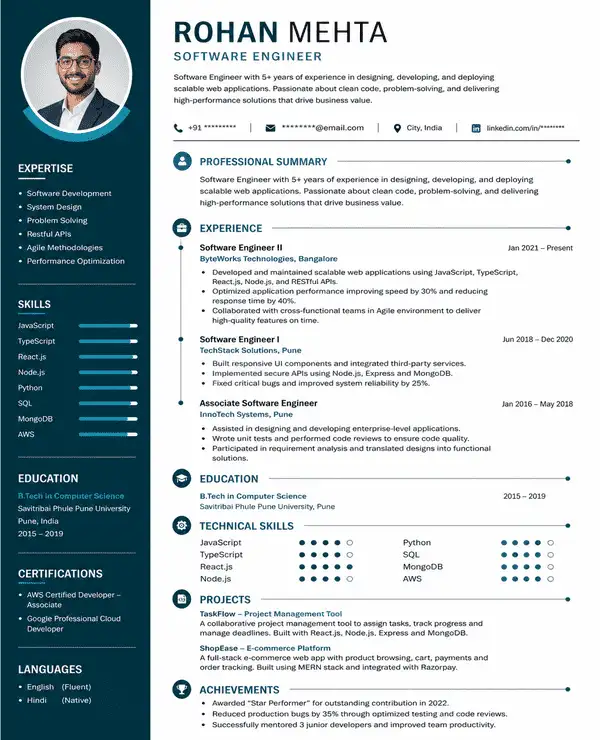 Try this free template
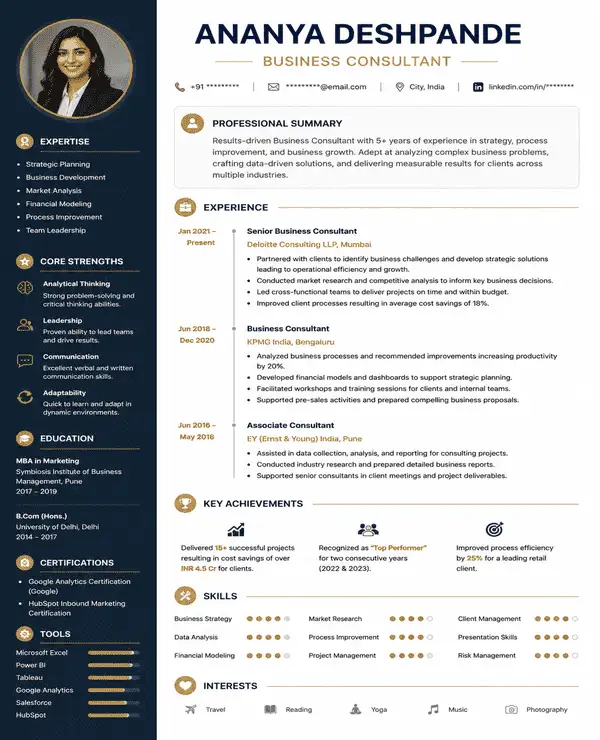 Try this free template
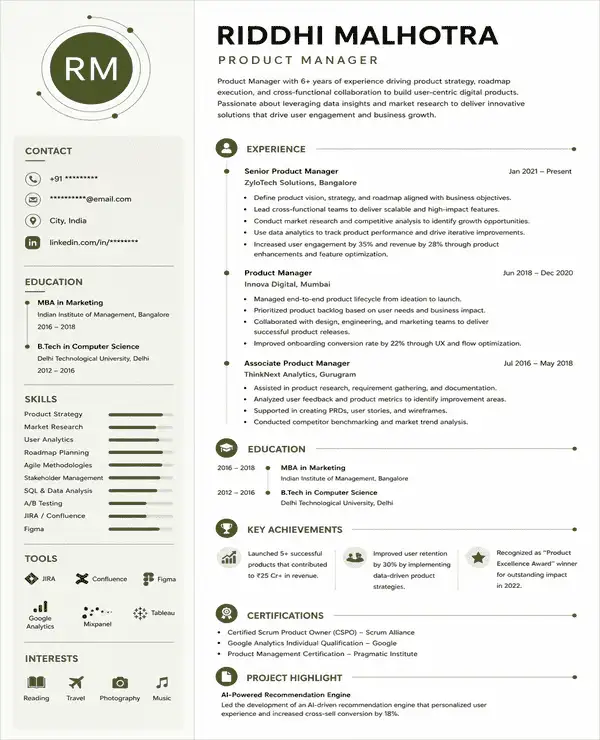 Try this free template
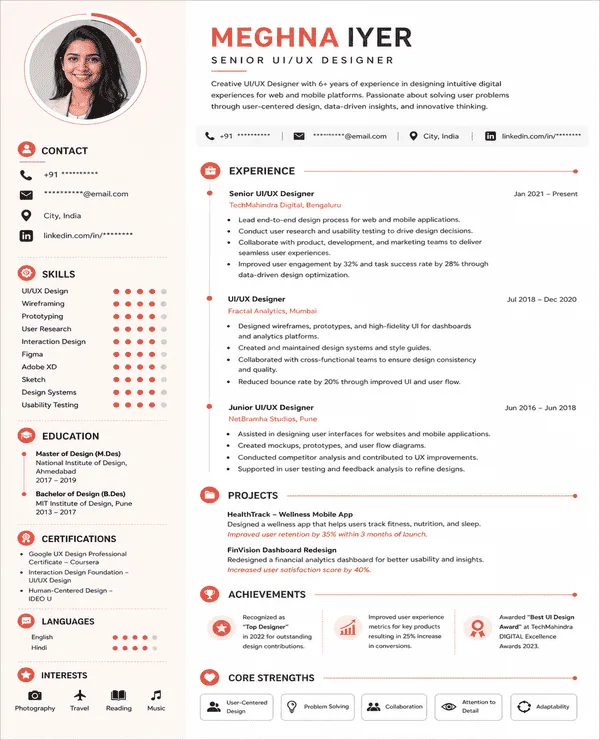 Try this free template
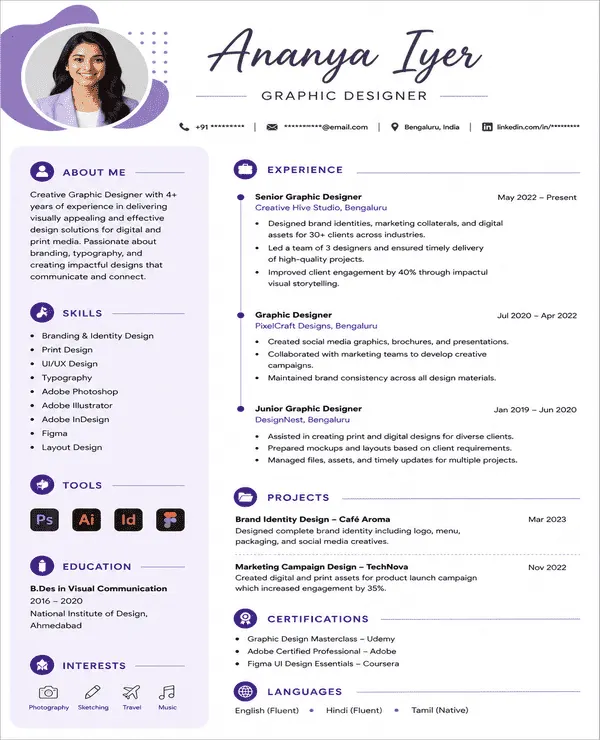 Try this free template
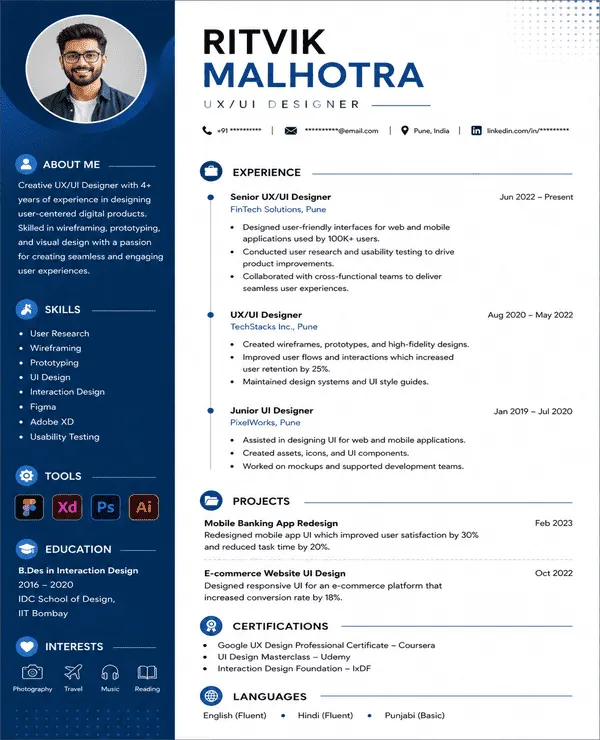 Try this free template
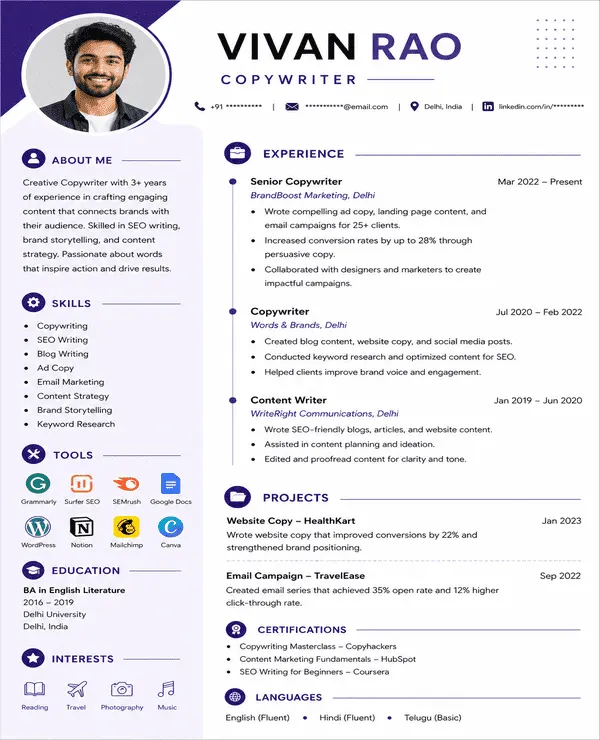 Try this free template
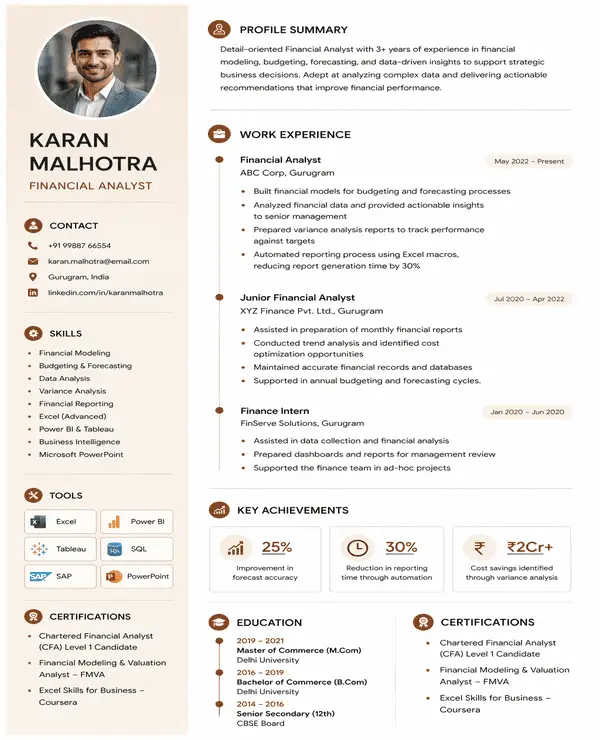
A photo resume template is a ready-made resume design with a dedicated space for your professional headshot. It helps you present your photo alongside your experience and skills without letting the image take over the page. These designs are also commonly called picture resume templates.
Key features of picture resume templates include:
There is no standard requirement to include a photo on a resume in India. For most private-sector applications, your qualifications, skills, and experience matter more than your picture. A photo is also usually unnecessary for fresher applications unless the employer or role specifically asks for one.
Treat a resume photo as optional. Check the job description and add one only when requested or relevant.
Photo resume templates can work well in the right context but they are not suitable for every application. Understanding the advantages and limitations can help you decide if this format fits your profile.
Yes. A photo resume can still be ATS-friendly when the image is treated as a visual element and all important information stays in readable text.
To improve ATS compatibility:
Naukri’s picture resume templates keep the photo separate from core resume content so both ATS and recruiters can read the important details easily.
A photo resume can make sense when the image has a clear purpose in the application. Consider using one when:
Leave the photo out when it does not add useful information to your application. This may be the better choice when:
You can still make your resume feel personal without adding a picture. Focus on sections that show your professional identity through content.
Photo resume templates can suit roles where appearance or personal branding has a clear professional purpose.
Use a recent professional headshot that looks natural and matches the type of role you are applying for.
The best photo resume format depends on your experience and the type of role you are applying for. For most professionals, a reverse-chronological photo resume is the strongest option. It keeps your recent experience prominent while the photo stays as a supporting part of the profile.
Place your photo near the header and list your latest role first. This keeps attention on career progression rather than the image.
Use the photo with a skills-led opening followed by detailed work experience. This format gives technical or transferable skills more visibility.
Keep the photo near your profile section and lead with skills instead of employment history. Use work experience as supporting information.
A photo CV format or picture CV format can follow any of these structures. Choose the one that presents your strongest qualifications first.
A photo resume should include the same core career information as a standard resume. The main difference is the addition of a professional photo within the layout.
| Section | What to Include |
|---|---|
| Professional Photo | Recent head-and-shoulders photo with a clean background |
| Contact Details | Full name, phone number, email, location and relevant profile links |
| Professional Summary | 2 - 4 lines covering your experience, strengths and target role |
| Work Experience | Job title, company, dates and measurable achievements in bullets |
| Skills | Technical and professional skills relevant to the job |
| Education | Degree, institution and completion year |
| Certifications | Current certifications or role-specific credentials |
Photo placement should fit the layout without interrupting the reading flow. These are the most common options:
Place the photo beside your name and contact details. This works well when you want the image visible without using a separate side section.
Add the photo at the top of a sidebar in a two-column resume. This keeps the main column free for experience and achievements.
Position the photo in the upper-left or upper-right corner. This is a good option when you want to keep most of the page focused on professional content.
Use these measurements as a practical starting point when formatting a photo resume. Always follow the employer’s requirements if they provide specific instructions.
| Element | Recommended Format |
|---|---|
| Page Size | A4 (210 × 297 mm) |
| Photo Shape | Square or slightly vertical headshot |
| Digital Photo Size | At least 600 × 600 px for a square image |
| Photo Display Size | Around 4–5 cm on the page |
| Photo Background | Plain white or grey |
| Photo Placement | Top-right or top-left beside the header |
| Margins | 0.5–1 inch on all sides |
| Body Text | 10–12 pt |
| Section Headings | 14–16 pt |
| Font | Arial, Calibri, Helvetica or another professional font |
| Resume Length | 1 page for most early-career profiles Up to 2 pages for experienced professionals |
| File Format | Text-based PDF or DOCX |
Not sure which style suits you? Browse photo resume examples for different roles and see how each one presents your profile.
Choose a template based on the type of profile you want recruiters to notice first.
| Profile | Template |
|---|---|
| Corporate Professional | Elevate |
| Creative Professional | Vertex |
| Marketing Professional | Fusion |
| Technical Professional | Horizon |
| Skills-Heavy Candidate | Studio |
| Experience-Heavy Professional | Designify |
| Modern Professional | Orbit |
| Personal Branding Focus | Canvas |
Use Naukri’s AI resume builder to create a photo resume without setting up the design from scratch.
Naukri helps you build a photo resume faster with ready-made layouts and tools that make the resume easier to customize.
A strong photo resume needs more than a good image. Use these tips to improve the full application.
I wanted a resume that felt more personal while still looking professional. The photo template gave me a clean way to add my picture without taking attention away from my experience.

The template helped me present my profile in a more polished way. My photo, work experience, and key skills all fit into the layout without making the resume look crowded.
I was looking for a resume format that looked modern but still suitable for professional roles. The photo template gave the resume a more complete and well-organized appearance.
In hospitality, presentation matters, so I wanted a resume that looked professional from the first glance. This template made it easy to include my photo along with my experience and certifications.
Yes. Naukri offers free photo resume templates that you can customize with your details and professional picture before downloading in PDF or DOC format.
Yes, provided that use is allowed in your area or sector.
There is no major difference. Photo resume templates and picture resume templates both include dedicated space for a professional image within the resume layout.
You can find photo CV examples on Naukri. Use them to understand photo placement, section order, and how professional information fits within the layout.
Yes, professionally created photo resume templates can help you build your personal brand.
A photo CV format is a CV layout that includes a professional picture along with sections for experience, skills, education, and other career information.
Avoid casual or cropped social media photos. Use a clear professional headshot that matches the type of role you are applying for.
Not necessarily. A photo does not replace strong qualifications or relevant experience. It may support applications where professional appearance or personal branding is relevant.
Browse our complete library of professional templates
Pick a template that suits your role. Add your professional photo and customize the content in minutes with our AI resume builder.
