PaaS
Platform as a Service is one of the three main Cloud Computing Service models. It is a complete development and deployment environment fully equipped with resources that enable its users to build everything from simple cloud-based apps to sophisticated and large enterprise applications. The resources can be purchased from the cloud service provider via the internet on a pay-as-you-go basis. The PaaS infrastructure includes servers, databases, networking, tools for development and runtime, the Operating system and other middleware services.
Azure Cloud Service
The Azure Cloud Service is a prime example of Platform as a Service. They are hosted on Azure Virtual Machines. These VMs are accessible remotely can are under the control of the user. It is important to note that the Azure Cloud service does not offer Infrastructure as a Service. In IaaS, the user is required to create and configure the environment for the application to run. The management of the application and the patched version of the operating system in each VM are also handled by the user. However, in the Azure Cloud service, the environment is ready and already exists. The application can be deployed directly, and the platform manages the virtual machine for the user. To summarise, the main function of the Azure Cloud Service is to host the running application and manage the machines running in the background simultaneously.
Roles
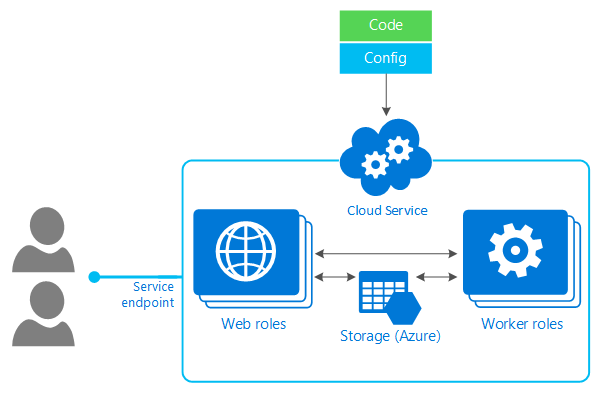
An Azure Cloud Service Role is a collection of managed and load-balanced, Platform-as-a-Service VMs that work together to perform specific tasks. These service roles are managed by the Azure fabric controller and help improve scalability, control, and customization.
The Azure Cloud Service has two roles - the Web Role and the Worker Role.
Source
Web Role
It is a Cloud Service Role configured and customized to run applications developed using programming languages and technologies supported by Internet Information Services (IIS), such as ASP.NET, PHP, etc.
Worker role
It runs applications and services level tasks that generally do not require IIS. IIS is not installed by default. They support the background processes along with Web Roles. They can perform tasks like automatically compressing uploaded images, running scripts for changes in the database, retrieving messages from a queue, etc.
Scaling and Management
As mentioned before, Azure Cloud Services do not require the creation of virtual machines. Instead, a cloud configuration file tells Azure how many Web Role and Worker Role instances are required. The platform then accordingly creates them for the user. An Azure Cloud Services application is made available to users in two main steps. A developer first uploads the application to the platform. When the application is ready, the Azure portal swaps staging with the production environment. This can be done without downtime, allowing an application to be upgraded without disturbing its user.
Monitoring
Azure Cloud Services also provides monitoring to detect failures and errors. For instance, a failed physical server is detected, and the VMs are restarted on a new machine. They also detect failed VMs and applications. The Azure Cloud Service maintains an agent inside each web and worker role to easily create new VMs when failures occur. The Azure Portal provides basic monitoring for Azure Web and Worker Roles. Applications built using Azure Cloud Service should be able to run correctly when any web or worker role instance fails. To achieve this, the application must not maintain the state in the file system of its own VMs. Azure Cloud Services VMs aren't persistent. The application should explicitly write all states to some storage. This way, it is easier to scale applications and make them more resistant to failures.
Creating an Azure Cloud service
Following are the steps to create an Azure Cloud Service on the Azure Portal.
-
Log in to the Azure Portal here.
-
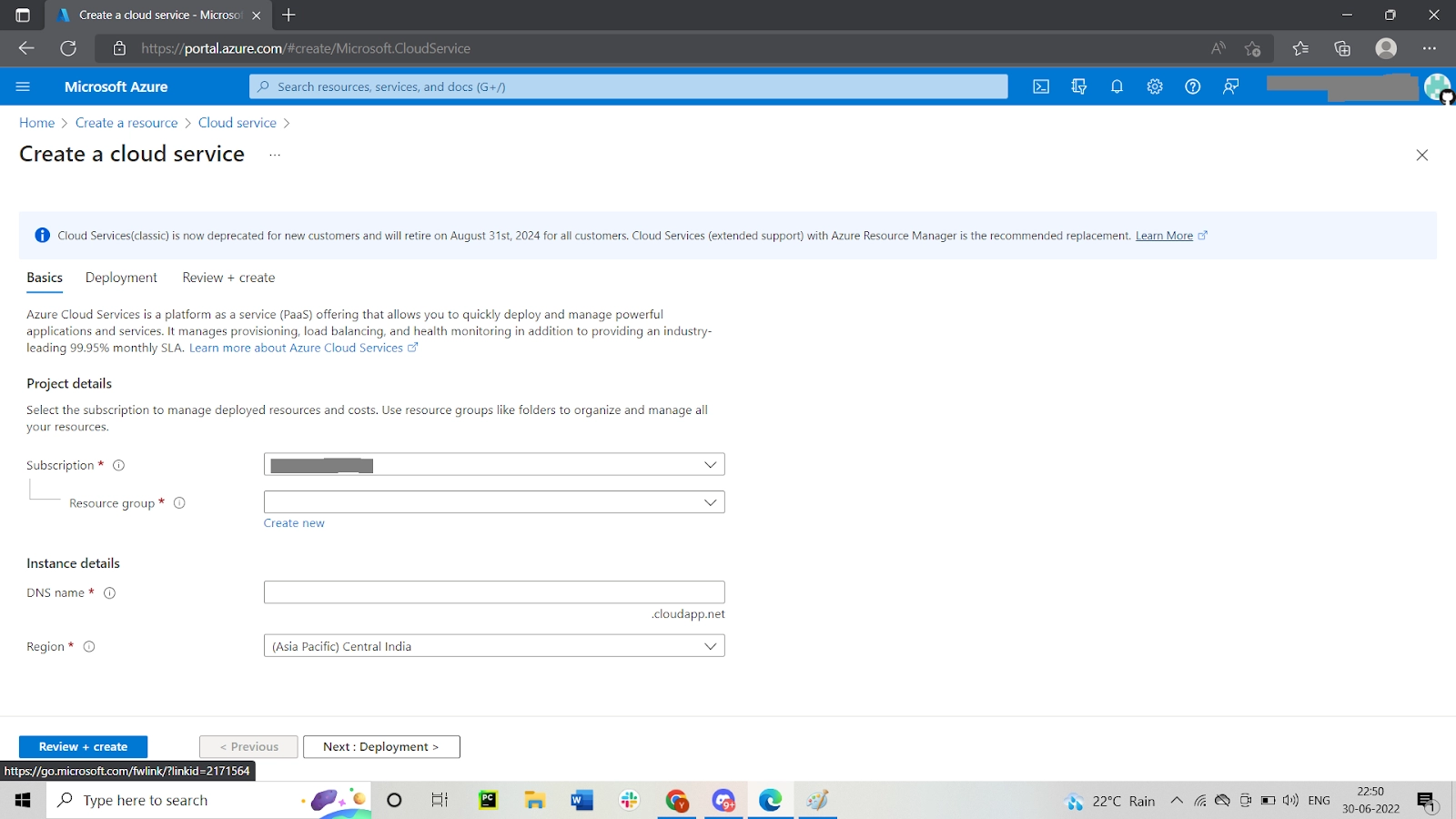
Click on Create a Resource and search for Cloud Service.
-
Click on Create on the Cloud Service page.
-
Enter the DNS name and select the Resource Group and Location.
-
Click on Create and wait for the service to be created.
-
Navigate to the created resource.
For Web Role:
-
Create a new Cloud Service Project in Visual Studio.
-
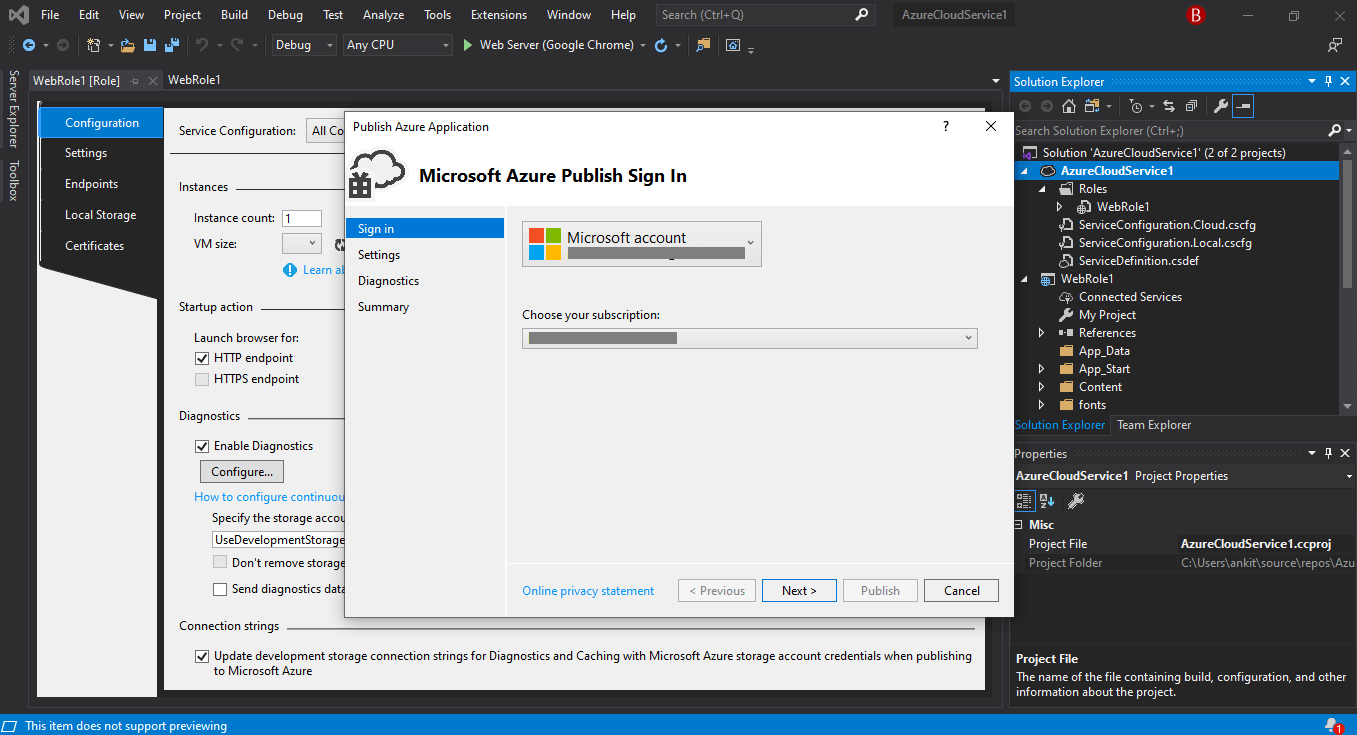
Right-click on the filename and click on Publish to publish the Cloud service into Azure.
-
Fill in the required details and click on Publish.
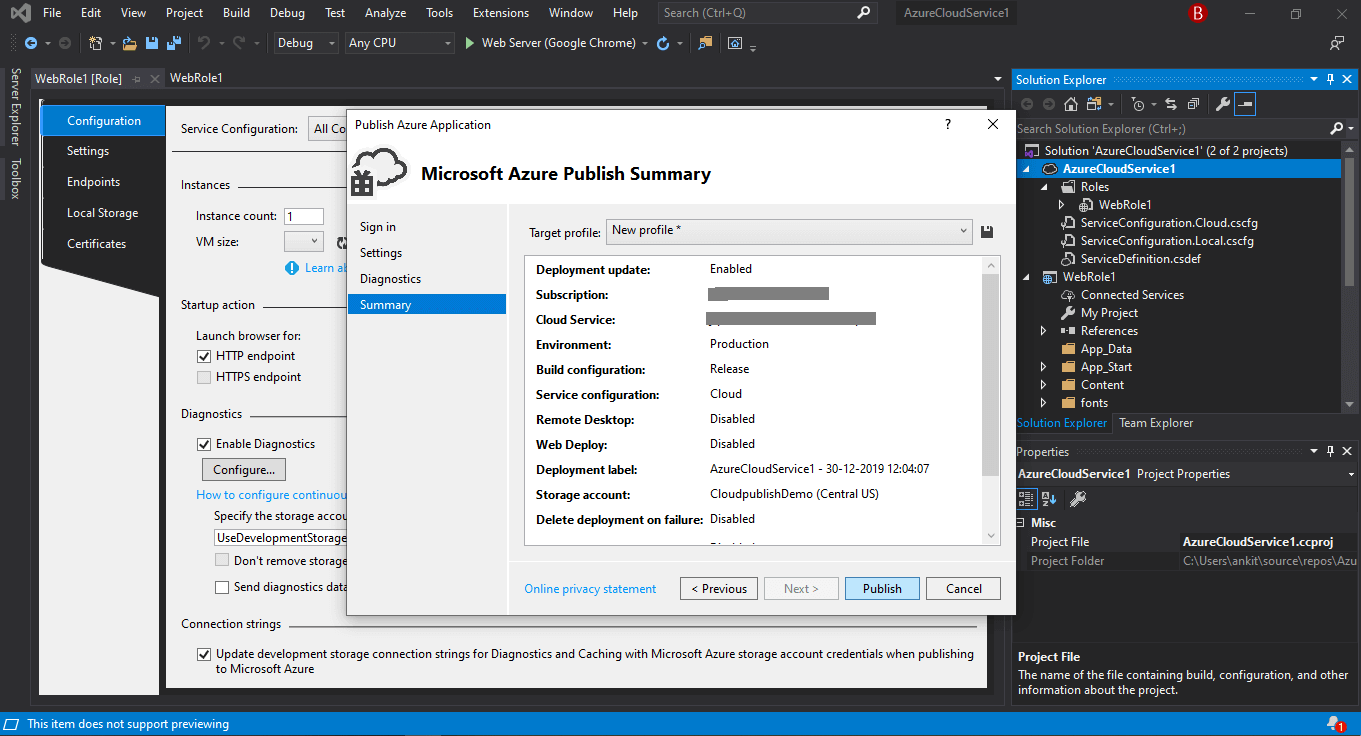
- Check the Cloud Service Resource page to find the Web Role.
Frequently Asked Questions
What are the deployment environments offered by Azure?
Microsoft Azure offers two deployment environments. The Staging Environment is a platform used to validate changes to your application before it can be deployed to the production environment. The Production Environment is used to store the live application. The two environments have different URLs.
What is a cloud configuration file?
Cloud configuration files are .csfg files present for each and every cloud service. They hold the main copy of certificates and store user-defined settings.
What is the main function of the Azure Fabric Controller?
The Microsoft Azure Fabric Controller is one of the core parts of the Windows Azure platform that acts as the brain of an azure service to analyse and make decisions. Its monitors and manages the resources required for software applications.
Conclusion
This article has extensively discussed the Azure Cloud Service. We learnt what a Cloud Service is and then moved on to explore the features of the Azure Cloud service. We also discussed the steps to create a Cloud service on the Azure Portal.
Feeling curious? Coding Ninjas has you covered. Check out our articles on Microsoft Azure, Cloud Delivery Models, and PaaS in Private Cloud. Follow our Guided path for Cloud Computing here.
Explore our Library on Coding Ninjas Studio to gain knowledge on Data Structures and Algorithms, Machine Learning, Deep Learning, and many more! Test your coding skills by solving our test series and participating in the contests hosted on Coding Ninjas Studio!
Looking for questions from tech giants like Amazon, Microsoft, Uber, etc.? Look at the problems, interview experiences, and interview bundle for placement preparations.
Upvote our blogs if you find them insightful and engaging! Happy Coding!






 1+ registered

