Do you think IIT Guwahati certified course can help you in your career?
Introduction
This post will concentrate on the fundamentals of Azure Functions. Consider the following real-world business example for a better understanding Azure Function Apps: Order Processing. Let's start with the foundations of Azure Functions and their properties before moving on to the Business case.
Azure Functions
Azure Function is a serverless compute solution that lets users run event-triggered code without worrying about provisioning or managing infrastructure. As a trigger-based service, it responds to various events by running a script or piece of code.
Decoupling, high throughput, reusability, and sharing are all possible with Azure Functions. It can also be utilised in production environments because it is more reliable.
Web Jobs vs Azure Functions
A web job is a code that runs in Azure App Services. It's a Cloud Service that's utilised to carry out background tasks. Azure Functions are built on top of Azure Web Jobs and provide additional functionality. The table below shows how Azure Functions and Web Jobs differ:
Azure Functions
Azure Functions can be triggered using any configured triggers. However, they can not operate indefinitely.
C#, F#, JavaScript, node.js, and other languages are supported by Azure Functions.
Azure Functions is a stand-alone App Service that runs under the App Service Plan.
Web Jobs
There are two sorts of web jobs: triggered web jobs and continuous web jobs.
Web Jobs also supports several programming languages, including C#, F#, JavaScript, and others.
Web Jobs are background services that run in the background for App services such as Web Apps, API Apps, and mobile Apps.
Logic Apps vs Azure Functions
An Azure Function is a code executed in response to an event, whereas an Azure Logic app is a process performed in response to an event.
Azure Logic App allows you to easily define a workflow by using a variety of APIs as connectors. These connectors will carry out a set of tasks specified in the workflow. Durable Azure Functions, like Azure Logic Apps, may be used to define workflow in code structure.
Azure Functions
HTTPTrigger, TimerTrigger, QueueTrigger, and other triggers can be used to start Azure Functions.
Azure Durable Functions can be used to define workflow in Azure Functions. It comprises an Orchestrator Function with a workflow specified by several Activity Functions.
Application Insights and Azure Monitor can be used to monitor Azure Functions.
Azure Logic Apps
The API as connectors can be used to activate Azure Logic Apps. A workflow can also include many triggers.
Workflow can be defined in Azure Logic Apps utilising the Logic App Designer and multiple APIs as Connectors.
Log Analytics and Azure Monitor can be used to monitor Azure Logic Apps.
Why should you use Azure Functions?
Azure functions are small and don't require a server.
Writing and deploying Azure functions is a lot easier.
Because there is no considerable application, startup time, initialisation, or other events fired before the code is executed, Azure functions are quick to implement.
The execution of Azure functions is initiated when an event occurs.
Azure functions are scalable because they are compute-on-demand. When the number of requests for execution increases, new resources is automatically allocated to the service, and when the number of requests decreases, all extra resources and application instances are automatically decommissioned.
C#, F#, Java, JavaScript, TypeScript, and Python are the programming languages Azure functions support. You get to choose which language you want to use.
Azure functions don't require any infrastructure and require no upkeep.
You may create, test, and deploy Azure functions using the Azure portal.
Upgrades to Azure functionalities are simple and have no impact on other website elements.
Azure functions communicate with other APIs, databases, and libraries using industry standards.
Using Visual Studio, create an Azure Function.
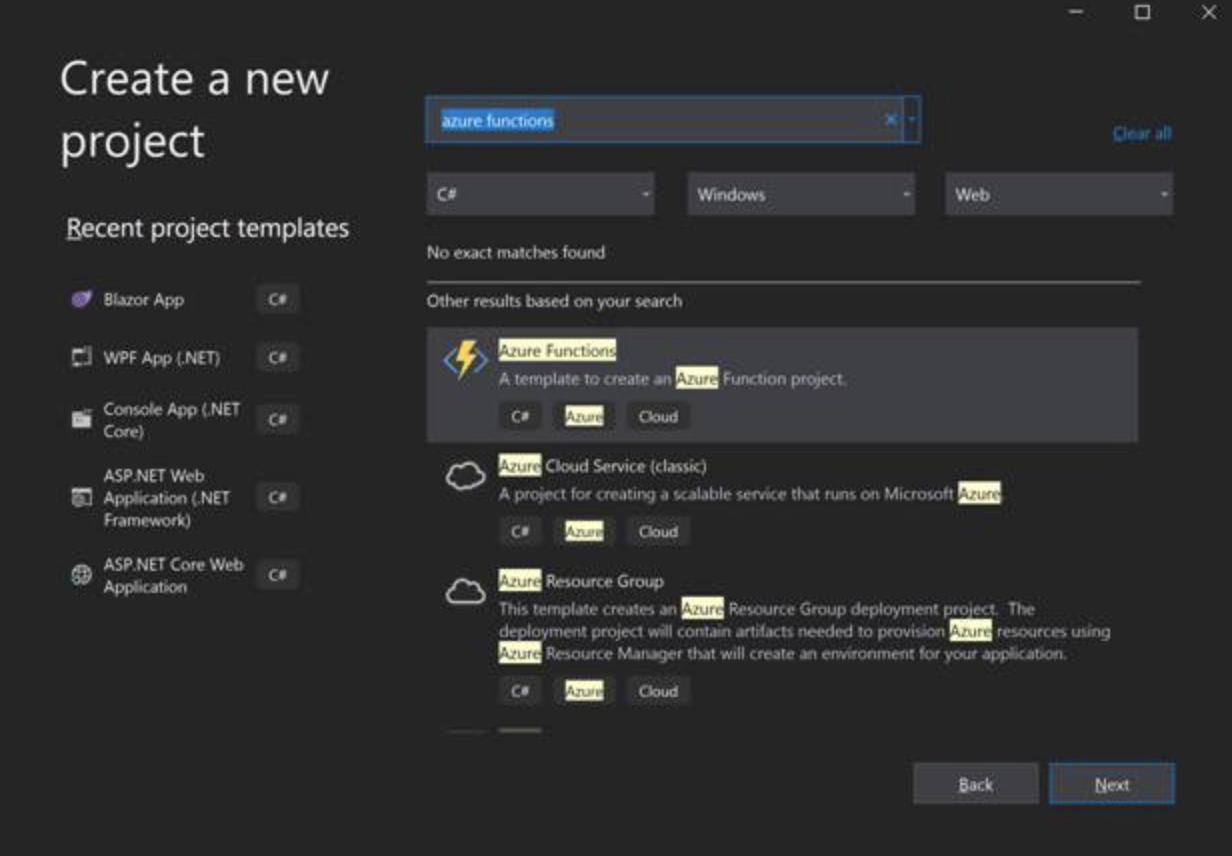
Let's develop simple Azure Functions using Visual Studio 2019 before going further. Open Visual Studio 2019 and start working on a new project. Search for azure functions on the new project template page to get a template for Azure Functions. See the list below.
Click Next after selecting the Azure Functions template.
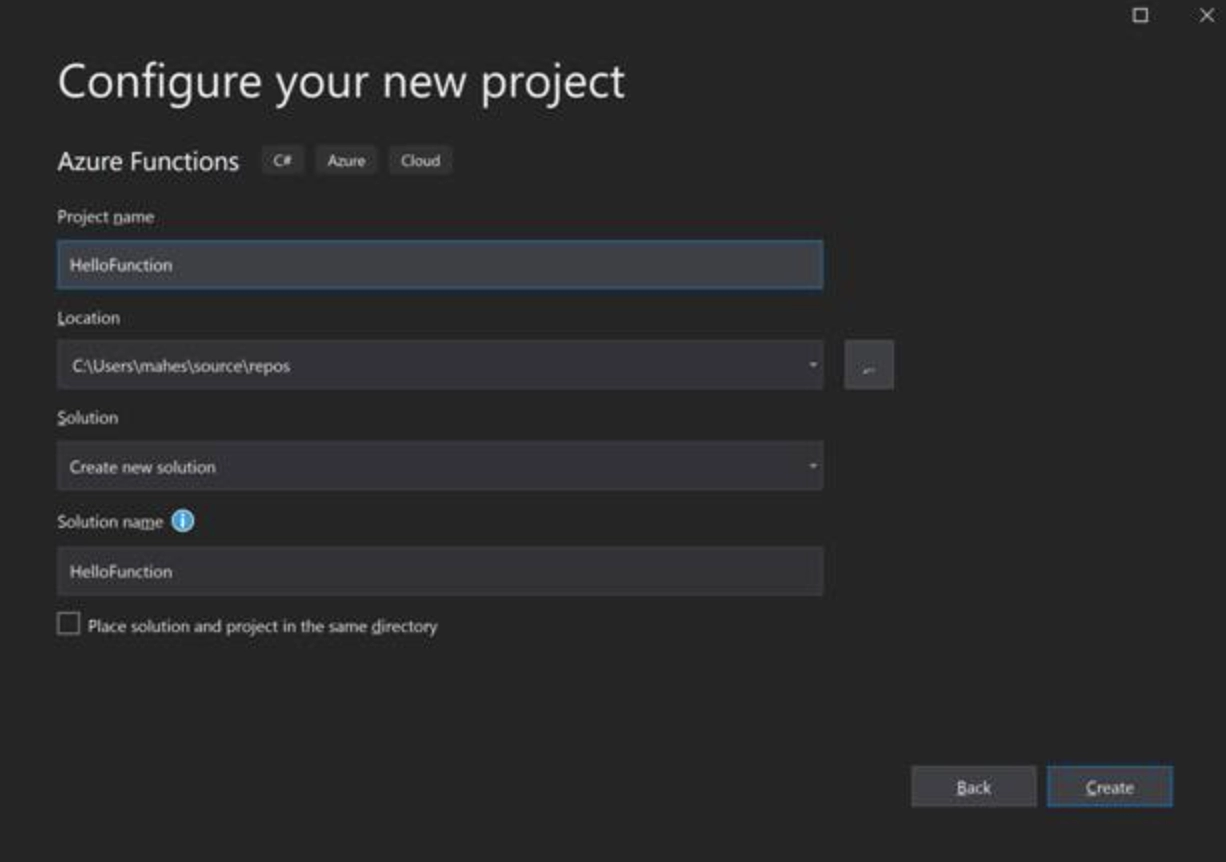
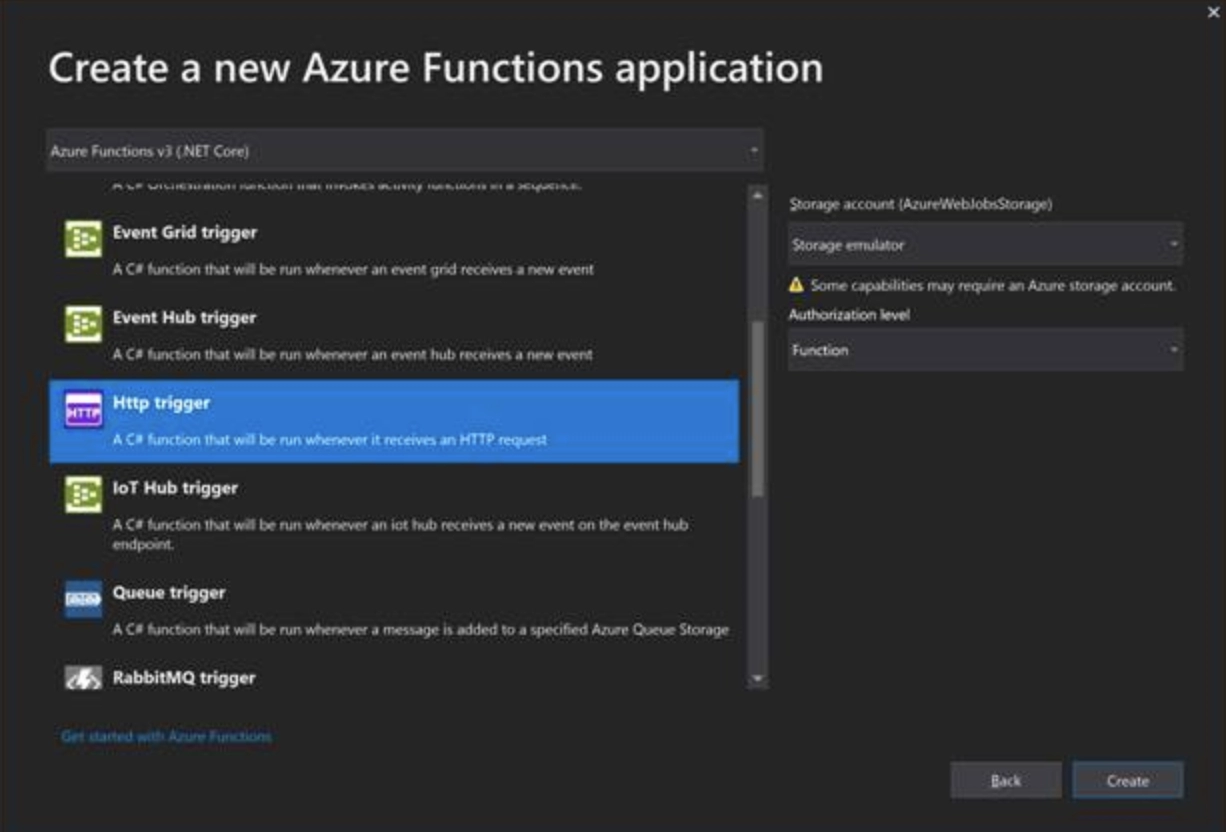
To begin, press the Create button. On the next screen, we must choose the type of application we want to create. Triggers are a concept in Azure Functions. A trigger is what initiates the execution of a function. There is only one trigger for each process. Let's have a look at some examples.
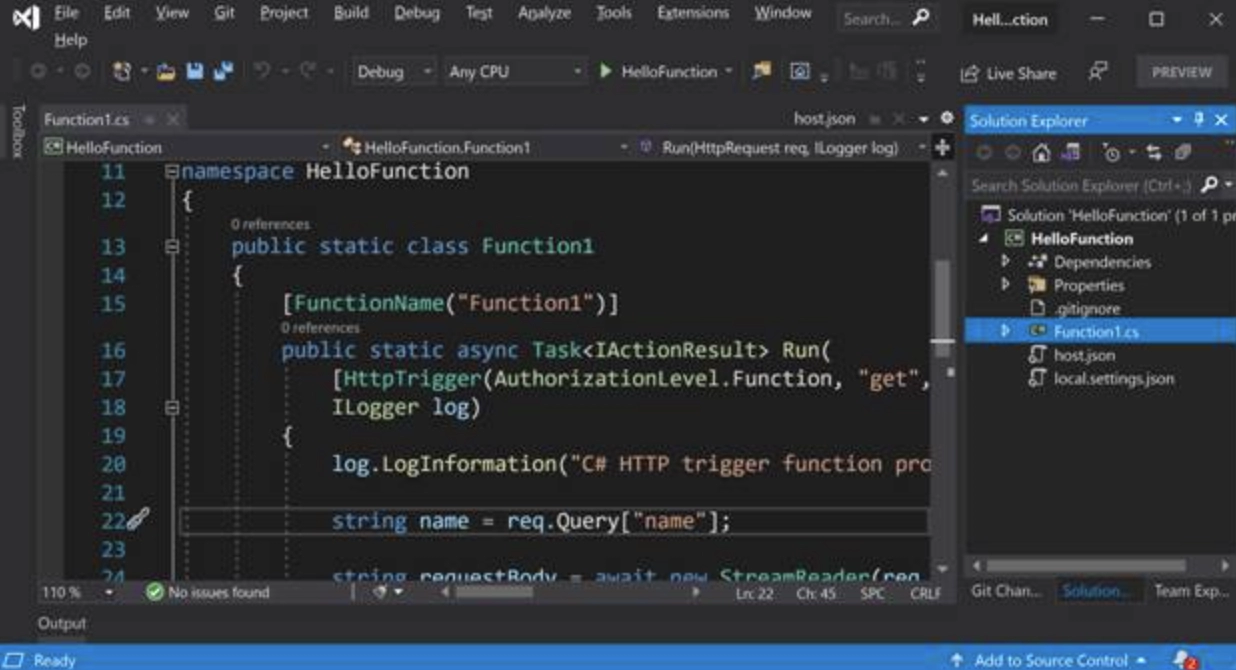
To make our app, click the Create button. When we first open Visual Studio, we see the default file, Function1.cs, which has our default function code.
Visual Studio includes an Azure Storage emulator to run and test Azure services locally. F5 is used to create and run the program. The Azure Storage emulator will appear to be running. The following screen will be func.exe, which will display a notice stating that your function is ready to use. That is all there is to it. You've just finished the Hello Azure Functions app.
What are some of the advantages of Azure functions?
The following are some of the advantages of using Azure functions:
The Azure functions app is small and uses minimal resources to deploy and run.
The Azure Functions app is server-less, which means it doesn't require you to set up a Web server in the cloud.
When not in use, the Azure functions app is compute-on-demand and consumes no resources.
The Azure functions app is a pay-per-use service, so you don't have to pay anything if you're not using it.
The Azure functions app is event-driven, meaning it only runs when an event is triggered.
The Azure Functions app is self-contained and does not affect or interfere with other applications.
It's simple to create and deploy an Azure functions app.
The Azure functions app is simple to update and support.
The Azure Functions app is a well-known industry standard.
Frequently asked questions
Is a Microsoft Azure function considered a Microservice?
Azure Service Fabric (ASF) — This is a Microsoft-developed framework that runs various Azure services. A minimum of three nodes is required (VMs). It's a microservices framework with a Container Orchestrator that allows you to create microservices with or without containers.
What is Kubernetes, and how does it work in Azure?
Azure Kubernetes Solution is a feature-rich and cost-effective container orchestration service that enables you to create and manage containerised applications in seconds, with additional resources assigned automatically and no need to collect other servers.
What platforms do Azure Functions support?
Visual Studio, Visual Studio Code, and CLI are some of the most popular tools for developing Azure functions. You can use any device or IDE to construct your web applications if it supports one of the Azure function languages: C#, JavaScript, F#, Java, Powershell, Python, or TypeScript.
What are the different sorts of Azure functions?
In Azure Functions, there are four categories of durable functions: activity, orchestrator, entity, and client. The remainder of this section delves deeper into the many tasks that make up an orchestration.
What makes Azure functions serverless?
Azure Function is a serverless compute solution that lets users run event-triggered code without worrying about provisioning or managing infrastructure. As a trigger-based service, it responds to various events by running a script or piece of code.
Conclusion
I hope this article clarified all of the essential aspects behind Azure Functions. Without mentioning Serverless Notes, this would be incomplete. Coding Ninja has launched a community drive to deliver as much relevant and valuable knowledge to developers and architects as possible.








 1+ registered

