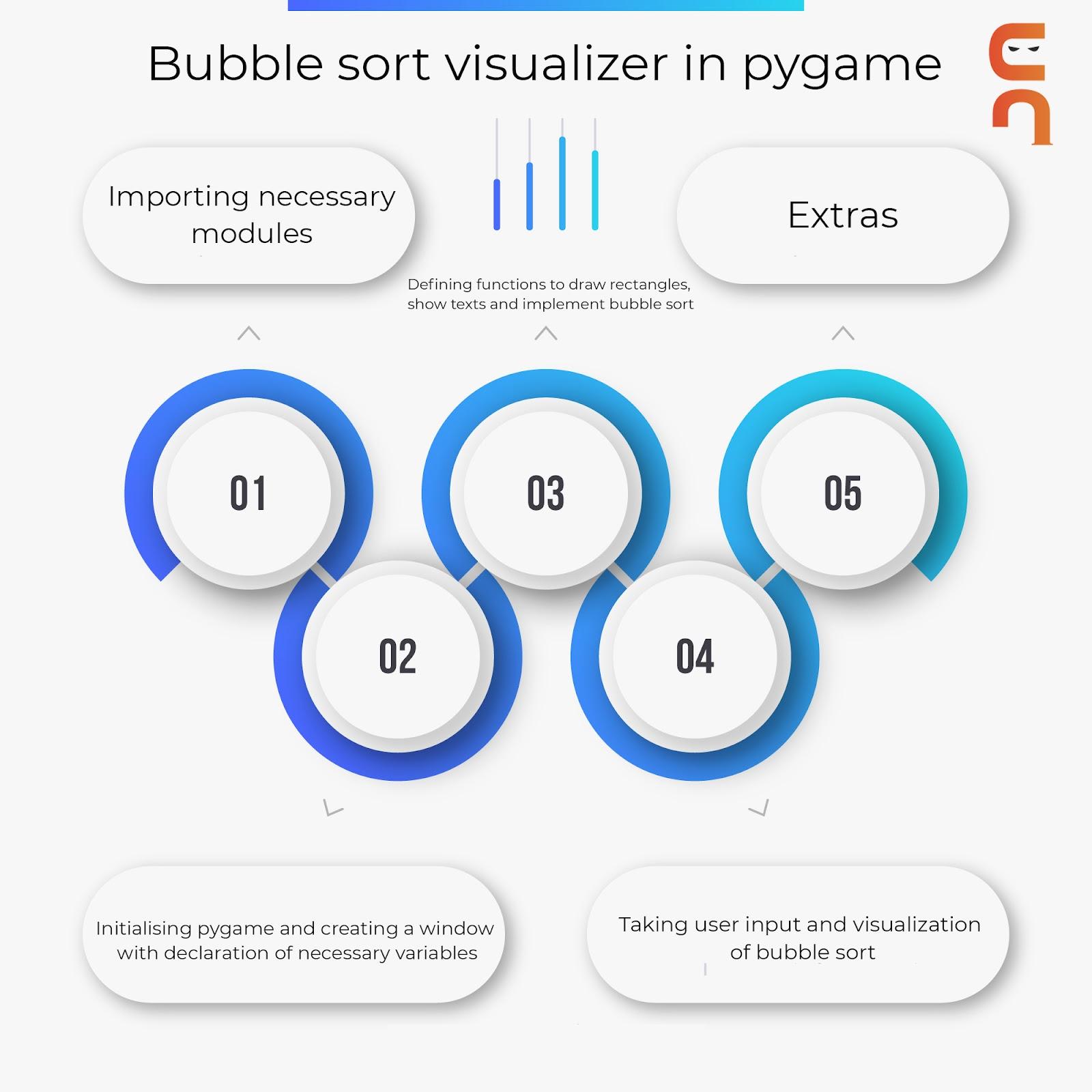
Initialising pygame and creating a window with declaring necessary variables
pygame.init()

# setting window size
win = pygame.display.set_mode((500, 400))

# setting title to the window
pygame.display.set_caption("Bubble sort")

# initial position in the window
x = 40
y = 40

# breadth of each bar
breadth = 20

# length of each bar (data to be sorted)
length = [230, 80, 150, 120, 280, 91, 140,
            118, 63, 110, 100, 189, 210, 50]

run = True
- pygame.init(): Construct a window for viewing bubble sort.
- win=pygame.display.set_mode((500,400)): Make a window with the specified dimensions (500,400), we will set the window size here.
- pygame.display.set_caption("Bubble sort"): It will set a title to the window.
- x,y, and breadth: x and y are the initial positions, from where it will start and the breadth variable is the width of each bar.
- length: length variable is used to introduce the length of each bar.
- run: A variable is used to end the loop and close the window.
Defining functions to draw rectangles, show texts, and implement bubble sort
# first method to show the list of length
def show(length):

    # now loop to iterate each item of the list
    for i in range(len(length)):

        # now drawing each bar with respective gap
        pygame.draw.rect(win, (248, 255, 255), (x + 30 * i, y, breadth, length[i]))

# infinite loop
while run:

    # executing flag to start sorting
    execute = False

    # now time delay
    pygame.time.delay(10)

    # for getting keys pressed
    keys = pygame.key.get_pressed()

    #now iterating the events
    for event in pygame.event.get():

        # now if event is to quit,
        if event.type == pygame.QUIT:

            # making run = false in order to break the while loop
            run = False

    #now if space bar is pressed
    if keys[pygame.K_SPACE]:
        # make execute flag to true
        execute = True

    # now checking if execute flag is false
    if execute == False:

        # fill the window with blue color
        win.fill((24, 116, 205))

        # calling the length method to show the list of items
        show(length)

        # update the window
        pygame.display.update()
- show(length): It is the method that will show the list of heights.
- pygame.draw.rect(win, (248, 255, 255), (x + 30 * i, y, breadth, length[i])): It will draw with respective gap and according to the color code (ghost white in this case).
- pygame.event.get(): It will iterate the event of the pygame.
- In here, we are actually using flag variables to check whether the sorting is being done or not.
-
keys[pygame.K_SPACE]: Detect mouse clicks, mouse movements, and keyboard key clicks.
Taking Input from the user and visualization of bubble sort
# if executing the flag is true else loop will run,

    else:

        # now we will start sorting using the bubble sort sorting technique

        for i in range(len(length) - 1):

            # after this iteration maximum element will come at last

            for j in range(len(length) - i - 1):

                # if starting is greater then next element

                if length[j] > length[j + 1]:

                    # saving it in temporary variable and swapping them using temporary variable

                    temp = length[j]

                    length[j] = length[j + 1]

                    length[j + 1] = temp


                # filling the window with blue color

                win.fill((24, 116, 205))


                # now calling the show method to display the list of items

                show(length)


                # create the time delay

                pygame.time.delay(50)


                # now update the display

                pygame.display.update()


# now exiting the main window

pygame.quit()
- Else condition: The user's input is taken into account here. To the string array1, append the user input. To display it to the user, use show text(array1).
- range(len(length) - 1): It starts sorting using the bubble sort sorting technique.
- win.fill((24, 116, 205)): It will color the background with blue color.
- pygame.quit(): is used to close the window and exit the initialized pygame.
Output
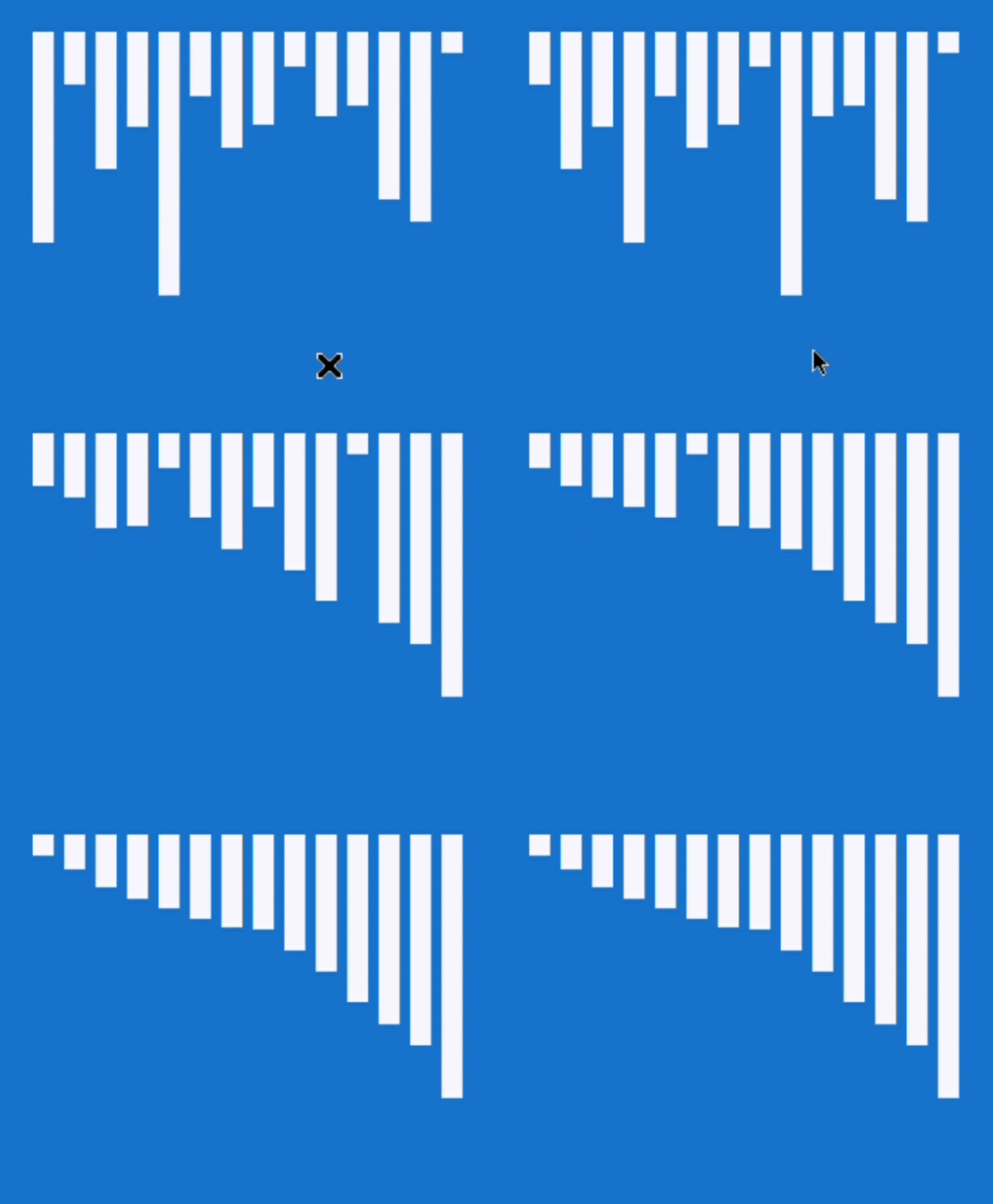
Also Read - Selection Sort in C
Frequently Asked Questions
Why is efficient sorting required?
Sorting efficiently is critical for optimizing the efficiency of other algorithms that require input data in sorted lists. Sorting is also frequently used to canonicalize data and generate human-readable output.
What are the other sorting algorithms that can be built in python using pygame?
Sorting algorithms whose visualizer can be built in python using pygame are:
- Bubble Sort
- Insertion Sort
- Shell Sort
- Merge Sort
- Selection Sort
How does bubble sort work?
Bubble Sort works by repeatedly comparing pairs of adjacent elements and swapping their positions if they are out of order. Bubble sort is an in-place sort algorithm that is stable.
It works as follows:
- Begin with the first two elements of an unsorted array of n elements and sort them in ascending order. (Compare the elements to see which is greater.)
- Compare the second and third elements to see which is greater, then sort them ascending.
- Compare the third and fourth elements to see which is greater, then sort them ascending.
- Steps 1–n must be repeated until no more swaps are required.
Conclusion
In this article, we have extensively discussed how to use a bubble sort visualizer in python using pygame. You should check this out to know more about pygame applications. You should also check out this; it will help you with the concept of pyglet. If you would like to learn more, check out our articles here. Do upvote our blog to help other ninjas grow.
Recommended Problems -
Refer to our guided paths on Coding Ninjas Studio to learn more about DSA, Competitive Programming, JavaScript, System Design, etc. Enroll in our courses and refer to the mock test and problems available, interview puzzles. Also, look at the interview experiences and interview bundle for placement preparations. Please look at this YouTube tutorial to explore the preparation strategy for SDE placements.
Happy learning!






 1+ registered

