Table of contents
1.
Introduction
2.
Python Program to Print Hello world
2.1.
Python Code
2.2.
Using Print()
2.3.
Python
2.4.
Using sys
2.5.
Python
2.6.
Using a string Variable
2.7.
Python
2.8.
Using f-string
2.9.
Python
3.
Advantages of the "Hello, World!" Program in Python
4.
Disadvantages "Hello, World!" Program in Python
5.
Practical Applications of Python Program to Print “Hello World”
5.1.
Python Code
6.
Frequently Asked Questions
6.1.
How to write a Hello World program in Python? 
6.2.
How to print Hello World in Python without using print?
6.3.
How to write a Python program?
6.4.
How to print code in Python?
7.
Conclusion
Last Updated: Aug 22, 2025
Easy

Python Program to Print Hello World

Introduction

Embarking on the journey of learning a new programming language is akin to venturing into a new world, brimming with possibilities, challenges, and discoveries awaiting at every corner. The tradition of beginning this voyage with a simple "Hello, World!" program dates back to the 1970s. It serves as a gentle introduction to the syntax and structure of a new language. In Python, a language celebrated for its elegance and simplicity, writing a "Hello, World!" program in Python is a breeze. 

Hello world program in python

This article unfolds the creation of a "Hello, World!" program in Python, delving into the syntax, the print function, and the significance of this modest yet powerful program.

Python Program to Print Hello world

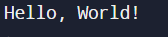
At the heart of the "Hello, World!" program lies the print function. This function takes a piece of text, termed as a string, and displays it on the screen. Here's how the "Hello, World!" program looks in Python:

# This is a simple Hello, World! program in Python

  • Python Code

Python Code

print("Hello, World!")
You can also try this code with Online Python Compiler
Run Code

Output

Output

Dissecting the Code:

Comments:

The line beginning with a hash (#) is a comment. Comments are instrumental in explaining the code to other developers or your future self. They are like annotations that are skipped over by Python.

The print Function:

The print() function is Python's way of communicating with the outside world. Whatever you place inside the parentheses gets displayed on the screen.

Using Print()

The simplest way to display text in Python is by using the print() function. For example,

  • Python

Python

print("Hello, World!")
You can also try this code with Online Python Compiler
Run Code

Output:

output

Using sys

The sys module in Python provides access to some variables used or maintained by the Python interpreter, including functions that interact with the interpreter. Specifically, sys.stdout is a file object that represents the standard output stream. In the context of printing, you can use sys.stdout.write() to write directly to the standard output. For example,

  • Python

Python

import sys
sys.stdout.write("Hello, World!\n")
You can also try this code with Online Python Compiler
Run Code

Output:

output

Using a string Variable

We can use a string variable in Python to store the message and then print the variable. For example, 

  • Python

Python

message = "Hello, World!"
print(message)
You can also try this code with Online Python Compiler
Run Code

Output:

output

Using f-string

f-string concept was introduced in Python 3.6. It provide a concise way to embed expressions inside string literals. For example,

  • Python

Python

message = "World"
print(f"Hello, {message}!")
You can also try this code with Online Python Compiler
Run Code

Output:

output

Advantages of the "Hello, World!" Program in Python

Let’s explore the advantages: 

Simplicity:

The "Hello, World!" program is a paradigm of simplicity. It introduces beginners to the basic structure of a Python program without overwhelming them.

Verification:

It serves as a verification tool to ensure your Python environment is set up correctly. If the program runs successfully, you have a functional Python setup.

Introduction to Functions:

The program provides a gentle introduction to functions, which are the building blocks of a Python program.

Disadvantages "Hello, World!" Program in Python

Lack of Complexity:

While its simplicity is a boon for beginners, the "Hello, World!" program doesn't expose learners to the more complex and powerful features of Python.

No Interaction:

The program doesn't interact with the user or demonstrate Python's ability to handle user input and produce dynamic output.

Practical Applications of Python Program to Print “Hello World”

Beyond serving as a learning tool, the "Hello, World!" program in Python can be a stepping stone towards creating more complex Python applications. For instance, you might replace the static "Hello, World!" string with a dynamic message that changes based on user input or other factors. 

# A simple program to greet the user

  • Python Code

Python Code

name = input("Enter your name: ")

print(f"Hello, {name}!")
You can also try this code with Online Python Compiler
Run Code

Output

Output

In this program, Python asks the user to enter their name and then greets the user personally. This is a small step towards creating interactive and user-friendly Python applications.

Refer to know about,   reverse a string in python

Frequently Asked Questions

How to write a Hello World program in Python? 

To write the Hello World program in Python, we use the print method in Python. The output window will print the content written in the print statement.

How to print Hello World in Python without using print?

You can write to standard output without print() using sys module. For example, sys.stdout.write("Hello, World!\n")

How to write a Python program?

To write a Python program, you need to create a Python script with the .py extension, write code, and execute it using the Python interpreter.

How to print code in Python?

You can use the print() function to display code. For example: print("print('Hello, World!')")

Conclusion

The "Hello, World!" program in Python serves as a gentle yet significant first step into the realm of programming. By displaying a simple greeting, it provides a smooth introduction to the syntax and structure of Python while ensuring the development environment is set up correctly. As modest as it may appear, the "Hello, World!" program is a torchbearer for many programmers, guiding them through the early stages of their coding journey. It's a symbol of the beginning, an open door to the vast and exciting world of Python programming.
 

Live masterclass