Get a skill gap analysis, personalised roadmap, and AI-powered resume optimisation.
Introduction
Matplotlib is a powerful plotting library for Python that allows you to create a wide range of static, animated, & interactive visualizations. It provides an easy way to generate graphs, charts, & plots with just a few lines of code. Matplotlib is widely used in data analysis, scientific computing, & machine learning projects.
In this article, we will guide you through the process of installing Matplotlib in Python using the command prompt. We will cover the necessary steps to check your Python installation, open a terminal or command prompt, install Matplotlib using pip, & verify the installation.
What is Matplotlib?
Matplotlib is a popular Python library used for data visualization. It provides tools to create static, animated, and interactive plots. With Matplotlib, users can generate line charts, bar graphs, histograms, scatter plots, and more. It is widely used in data science, machine learning, and scientific computing to visualize and analyze data effectively.
Why do we use Matplotlib?
Matplotlib is used for clear and effective data visualization. It helps in:
Understanding trends in data through graphs.
Comparing datasets visually.
Customizing plots with labels, colors, and legends.
Exporting figures for reports and presentations.
Integrating with libraries like NumPy and Pandas for seamless data analysis.
Its versatility makes it essential for data scientists, engineers, and researchers.
Step 1: Check Your Python Installation
Before installing Matplotlib, it's important to make sure that you have Python installed on your system. To check if Python is installed & determine its version, follow these steps:
1. Open the command prompt or terminal on your computer.
2. Type the following command & press Enter:
python --version
If Python is installed, you will see the version number displayed in the output. For example:
Python 3.12.4
If Python is not installed or the command is not recognized, you need to install Python first. You can download the latest version of Python from the official Python website (https://www.python.org) & follow the installation instructions for your operating system.
Once you have confirmed that Python is installed, you can proceed to the next step.
Step 2: Open a Terminal or Command Prompt
To install Matplotlib, you need to open a terminal or command prompt on your computer. The process of opening a terminal or command prompt varies depending on your operating system:
- For Windows:
1. Press the Windows key + R to open the Run dialog box.
2. Type "cmd" & press Enter to open the command prompt.
- For macOS:
1. Press Command + Space to open Spotlight search.
2. Type "Terminal" & press Enter to open the terminal.
- For Linux:
1. Press Ctrl + Alt + T to open the terminal.
Once you have opened the terminal or command prompt, you are ready to proceed with the installation of Matplotlib.
Step 3: pip install Matplotlib in Python
Now that you have Python installed & a terminal or command prompt open, you can install Matplotlib using the pip package manager. pip is a tool that comes with Python & allows you to easily install Python packages & libraries.
To install Matplotlib using pip, follow these steps:
1. In the terminal or command prompt, type the following command & press Enter:
pip install matplotlib
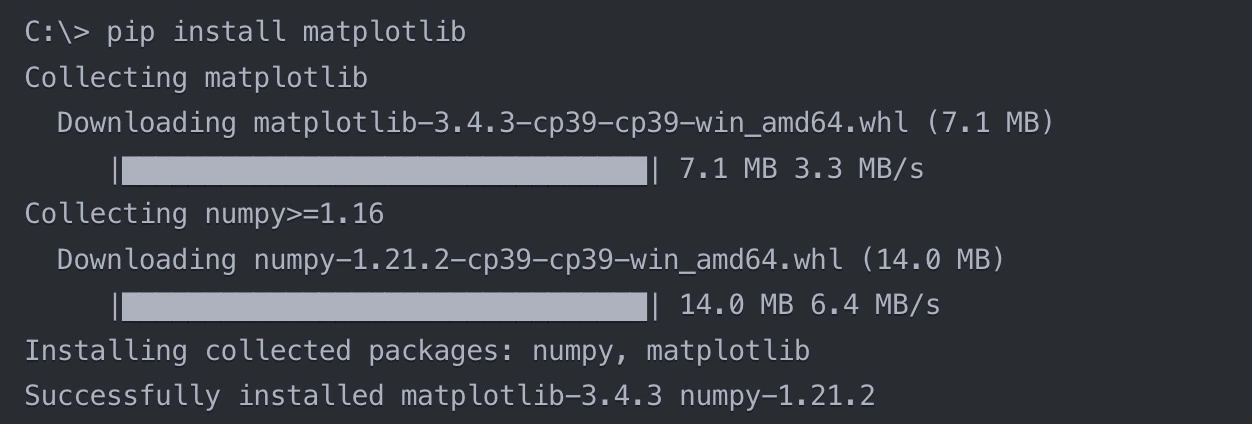
2. pip will start downloading & installing Matplotlib along with its dependencies. You will see the progress & any messages displayed in the terminal or command prompt.
3. Wait for the installation process to complete. It may take a few moments depending on your internet connection speed.
4. Once the installation is finished, you will see a message indicating that Matplotlib is successfully installed.
Let’s see how the installation process might look like:
With these steps, you have successfully installed Matplotlib in Python using pip.
Step 4: Verify the Installation
After installing Matplotlib, it's a good practice to verify that the installation was successful & that you can use Matplotlib in your Python projects. You can do this by running a simple Python script that imports Matplotlib & creates a basic plot.
Let’s look at an example script to verify the Matplotlib installation:
1. Open a new file in your preferred Python IDE or text editor.
2. Copy & paste the following code into the file:
Python
Python
import matplotlib.pyplot as plt

x = [1, 2, 3, 4, 5]

y = [2, 4, 6, 8, 10]

plt.plot(x, y)

plt.xlabel('X-axis')

plt.ylabel('Y-axis')

plt.title('Simple Line Plot')

plt.show()
You can also try this code with Online Python Compiler
3. Save the file with a `.py` extension, for example, `test_matplotlib.py`.
4. Open a terminal or command prompt & navigate to the directory where you saved the file.
5. Run the script by executing the following command:
python test_matplotlib.py
If Matplotlib is installed correctly, a window should appear displaying a simple line plot with the title "Simple Line Plot", labels for the x-axis & y-axis.
If the plot is displayed successfully, congratulations! You have verified that Matplotlib is properly installed & ready to be used in your Python projects.
If you encounter any errors or the plot doesn't show up, double-check the installation steps & make sure you have the latest version of Matplotlib installed.
With Matplotlib installed & verified, you can now start creating various types of visualizations & exploring the extensive functionalities provided by this powerful library.
Frequently Asked Questions
What is Matplotlib & what is it used for?
Matplotlib is a plotting library for Python that allows you to create a wide range of static, animated, & interactive visualizations. It is commonly used for data visualization, data analysis, & creating graphs & charts in various fields such as science, engineering, & data science.
Do I need any prerequisites before installing Matplotlib?
Yes, you need to have Python installed on your system before installing Matplotlib. Matplotlib is a Python library, so it requires a Python environment to run. Make sure you have a compatible version of Python installed (Python 3.6 or higher is recommended).
Can I install Matplotlib using a package manager other than pip?
Yes, you can install Matplotlib using other package managers such as conda or easy_install. However, pip is the most common & widely used package manager for Python, & it is recommended to use pip for installing Matplotlib & other Python packages.
Why do we import Matplotlib in Python?
We import Matplotlib in Python to create visual representations of data. It helps in plotting graphs, charts, and diagrams to analyze data patterns efficiently. By using Matplotlib, developers can customize plots, add labels, legends, and colors, making data interpretation easier.
Conclusion
this article, we have learned how to install Matplotlib, a powerful plotting library for Python, using the command prompt. We discussed the steps to check your Python installation, open a terminal or command prompt, install Matplotlib using the pip package manager, & verify the installation by running a simple Python script. With Matplotlib installed, you can now create a wide range of visualizations & explore the extensive functionalities provided by this library in your Python projects.









 7+ registered

