Do you think IIT Guwahati certified course can help you in your career?
Introduction
Hello, readers. In this article, we will learn how to use a custom keyword from other custom keywords and step definition classes in Katalon. We’ll also briefly cover about katalon, some prerequisites like custom keywords in Katalon, and finally, how to build custom keywords with settings.
About Katalon
Katalon Studio, or simply Katalon, is an automated testing software tool. It is suitable for testing web, API, mobile, and desktop applications. It displays test data and execution outcomes in charts, graphs, and reports. Some key components of Katalon studio are test management, test planning, and test execution.
Automated software testing tools like Katalon reduces human effort and eases the process of testing and quality assurance.
Custom Keyword
As the name indicates, Custom keywords can be defined manually. One can use it in place of the corresponding value. You can think of Custom keywords as MACROS in C++. Custom keywords behave just like built-in keywords after creation. Custom keywords can be used when building test cases once they have been created. Custom keywords ease the whole testing process a lot. Instead of writing the whole value, we can simply replace it with it.
How to Use a Custom Keyword from Other Custom Keywords and Step Definition Classes
By far, we have understood the importance of custom keywords in Katalon. Katalon Studio’s custom keyword has the following purposes:
With the help of custom keywords, you can develop reusable scripts.
Custom keywords help in increasing testing capacity.
Lastly, custom keyword testing projects follow a specified pattern.
Custom keywords are first created to use in test cases. When combined with built-in keywords, custom keywords can aid in the execution of a full test scenario.
Here's an example of a custom keyword that outputs a parameter.
package newPackage
.
.
.

public class XKeyword {
	@Keyword
	def printLast(String strVar) {
		println strVar
	}
}
Through the CustomKeywords class, the keyword can be utilized in a test case.
The test case Script is one of many places in Katalon Studio where users can script. Users can script at the custom keyword and Behavior-driven development (BDD) step definition classes. When you call the custom keyword in these classes, you will see an error message.
Custom keywords cannot be called directly in the custom keyword class or the BDD step definition class, as they can in the test case via CustomKeywords class. They are referred to as groovy class methods. Here are two options for getting it to work:
Option 1: By making a new class instance and invoking the method.
def objXKeyword = new XKeyword()
objXKeyword.printLast('Charan')
Option 2: By setting the custom keyword to be static and call the method.
public class XKeyword {
	@Keyword
	def static printLast(String strVar) {
		println strVar
	}
}
Now let us call this “printLast” method of XKeyword class in some other keyword.
package newPackage
.
.
.

public class otherKeyword {
	@Keyword
	def printFirst (String strVar) {
		println strVar
		XKeyword.printLast('Charan')
	}
}
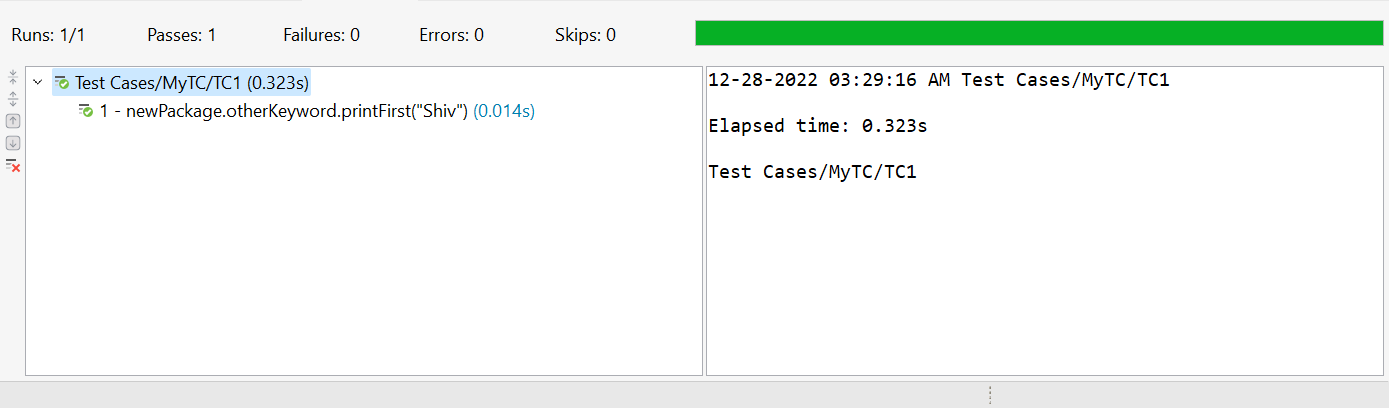
Now on running the test case with the following script, you will get the output.
A Settings page under Project Settings/Plugins can be built for a custom-keyword plugin with the new Katalon Studio version 6.1.2. This can be used to save project-scoped variables for users to edit.
ADD SETTINGS PAGE
With the help of the following example, Custom Keyword Plugin declares the setting page UI in katalon-plugin.json. It is in JSON or JavaScript Object Notation format. Basically, it is in the format of javascript’s object.
settingId: It identifies the setting file used to save user preferences on the settings page. At the following location, a file is created to save user settings: <Project Directory>/settings/external/<settingId>.properties
settingPage : It contains the following sub-properties
name: Name of the setting page
components: It is the list of UI components
key: key of the component
label: label the component
type: type of the component (‘text’ or ‘secret’)
defaultValue: default value of the component
PREPARE TO TEST
Follow the following steps to test the component:
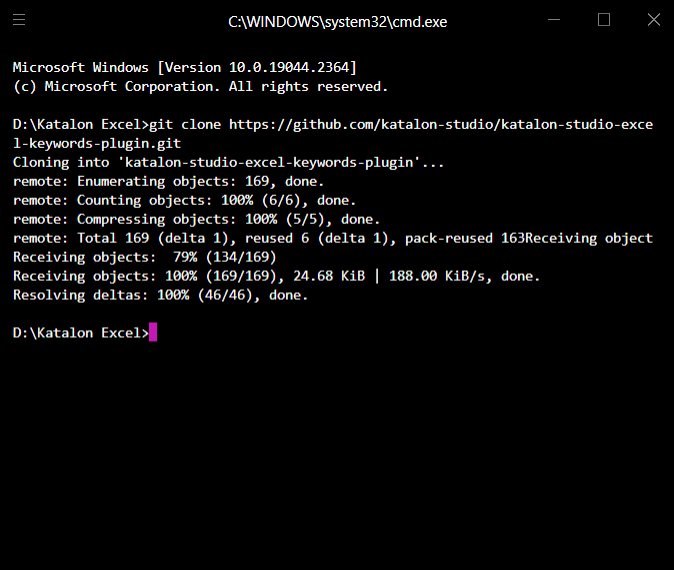
Step 1: First, Clone the project in your local directory from GitHub [https://github.com/katalon-studio/katalon-studio-excel-custom-keywords-plugin]
Step 2: Open the project in Katalon Studio.
Step 3: Update the katalon-plugin.json with this template
Step 4: Use this command to create an Excel keyword project: gradle katalonPluginPackage. In the /build/libs folder, a .jar file will be created.
Step 5: The generated jar file needs to be copied and pasted into the Plugins folder of a Katalon Studio project. (let’s say, Project X)
Step 6: Now, Open this Project X and navigate to Project Settings/Plugins/Excel Keywords
Step 7: Finally, you can customize the settings as you wish
RETRIEVE THE SETTING VALUES
The values can be retrieved in keyword script as the following sample:
import com.kms.katalon.core.configuration.RunConfiguration as RunConfiguration
import com.kms.katalon.core.setting.BundleSettingStore as BundleSettingStore

BundleSettingStore OBJbundleSetting = new BundleSettingStore(RunConfiguration.getProjectDir(), '<setting_id>', true)
println(OBJbundleSetting.getString('username', ''))
println(OBJbundleSetting.getString('password', '')
Frequently Asked Questions
What are custom keywords?
Custom keywords behave just like built-in keywords after creation. Custom keywords can be used when building test cases once they have been created.
What are automated software testing tools?
Software solutions for automated testing help teams and organizations automate their software testing requirements, requiring less human involvement and increasing speed, reliability, and efficiency.
What language does Katalon use?
Katalon Studio uses Groovy, which is a Java-based language.
Conclusion
In this article, we learned how to use a custom keyword from other custom keywords and step definition classes in Katalon. We also covered about katalon, custom keywords in Katalon, and how to build custom keywords with settings.
If you want to explore more, here are some related articles -








 18+ registered

