We know how engaging the language of python is! It is a versatile language that does wonders. Do you know about Join in python? If not, Don't worry. We got you covered!
Keep reading to learn about Join in Python.
Join in Python
The first question that may arise in your mind is, what exactly is a join in python?
Join in Python is an inbuilt string function. It is used to join sequence elements separated by a string separator. The job of the merge function is to join the elements of a sequence and makes it a string.
Syntax
string_name.join()
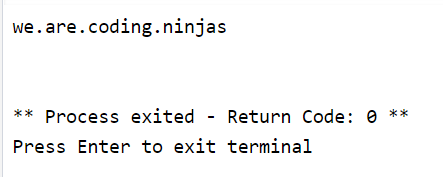
sample = ('we', 'are’, 'coding', 'ninjas')
# put any character to join
s = "."
s = s.join(sample)
print(s)
You can also try this code with Online Python Compiler
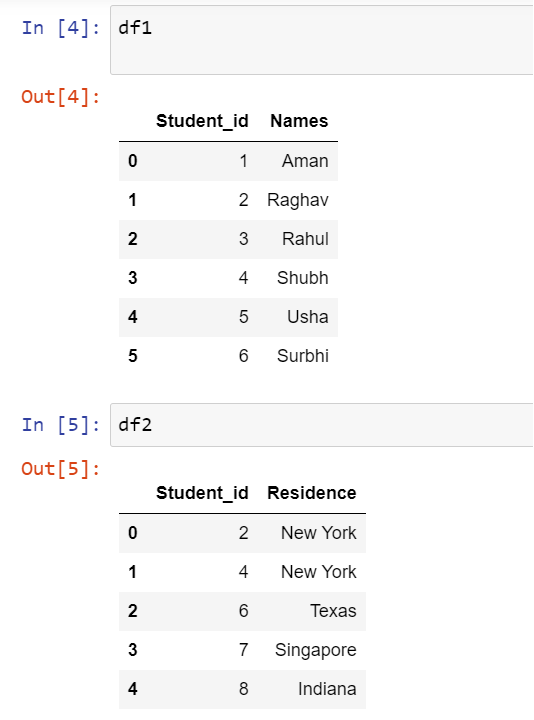
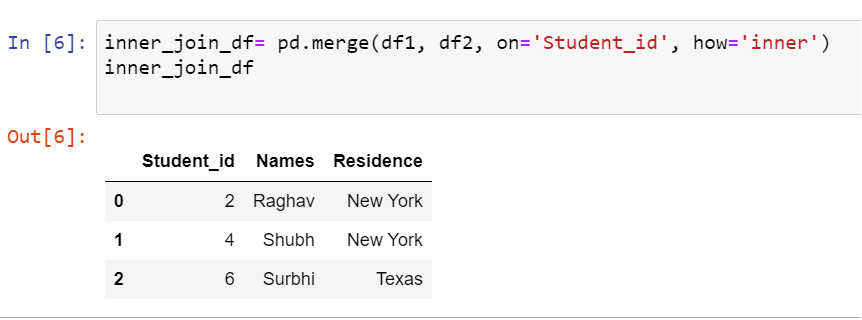
In Pandas, we can join or merge two data frames by using the merge() function. We can perform natural, left, right, and outer join in Pandas. We’ll further study these in this blog. Let us look at the syntax of how to join two data frames.
Syntax-
merge(df1,df2, on =’ID’, how=’type_of_join’)
You can also try this code with Online Python Compiler
After we run this code, the following output appears-
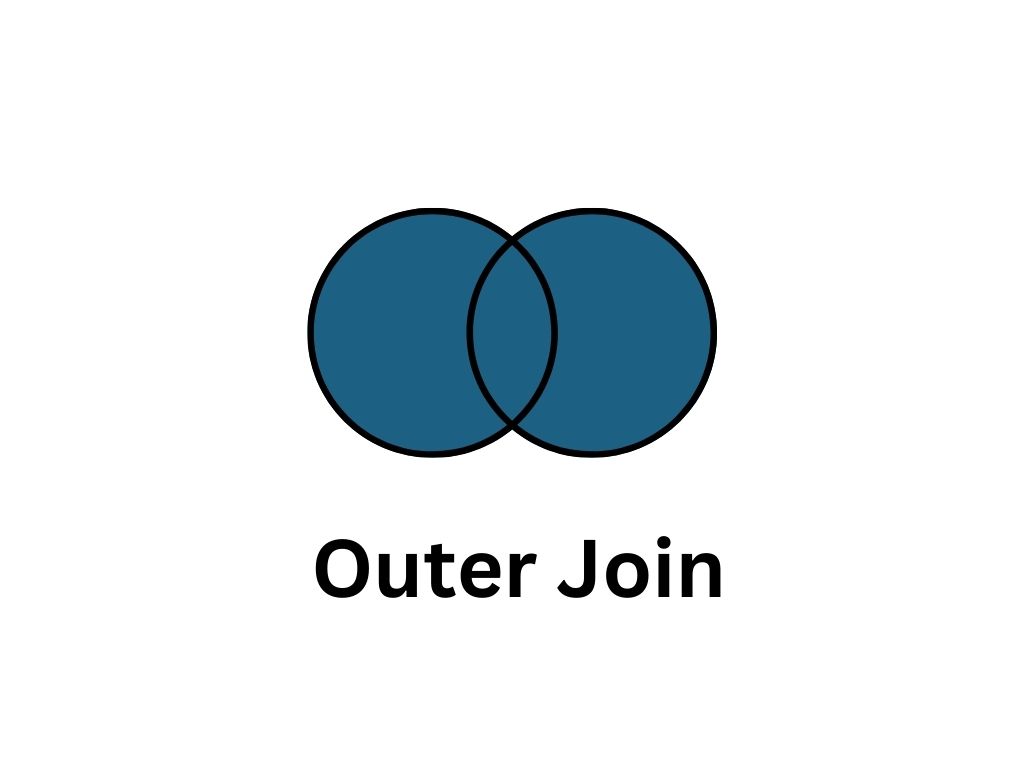
Outer Join
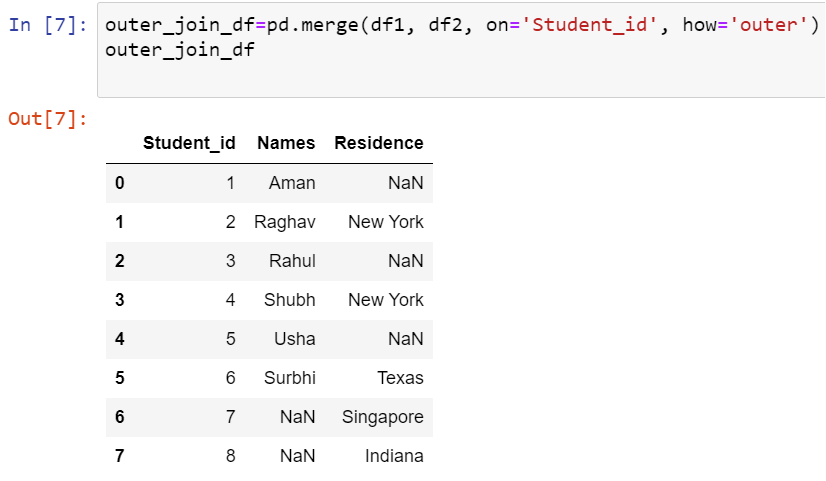
Outer Join in Pandas returns all the rows from both tables. It displays join records on the left side with matching keys in the right table. If no match exists from any table NaN will be returned.
The syntax of the same is-
pd.merge(df1, df2, on='Student_id', how='outer').
You can also try this code with Online Python Compiler
After we run this code, the following output appears-
Left Outer Join
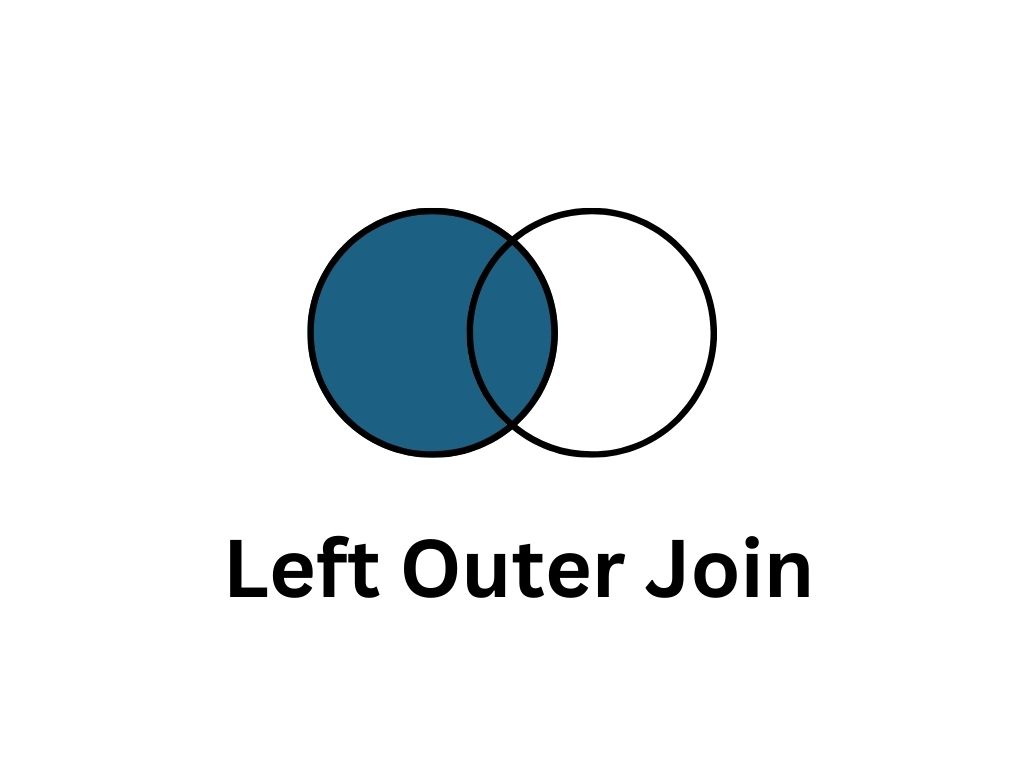
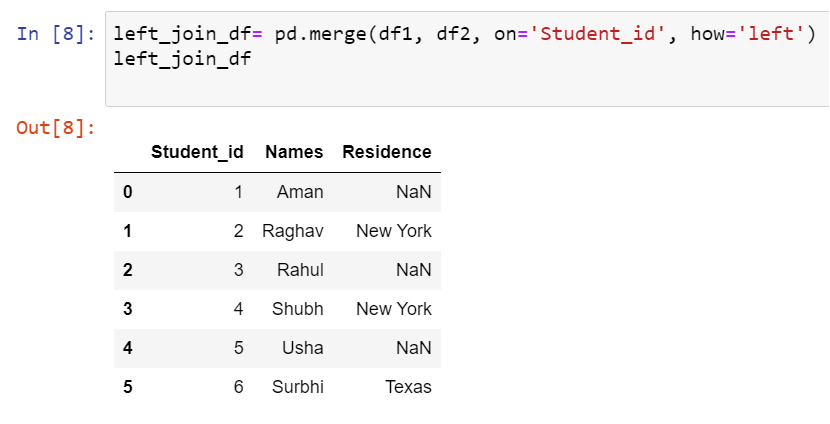
Left Outer Join in Pandas returns all rows from the left table and the rows with matching keys from the right table. When there is no Matching from the right table, NaN will be returned.
The syntax of the same is-
pd. merge(df1, df2, on='Student_id', how='left')
You can also try this code with Online Python Compiler
Join in Python is an inbuilt string function. It is used to join sequence elements separated by a string separator. The job of the merge function is to join the elements of a sequence and makes it a string.
What do you mean by a Dataframe?
A Dataframe is a data structure that categorizes data into a 2-dimensional table of rows and columns. Dataframes are one of the most common data structures used in modern data analytics.
How many joins can we perform in Pandas?
We can perform natural, left, right, and outer join in Pandas.
State the difference between Left Outer Join and Right Outer Join.
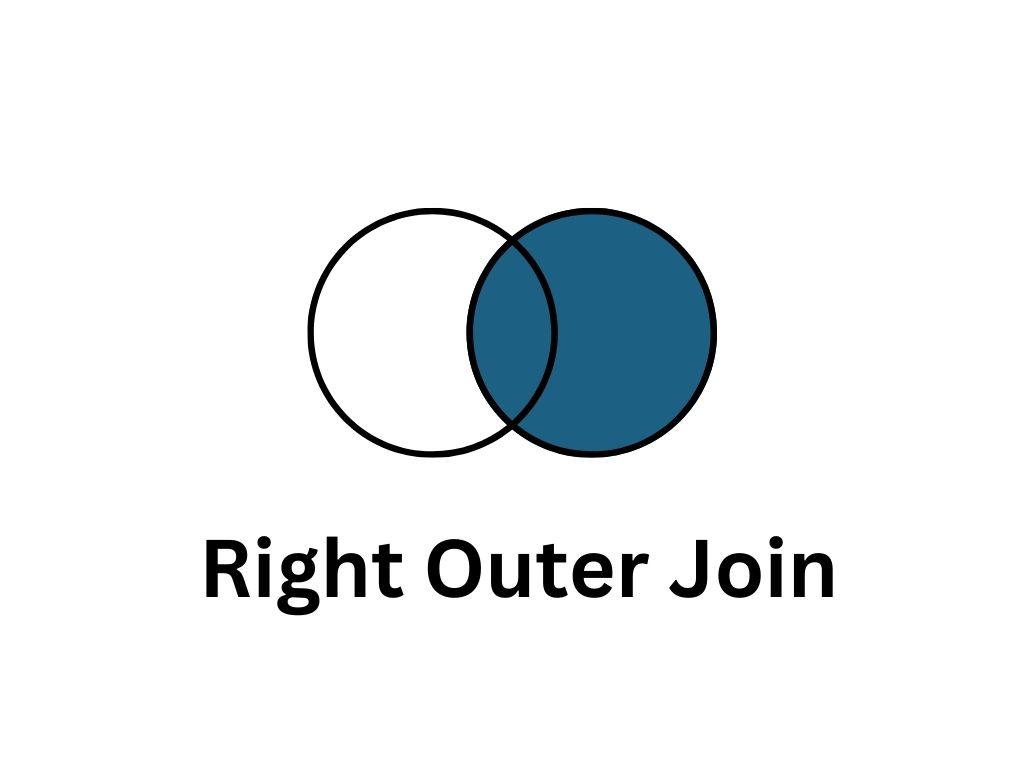
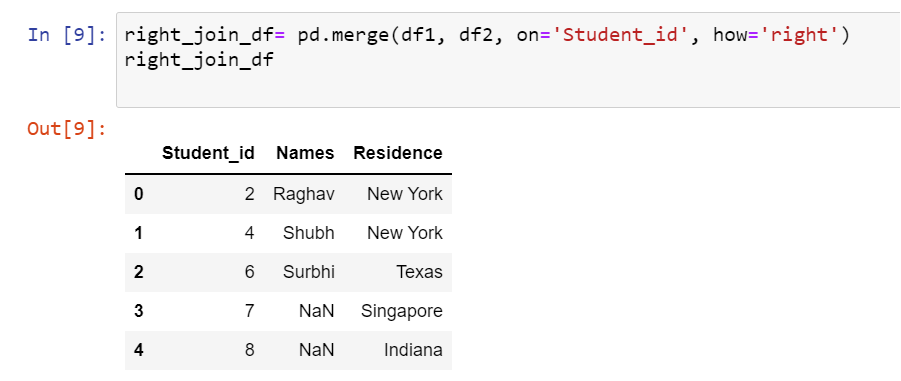
Left Outer Join in Pandas returns all rows from the left table and the rows with matching keys from the right table. Right, Outer Join returns all rows from the right table. It also returns any rows with matching keys from the left table.
What is returned if there is no match found in the table?
If no match exists from any table, NaN will be returned.
Conclusion
This blog covered the Join in python. It introduced the concept of join in Pandas and explained the different types of Join in Python. We hope you are clear with this topic of Join in Python. Eager to learn more? Refer to our other blogs-







 407+ registered