In the past, there has always been a trade-off between how fast a program executes and how quickly we write code. A program that runs faster in C or C++ would take longer to write. In comparison, a program written easily in python takes longer to execute. So, developers need the kind of best of both worlds. That’s where we welcome Julia.
What is Julia Programming Language
Let’s learn a little about the history of Julia Programming Language.
Julia was first announced in 2012 by The four founders, Stefan Karpinski, Alan Edelman, Jeff Bezanson, and Viral B. Shah. They were all passionate about the programming revolution, so they developed this scientific computing language together.
In more technical terms, Julia is a high-level, dynamic programming language. Its features make it ideal for computational research and numerical analysis. It is designed with a parametric polymorphism system in mind.
Those are confusing terms, right?
Let us understand what each of these terms means.
What is a High-Level Language?
Any programming language that makes it possible to create programs in a much more user-friendly environment and is typically independent of the computer's hardware architecture is referred to as a high-level language.
Instead of the fundamental hardware elements like memory addressing and register use, it focuses more on the programming logic.
What is a dynamic programming language?
It is a category of high-level programming language. Dynamic programming means that many programming phenomenons, like extending a program, adding new code, passing different parameters, or extending subclasses and definitions, are executed at the run-time rather than compile time. It allows easy programming and runtime flexibility.
What is parametric polymorphism?
It is a programming language feature that allows us to declare generic definitions of functions and system types that would work for different kinds of data. We can handle type-based errors.
Features of Julia Programming Language
Following are the features of the Julia Programming language.
Speed
It is the fastest language for interactive computing out there. Julia became the fourth language to achieve petaflops performances after C, C++, and Fortran.
Syntax
Python and R are the most popular dynamically typed languages for scientific computing. Since the calculations were being performed by scientists who lacked development experiences, such as physicists, biologists, and financial experts, they chose simpler syntax, even if it meant slower computation speeds. Despite being compiled and dynamically typed, Julia is as quick as statically typed languages like C or Fortran. Julia is straightforwardly to learn and create.
Multiple Dispatch
Multiple dispatches describe the function's capacity to respond differently depending on the kinds of arguments it receives. Each function is capable of having several iterations that are optimized for various parameter types. Many implementations of the function would be dispatched, and the most appropriate would be chosen during runtime.
Dynamic typing
Julia allows for dynamic programming and typing system. Unlike C or C++, variables don’t have any data types. Values have data types. These types are determined at runtime rather than compile time. It allows for multiple dispatches.
Interactive Shell
It has a powerful and interactive shell that allows Julia to manage other processes easily.
Communication
Python, R, and Java are just a few programming languages with which it can effectively interface. It can communicate with Python using PyCall, R using RCall, and Java using JavaCall, for instance. We can directly call a C function without using API or wrappers.
Installing Julia Programming Language
You can follow the steps to install Julia Programming Language in your system.
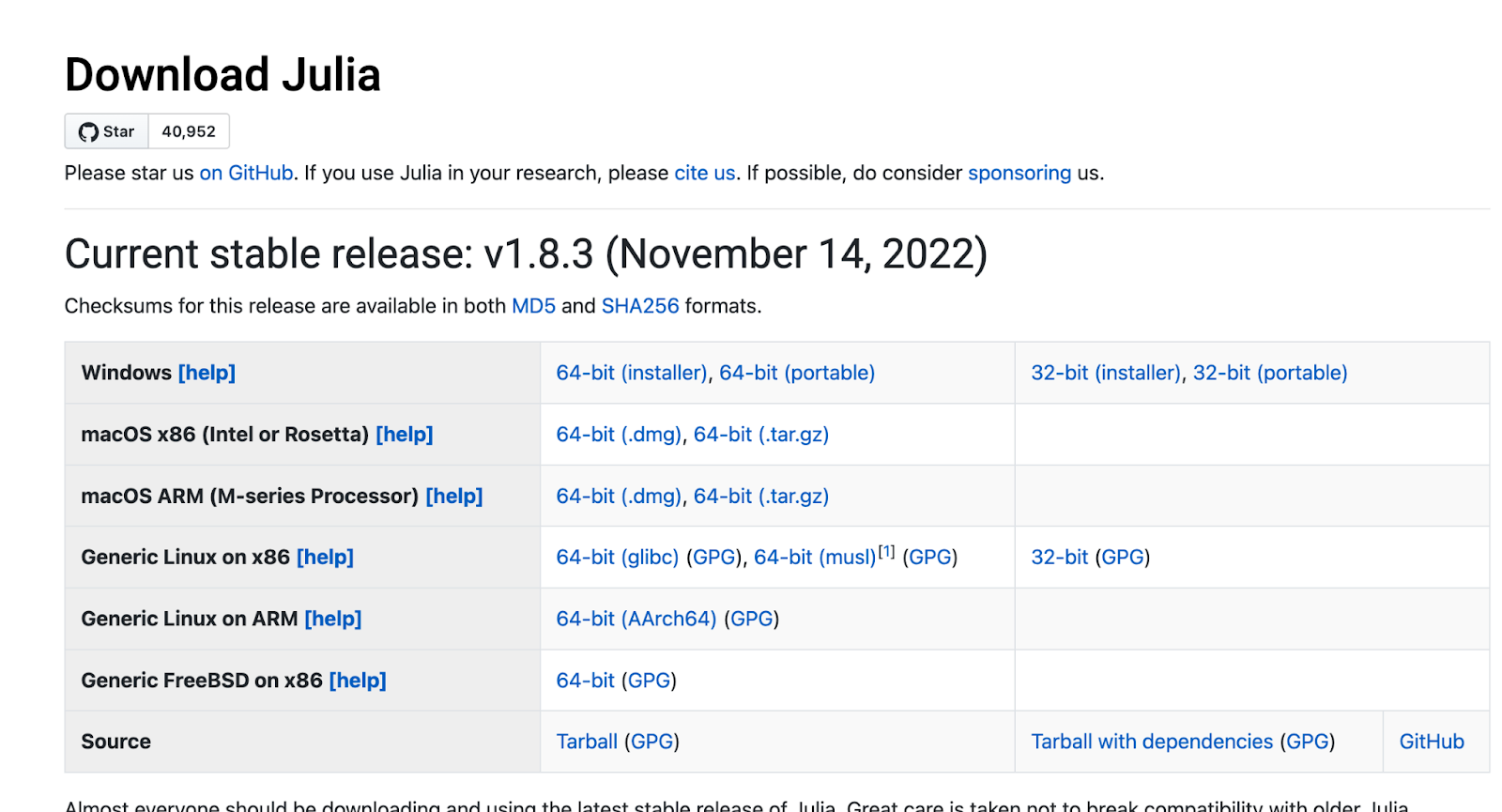
Go to julialang.org/downloads. Select the version you want to download according to your operating system.
For windows, select the “.exe” file.
For mac, select the “.dmg” file.
For Ubuntu/ Linux, select the “.tar.g.z” file.
2. Download the installer and start installing according to your operating system.
3. Let me guide you through the mac installer.
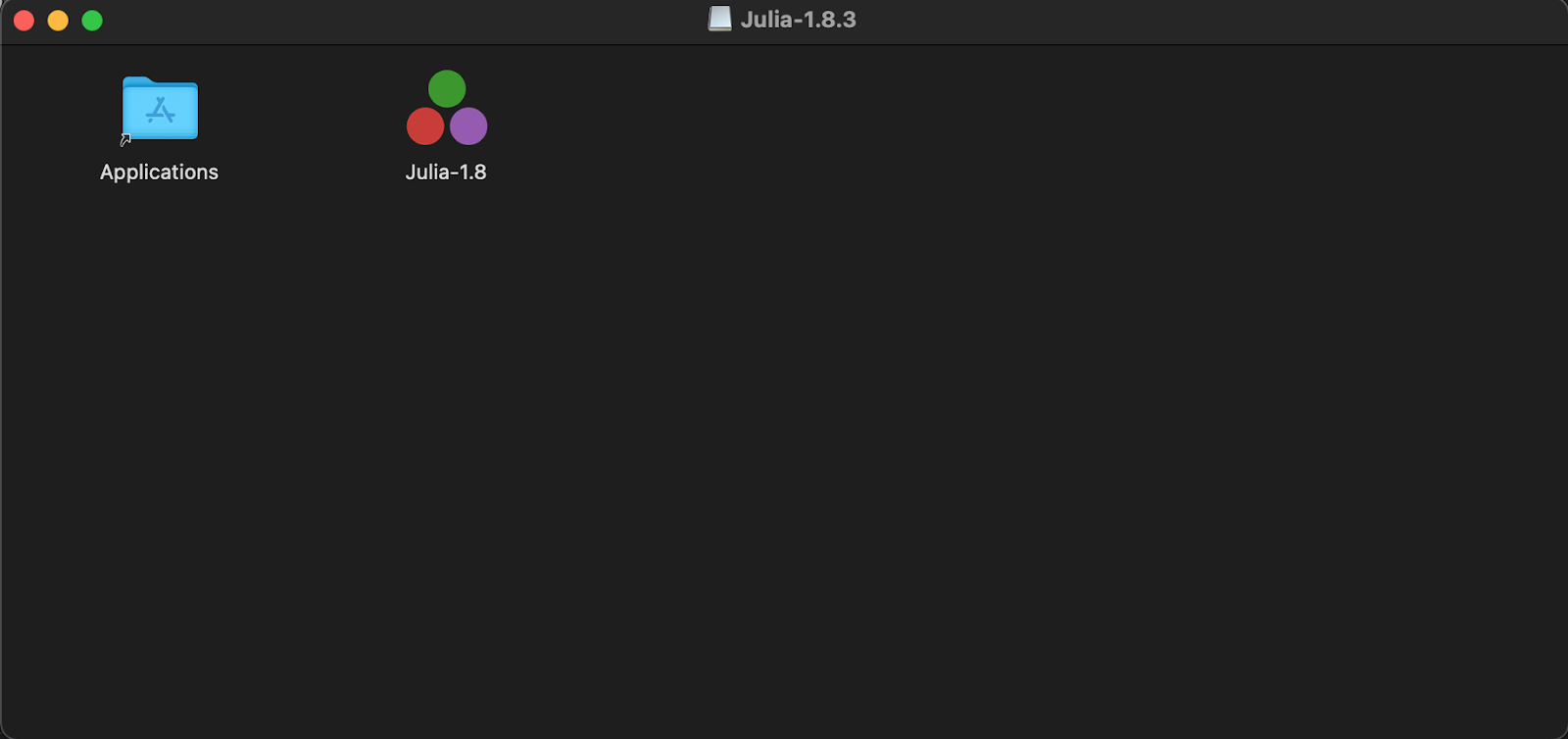
4. As soon as the installer is downloaded, double-click on the installer.
5. Drag the Julia icon to your applications
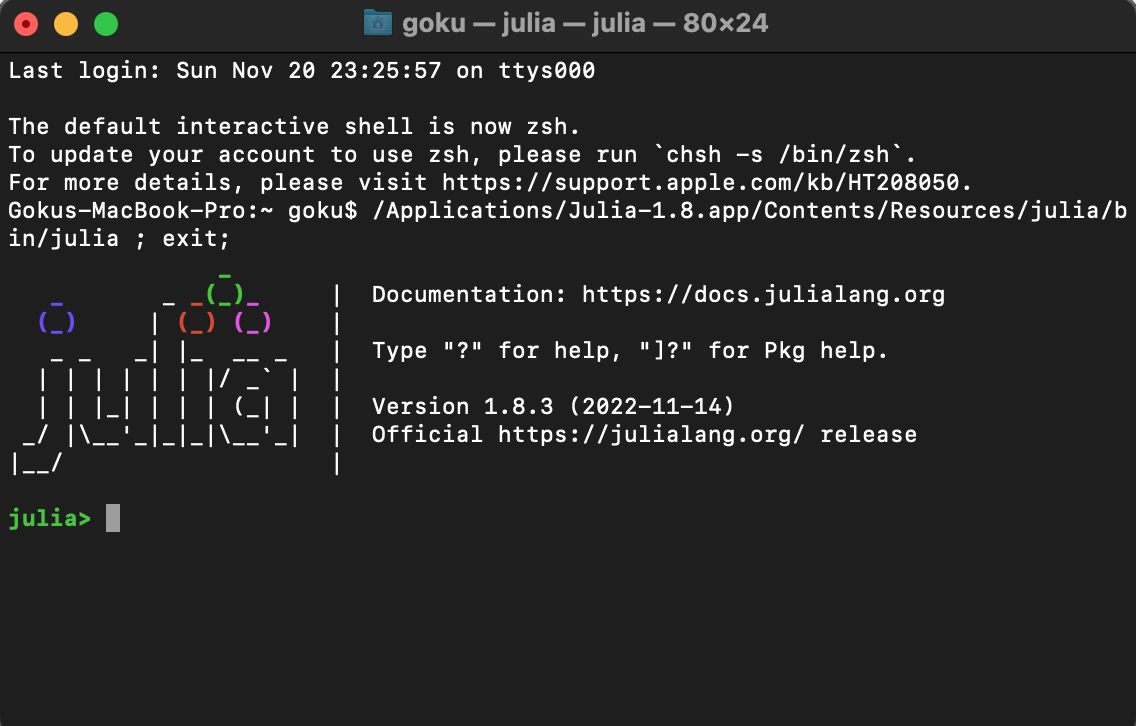
6. Now Open Julia's Application. It will open in the terminal as follows:
7. Congratulations! Julia is successfully installed in your system.
8. Now you can run any Julia program in the shell.
Basics of Julia
Now that you have successfully installed Julia programming language in your system let's learn some basics of Julia Programming Language.
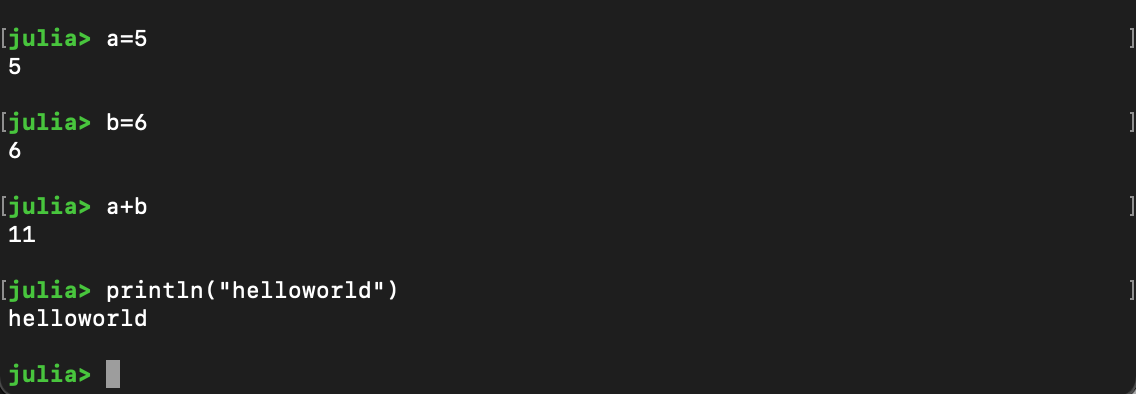
The most basic program for any programming language is the “Hello World” Program.
Hello World Program in Julia Programming Language
Variable and Types in Julia Programming Language
Variables in Julia are dynamically typed. Thus you can declare the type when you create it.
Now let's create a variable and assign an integer to it.
Similarly, we can create string and float variables.
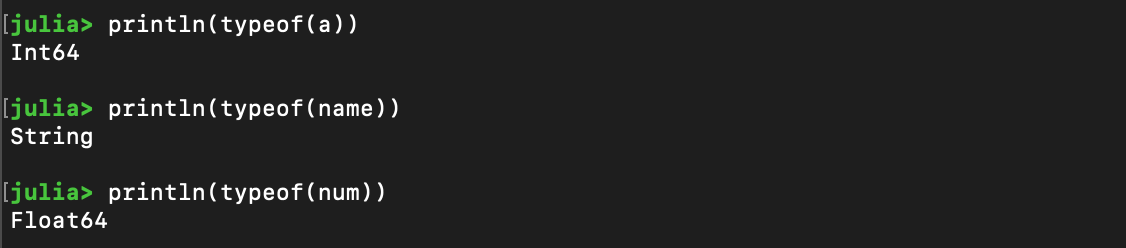
We can use the type of() function to know the data types of a variable.
Some special symbols called Unicode Characters in Julia are also very useful in mathematical equations. We can access these Unicode variables by doing a backslash “ \ ” and then typing the name, followed by pressing the tab button.
Here we inserted Pi and Sigma.
The following data types are supported in Julia:
Int64
Float64
Char
String
Bool
Comments in Julia Programming Language
Like Python, Julia Programming Language supports single-line comments using the # symbol. Multi-line comments are supported using the #= … =# syntax.
Single Line Comments
Multi-Line Comments
Data Structures in Julia Programming Language
Julia Programming Language supports Array, Tuples, and Dictionaries. Functionally they are similar to python but with different syntax.
Array
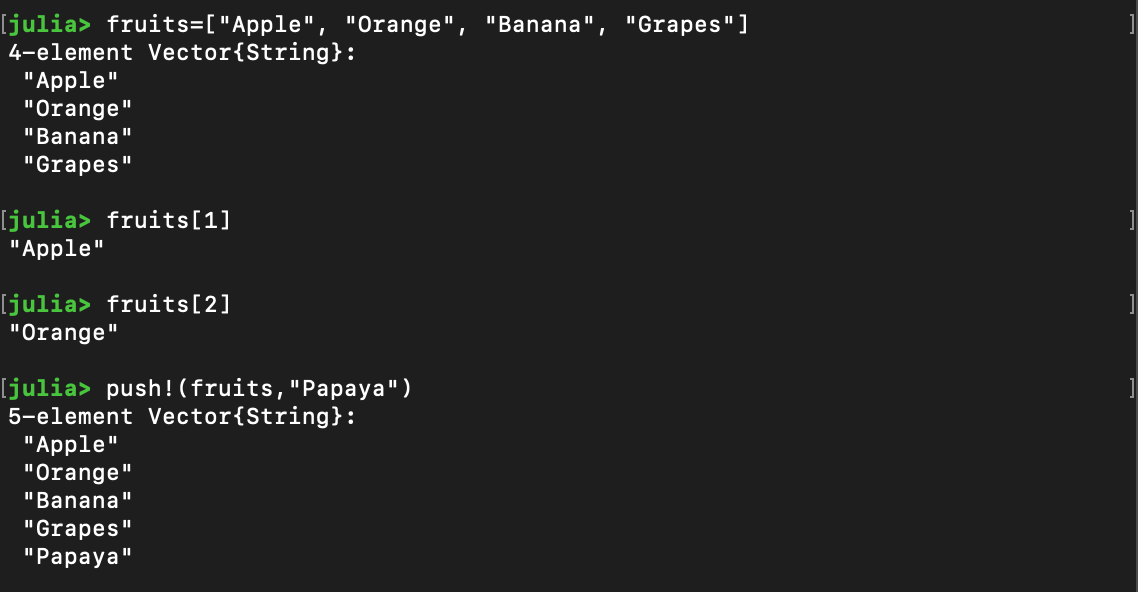
Arrays in Julia are ordered collections that can store mixed types of data. It is mutable, and it can be indexed and sliced. Elements can be added and removed using the pop! ( ) and push! ( ) operations.
Tuple
Tuples in Julia are just like python. They are immutable ordered collections of elements.
Dictionary
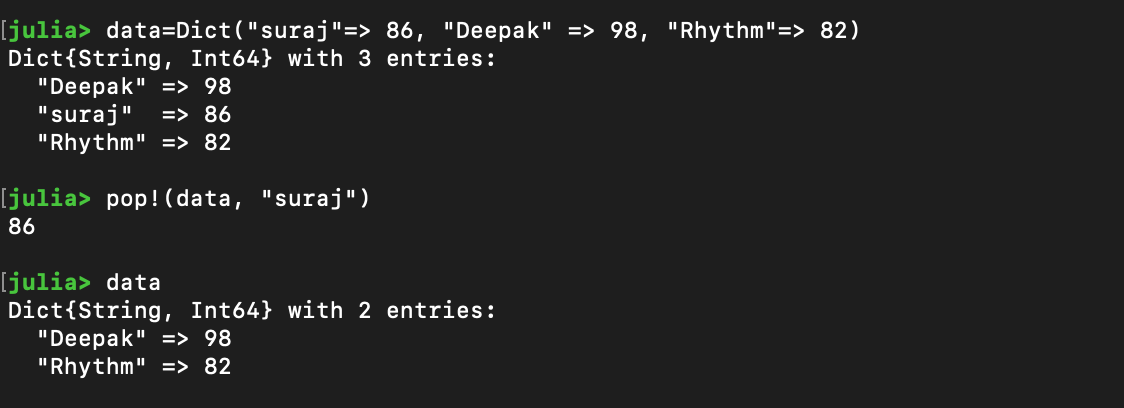
Dictionary in Julia Programming Language is a set of related data stored as a Key and Value pair. Dictionary in Julia Programming Language is created using the dict() keyword.
Frequently Asked Questions
Who created Julia Programming Language?
Julia was first announced in 2012 by The four founders, Stefan Karpinski, Alan Edelman, Jeff Bezanson, and Viral B. Shah. They all were passionate about the programming revolution, and so they together developed this scientific computing language.
What is Dynamic Typing?
In Dynamic Typing, variables don’t have any data types. Instead, values have data types. These types are determined at runtime rather than compile time.
What is parametric polymorphism?
It is a programming language feature that allows us to declare generic definitions of functions and system types that would work for different kinds of data. We don't have to worry about type-based errors.
How can we make multi-line comments in Julia Programing Language?
We can create Multi-Line Comments in Julia Programming Language by using.
#=
Content to be Commented
=#
Why is Julia Programming Language so Popular?
Julia excels at elements of programming that no other language can. Python, for example, sacrifices speed for flexibility and dynamic typing, whereas languages like C, C++, and Java are static and inflexible to be quick at runtime.
Conclusion
In this article, we discussed Julia Programming Language in detail. We discussed the history of the Julia Programming Language, how to install Julia Programming Language, the benefits of Julia Programming language, and the Basics of data types, variables, syntax, etc., in Julia Programming Language.











 341+ registered