

Table of contents
1.
Introduction
2.
Singleton Class in Kotlin
2.1.
Rules for making the Singleton class in Kotlin
2.2.
When to apply the Singleton pattern? 
3.
Properties of Singleton Class
4.
Importance of Singleton Objects In Android
5.
Understanding the Singleton in Singleton Class
6.
Importance of the Singleton Pattern 
7.
Frequently Asked Questions 
7.1.
What are the Drawbacks of using the Singleton class in Kotlin or any other programming language?
7.2.
What are the benefits of using the Singleton class in Kotlin?
7.3.
Where is the singleton pattern used in real life?
8.
Conclusion
Last Updated: Aug 13, 2025
Easy

Singleton Class in Kotlin

Author Alisha chhabra
3 upvotes
Career growth poll
Do you think IIT Guwahati certified course can help you in your career?

Introduction

Kotlin, with its concise syntax and powerful features, has gained immense popularity among developers worldwide. One such feature that Kotlin offers is the Singleton class. Singleton is a design pattern that ensures a class has only one instance and provides a global point of access to it. In this blog, we will discuss singleton class in Kotlin in detail.
Singleton Class in Kotlin

Singleton Class in Kotlin

A singleton class in Kotlin is designed so only a single instance can be created and used everywhere. Instances of the class that only require one are NetworkService, DatabaseService, etc. It is typically done because creating these objects repeatedly uses system resources. Therefore, creating an object only once and using it repeatedly is better.

Let us take an example: 

Imagine that we are creating a kingdom and that only one path can be used to enter or leave the kingdom. That is how Kotlin's Singleton Class works.
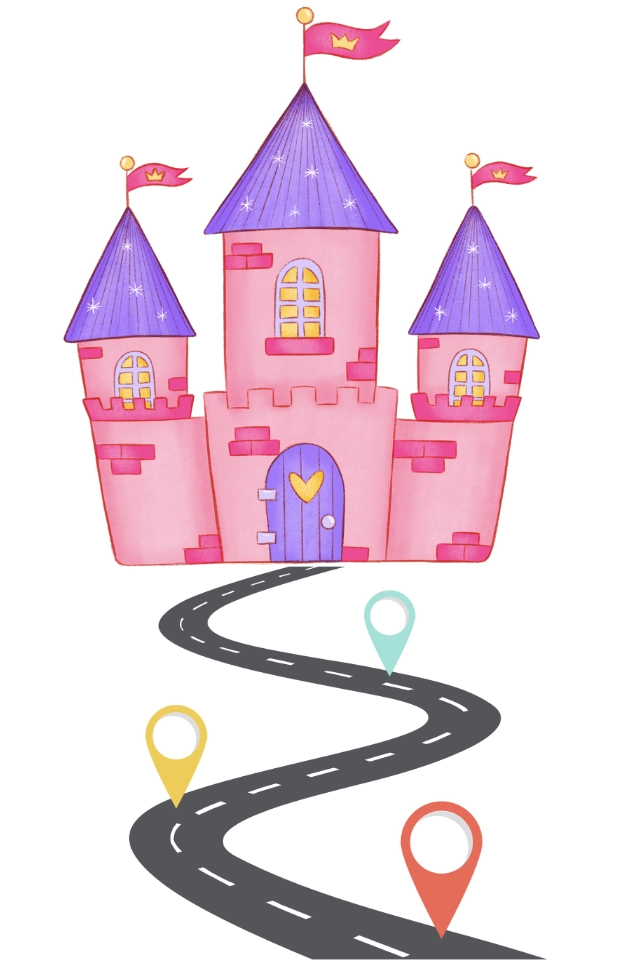
kingdom

Let us take an example of a normal class, and then it will be easy for you to understand the difference between a normal class and a singleton class.

Example of a Normal Class
 

class Student(){
    fun run(){
        println("Running")
    }
}
fun main(){
    val t1 = Student()
    val t2 = Student()
    println(t1)
    println(t2)
}


Output

output

Thus, "t1" and "t2" each have two distinct memory locations. Let us now take an example of a Singleton class. 

Rules for making the Singleton class in Kotlin

To create a Singleton class, the following guidelines must be followed:

  • A private constructor
  • A static reference of its class
  • One static method
  • Globally accessible object reference
  • Consistency across multiple threads


To create a singleton class, we use the “object” keyword.  Yes, it is that simple. There is a long process to make a class singleton in Java, but Kotlin is a lifesaver language. 

In Kotlin, we must use the “object” keyword to use the Singleton class, as already discussed above. The object class can have properties, functions, and the init method. 

Key Point 👀: The constructor method is prohibited in an object, so if some initialization is needed, we can use the init method and the object can be defined inside a class. The object gets instantiated when it is used for the first time.

Example of a Singleton Class

object Singleton{
    init{
        println("Singleton method invoked successfully!")
    }
    fun run(){
        println("hello Ninja")
    }
}
fun main(){
    val t1 = Singleton
    val t2 = Singleton
    println(t1)
    println(t2)
}


Output 

output

Although it appears that we are creating two objects on the left side of the code, in reality, we are only giving the exact memory location two different names. This is because the memory addresses for both objects are the same.

When to apply the Singleton pattern? 

Below are the mentioned applications of the Singleton pattern:  

singleton pattern


Use the Singleton pattern when a class should have a single instance available to all clients, for example, a single database object shared by different program parts. 
 

  • Except for the unique creation method, the Singleton pattern prevents the creation of objects using any other methods. If an object has already been created, this method either returns it or creates a new one if necessary.
     

When you require tighter control over global variables, use the Singleton pattern.
 

  • The Singleton pattern ensures that there must be one instance of a class, in contrast to global variables. The Singleton class itself can only replace the cached instance.

Properties of Singleton Class

A Singleton class possesses several distinctive properties that make it a valuable tool in software development:

  • Single Instance: Perhaps the most defining characteristic of a Singleton class is that it ensures only one instance of the class exists throughout the application's lifecycle. This property is particularly useful when there's a need for global access to a single, shared resource.
  • Global Access Point: Singleton classes provide a centralized point of access to their instance, allowing any part of the application to easily interact with its methods and properties. This promotes code reusability and simplifies the management of shared resources.
  • Lazy Initialization: Singleton instances are often lazily initialized, meaning they're created only when they're first accessed. This approach optimizes memory usage and startup time, as the instance isn't unnecessarily instantiated until it's required.
  • Thread Safety: Ensuring thread safety is crucial in multi-threaded environments to prevent race conditions and data inconsistencies. Singleton classes typically employ synchronization mechanisms or utilize language features like Kotlin's object keyword, which inherently guarantees thread safety during initialization.
  • Immutable State: To maintain consistency and prevent unintended modifications, Singleton classes often encapsulate their state and expose only read-only properties or immutable objects. This ensures that the Singleton's state remains consistent throughout the application's execution.

Importance of Singleton Objects In Android

In Android development, Singleton objects play a crucial role in managing various application components and resources. Here are some reasons highlighting their importance:

  • Resource Management: Android applications often require centralized access to resources such as database instances, network clients, or configuration settings. By encapsulating these resources within Singleton objects, developers can ensure their efficient utilization across different parts of the application.
  • Global State Management: Singleton objects are ideal for managing global application state, such as user authentication status, session data, or device configurations. This centralized approach simplifies state management and facilitates communication between different components of the application.
  • Dependency Injection: Singleton objects serve as key components in the implementation of dependency injection frameworks in Android. By defining dependencies as Singleton instances, developers can easily inject them into classes where they're needed, promoting modularity and testability.
  • Performance Optimization: In resource-constrained environments like mobile devices, minimizing resource overhead is paramount. Singleton objects facilitate efficient resource utilization by ensuring that costly resources are instantiated only once and reused throughout the application's lifecycle.
  • Simplified Access Control: Singleton objects provide a convenient mechanism for controlling access to shared resources or sensitive operations within the application. By encapsulating such functionality within Singleton instances, developers can enforce access restrictions and ensure proper encapsulation of sensitive logic.

Understanding the Singleton in Singleton Class

In the dictionary, Singleton entails a single person or a thing. In our case, this person or a thing is an object. 

With the help of the creational design pattern known as the Singleton, you can guarantee that a class has just one instance. 

An excellent illustration of the Singleton pattern is the government. There can only be one official government in a nation. Regardless of the individual identities that make up governments, the phrase "The Government of X" serves as a universal point of access to identify the group in charge.

Singleton Class in Kotlin

Similarly, we have the Singleton pattern for classes that only allow for a single instance. Now, why is the singleton pattern significant? 

Let's get this straight:

Importance of the Singleton Pattern 

The Singleton pattern is a wonderful one that solves several problems that can be considered a nightmare for many programmers. 

Use Case: Imagine that you created an object, but after some time, you decided to create a new object. Rather than receiving a new object, you'll get the one you already made.

Note that this behavior is not feasible to implement with a regular constructor because a constructor call always returns a new object by design. 

Singleton Class in Kotlin

End-Users may not even realize that they’re working with the same object.


Other Use Cases are discussed below:

  • The Singleton pattern is useful when a resource is expensive in terms of dynamic memory or the time it takes to create.
     
  • According to your application's needs, you can also use the singleton pattern to limit the number of class instances. 
     
  • One example that brings to mind is the connection to a database, where you will always establish one connection per thread, with the connection typically remaining active along with the thread.


Therefore, we create a singleton class to implement the Singleton pattern in our project or software.

Must Read Elvis Operator Kotlin

Frequently Asked Questions 

What are the Drawbacks of using the Singleton class in Kotlin or any other programming language?

There are many drawbacks to using the Singleton class in Kotlin; one of them is that, in a multithreaded environment, the pattern needs special handling to prevent multiple threads from repeatedly creating a singleton object.

What are the benefits of using the Singleton class in Kotlin?

The advantages include that a class will always contain just one instance. You can be sure of that, and gaining access to that instance through a global access point can also be done via Singleton class in Kotlin or any other programming language. 

Where is the singleton pattern used in real life?

A single instance of the class must be permitted when using a singleton class. As a real example, when designing a library using OOP, we can create library classes that are singletons.

Conclusion

To conclude the discussion, we’ve extensively discussed the Singleton Class in Kotlin. We have also discussed its importance, creation, and applications in Kotlin. To further use this learning in your android development journey, you can try different examples and implement them in your project. 

Recommended Readings:

We hope the blog has helped you enhance your knowledge of Singleton Class in Kotlin. You can refer to our guided paths on the Coding Ninjas Studio platform to learn more about DSADBMSCompetitive ProgrammingPythonJavaJavaScript, etc. 

To practice and improve yourself in the interview, you can also check out Top 100 SQL problemsInterview experienceCoding interview questions, and the Ultimate guide path for interviews

Do upvote our blogs to help other ninjas grow. Happy Coding!!

Live masterclass


