Do you think IIT Guwahati certified course can help you in your career?
Introduction
Have you ever tried to automate the testing process in your organization using any software or tool?
This article is focused on one of the API testing platforms, which is known as Ready API. We will also study virtualization in ReadyAPI in detail.
Ready API
Ready API is an automated testing platform. It allows the creation, management, and execution of automated functional, security as well as performance tests in a single interface.
Virtualization
Virtualization is the process in which a software program is used to simulate hardware functionality. Then we create a virtual computer system on this software. It allows IT-based organizations to run more than one virtual system. You can run multiple operating systems as well as applications on a single server. It benefits economically. It also has higher efficiency.
Virtual Machine
A virtual machine or VM is a virtual computer system. It is a tightly isolated software container that has an operating system or OS and application program inside. Each self-contained Virtual Machine is completely independent. Putting more than one Virtual Machine on a single computer allows several operating systems and applications to function on just one physical server, or “host.”
Virtualization Project in Ready API
Checking out the sample project is a good practice. This helps you learn how the features work.
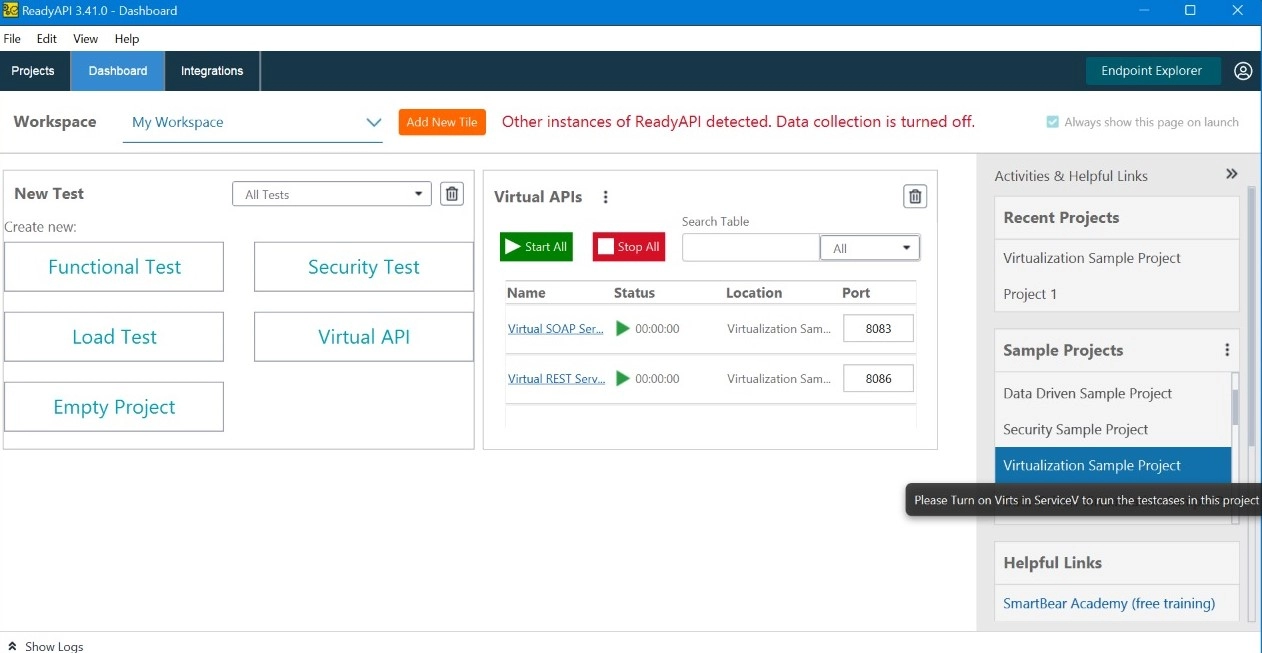
Let's check out a sample project of virtualization in the Ready API. This project consists of different examples of SOAP and REST virtual services. It also contains functional test cases.
Location of the Project
The sample project file is known as "Sample-Virtualization-Project.xml." It is present in the folder with the path "<ReadyAPI>/tutorials." For:
Linux: It is present in the /home/<user-name>/SmartBear/ReadyAPI-3-41-0/tutorials directory.
Windows: It is present in the <Program Files>/SmartBear/ReadyAPI-3-41-0/tutorials folder.
macOS: It is present in the /Applications/ReadyAPI-3-41-0.app/Contents/java/app/tutorials folder.
Steps to Open
If you want to open the sample project, follow the below steps:
In this step, just click on the link to the sample project on the starting page.
Or these steps:
The first step is to click on the "File" Menu from the main menu.
Then click on Import Project.
Finally, select the project file from the Open File dialog box.
Sample Project of Data-Driven Virtual Service
After a simple virtualization project, let's check out a sample project of data-driven virtual service in the Ready API. This project consists of REST virtual services. It helps us in the insertion of data from a data source, "Grid," into the responses.
Location of the Project
The sample project file is known as "Data-Driven-Virtualization-Project.xml." It is present in the folder with the path "<ReadyAPI>/tutorials/ServiceV." For:
Linux: It is present in the "/home/<user-name>/SmartBear/ReadyAPI-3-41-0/tutorials/ServiceV" directory.
Windows: It is present in the "<Program Files>/SmartBear/ReadyAPI-3-41-0/tutorials/ServiceV" folder.
macOS: It is present in the "/Applications/ReadyAPI-3-41-0.app/Contents/java/app/tutorials/ServiceV" folder.
Steps to Open
If you want to open the sample project, follow these steps:
The first step is to click on the "File" Menu from the main menu.
Then click on Import Project.
Finally, select the project file from the Open File dialog box.
Frequently Asked Questions
Which is better, the Ready API or the postman?
Postman is developed as a centralized platform for the development, testing, and management of APIs. While Ready API is more focused on testing, with features aimed at creating, maintaining, and executing test suites.
Is Ready API an automation tool?
Ready API is a SOAP & REST API automation testing tool. It is focused on enhancing efficiency as well as usability.
Is the Ready API same as the SoapUI?
SoapUI is an open-source tool used for automated web service testing. Ready API is an API readiness platform. It consists of the next generation of SoapUI as one of its test modules.
Does Ready API use Java?
If you run groovy debugging, ReadyAPI will use the tools.jar. Then it will attach .dll files from the Java JDK.
Can we perform performance testing using Ready API?
We can use Ready API to create and run the load or performance tests. It is used to make sure that the APIs deal properly with a large number of visitors.
Conclusion
In this article, we have studied one of the Virtualization projects in Ready API in detail.
We hope that this article has provided you with the help to enhance your knowledge regarding the ReadyAPI and if you would like to learn more, check out our articles on Test in Ready API and Settings in Ready API.












 1+ registered

