Do you think IIT Guwahati certified course can help you in your career?
Introduction
Hello Ninjas!! Welcome to another article on Katalon Studio. Today we will learn about the test case variables in Katalon studio. The Katalon platform offers testing solutions. It benefits teams of various sizes and testing maturity levels. The toolkit assists small teams in the early stages of automation. It helps to grow into large international corporations in AI/ML.
The article explains the details of creating and managing test case variables in Katalon Studio.
Without further ado, let's get started.
Test Case Variables
The Test Case Variables allow users to pass dynamic variables data in a test case. You can construct test case variables and invoke test cases with variables. This can be done in both manual and script modes. Test Case Variables in Katalon Studio can be used to parameterize your test case. It can be called with various inputs rather than running the test case with hard-coded values.
Let's have a look at an example of a test case with hard-coded values:
Code:
String Student_Name = 'Coding Ninjas'
Number Marks = 50
println "${Student_Name} - ${Marks}"
Managing Test Case Variables
Follow the following steps to add test Case variables:
Select File -> New -> Test case.
Create a new test case variable.
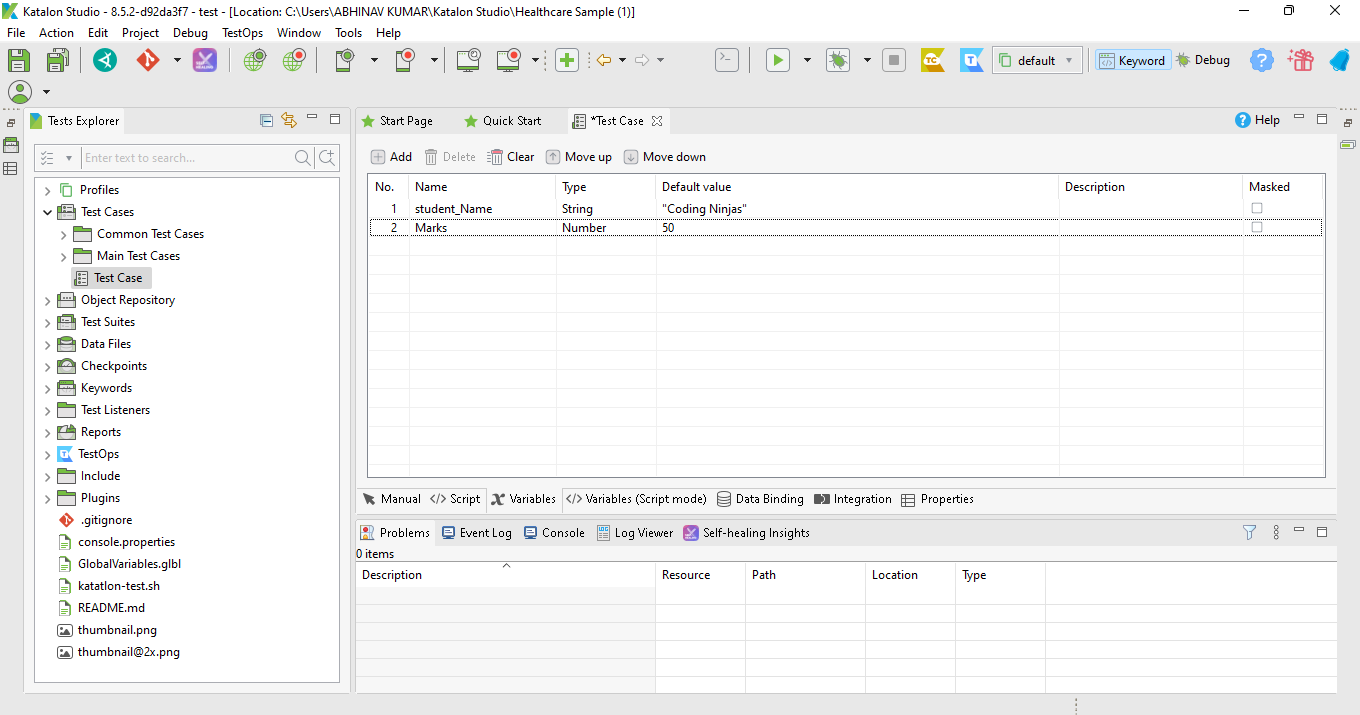
Go to your Test Case's Variables tab.
Select Add. The variable list now has a new row.
Add the values as shown in the figure:
View and declare variables in Script Mode
You can switch to the Variable (Script Mode) tab. This will display the script editor in XML.
The figure displays the Script Mode of the Test case. It is automatically created when we create a Test case.
Calling Test Case with variables
Variables are the named locations used to designate a value. You can easily use the old variables in your Test Case . This ensures the reusability of the variables.
Follow the following steps to call a test case with variables:
Open a test case in manual mode.
Click Add.
Select Call Test Case.
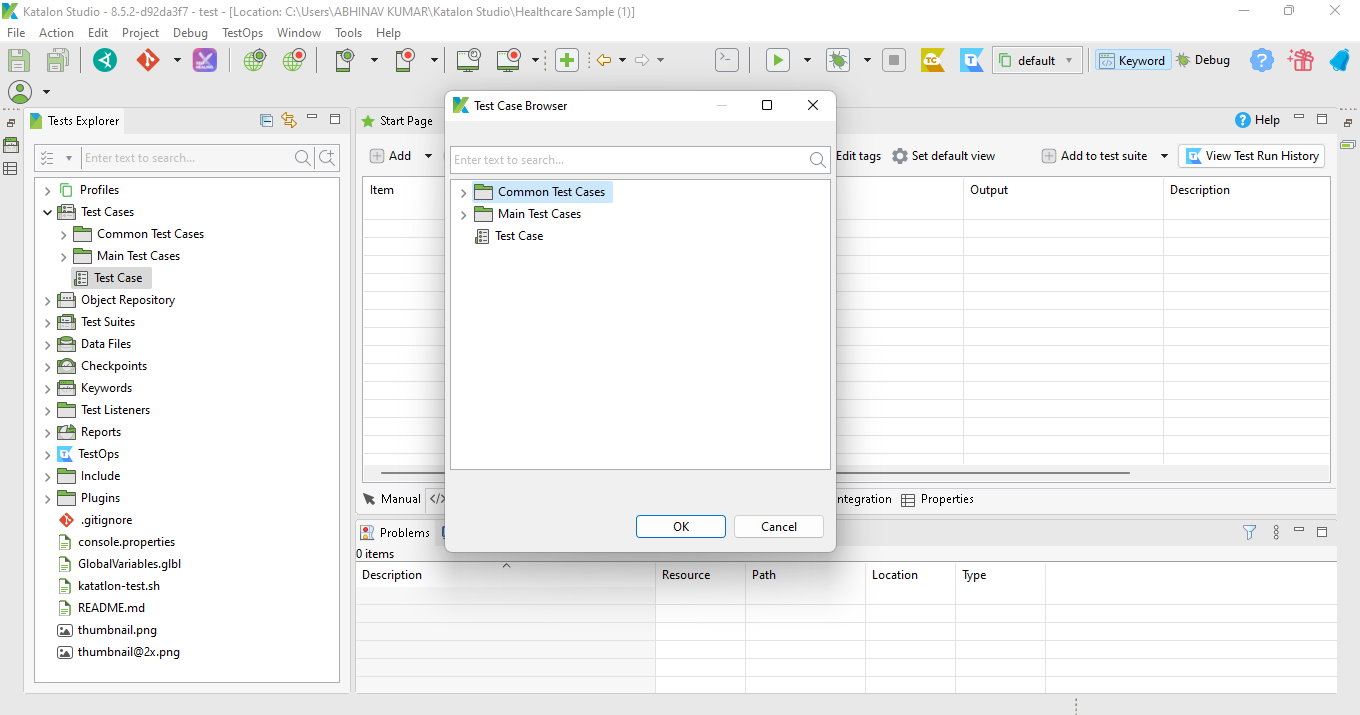
The dialogue box containing all of the project's current test cases will appear as in the figure:
Select your test case.
Click OK.
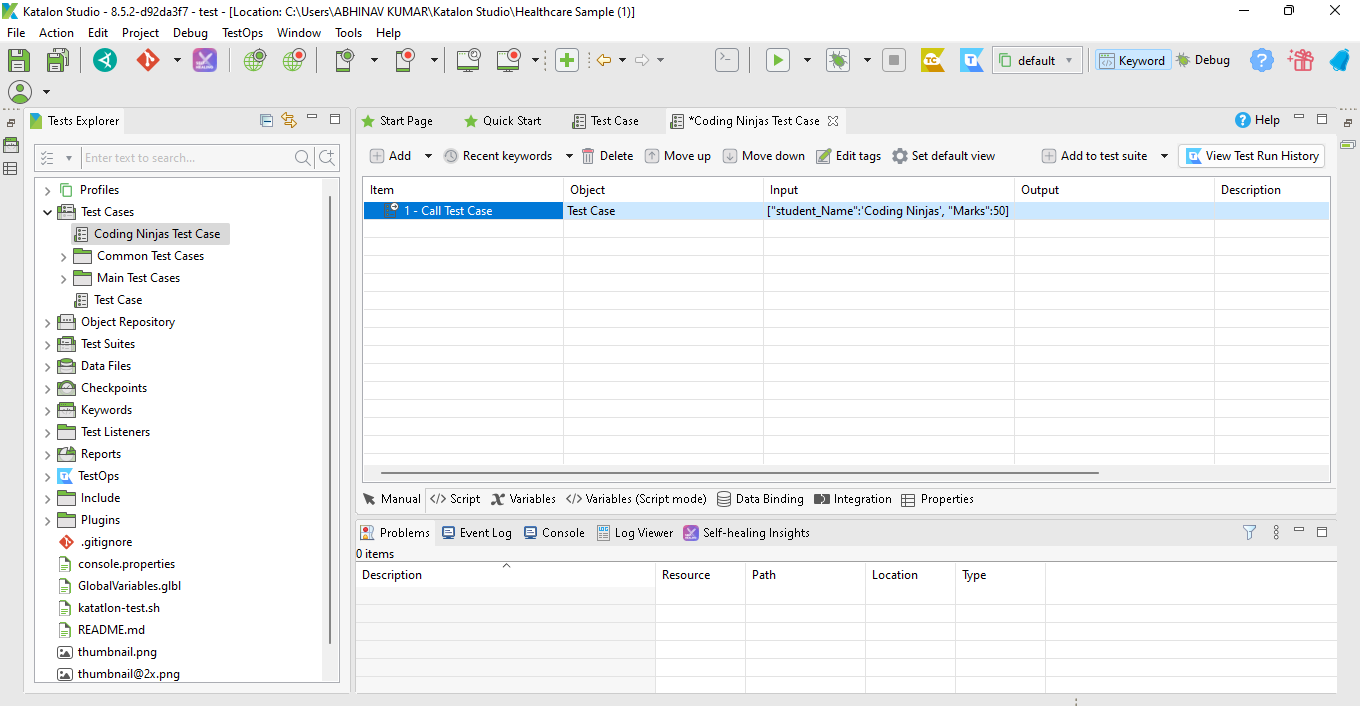
The figure shows that our created test case is automatically called in the new test case.
The above-selected test case will serve as the target of a new step called Call Test Case.
Click over the Input Box. The Map Input Dialog Box will appear.
Click on Insert
The figure shows the Map Input Dialog Box.
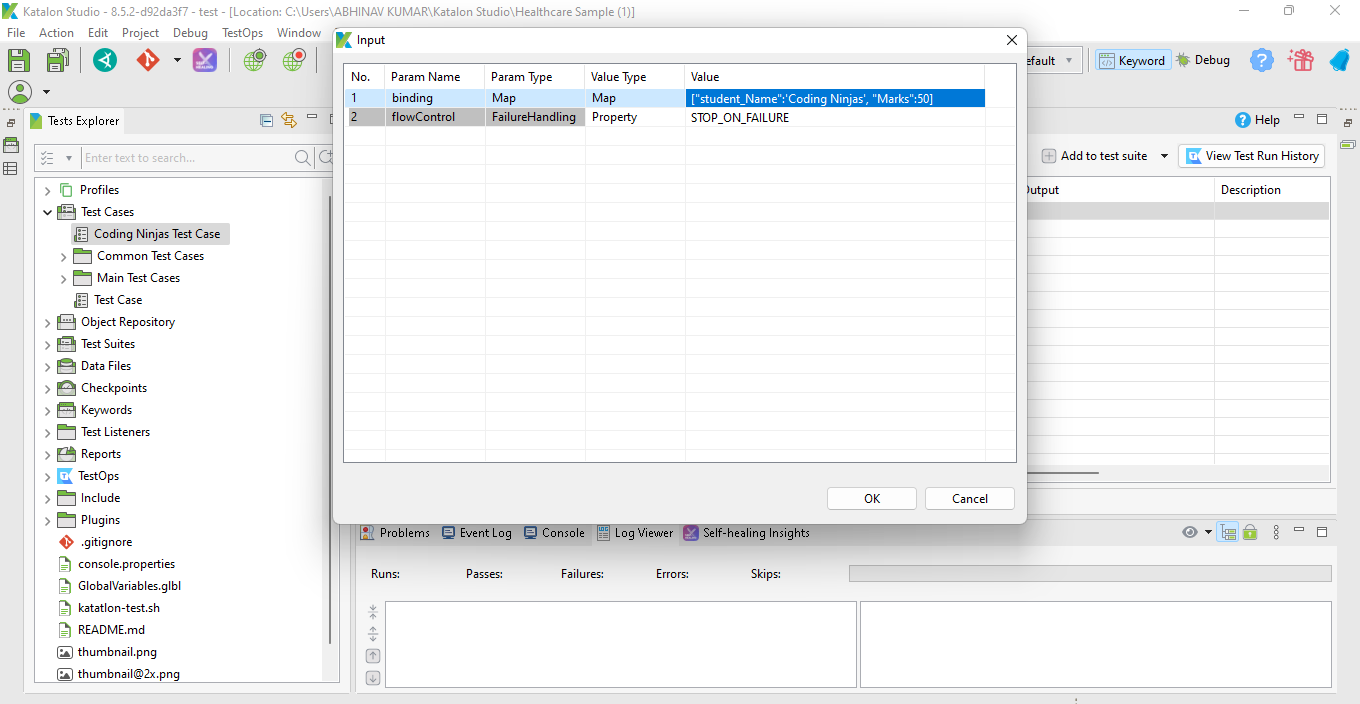
The Input Dialog Box will appear.
Click on Ok.
The figure shows the Input Dialog Box. It maps the input to the desired output.
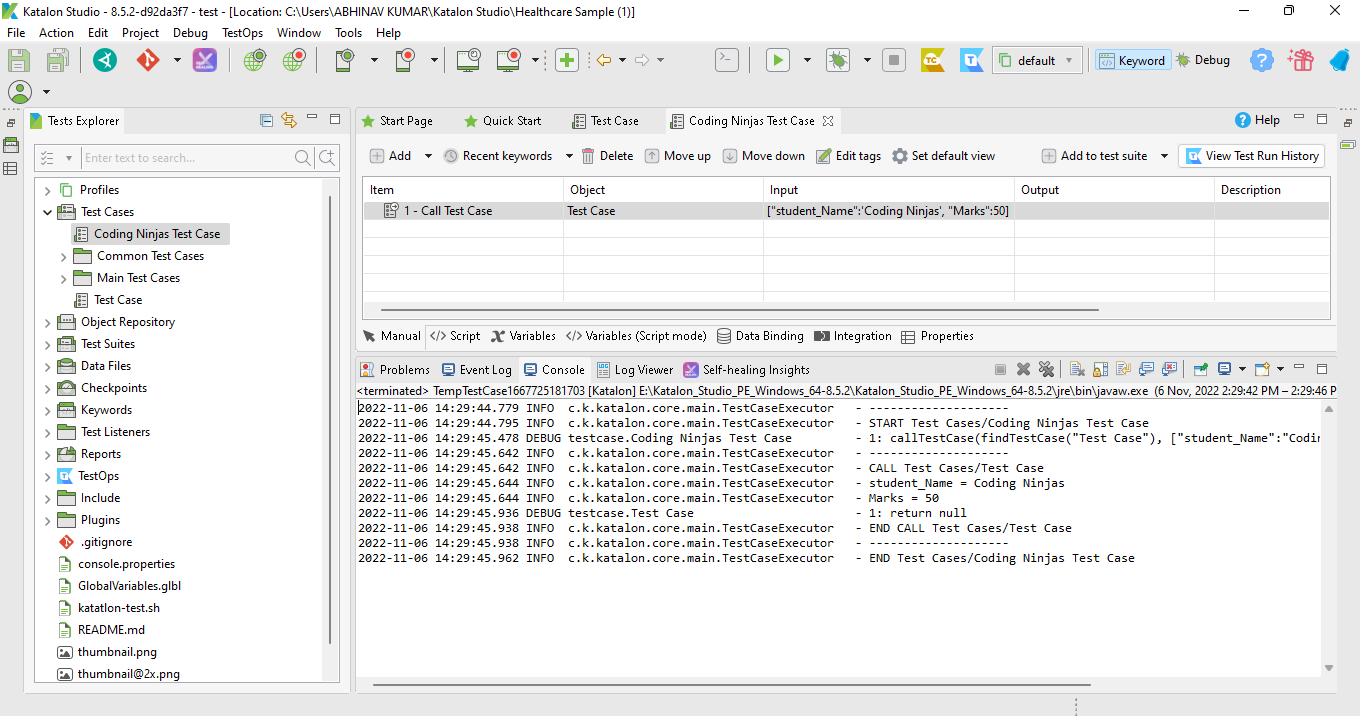
Run Your Test Case.
Output:
The figure displays Output as per the Input provided.
Calling Test Case in Script mode
Katalon uses groovy language. The Script mode ensures that you can run the test case without any manual work.
The following code calls the test case in Script mode:
Code:
WebUI.callTestCase(findTestCase('Data-driven Testing/Test Case with variables'), [('student_Name') : 'CodingNinjas', ('Marks') : 50'], FailureHandling.STOP_ON_FAILURE)
Frequently Asked Questions
What is Katalon?
Katalon is an open-source platform for automation testing software.
Does Katalon use WebDriver?
Katalon uses the Selenium WebDriver framework.
Which format is the code displayed in the Variable (Script Mode) tab?
The Variable (Script Mode) tab displays the code XML format.
Conclusion
In this article, we have extensively discussed the details of creating and managing test case variables in Katalon Studio.












 1+ registered

