Do you think IIT Guwahati certified course can help you in your career?
Introduction
Bitbucket is a powerful tool that's become a must have for developers worldwide, providing a seamless way to manage and collaborate on code in a cloud-based environment. It integrates with Git, a distributed version control system, to enhance code management, allowing teams to work on projects more efficiently.
By the end of this article, you'll have a solid understanding of Bitbucket, from its basic definition to creating an account, and exploring its key features, advantages, and potential drawbacks. Let's embark on this journey to unlock the capabilities of Bitbucket and how it can streamline your coding projects.
Version Control
Version control is a system that tracks changes to files and directories over time. This feature is particularly useful in software development, where it acts as a safety net. If you're working on a complex project with lots of code, version control is like having a series of checkpoints. These checkpoints allow you to go back to earlier versions of your work, helping you figure out what changed and when. It's also great for teamwork, as it lets multiple people make changes to the same files simultaneously without overwriting each other's work.
For example, consider you're working on a project with a deadline. You make a significant change to the code, but suddenly, everything stops working. With version control, you can easily compare your current files to earlier versions and quickly identify what broke. It's like having a detailed history book of your project, where you can flip back to any page (or version) to understand past decisions or undo mistakes.
GIT
GIT is a free, open-source version control system designed to handle everything from small to very large projects with speed and efficiency. It's like a powerful toolbox for developers, providing a robust set of features for managing code changes across multiple projects and teams. With GIT, every developer's working copy of the code is also a repository that can contain the full history of all changes.
Using GIT starts with the basics of initializing a new repository. This can be done by opening a terminal or command prompt and running:
git init
This command creates a new GIT repository in your current directory, setting the stage for you to start tracking your files. As you work on your code, you'll make changes, and GIT helps you keep track of these modifications. After you've made some updates, you'll want to 'stage' these changes using:
git add .
This command tells GIT you're ready to record your changes. Think of it as adding your files to a staging area, sort of like gathering your items before packing them into a suitcase. Once your changes are staged, you commit them to your repository with:
git commit -m "Your message here"
This commit is like sealing the deal, locking in your changes with a descriptive message about what you did, making it easier for you and others to follow along with the project's history.
Creating your BitBucket Account
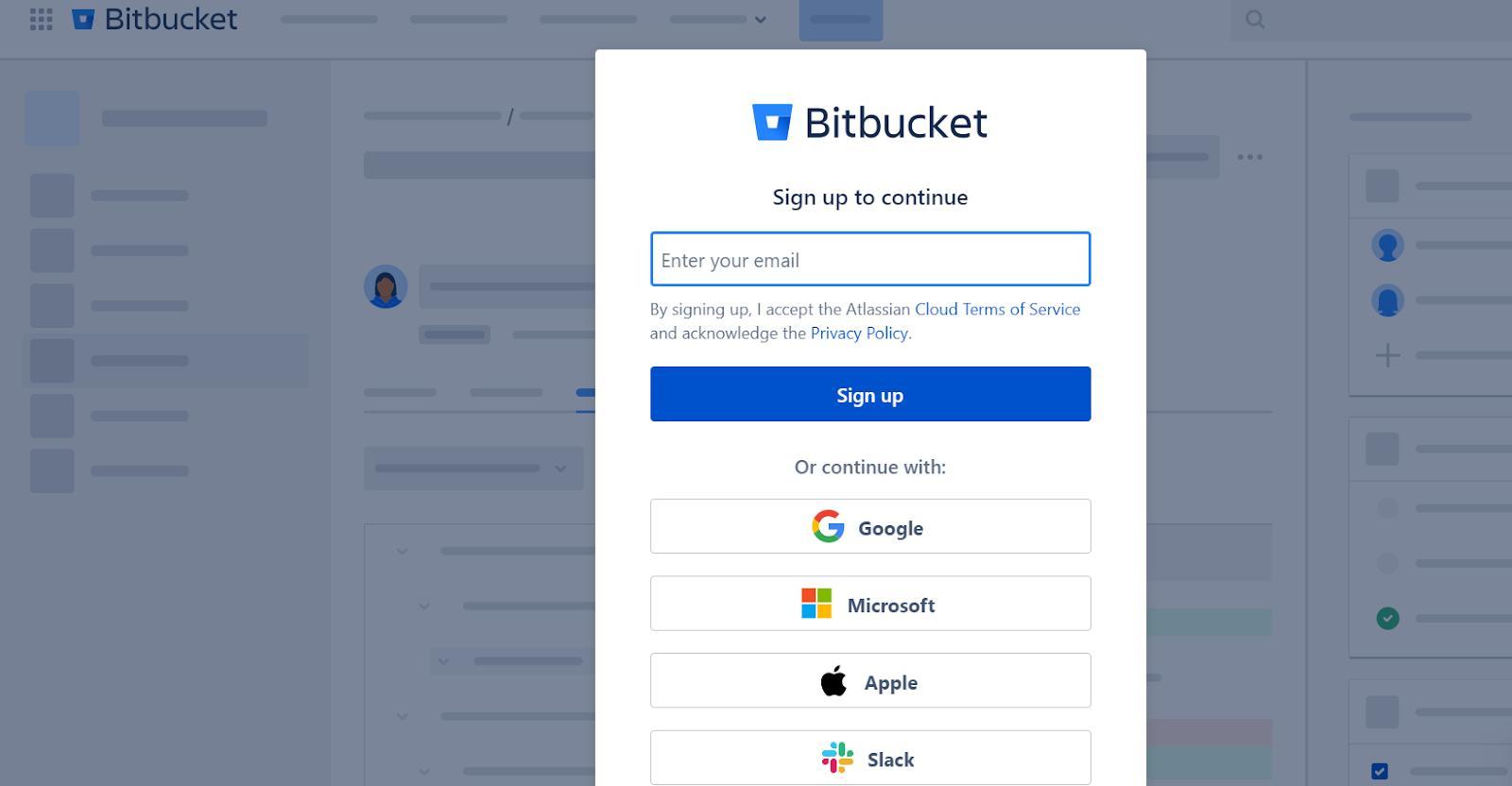
Getting started with Bitbucket is straightforward, making it accessible for developers at all skill levels. To create your Bitbucket account, follow these simple steps:
Visit the Bitbucket Website
Open your web browser and go to the Bitbucket website (bitbucket.org).
Sign Up
Look for a "Sign Up" button, usually located at the top right corner of the page. Click on it to start the registration process.
Enter Your Details
You'll be prompted to enter your basic information, such as your email address, a username for your Bitbucket account, and a password. Fill in these fields with your details.
Verify Your Email
After submitting your information, Bitbucket will send a verification email to the address you provided. Check your inbox and click on the verification link to confirm your email address.
Complete Your Profile
Once your email is verified, you may be asked to complete your profile by adding additional information like your full name and choosing your account preferences.
After these steps, your Bitbucket account is ready to use. You can now create new repositories, clone existing ones, and start collaborating on projects with your team or the wider Bitbucket community.
Creating a repository in Bitbucket is also a breeze:
# Navigate to the Repositories tab and click the 'Create repository' button.
# Fill in the repository details, such as the name and description.
# Choose whether the repository is private or public.
# Click 'Create repository' to finalize.
This will set up a new repository for your projects, where you can push your code, track changes, and collaborate with others.
Features & Applications of BitBucket
Bitbucket comes packed with a variety of features designed to enhance the coding and collaboration experience. Here are some of the standout features and how they can be applied in real-world scenarios:
Pull Requests & Code Review
Bitbucket facilitates code review by allowing you to create pull requests. This feature lets team members discuss changes, review code, and approve it before it's merged into the main branch. It's like having a peer review session where everyone can contribute their thoughts and improvements to ensure the code is robust and efficient.
Branch Permissions
You can set up branch permissions to control who can push changes to specific branches. This is particularly useful in projects where you want to protect critical branches like main or production from unauthorized changes, ensuring that only designated team members can make updates.
Integrated CI/CD
Bitbucket Pipelines offers an integrated CI/CD service that lets you automatically build, test, and deploy your code based on a configuration file in your repository. This means you can streamline your deployment process, from code commit to production, making your development cycle faster and more reliable.
Jira Integration
For teams using Jira for project management, Bitbucket's seamless integration allows you to link commits and pull requests to Jira issues. This connection provides a clear traceability between your code changes and the tasks or bugs they relate to, enhancing project visibility and tracking.
Snippets
Bitbucket Snippets allow you to share code snippets with others, either privately or publicly. This is great for sharing solutions, discussing algorithms, or demonstrating code examples without needing to set up a full repository.
These features make Bitbucket a versatile tool that can be used in various scenarios, from small projects and personal use to large-scale enterprise applications. Whether you're working on a solo project or collaborating with a large team, Bitbucket provides the tools and flexibility needed to manage your code effectively.
BitBucket Advantages
Bitbucket offers several advantages that make it a popular choice among developers and teams for managing and collaborating on code. Here are some key benefits:
Integrated with Git
Bitbucket is built around Git, one of the most powerful and widely used version control systems. This integration provides a robust platform for managing complex codebases and collaborating on software projects.
Unlimited Private Repositories
Unlike some other services, Bitbucket offers unlimited private repositories for small teams (up to 5 users), making it an attractive option for startups and individuals who prefer to keep their code private.
Built-in CI/CD
With Bitbucket Pipelines, you get an integrated CI/CD service, enabling automated builds, tests, and deployments right from your Bitbucket repository. This feature simplifies the development workflow and speeds up the release process.
Team Collaboration
Bitbucket enhances teamwork with features like pull requests, inline commenting, and code reviews. These tools facilitate clear communication and efficient collaboration among team members, improving code quality and project management.
Enhanced Security
Bitbucket provides strong security features, including branch permissions, merge checks, and IP whitelisting, to protect your code and maintain project integrity. This ensures that only authorized personnel can make critical changes to your projects.
Flexible Deployment Models
Bitbucket offers both cloud-based and self-hosted options (Bitbucket Server and Bitbucket Data Center), giving teams flexibility in how they deploy and manage their version control system based on their specific needs and security requirements.
These advantages make Bitbucket a compelling choice for developers looking for a comprehensive, secure, and collaborative environment for version control and project management.
BitBucket Disadvantages
While Bitbucket offers a wide range of features and benefits, there are a few limitations to consider:
User Interface
Some users find Bitbucket's user interface less intuitive compared to other platforms. Navigating through repositories, pull requests, and settings can sometimes feel more cumbersome, which might slow down new users.
Performance Issues
For very large repositories or projects with a high volume of activity, users have reported experiencing performance slowdowns. This can impact productivity, especially for teams working on large-scale or complex projects.
Integration Limitations
Although Bitbucket integrates well with other Atlassian products like Jira and Trello, its ecosystem of third-party integrations is not as extensive as some of its competitors. This might limit functionality for teams relying on a wide range of tools and services.
Pricing for Larger Teams
While Bitbucket offers free private repositories for small teams, the cost can scale significantly as teams grow and require more advanced features. This might make Bitbucket less cost-effective for larger organizations compared to other solutions.
Learning Curve
New users, especially those not familiar with Git or version control systems, might find Bitbucket's comprehensive feature set and Git integration to have a steeper learning curve compared to more simplified platforms.
Frequently Asked Questions
Can I use Bitbucket for private projects?
Yes, Bitbucket offers unlimited private repositories for small teams (up to 5 users), making it ideal for personal projects or small team collaborations where privacy is a priority.
How does Bitbucket integrate with other Atlassian products?
Bitbucket integrates seamlessly with Atlassian products like Jira and Trello, allowing you to link commits and pull requests to Jira issues for better project tracking and to manage your repository tasks directly from Trello boards for enhanced workflow.
Is Bitbucket suitable for large enterprises?
Bitbucket is designed to scale with your needs, offering Bitbucket Server and Bitbucket Data Center for self-hosted options that provide additional control and security for large enterprises. These versions are tailored to meet the demands of large-scale and high-availability environments.
Conclusion
Bitbucket stands out as a robust and versatile tool for developers and teams, offering a wide array of features that facilitate efficient code management and collaboration. From its seamless Git integration to the provision of unlimited private repositories for small teams, Bitbucket caters to a diverse user base, including individuals, startups, and large enterprises. While it has its limitations, such as a less intuitive user interface and potential performance issues for very large projects, its advantages in terms of integrated CI/CD, enhanced security features, and flexible deployment models make it a strong contender in the version control and project management space. As with any tool, weighing its features against your specific needs and workflow preferences is key to harnessing its full potential.







 1+ registered

