




Introduction
File descriptors are a concept used in many programming languages, they represent a reference to an opened file. The file descriptor will be used to reference the correct file stream by all file system-related functions.
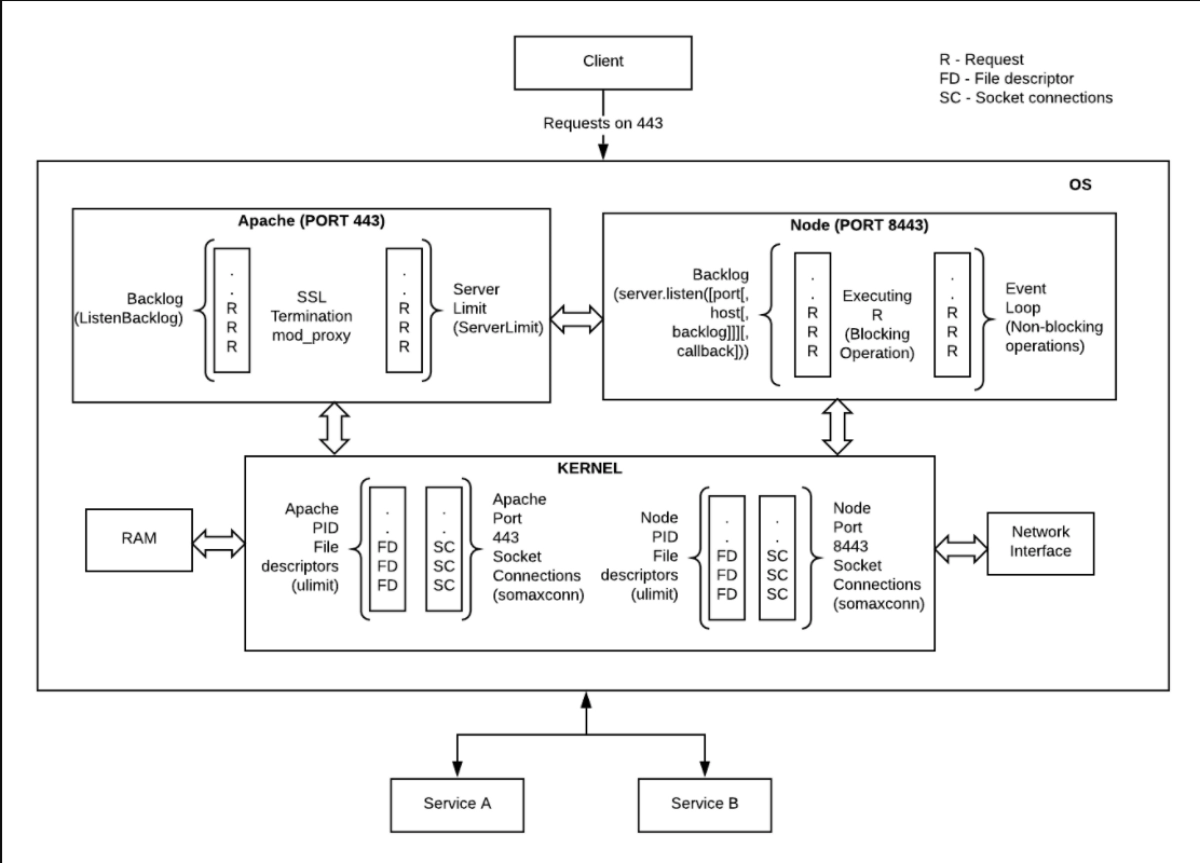
For example,
|
const fs = require('fs') fs.open('/Users/CodingNinjas/test.txt', 'r', (err, fd) => { //fd is the file descriptor. }) |
We have used ‘r’ as the second parameter to the fs.open() call. The ‘r’ flag means that we are opening the file for reading.
Let’s go through the various other tags available for us to use along with the fs.open() call.
Also see, Difference Between Controller and Restcontroller
Available Tags
The different available flags used which are used along file descriptors are:
→ ‘r+’ flag: This flag is used to open the file for reading and writing. If the file is not created, this flag will; they not create a new file.
→ ‘w+’ flag: This flag is used to open the file for reading and writing. It also positions the stream at the beginning of the file.
→ ‘a’ flag: This flag opens the file for writing, and it positions the stream at the end of the file. The file gets created if it does not already exist.
→ ‘a+’ flag: This flag opens the file for both reading and writing, and it positions the stream at the end of the file. The file gets created if it does not already exist.
Let’s consider an example for understanding the concept of file descriptors:
|
const fs = require('fs'); const str = 'coding ninjas is awesome! \n'; const filename = 'cn.txt'; fs.open(filename, 'a', (err, fd) => { if (err) { console.log(err.message); } else { fs.write(fd, str, (err, bytes) => { if (err) { console.log(err.message); } else { console.log(bytes + ' bytes written'); } }); } fs.close(fd, (err) => { if (err) console.error('failed to close file', err); else { console.log('\n> file closed'); } }); }); |
OUTPUT


 5+ registered

