Do you think IIT Guwahati certified course can help you in your career?
Introduction
ReadyAPI allows development teams to create, execute and manage automated functional performance and security tests on a centralized interface. It helps accelerate API quality for Agile and DevOps software teams.
In this article, we will be discussing YouTube - Project in Ready API.
Features of Ready API
The key features of ready API include:
Performance Testing - It is based on the availability of functional tests. It enables you to run load tests on several agents and machines.
Functional Testing - It tests more than one API in simple or complex testing scenarios.
Security Testing - It consists of a wide range of security tests to ensure that your API is not vulnerable to attacks.
API management – Used to import, update, create, and refactor your APIs and their corresponding tests.
Provide support for complex control mechanisms for your test.
Support chained tests to support complex scenarios where you can pass data between tests.
Support for properties and their dynamic usage of data.
Provide support for mocking and virtualization with local or remote virtual servers and services.
Competent assertions to validate a wide variety of test conditions and scenarios.
Collaborate and sync a wide range of source control via Git-based integrations.
Support for using Groovy Scripts for more complex scenarios.
Use ReadyAPI in various setups – dedicated machines, WMs, and Docker instances.
Configurable ReadyAPI user experience.
System Requirements
Recommended
Intel Core i5 or i7 or any equivalent processor.
6 GB of RAM or at least 1 GB free RAM to start ReadyAPI.
Free disk space of 500 MB is required for installation.
64-bit operating system.
Display of 1920 × 1080.
Minimum
Intel Core processor of i3, i5, or i7.
2 GB of RAM or at least free RAM of 500 MB to start ReadyAPI.
Free disk space of 500 MB for installation.
Display of 1280 × 1024.
Youtube Sample Project
This sample project helps in getting information about Youtube channels. The API structure contains videos, channels, playlists, and subscriptions.
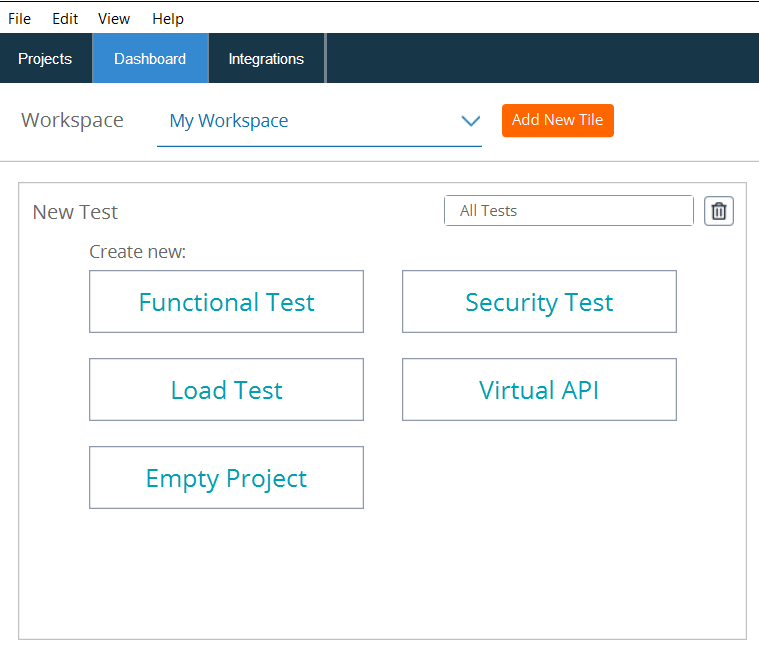
To create a new service, open the dashboard of ReadyAPI.
Click new tiles, and select the 'All tiles' option from the menu.
Click Virtual API from the given options.
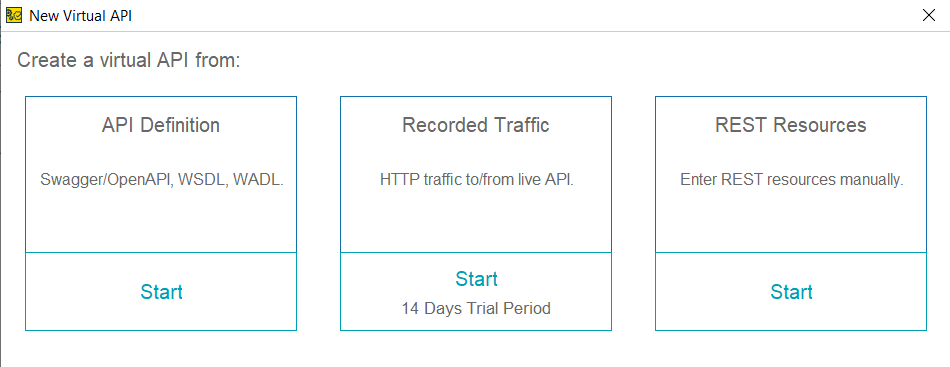
On the subsequent page, select the new virtual API dialog box.
Hit the 'Start' button given below REST resources.
Type'/login' in the edit box on the next page. And click next.
Select the project in which you want to add a new service.
ReadyAPI will create a new project and add a new service to it.
Open the Project
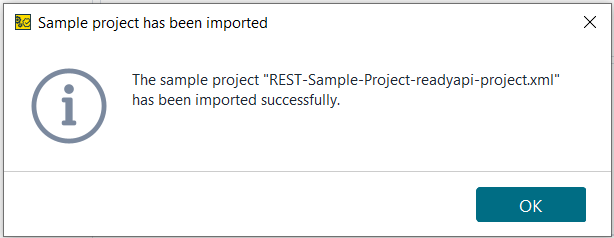
You can create YouTube - Project in Ready API following the above steps. To open the project, go to the dashboard. Go to sample project and find your created project.
You can directly run the project from there and can perform a sample test.
The YouTube - Project in Ready API contains a few sample tests. These are:
Get videos
Get a list of popular videos.
Get channel list
Get channels list including Smart Bear Software in the name.
Get a playlist
Return playlist from the youtube channel.
Get a subscription
Return a list of channels subscribed.
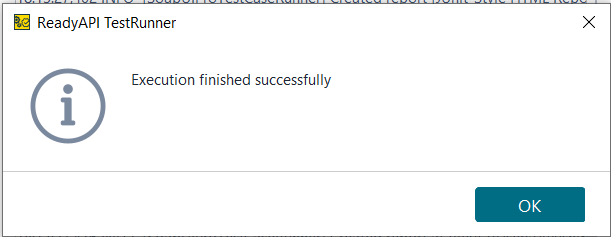
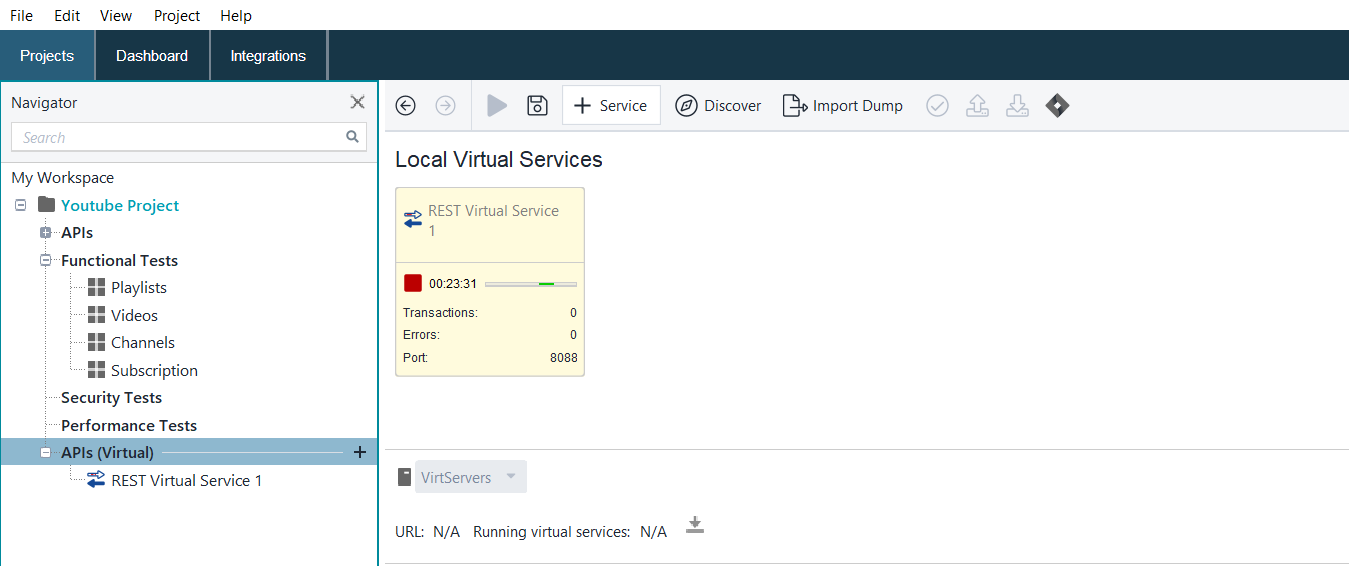
As execution is successfully done, you can see that the rest virtual service is running, and running time will be shown with a red box.
This was all about the YouTube - Project in Ready API. Let's now discuss some frequently asked questions related to our topic.
Frequently Asked Questions
What is ReadyAPI?
ReadyAPI allows development teams to create, execute and manage automated functional performance and security tests on a centralized interface. It helps in accelerating quality of API for Agile and DevOps software teams.
What is Dashboard?
ReadyAPI Dashboard is an easily accessed location where you can view up-to-date information about the tests you have run.
What are API nodes in ReadyAPI?
The APIs node in ReadyAPI shows all your projects use web services (or APIs).
What is the minimum system RAM required for ready API?
A minimum of 2 GB of RAM and 500 MB of free RAM is required to start ReadyAPI. Also, 500 MB of free disk space for installation.
What is included in the structure of the Youtube module?
The API structure contains videos, channels, playlists, and subscriptions.
Conclusion
In this article, we discussed YouTube - Project in Ready API. We have discussed ready API features and system requirements. Along with the discussion of how to create and open YouTube - Project in Ready API. The reader can carry out a thorough understanding of the topic by referring to the Official Documentation. For more information, Refer-









 1+ registered

