Do you think IIT Guwahati certified course can help you in your career?
🚇Introduction
The puppet Server serves as the primary server node. Puppet Server is a Ruby and Clojure application that operates on the Java Virtual Machine (JVM). Puppet Server runs Ruby code in several JRuby interpreters to compile Puppet catalogs and serve files. It does provide a certificate authority via Clojure. Puppet Server is simpler to set up and works better under heavy loads, but both offer the same services.
🚇Puppet agent on *nix systems
A puppet agent is an application that manages the configurations on your nodes. It requires a primary Puppet server to fetch the configuration catalogs from.
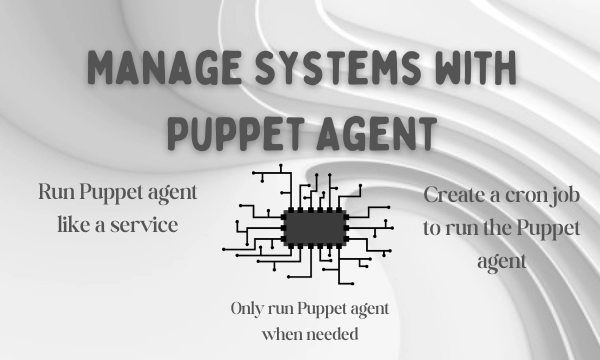
Depending on the infrastructure and needs, you can manage systems with Puppet agent as a service, cron job, or on demand.
🛸Puppet agent's run environment
For initiating outbound connections on port 8140, the puppet agent runs as a specific user (typically root).
Ports
The HTTPS traffic for Puppet uses port 8140. The Puppet agent must be allowed to initiate outbound connections on this port by your operating system and firewall.
User
The puppet agent runs as root, allowing it to manage the entire system's configuration. A puppet agent can also run as a non-root user if that user starts it. However, this limits the resources that Puppet agents can manage and necessitates running Puppet agents as a cron job rather than a service.
🛸Manage systems with Puppet agent
In a typical Puppet configuration, each node runs configuration regularly runs to revert unwanted changes and pick up recent updates. There are three fundamental ways to accomplish this on *nix nodes:
Run Puppet agent like a service.
The simplest method. The Puppet agent daemon performs configuration runs at a configurable interval.
sudo puppet resource service puppet ensure=running enable=true
Create a cron job to run the Puppet agent.
More manual configuration is required, but it is a good option if you want to reduce the number of ongoing processes on your systems.
You may temporarily disable the Puppet agent while troubleshooting, working inside a maintenance window, or developing in a sandbox environment.
To disable the agent, run the following:
sudo puppet agent --disable "<MESSAGE>"
To enable the agent, run the following:
sudo puppet agent --enable
🛸Configuring Puppet agent
Configure the Puppet agent in puppet.conf using the [agent] or [main] sections or both.
The puppet's main configuration file is puppet.conf. It sets up all Puppet commands and services. puppet.conf can change almost every setting listed in the configuration reference.
🚇Puppet agent on Windows
A puppet agent is an application that manages the configurations on your nodes. It requires a primary Puppet server to fetch the configuration catalogs from.
🛸Puppet agent's run environment
For initiating outbound connections on port 8140, the puppet agent runs as a specific user (typically root).
Ports
The HTTPS traffic for Puppet uses port 8140. The Puppet agent must be allowed to initiate outbound connections on this port by your operating system and firewall.
User
The puppet agent runs as the LocalSystem user, which allows it to manage the entire system's configuration but prevents it from accessing files on UNC shares.
A puppet agent can also be run as another user. You can change the user (SCM) in the Service Control Manager. To launch the SCM, go to Start → Run, then navigate to Services.msc.
🛸Manage systems with Puppet agent
In a typical Puppet configuration, each node runs configuration regularly runs to revert unwanted changes and pick up recent updates.
There are two fundamental ways to do this on Windows nodes:
Run Puppet as a service. The simplest method. The Puppet agent service performs configuration runs at a configurable interval.
Run Puppet agent on demand. You can also run Bolt or deployMCollective on multiple nodes on demand.
The Puppet agent service's Windows version would be much simpler than the *nix version; running Puppet as a scheduled task provides no real performance benefit. Use the Windows service for scheduled configuration runs.
🛸Disable and re-enable Puppet runs
You may have to temporarily disable the Puppet agent from running while troubleshooting errors, operating in a maintenance window, or continuing to develop in a sandbox environment are all possibilities.
Run as administrator will launch a command prompt.
To disable the agent, run the following:
puppet agent --disable "<MESSAGE>"
To enable the agent, run the following:
puppet agent --enable.
🛸Configuring Puppet agent
Configure the Puppet agent in puppet.conf using the [agent] or [main] sections or both.
When running as a service, the puppet agent logs messages to the Windows Event Log. Browse the Event Viewer to view its logs. Select Control Panel → System and Security → Administrative Tools → Event Viewer from the drop-down menu.
Puppet logs to the Application event log by default. However, Puppet can be configured to log to a separate Puppet log instead.
To enable the Puppet log, open a command prompt and use one of the following commands to create the necessary registry key:
When CPU usage is high, use the process priority setting, a cross-platform configuration option, to reduce the priority of the Puppet agent service. The priority of processes can also be set in the primary server configuration.
🚇Puppet apply
Puppet apply is a tool for compiling and managing configurations on nodes. It functions as a stand-alone combination of the primary Puppet server and Puppet agent applications.
🛸Puppet apply's run environment
Puppet apply, unlike Puppet agent, is never run as a daemon or service. It runs in the foreground as a single task that compiles a catalog, applies it, files a report, and exits.
Main manifest
Puppet apply, like the main Puppet server application, uses its own settings (like basemodulepath) and configured environments to help find the Puppet code and configuration data it needs when compiling a catalog.
The main manifest is the sole exception. Puppet apply always require a single command-line argument that serves as the main manifest. It disregards the main manifest from its surroundings.
User
Puppet apply runs as the user who issued the Puppet apply command.
On *nix systems, run Puppet apply as root to managing the entire system.
On Windows systems, either LocalService or a member of the Administrators group.
Network access
Puppet apply does not use the network to communicate by default. It uses its local module collection for file sources and does not send reports to the central server.
It may download packages from your configured package repositories or access files on UNC shares, depending on your system and the resources you manage,
Logging
Puppet outputs logs directly to the terminal, which is useful when running as a scheduled task or cron job but less so when running as a scheduled task or cron job.
Reporting
Puppet apply, like a primary Puppet server, processes a report using its configured report handlers in addition to local logging. You can enable various reports by using the reports setting.
🛸Managing systems with Puppet apply
Every node runs Puppet regularly on a specific site to undo unwanted changes and pick up recent updates.
Puppet apply does not run as a service. If you want it to run regularly, you should manually create a cron job or a scheduled task instead of using the Puppet agent. Using the puppet resource command, create a cron job on *nix.
🛸Configuring Puppet apply
Configure Puppet apply in the puppet.conf file, using the [user], [main], or both sections.
🚇Puppet device
Firewalls, switches, routers, and Internet of Things(IoT) devices can all be managed without installing a Puppet agent. Puppet agents must act as proxies on devices that cannot run Puppet applications. On behalf of a device, the proxy manages certificates, collects facts, retrieves and applies catalogs, and stores reports.
🛸Puppet device’s run environment
A puppet device, rather than a daemon or service like a Puppet agent, runs mostly in the foreground like a single process that manages devices.
User
The puppet device command executes with the user's privileges.
Use the Puppet device as:
Root on Linux.
On Windows, either LocalService or a member of the Administrators group.
Logging
The Puppet device outputs directly to the terminal by default, which is valid for interactive use. To save the output to a file, use the logdest option when running it as a cron job or scheduled task.
To log to the *nix syslog service, run Puppet device with the --logdest syslog option on *nix:
puppet device --verbose --logdest syslog
Run Puppet device with the --logdest eventlog option on Windows to log to the Windows Event Log, for example:
puppet device --verbose --logdest eventlog
Go to Control Panel System and Security Administrative Tools Event Viewer on Windows to view these logs.
Network accessibility
The Puppet device establishes outbound network connections to the devices under its management. It necessitates network access to the devices via their API or CLI. Inbound network connections are never accepted.
🛸Installing device modules
On the primary Puppet server, you must install the device module for each device you want to manage.
Run the following commands, e.g., to install the f5 and cisco_ios device modules on the primary puppet server:
Puppet and Puppet resource applications cannot target device resources: running puppet resource --target <DEVICE> returns no data from the target device. Instead, use Puppet devices to retrieve and set data on devices. The following parameters are optional.
🛸Managing devices using Puppet device
The puppet device without the --resource or --apply options) instructs the proxy agent to extract catalogs from the primary server and implement them to the remote devices mentioned in the device.conf file.
To run Puppet device on demand for all devices in the device.conf, run the following:
sudo puppet device --verbose
To run Puppet device only for one of the multiple devices listed in the device.conf file, use the --target option:
To run Puppet device on a subset of the devices within the device.conf file, create a whole new configuration file containing the devices you would like to manage, and specify the file with the --deviceconfig option:
🛸Automating device management using the puppetlabs device_manager module
Using the puppetlabs-device manager module, you can control the Puppet device application's configuration files. Implements the base class of configured device modules and offers additional resources for planning and orchestrating Puppet device runs on proxy Puppet agents.
🛸Troubleshooting Puppet device
These options help debug Puppet device command output.
Commands
Description
--debug or -d
Enables debugging
--trace or -t
Enables stack tracing if Ruby fails
--verbose or -v
Enables detailed reporting
Frequently Asked Questions
Where can I find the Puppet agent?
Puppet's executables are located at /opt/puppetlabs/bin/, which is not by default in your PATH environment variable.
What exactly does a Puppet agent do?
The Puppet agent application manages configurations on your nodes. To retrieve configuration catalogs, a Puppet master server is required. Puppet apply is a tool for compiling and managing configurations on nodes.
What is Puppet apply?
Puppet apply is a tool for compiling and managing configurations on nodes. It functions as a stand-alone combination of the primary Puppet server and Puppet agent applications.
How to troubleshoot the puppet device?
--debug, --verbose, --trace is used to troubleshoot the puppet device in the primary puppet server.
Conclusion
We have now learned about the primary puppet server, the working of puppet agents on windows and Unix. We have also gone through the working of the puppet apply and puppet device in detail.







 1+ registered

