




Introduction
Committing operations on a table in SQL has always been a meddling affair for the programmers, independent of their framework. web2py has a rich section devoted solely to the Database Abstraction Layer, which deals with all the queries related to the interaction with the database.
While some basic functionalities are present in web2py like table constructors, field constructors, caching selects, etc., there are also some other advanced features. In the following article, we will dive deeper into these advanced features and look at their usage and examples.
Advanced features

The advanced features present in web2py are-
- Table inheritance
- filter_in and filter_out
- callbacks on record insert, delete, and update
- Record versioning
- Common fields and multi-tenancy
- Common filters
- Custom Field types
- Using DAL without defining tables
- PostGIS, SpatiaLite, and MS Geo (experimental)
- Copy data from one db into another
- Note on new DAL and adapters
Table inheritance

A table that contains every field from another table can be made. It is enough to pass the other table to define a table in place of a field. For instance-
>>> db.define_table('person', Field('name'), Field('gender'))
<Table person (id, name, gender)>
>>> db.define_table('engineer', db.person, Field('specialization'))
<Table doctor (id, name, gender, specialization)>
To reuse it in various other places, it is also possible to define a dummy table that is not kept in a database. For example-
signature = db.Table(db, 'signature',
                     Field('is_active', 'boolean', default=True),
                     Field('creation_on', 'datetime', default=request.now),
                     Field('creation_by', db.auth_user, default=auth.user_id),
                     Field('modified_on', 'datetime', update=request.now),
                     Field('modified_by', db.auth_user, update=auth.user_id))
db.define_table('payments', Field('amount', 'double'), signature)
This example implies enabled standard web2py authentication.
A table of such a nature is already created for you by web2py if you use Auth.
auth = Auth(db)
db.define_table('payments', Field('amount', 'double'), auth.signature)
When utilizing table inheritance, define the parent table's validators before declaring the inheriting table if you want the inheriting table to inherit validators.
filter_in and filter_out
It is possible to specify a filter for each field that will be used both before and after a value is obtained from the database for that field.
Consider the situation when you want to store a serializable Python data structure in a JSON field. The following is how it might be done:
>>> import json
>>> db.define_table('anyobj',
...                Field('name'),
...                Field('data', 'text'))
<Table anyobj (id, name, data)>
>>> db.anyobj.data.filter_in = lambda obj: json.dumps(obj)
>>> db.anyobj.data.filter_out = lambda txt: json.loads(txt)
>>> myobj = ['hello', 'world', 1, {2: 3}]
>>> aid = db.anyobj.insert(name='myobjname', data=myobj)
>>> row = db.anyobj[aid]
>>> row.data
['hello', 'world', 1, {'2': 3}]callbacks on record insert, delete, and update
Web2py offers a method for calling callbacks before and/or after inserting, updating, and deleting records.
There are six lists of callbacks in each table:
- db.mytable._before_insert
- db.mytable._after_insert
- db.mytable._before_update
- db.mytable._after_update
- db.mytable._before_delete
- db.mytable._after_delete
You can register by adding a callback function to the relevant list. The catch is that the callback's signature varies based on the functionality.
The simplest way to demonstrate this is with several examples:
>>> db.define_table('people', Field('name'))
<Table people (id, name)>
>>> def pprint(callback, *args):
...    print "%s%s" % (callback, args)
...
>>> db.people._before_insert.append(lambda f: pprint('before_insert', f))
>>> db.people._after_insert.append(lambda f, i: pprint('after_insert', f, i))
>>> db.people.insert(name='John')
before_insert(<OpRow {'name': 'John'}>,)
after_insert(<OpRow {'name': 'John'}>, 1L)
1L
>>> db.people._before_update.append(lambda s, f: pprint('before_update', s, f))
>>> db.people._after_update.append(lambda s, f: pprint('after_update', s, f))
>>> db(db.people.id == 1).update(name='Tim')
before_update(<Set ("people"."id" = 1)>, <OpRow {'name': 'Tim'}>)
after_update(<Set ("people"."id" = 1)>, <OpRow {'name': 'Tim'}>)
1
>>> db.people._before_delete.append(lambda s: pprint('before_delete', s))
>>> db.people._after_delete.append(lambda s: pprint('after_delete', s))
>>> db(db.people.id == 1).delete()
before_delete(<Set ("people"."id" = 1)>,)
after_delete(<Set ("people"."id" = 1)>,)
1
As you can see:
- The OpRow object with the data for insert or update is supplied to f.
- I is given the ID of the recently added entry.
- The Set object used for updation or deletion is supplied to s.
OpRow is a utility object that stores (field, value) pairs. OpRow may be used with attribute notation syntax much like a regular dictionary (f.name and f['name'] are equal).
These callbacks' return values ought to be False or None. OpRow will abort the actual insert/update/delete operation if any of the _before_* callbacks returns a True value.
A callback may occasionally need to update a table, whether it's the same or a different one. One may want to delay triggering more callbacks to prevent an infinite loop.
The Set objects include an update naive method that functions similarly to update but disregards the before and after callbacks.
Database cascades
The Database schema can specify relationships that cause cascading deletions of linked records. The DAL is not notified when a record is destroyed due to a cascade. As a result, a cascade deletion will never result in a call to the *_delete callback.
Record versioning
When a record is individually modified, it is feasible to instruct web2py to store every duplicate of the modified record. It can be done in a variety of ways and for all tables at once by using the syntax:
auth.enable_record_versioning(db)
As covered below, it can also be done for each table.
Consider the following table:
db.define_table('storedItem',
                Field('name'),
                Field('quantity', 'integer'),
                Field('is_active', 'boolean',
                      writable=False, readable=False, default=True))
Take note of the is_active hidden boolean field, which defaults to True.
When a record is edited, we may instruct web2py to build a new table (in the same or a separate database) and save all prior versions of that record.
The process for doing this is as follows:
db.storedItem._enable_record_versioning()
or in a more verbose syntax:
db.storedItem._enable_record_versioning(archive_db=db,
                                         archive_name='stored_item_archive',
                                         current_record='current_record',
                                         is_active='is_active')
Web2py is instructed to save the archive table in the same database as the stored item table by the archive db=db setting. The archive table's name is set by archive name. Because it needs to keep multiple versions, the archive table has the same fields as the original stored item table, except for the unique fields, which are no longer unique. It also has an additional field whose name is specified by the current record and which is a reference to the most recent record in the stored item table.
Records that are deleted are not gone. Like when a record is changed, a deleted record is replicated in the stored item archive table with the active column set to False. By enabling record versioning, web2py creates a common filter that conceals all stored item records with the is active field set to False. The name of the field used by the common filter to determine whether or not the field was removed can be specified using the is active option in the _enable record versioning method.
Common fields and multi-tenancy
The list of fields in db. common fields should be included in all of the tables. This list is expected to have all of the fields from any tables it may contain.
For instance, there may be times when you need to add a signature to all of your tables other than the Auth tables. In this instance, after calling auth.define tables() but before creating any further tables, insert:
db._common_fields.append(auth.signature)
One field is unique: request tenant. In db. request tenant; you can set a different name. Although it is not present, you can construct it and add it to any or all of your tables:
db._common_fields.append(Field('request_tenant',
                               default=request.env.http_host,
                               writable=False))
for every table containing such a field, all records for all queries are always automatically filtered by:
db.table.request_tenant == db.table.request_tenant.default
And the default value is entered in this column for each record that is inserted. We have selected in the example above:
default = request.env.http_host
Consequently, we have decided to request that our app filter all tables in all queries using:
db.table.request_tenant == request.env.http_host
We may convert any application into a multi-tenant application using this straightforward method. The visitors will see the different data depending on the domain even though we run a single instance of the application and utilize a single database when the program is accessed from under two or more domains.
Use ignore common filters=True to disable multi-tenancy filters. db(query, ignore common filters=True) will set the creation time.
Common filters
A generalization of the multi-tenancy mentioned above concept is a common filter. It offers a simple method to repeatedly stop the same query from being asked. Take a look at the following table as an example:
db.define_table('blogPost',
                Field('topic'),
                Field('put_text', 'text'),
                Field('isPublic', 'boolean'),
                common_filter = lambda query: db.blogPost.isPublic == True)
Only public blog posts will be included in any select, delete, or update operations on this table. The common filters may also change the attribute in place:
db.blogPost._common_filter = lambda query: ...
It serves as a security upgrade that stops you from forgetting to disable reading of non-public posts and a means to avoid repeating the line "db.blog post.is public==True" in each blog post search.
You have two options if you genuinely want the items that the common filter excludes (for example, letting the administrator read posts that aren't intended for public viewing):
Either remove this filter,
db.blog_post._common_filter = None
or ignore it:
db(query, ignore_common_filters=True)Custom Field types
In addition to using a filter in and filter out, we can define new/custom field types. Assume, for instance, that you wish to create a custom type to hold IP addresses:
>>> def ip2int(sv):
...    "Convert an IPV4 to an integer."
...    sp = sv.split('.'); assert len(sp) == 4
...    iiip = 0
...    for i in map(int, sp): iiip = (iiip<<8) + i
...    return iiip
...
>>> def int2ip(iv):
...    "Convert an integer to an IPV4."
...    assert iv > 0
...    iv = (iv,); ov = []
...    for i in range(3):
...        iv = divmod(iv[0], 256)
...        ov.insert(0, iv[1])
...    ov.insert(0, iv[0])
...    return '.'.join(map(str, ov))
...
>>> from gluon.dal import SQLCustomType
>>> ipv4 = SQLCustomType(type='string', native='integer',
...                     encoder=lambda x : str(ip2int(x)), decoder=int2ip)
>>> db.define_table('website',
...                Field('name'),
...                Field('ipaddr', type=ipv4))
<Table website (id, name, ipaddr)>
>>> db.website.insert(name='wikipedia', ipaddr='91.198.174.192')
1
>>> db.website.insert(name='google', ipaddr='172.217.11.174')
2
>>> db.website.insert(name='youtube', ipaddr='74.125.65.91')
3
>>> db.website.insert(name='github', ipaddr='207.97.227.239')
4
>>> rows = db(db.website.ipaddr > '100.0.0.0').select(orderby=~db.website.ipaddr)
>>> for row in rows:
...    print row.name, row.ipaddr
...
Github 207.97.227.239
google 172.217.11.174
A factory for field type is SQLCustomType. One of the web2py types must be used as the type argument. It instructs web2py on the web2py level on how to handle the field values. As far as the database is concerned, the field type is native. The database engine decides which names are permitted. When data is stored, an optional transformation function called the encoder is used, and an optional reverse transformation function is called the decoder.
Using DAL without defining tables
Any Python program can use the DAL by just doing the following:
from gluon import DAL
db = DAL('sqlite://storage.sqlite', folder='path/to/app/databases')
This means to import the DAL, connect, and specify the app/databases folder as the location for the.table files.
We still need to define all the tables we plan to access with db.define table to access the data and its properties.
Asking web2py to read the necessary information from the metadata in the.table files allows us to avoid redefining the tables if we only need access to the data and not the web2py table attributes:
from gluon import DAL
db = DAL('sqlite://storage.sqlite', folder='path/to/app/databases', auto_import=True)
This eliminates the requirement to redefine any db.table for us to access.
PostGIS, SpatiaLite, and MS Geo (experimental)
The DAL offers support for spatial extensions and PostGIS (for PostgreSQL), SpatiaLite (for SQLite), MSSQL, and other geographic APIs. Denes Lengyel developed this function under the auspices of the Sahana project.
DAL offers the following functions as well as field types for geometry and geography:
- st_asgeojson (PostGIS only)
- st_astext
- st_contains
- st_distance
- st_equals
- st_intersects
- st_overlaps
- st_simplify (PostGIS only)
- st_touches
- st_within
- st_x
- st_y
Here are a few examples:
>>> from gluon.dal import DAL, Field, geoPoint, geoLine, geoPolygon
>>> db = DAL("mssql://user:pass@host:db")
>>> sp1 = db.define_table('space', Field('loc', 'geometry()'))
Below we put a point, a line, and a polygon:
>>> sp1.insert(loc=geoPoint(1, 1))
1
>>> sp1.insert(loc=geoLine((150, 150), (20, 180), (180, 180)))
2
>>> sp1.insert(loc=geoPolygon((10, 10), (150, 0), (150, 150), (0, 150), (10, 10)))
3
Notice that
rows = db(sp1).select()
The geometry data is always sent back in text serialized form. Using st astext(), you can alternatively accomplish the same thing more directly:
>>> print db(sp1).select(sp1.id, sp1.loc.st_astext())
space.id,space.loc.STAsText()
1,"POINT (1 2)"
2,"LINESTRING (150 150, 20 190, 190 190)"
3,"POLYGON ((10 10, 150 10, 150 150, 10 150, 10 10))By using st_asgeojson() you can ask for the native representation :
>>> print db(sp).select(sp1.id, sp1.loc.st_asgeojson().with_alias('loc'))
space.id,loc
1,[1, 2]
2,[[150, 150], [20 190], [190, 190]]
3,[[[10, 10], [150, 10], [150, 150], [10, 150], [10, 10]]]Copy data from one db into another
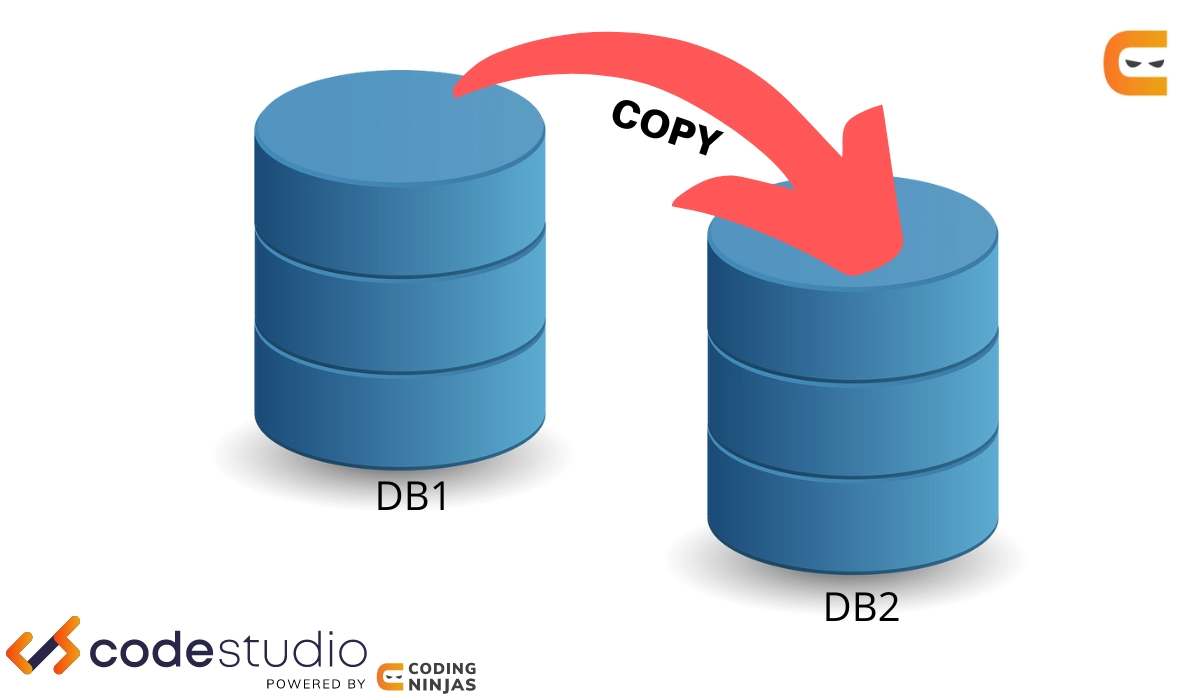
Think about how you have been using the following database:
db = DAL('sqlite://storage.sqlite')
and you want to switch to a different database with a new connection string:
db = DAL('postgres://username:password@localhost/mydb')
Before switching, you should relocate the data and recreate all the information for the new database. We presume that the new database exists but is also empty.
A script that Web2py offers to handle this work for you is as follows:
cd web2py
python scripts/cpdb.py \
   -f applications/app/databases \
   -y 'sqlite://storage.sqlite' \
   -Y 'postgres://username:password@localhost/mydb' \
   -d ../gluon
After executing the script, all should function as expected if you change the connection string in the model. There updated data will be there.
This script has many command-line parameters that let you transfer data between applications, move all tables, select a few tables, and clear the data in the tables. To learn more, try:
python scripts/cpdb.py -hNote on new DAL and adapters
In 2010, the Database Abstraction Layer's source code was entirely reworked. The rewrite increased its modularity and made it simpler to extend while maintaining backward compatibility. Here, we outline the major logic.
The file "gluon/dal.py" defines, among others, the following classes.
- ConnectionPool
- BaseAdapter extends ConnectionPool
- Row
- DAL
- Reference
- Table
- Expression
- Field
- Query
- Set
- Rows
When a Table or Set object's methods need to interact with the database, they defer the responsibility for creating the SQL or function call to the adapter's methods.
For example:
db.mytable.insert(myfield='myvalue')
calls
Table.insert(myfield='myvalue')
which delegates the adapter by returning:
db._adapter.insert(db.mytable, db.mytable._listify(dict(myfield='myvalue')))
Here, db.mytable. listify runs the adapter's insert method after converting the dict of parameters into a list of (field, value). Basically, db. adapter does the following tasks:
query = db._adapter._insert(db.mytable, list_of_fields)
db._adapter.execute(query)
where the query is constructed in the first line and executed in the second.
BaseAdapter defines the interface for all adapters.
"gluon/dal.py", contains these adapters:
-
SQLiteAdapter extends BaseAdapter
-
JDBCSQLiteAdapter extends SQLiteAdapter
-
MySQLAdapter extends BaseAdapter
-
PostgreSQLAdapter extends BaseAdapter
-
JDBCPostgreSQLAdapter extends PostgreSQLAdapter
-
OracleAdapter extends BaseAdapter
-
MSSQLAdapter extends BaseAdapter
-
MSSQL2Adapter extends MSSQLAdapter
-
MSSQL3Adapter extends MSSQLAdapter
-
MSSQL4Adapter extends MSSQLAdapter
-
FireBirdAdapter extends BaseAdapter
-
FireBirdEmbeddedAdapter extends FireBirdAdapter
-
InformixAdapter extends BaseAdapter
-
DB2Adapter extends BaseAdapter
-
IngresAdapter extends BaseAdapter
-
IngresUnicodeAdapter extends IngresAdapter
-
GoogleSQLAdapter extends MySQLAdapter
-
NoSQLAdapter extends BaseAdapter
-
GoogleDatastoreAdapter extends NoSQLAdapter
-
CubridAdapter extends MySQLAdapter (experimental)
-
TeradataAdapter extends DB2Adapter (experimental)
-
SAPDBAdapter extends BaseAdapter (experimental)
-
CouchDBAdapter extends NoSQLAdapter (experimental)
-
IMAPAdapter extends NoSQLAdapter (experimental)
-
MongoDBAdapter extends NoSQLAdapter (experimental)
-
VerticaAdapter extends MSSQLAdapter (experimental)
- SybaseAdapter extends MSSQLAdapter (experimental)
Each adapter roughly follows the following structure:
class MySQLAdapter(BaseAdapter):
# specify a driver to use
    driver = globals().get('pymysql', None)

    # map web2py types into database types
    types = {
        'boolean': 'CHAR(1)',
        'string': 'VARCHAR(%(length)s)',
        'text': 'LONGTEXT',
        ...
        }

    # connect to the database using the driver
    def __init__(self, db, uri, pool_size=0, folder=None, db_codec ='UTF-8',
                 credential_decoder=lambda x:x, driver_args={},
                 adapter_args={}):
        # parse uri string and store parameters in driver_args
        ...
        # define a connection function
        def connect(driver_args=driver_args):
            return self.driver.connect(**driver_args)
        # place it in the pool
        self.pool_connection(connect)
        # set optional parameters (after connection)
        self.execute('SET FOREIGN_KEY_CHECKS=1;')
        self.execute("SET sql_mode='NO_BACKSLASH_ESCAPES';")

   # override BaseAdapter methods as needed
   def lastrowid(self, table):
        self.execute('select last_insert_id();')
        return int(self.cursor.fetchone()[0])
When db instance is created:
db = DAL('mysql://...')
The prefix determines the adapter in the uri string. The following dictionary is also included in "gluon/dal.py," and it defines the mapping:
ADAPTERS = {
    'sqlite': SQLiteAdapter,
    'spatialite': SpatiaLiteAdapter,
    'sqlite:memory': SQLiteAdapter,
    'spatialite:memory': SpatiaLiteAdapter,
    'mysql': MySQLAdapter,
    'postgres': PostgreSQLAdapter,
    'postgres:psycopg2': PostgreSQLAdapter,
    'postgres2:psycopg2': NewPostgreSQLAdapter,
    'oracle': OracleAdapter,
    'mssql': MSSQLAdapter,
    'mssql2': MSSQL2Adapter,
    'mssql3': MSSQL3Adapter,
    'mssql4' : MSSQL4Adapter,
    'vertica': VerticaAdapter,
    'sybase': SybaseAdapter,
    'db2': DB2Adapter,
    'teradata': TeradataAdapter,
    'informix': InformixAdapter,
    'informix-se': InformixSEAdapter,
    'firebird': FireBirdAdapter,
    'firebird_embedded': FireBirdAdapter,
    'ingres': IngresAdapter,
    'ingresu': IngresUnicodeAdapter,
    'sapdb': SAPDBAdapter,
    'cubrid': CubridAdapter,
    'jdbc:sqlite': JDBCSQLiteAdapter,
    'jdbc:sqlite:memory': JDBCSQLiteAdapter,
    'jdbc:postgres': JDBCPostgreSQLAdapter,
    'gae': GoogleDatastoreAdapter, # discouraged, for backward compatibility
    'google:datastore': GoogleDatastoreAdapter,
    'google:datastore+ndb': GoogleDatastoreAdapter,
    'google:sql': GoogleSQLAdapter,
    'couchdb': CouchDBAdapter,
    'mongodb': MongoDBAdapter,
    'imap': IMAPAdapter
}
The adaptor itself then performs a more thorough parsing of the uri string.
Any adapter's driver can be changed for a different one:
import MySQLdb as mysqldb
from gluon.dal import MySQLAdapter
MySQLAdapter.driver = mysqldb
Mysqldb, for example, must be the module with the a.connect() method. Driver parameters and adapter arguments are optional.
db =DAL(..., driver_args={}, adapter_args={})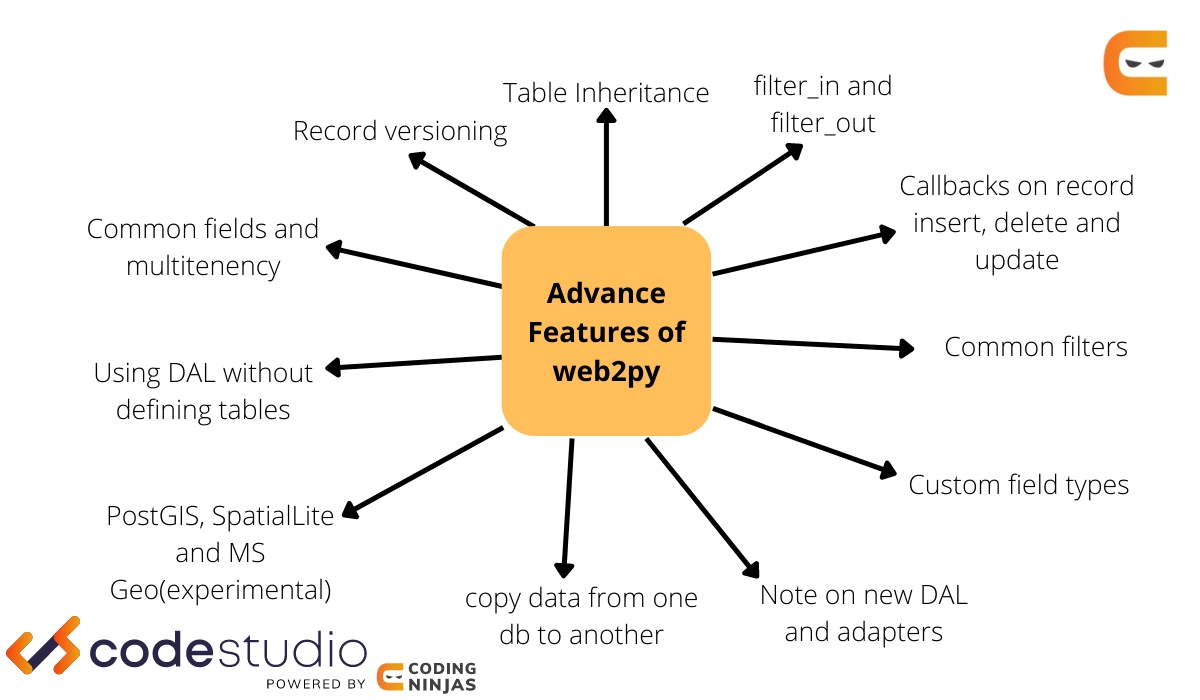


 1+ registered

