Do you think IIT Guwahati certified course can help you in your career?
Introduction
When you step into the field of development, you have probably come across Servers. Do you know that we have a tech who can help us use web servers with Java Server pages?
This article will discuss Apache Tomcat in brief. We will discuss Apache Tomcat’s releases, versions, installation steps, and permission got from the license. So without further ado, let’s get started!
What is Apache Tomcat?
Apache Tomcat is an open-source application. We can also see it as a Java servlet container. The primary objective of Apache Tomcat is to implement Java Enterprise Specs, such as Websites API, Java Servlet, and Java-Server Pages.
Even if you are learning about servers and web apps, you may be familiar with terms like the HTTP Protocol. The HTTP protocol is used to access the website content on the server. Using HTML coding, you wish to show static material on your website. The data may also be sent from a server. All of these functions are managed by the server and carried out in a secure environment via the HTTP protocol.
The HTTP server is typically used to operate static websites, but you must use Servlets if you wish to show content using a dynamic website. The HTTP Server is used to serve the online content. At the same time, the Servlet can only run in the container. When you combine HTTP and Servlet, you’ll get the Apache Tomcat.
How Does Tomcat Work?
Apache Tomcat works as follows:
Client Request It starts with you typically using a web browser to send a request by clicking on a link or typing a link hosted by a Tomcat server.
HTTP Connection Now, it is the job of Tomcat to listen to the request. It is configured in the server.xml file. The connector processes it.
Routing of the Request With the help of the request processing mechanism, it decides which context should handle the request. Thus, the request is routed to the correct application. The application is in a directory with HTML files, servlets, JSPs, and more. The correct web application is identified and initialized.
Servlet Container Now, the Apache Tomcat servlet comes into play. It initializes and processes the JSP files if required. The JSP engine or the servlet executes the Java code inside the resource.
Response After the execution of the JSP or servlet, the page is dynamically generated according to the request. This leads to the construction of an HTTP response. The Tomcat sends an HTTP response through its connector. Then, the web browser receives it and renders the webpage accordingly.
Apart from these steps, Apache Tomcat allows session management to track the sessions using cookies or by rewriting the URL to maintain sessions across multiple requests. It also logs the events and inculcates security features for authentication and access controls protecting the application and its data.
And, to handle multiple requests and be available at times, thus for scalability and high availability, it is configured to operate in a clustered environment. It also does load balancing to distribute the incoming traffic accordingly.
Apache Tomcat Releases and Versions
Apache Tomcat is an open-source Java Servlet, Jakarta WebSocket, Jakarta Annotations, Jakarta Server Pages, Jakarta Expression Language, and Jakarta Authentication implementations. The Jakarta EE platform includes several requirements.
The Jakarta EE platform is the next step in the evolution of the Java EE platform. Tomcat 10 and later implement specifications created as part of the Jakarta EE project. While the Tomcat 9 and previous versions implement Java EE standards.
Although there are many releases and updates in Tomcat, we will discuss the most notable ones. Following are some releases and versions of Apache Tomcat:
Apache Tomcat 10.1.2
This is the latest release of Apache Tomcat. This version was released on 14 November 2022. It implements the standards from the Jakarta EE 10 platform.
Fixes which are done in this version are:
Concurrency issues were fixed.
The packaged version of the Apache Tomcat Native Library is updated.
Correction in the date format is implemented using HTTP cookies' expires attribute.
Apache Tomcat Migration Tool for Jakarta EE 1.0.5
The migration tool was released on 8 November 2022. Compared to previous versions, such as 1.0.4, this release offers a lot of bug fixes and enhancements.
The following are the notable changes in this release:
Limit the scope of the javax.annotation conversion to Java EE.
Improve the performance of manifest handling and conversion.
Apache Tomcat Native 2.0.2
The Apache Tomcat Native Library is an optional Apache Tomcat component that allows Tomcat to use OpenSSL (Open Secure Socket Layer) instead of JSSE (Java Secure Socket Extension) to provide TLS (Transport Layer Security) connections. The Apache Tomcat Native version was also released on 8 November 2022.
Some noteworthy changes from its previous release, 2.0.1, are:
LibreSSL's minimum supported version has been raised to 3.5.2.
This release's Windows binaries were generated with OpenSSL 3.0.7.
Apache Tomcat Installation
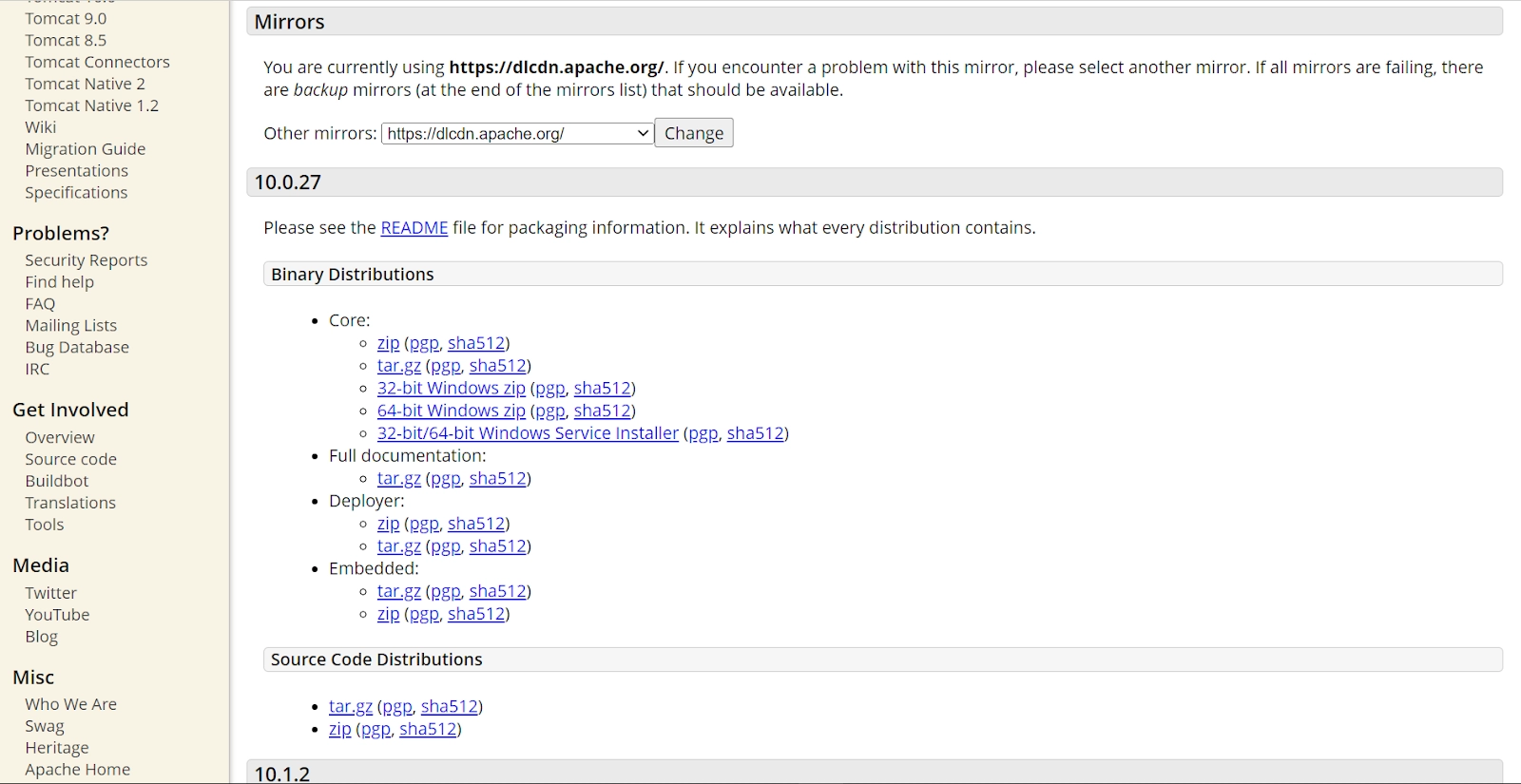
Many versions of the Tomcat are available on its website. You can choose the version according to your requirements, but we suggest you download the latest version, which is 10. We will install Apache Tomcat 10.0.27 here.
Step 1: Download the Apache Tomcat you wish to install.
Step 2: Download the file on your computer. You can download a zip file or exe file according to your wish.
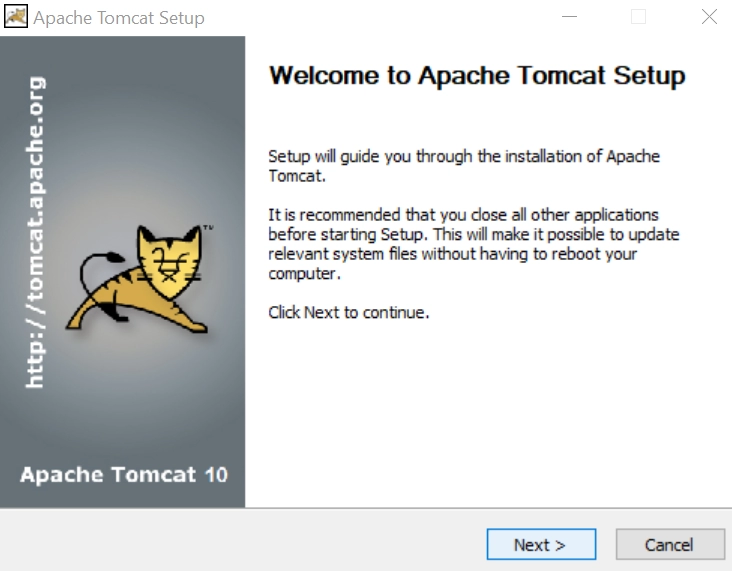
Step 3: Once the installation starts, click on the "Next" button:
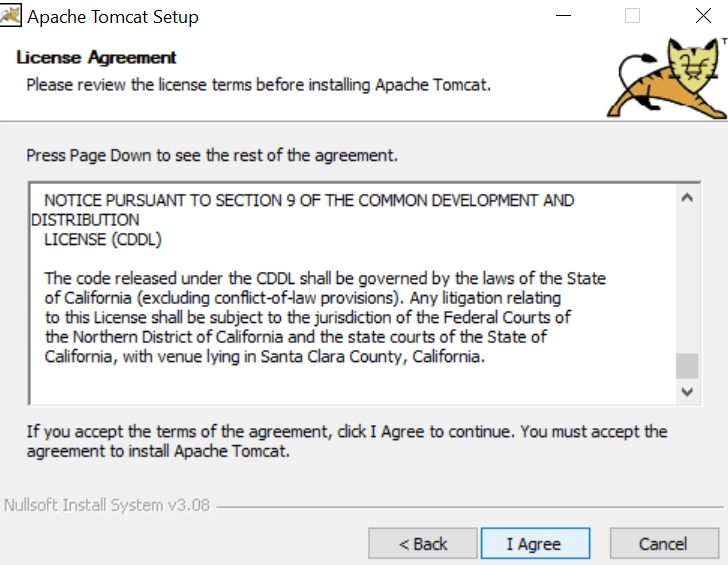
Step 4: You’ll see the licence and other agreements. Now click on I agree.
Step 5: You must choose the components now and click the Next button.
Step 6: If you have a username or password, you can add it here; otherwise, click on Next.
Step 7: Add the path for JVM.
Step 8: Now, you should click on the Install button.
It will take some time to install Apache Tomcat.
Step 9: Now click on the "Finish" button. The installation of Apache Tomcat is completed.
When you start your app, you will see this. Afterwards, your service is successfully started.
Tomcat License
Apache Tomcat is licensed under Apache License 2.0. It is a permissive license whose primary condition is preserving copyright and license notices for state changes.
The following are the permissions available for Apache Tomcat:
It can be used commercially.
Modification can be done accordingly.
Distribution can be done.
Some limitations that are not part of the license are:
Trademark use is not allowed.
No liability
No warranty
Advantages of Apache Tomcat
Some advantages of Apache Tomcat are as follows:
Apache Tomcat is a lightweight application.
It is one of the most popular application servers.
It offers us an additional layer of security.
It has great documentation, and various free online tutorials are easily available on the internet.
Disadvantages of Apache Tomcat
The following are some disadvantages of Apache Tomcat:
Apache Tomcat has some issues, like memory leakage.
Its way of handling the logs could be more efficient.
It has some problems with SSL installation.
It has a poor, inferior user interface compared to other Apache frameworks.
Frequently Asked Questions
What is Apache Tomcat used for?
Apache Tomcat is used by web developers for building and maintaining dynamic applications and websites that are based on the Java platform. Basically, it is a web server and servlet container for Java-based web applications.
What is Apache Tomcat in brief?
Apache Tomcat is an open-source application. We can also see it as a Java servlet container. The primary objective of Apache Tomcat is to implement Java Enterprise Specs, such as Websites API, Java Servlet, and Java-Server Pages.
What is difference between Apache and Apache Tomcat?
Apache Tomcat is a JSP/Servlet container while Apache Web server is an HTTP server that serves files through the HTTP protocol. Apache Tomcat(coded in Java) hosts Java-based codes only while Apache web server(coded in C) can host applications in any programming language.
Is Apache Tomcat only for Java?
Apache Tomcat is used by web developers for building and maintaining dynamic applications and websites that are based on the Java platform. However, it can be configured to handle CGI scripts written in Python or Perl, and FastCGI applications in other languages.
Conclusion
This article briefly discussed Apache Tomcat. We discussed the Eigen library, its installation and its implementation. We hope this blog has helped you with the topic of Apache Tomcat. If you like to learn more, you can check out our articles:








 1+ registered

