Methods
The primary export of check-error is in the form of an object. This object has the following methods for us to utilize. We will use only two imports for all the method's example codes.
import assert from "simple-assert";
import * as checkError from "check-error";

You can also try this code with Online Javascript Compiler
compatibleInstance(err, errorLike)
The .compatibleInstance(err, errorLike) method checks if an error is compatible with another errorLike object. We make a strict comparison if errorLike is an error instance. Otherwise, we return false by default as the instances of objects can only be compatible if they are both error instances. Below is an example of this method.
Program
describe("checkError", function () {
  it("compatibleInstance", function () {
     const errorInstance = new Error("I am an instance");
     const sameInstance = errorInstance;
     const otherInstance = new Error("I an another instance");
     const aNumber = 1337;

     //compatibleInstance returns true for similar error instances
     assert(
        checkError.compatibleInstance(errorInstance, sameInstance) === true
     );

     //compatibleInstance returns false for non similar error instances
     assert(
        checkError.compatibleInstance(errorInstance, otherInstance) === false
     );
     assert(checkError.compatibleInstance(errorInstance, Error) === false);
     assert(checkError.compatibleInstance(errorInstance, aNumber) === false);
  });
});
You can also try this code with Online Javascript Compiler
Output

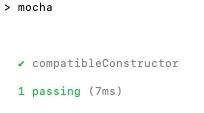
compatibleConstructor(err, errorLike)
This method checks if the constructor of an error is compatible with another errorLike object. This method will return true in case err has the same constructor as errorLike or err is an instance of errorLike. For example,
Program
it("compatibleConstructor", function () {

  const errorInstance = new Error("I am an instance");
  const sameInstance = errorInstance;
  const otherInstance = new Error("I an another instance");
  const derivedInstance = new TypeError("I inherit from Error");
  const anObject = {};
  const aNumber = 1337;

  //it will return true for the error with same instance or same constructor.
  assert(
     checkError.compatibleConstructor(errorInstance, sameInstance) === true
  );
  assert(
     checkError.compatibleConstructor(errorInstance, otherInstance) === true
  );
  assert(
     checkError.compatibleConstructor(derivedInstance, errorInstance) === true
  );
  assert(
     checkError.compatibleConstructor(errorInstance, derivedInstance) === false
  );

  assert(checkError.compatibleConstructor(errorInstance, Error) === true);
  assert(
     checkError.compatibleConstructor(derivedInstance, TypeError) === true
  );

  assert(checkError.compatibleConstructor(errorInstance, TypeError) === false);

  assert(checkError.compatibleConstructor(errorInstance, anObject) === false);
  assert(checkError.compatibleConstructor(errorInstance, aNumber) === false);
});
You can also try this code with Online Javascript Compiler
Output
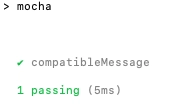
compatibleMessage(err, errMatcher)
The compatibleMessage method checks if an error message is compatible with an RegExp or String (we check whether the message contains the String) of the errMatcher. For example,
Program
it("compatibleMessage", function () {
  const errorInstance = new Error("I am an instance");
  const derivedInstance = new TypeError("I inherit from Error");
  const thrownMessage = "Imagine I have been thrown";

  // matching error message using string.
  assert(checkError.compatibleMessage(errorInstance, "instance") === true);
  assert(checkError.compatibleMessage(derivedInstance, "Error") === true);
  assert(checkError.compatibleMessage(errorInstance, "unicorn") === false);
  assert(checkError.compatibleMessage(derivedInstance, "dinosaur") === false);

  // matching thrown message using RegEx.
  assert(checkError.compatibleMessage(thrownMessage, /thrown$/) === true);
  assert(checkError.compatibleMessage(thrownMessage, /^Imagine/) === true);
  assert(checkError.compatibleMessage(thrownMessage, /unicorn$/) === false);
  assert(checkError.compatibleMessage(thrownMessage, /dinosaur$/) === false);
});
You can also try this code with Online Javascript Compiler
Output
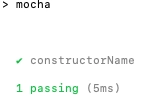
getConstructorName(errorLike)
The getConstructorName method retrieves the name of a constructor, the constructor of an error or errorLike itself if it is not an error instance or constructor. For example,
Program
it("constructorName", function () {
  const errorInstance = new Error("I am an instance");
  const derivedInstance = new TypeError("I inherit from Error");
  const thrownMessage = "Imagine I have been thrown";

  //The method will return the constructor name.
  assert(checkError.getConstructorName(errorInstance) === "Error");
  assert(checkError.getConstructorName(derivedInstance) === "TypeError");

  assert(
     checkError.getConstructorName(thrownMessage) ===
        "Imagine I have been thrown"
  );

  assert(checkError.getConstructorName(Error) === "Error");
  assert(checkError.getConstructorName(TypeError) === "TypeError");
});
You can also try this code with Online Javascript Compiler
Output
getMessage(err)
You can retrieve the message of an error or err itself if it is a String with the getMessage method. If err or err.message is undefined it will return an empty String. For example,
Program
it("getMessage", function () {
  const errorInstance = new Error("I am an instance");
  const derivedInstance = new TypeError("I inherit from Error");
  const thrownMessage = "Imagine I have been thrown";
  const errorExpMsg = errorInstance.message;
  const derivedExpMsg = derivedInstance.message;

  // the method will return the error message and match with our constant.
  assert(checkError.getMessage(errorInstance) === errorExpMsg);
  assert(checkError.getMessage(derivedInstance) === derivedExpMsg);

  assert(
     checkError.getMessage(thrownMessage) === "Imagine I have been thrown"
  );

  assert(checkError.getMessage(Error) === "");
  assert(checkError.getMessage(TypeError) === "");
});
You can also try this code with Online Javascript Compiler
Output

FAQs
1. What is an assertion in Chai?
Ans: Chai assertion library is an external javascript library that you can use to write assertions. This assertion library requires less time and effort and is easy to use compared to what we write directly in javascript.
var assert = chai.assert;

assert.typeOf(foo, "string");
assert.equal(foo, "bar");
assert.lengthOf(foo, 3);
assert.property(tea, "flavors");
assert.lengthOf(tea.flavors, 3);
You can also try this code with Online Javascript Compiler
2. How do you expect an error in Chai?
Ans: To test whether your code throws an error or not in Chai, you have to pass a function in expect which they expect will call itself. The Chai assertion library has a to.throw function, which combines with expect to match the error.
expect(model.get.bind(model, "z")).to.throw(
  "Property does not exist in model schema."
);
expect(model.get.bind(model, "z")).to.throw(
  new Error("Property does not exist in model schema.")
);
You can also try this code with Online Javascript Compiler
3. What is Chai Promise?
Ans: Chai as Promised extends Chai with a fluent language for asserting facts about promises. You can write codes that express what you mean instead of manually wiring your expectations to fulfilled and rejected handlers of a promise.
return doSomethingAsync().should.eventually.equal("foo");
You can also try this code with Online Javascript Compiler
4. What is Sinon Chai?
Ans: Sinon.js is a popular JavaScript library that lets you replace complicated parts of your application code that are difficult to test for “placeholders,” so you can keep your unit tests fast and deterministic.
Sinon–Chai provides you with a set of custom assertions for the use of Sinon.js spy, stub, and mocking framework with the Chai assertion library. You get all the benefits of Chai with all the powerful tools that Sinon.js provides. You can add sinon-chai directly to your node project.
npm install sinon-chai
Key Takeaways
This article extensively discussed the Check Error module and its implementation in the Chai assertion library. The check-error module is a powerful tool within the Chai library to understand and work with errors in your application.
Here we have worked with multiple methods in this module with extensive examples of test suites in Node. Still, we have just scratched the surface when using Node, the Mocha testing framework, and the Chai library. To extend your knowledge in this domain, we highly recommend you to check out our articles like Introduction to Mocha, Mocha Assertions, and Introduction to Node.js. We hope that this blog has helped you enhance your knowledge regarding Mocha and Chai.
If you would like to learn more, head over to our practice platform Coding Ninjas Studio to practice top problems, attempt mock tests, read interview experiences, and much more. Do upvote our blog to help other ninjas grow. Happy Coding!





 7+ registered

