Do you think IIT Guwahati certified course can help you in your career?
Introduction
In the world of Linux, automation is king. The ability to run tasks without human intervention not only saves time but also ensures that critical operations aren't missed. This is where task schedulers like Cron and Anacron come into play. But what's the difference between the two? Which one should you use?
In this article, we'll delve into the nitty-gritty details of Cron and Anacron, compare their features, and help you choose the right tool for your needs.
Understanding Cron
Cron is a time-based job scheduler in Unix-like operating systems. It enables users to schedule jobs to run periodically at fixed times, dates, or intervals. With Cron, you can automate tasks like backups, system updates, maintenance, data synchronization, and many others. Cron is a powerful tool that is mainly used to carry out tasks that are to be carried out at regular intervals. The only drawback is that Cron assumes the system is always active, but once the system is restarted or shut down, it does not perform any scheduled jobs.
Features of Cron
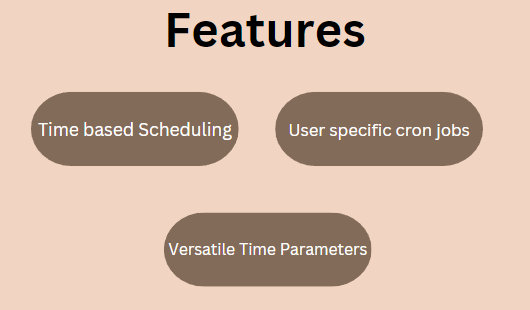
Time-Based Scheduling: Cron excels in tasks that need to be run at specific intervals. For example, you could set a Cron job to clear your cache every week.
User-Specific Cron Jobs: Different users can have their own Cron jobs. Each user can create a crontab (Cron table) to manage their tasks. Users have the flexibility to schedule a job according to their preferences.
Versatile Time Parameters: With Cron, you can get very specific with time. You can set tasks to run every minute, every two weeks, or even on the third Thursday of every month.
Example of a Cron Job
Here's a simple example that backs up a directory every day at midnight:
Anacron is a job scheduler in Unix-like operating systems. It is similar to Cron but has a different purpose. It is used for scenarios where your machine might not be running all the time. Unlike Cron, it doesn't expect the system to be continuously running. In this, your jobs are mostly executed periodically, as it provides you with time flexibility. Tasks are run daily, weekly, or monthly, irrespective of the timings. Anacron provides you with the logging files. These logging files help in troubleshooting and monitoring your executed jobs.
Features of Anacron
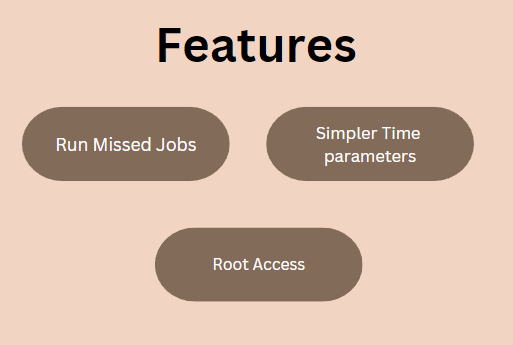
Run Missed Jobs: The most significant advantage of Anacron is its ability to run tasks that couldn't be executed when the system was down.
Simpler Time Parameters: Anacron doesn’t support detailed time settings like Cron. It's ideal for tasks that need to be run based on a daily, weekly, or monthly schedule.
Root Access: Typically, Anacron jobs can only be scheduled by the system administrator, which makes it less flexible than Cron for end-users.
Example of an Anacron Job
An example Anacron job to run a weekly backup could look like this:
Now that you understand Cron and Anacron individually let's pinpoint their differences.
Reliability
Cron: Assumes that the machine is running all the time. If a scheduled task is missed, it won't be executed.
Anacron: Will execute missed tasks as soon as the machine is up and running.
Flexibility
Cron: Can be used by any user, offering higher flexibility.
Anacron: Usually restricted to the system administrator, which limits its use for regular users.
Time Complexity
Cron: Offers granular control over the scheduling, down to the minute.
Anacron: Focuses on a broader time scale such as daily, weekly, or monthly.
Which One to Choose?
Always-On Systems: If you're working on a system that's always on, like a server, then Cron is your best bet.
Intermittently Running Systems: For desktops or systems that are not guaranteed to be running all the time, Anacron is more reliable.
Frequently Asked Questions
What is the main difference between Cron and Anacron?
Cron is designed for systems that are always on, while Anacron is designed for systems that might not be running continuously.
Can I use Cron and Anacron together?
Yes, you can use both. Anacron is often used for system jobs, while Cron can be used for user-specific tasks.
Which one is more flexible in terms of time settings?
Cron offers more granular time settings, allowing tasks to be scheduled down to the minute.
Conclusion
Both Cron and Anacron have their own set of advantages and disadvantages. Cron is your go-to scheduler for always-on systems and offers greater flexibility in terms of time and user-specific jobs. On the other hand, Anacron is the tool you need for systems that aren't always running, ensuring that no scheduled task is ever missed. Understanding the features and limitations of each will help you choose the right scheduler for your specific needs. Happy scheduling!








 1+ registered

