Do you think IIT Guwahati certified course can help you in your career?
Introduction
Hello, readers. In this article, we will learn dependencies management with native Gradle support (Poc) in katalon. We’ll also briefly cover about katalon and how to Parameterize Azure DevOps Test Case ID List (PoC). Here, PoC is just a short form for Proof of Concept.
About Katalon
Katalon Studio, or simply Katalon, is an automated testing software tool. It is suitable for testing web, API, mobile, and desktop applications. It displays test data and execution outcomes in charts, graphs, and reports. Some key components of Katalon studio are test management, test planning, and test execution.
Automated software testing tools like Katalon reduces human effort and eases the process of testing and quality assurance.
Dependencies Management with Native Gradle Support (Poc) in Katalon
A dependency here outlines the specific order in which certain tasks must be completed as well as the relationship between the various activities. These dependencies are pieces of code that are available and can be reused with the help of which the whole structure is built.
Disclaimer first, For usage in production, this Proof of Concept (PoC) is not yet ready. It is recommended to use this Proof of Concept for evaluation purposes only.
Previously, Katalon Studio included a Gradle Plugin to streamline and automate several activities in Katalon Studio, but the whole thing was tedious, and the dependency management was quite basic.
Katalon Studio's native Gradle integration and Gradle wrapper, which are driven by Buildship, an Eclipse plugin, streamline and strengthen dependency management with Maven or Gradle. Instead of being restricted to using only the fixed version you previously installed on your local machine, you are free to choose whatever Gradle version to use in your test project. You are also no longer forced to utilize any command-line or third-party tools.
Users of Katalon who utilize third-party libraries in various test projects and prefer to manage their build process with Gradle would particularly benefit from this capability. Instead of utilizing an external terminal or command prompt or installing Gradle in Katalon Studio, Gradle tasks can be executed in a more effective editor. When external libraries can be managed and downloaded in fewer steps, human interaction is greatly reduced.
Now, we will learn how to utilize Katalon Studio's built-in Gradle support and how it looks.
Gradle Settings
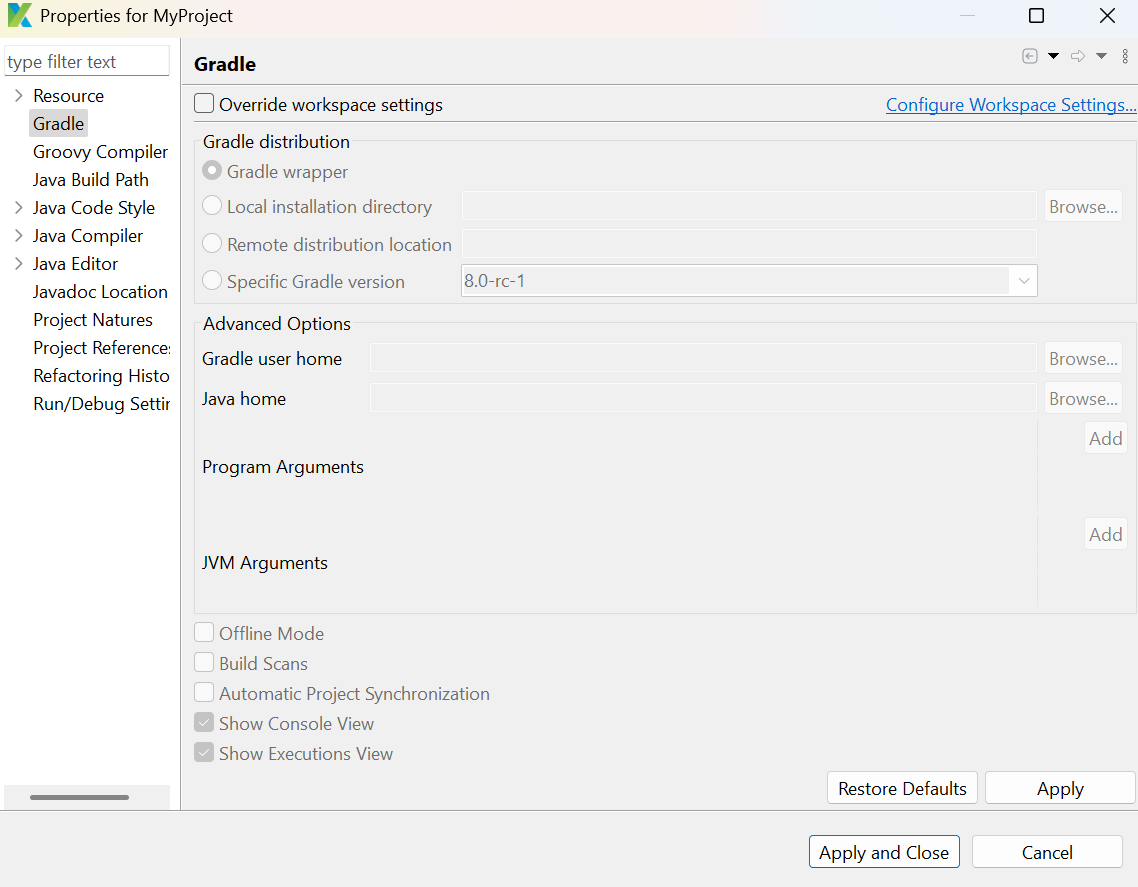
All projects in Katalon Studio have the built-in Gradle integration enabled by default. Navigate to Katalon Studio > Preferences > Gradle to access Gradle options.
Now, Go to Project > Properties > Gradle to modify a project's Gradle settings.
Gradle Tasks
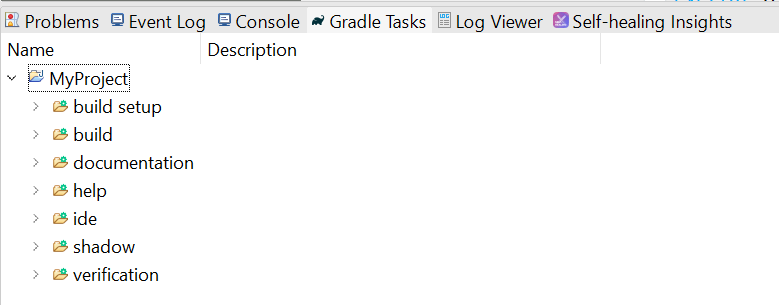
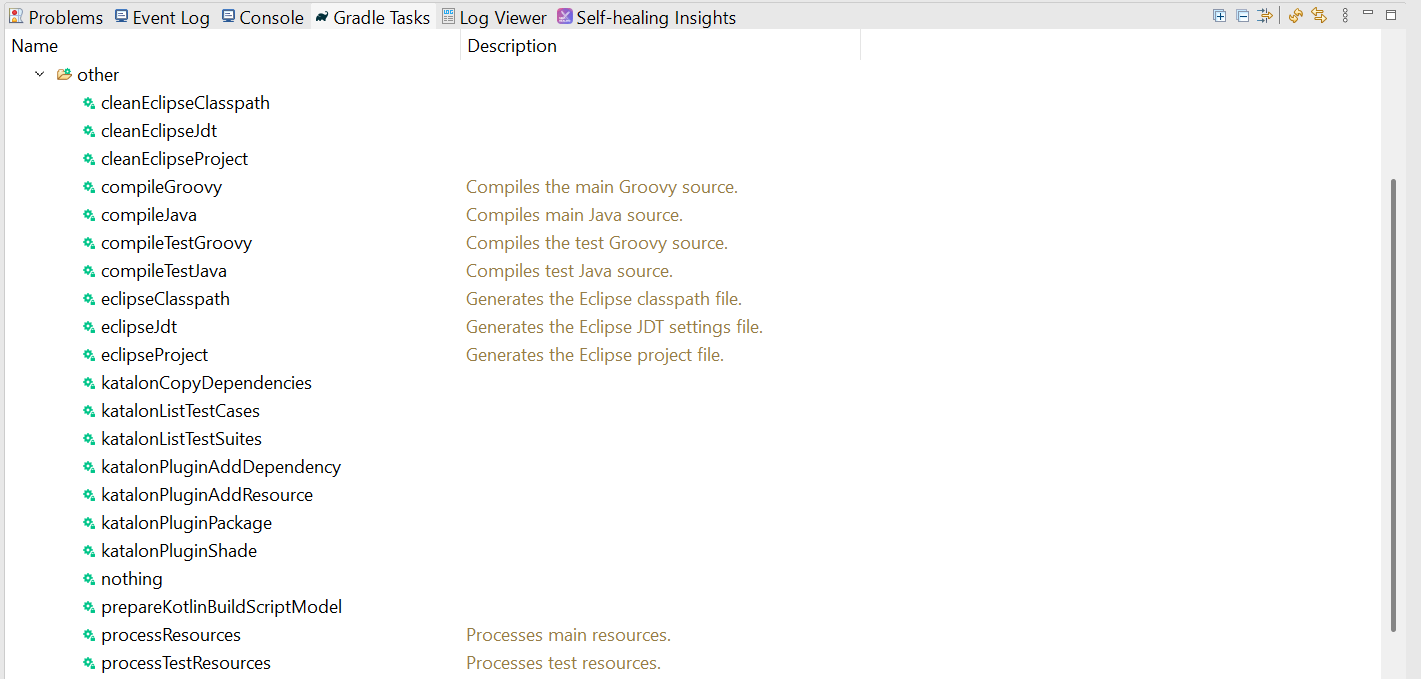
Open the Gradle Tasks tab on the bottom dock to use Gradle tasks.
Click Refresh Tasks for All Projects in the top right corner to sync Gradle tasks whenever you make changes to the build.gradle file.
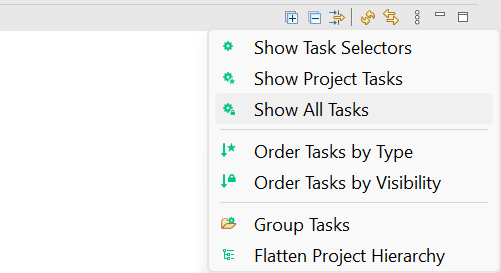
Katalon Gradle tasks can be seen and used by selecting Show All Tasks from the three dots menu in the top right corner.
All Katalon Tasks can be found in the other category of the Gradle task tree.
To launch the specific Gradle tasks, click on any item in the tree. After completing the katalonCopyDependencies action, you must choose Project > Refresh to update the project classpath.
Usage Examples of katalonCopyDependencies Task
Open the build.gradle file on Tests Explorer in the editor:
You can add dependencies to a project using compile command:
Custom keywords behave just like built-in keywords after creation. Custom keywords can be used when building test cases once they have been created.
What are automated software testing tools?
Automated testing software tools assist teams and organizations in automating their software testing needs, reducing human efforts and attaining improved speed, reliability, and efficiency.
What language does Katalon use?
Katalon Studio uses Groovy, which is a Java-based language.
Can we write code in Java?
Yes, we can use Java in Katalon. When writing scripts and custom keywords, we can write them in either Groovy or Java syntax. Groovy is simply a language that extends the Java language.
Conclusion
In this article, we learned dependencies management with native Gradle support (Poc) in katalon. If you want to explore more, here are some related articles -










 1+ registered

