Do you think IIT Guwahati certified course can help you in your career?
Introduction
Hello, readers. In this article, we will learn about handling databases in katalon and how to perform database testing using Katalon Studio.
We will do that by using automated testing software tools. These tools assist teams and organizations in automating their software testing needs, decreasing the need for human intervention and attaining improved speed, reliability, and efficiency. One such software tool is Katalon Studio.
About Katalon
Katalon Studio, or simply Katalon, is an automated testing software tool. It is suitable for testing web, API, mobile, and desktop applications. It displays test data and execution outcomes in charts, graphs, and reports. Some key components of Katalon studio are test management, test planning, and test execution.
Now, back to handling databases in Katalon Studio.
Handling Databases
To test the application fully, we also need to test the databases too. Testing in the database helps analyze the overall schema, tables, and various stored procedures triggers of the database under the test. Performing complex queries under various circumstances would give insights into the application under stress. All of these are part of handling databases.
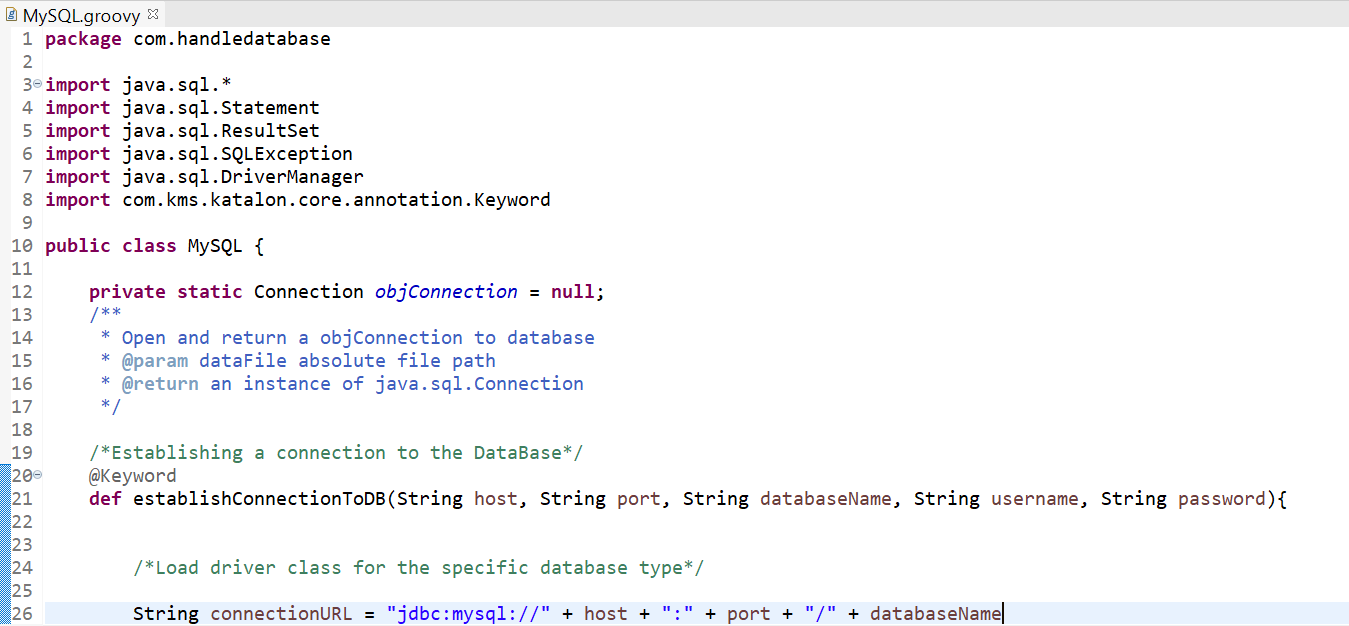
We use custom keywords to connect to the database and perform complex queries to test the database. These custom keywords behave just like built-in keywords after creation. Custom keywords can be used when building test cases once they have been created.
Here's an example of how to make custom keywords for
Creating a database connection
Data query execution
Terminating the connection
package com.handledatabase

import java.sql.*
import java.sql.Statement
import java.sql.ResultSet
import java.sql.SQLException
import java.sql.DriverManager
import com.kms.katalon.core.annotation.Keyword

public class MySQL {

	private static Connection objConnection = null;
	/**
	 * Open and return a objConnection to database
	 * @param dataFile absolute file path
	 * @return an instance of java.sql.Connection
	 */

	/*Establishing a connection to the DataBase*/
	@Keyword
	def establishConnectionToDB(String host, String port, String databaseName, String username, String password){


		/*Load driver class for the specific database type*/

		String connectionURL = "jdbc:mysql://" + host + ":" + port + "/" + databaseName

		/*Class.forName("org.sqlite.JDBC")*/

		/*String objConnectionString = "jdbc:sqlite:" + dataFile*/

		if(objConnection != null && !objConnection.isClosed()){
			objConnection.close()
		}

		objConnection = DriverManager.getConnection(connectionURL, username, password)

		return objConnection
	}

	/**
	 * Execute non-query (usually INSERT/UPDATE/DELETE/COUNT/SUM...) on database
	 * @param query a SQL statement
	 * @return single value result of SQL statement
	 */
	@Keyword

	def executeNonQuery(String query) {

		Statement objStatement = objConnection.createStatement()

		boolean result = objStatement.execute(query)

		return result
	}

	/**
	 * execute a SQL query on database
	 * @param query SQL query string
	 * @return a reference to returned data collection, an instance of java.sql.ResultSet
	 */

	/*Executing the constructed Query and Saving results in objResultSet*/
	@Keyword
	def queryExecution(String query) {

		Statement objStatement = objConnection.createStatement()

		ResultSet objResultSet = objStatement.queryExecution(query)

		return objResultSet
	}

	/*Closing the Database Connection*/
	@Keyword
	def closeDatabaseConnection() {

		if(objConnection != null && !objConnection.isClosed()){

			objConnection.close()
		}

		objConnection = null
	}
}
How to Perform Database Testing using Katalon Studio
The main objective of Database testing is to examine the database's parts like schema, tables, triggers, and so on. It verifies the accuracy and consistency of the data. It also involves writing complicated queries to test the database and evaluate its responsiveness. Now, we will see how to perform database testing using Katalon Studio.
1. First, we will write a corresponding test case for the above example.
import static com.kms.katalon.core.checkpoint.CheckpointFactory.findCheckpoint
import static com.kms.katalon.core.testcase.TestCaseFactory.findTestCase
import static com.kms.katalon.core.testdata.TestDataFactory.findTestData
import static com.kms.katalon.core.testobject.ObjectRepository.findTestObject
import static com.kms.katalon.core.testobject.ObjectRepository.findWindowsObject
import com.kms.katalon.core.checkpoint.Checkpoint as Checkpoint
import com.kms.katalon.core.cucumber.keyword.CucumberBuiltinKeywords as CucumberKW
import com.kms.katalon.core.mobile.keyword.MobileBuiltInKeywords as Mobile
import com.kms.katalon.core.model.FailureHandling as FailureHandling
import com.kms.katalon.core.testcase.TestCase as TestCase
import com.kms.katalon.core.testdata.TestData as TestData
import com.kms.katalon.core.testng.keyword.TestNGBuiltinKeywords as TestNGKW
import com.kms.katalon.core.testobject.TestObject as TestObject
import com.kms.katalon.core.webservice.keyword.WSBuiltInKeywords as WS
import com.kms.katalon.core.webui.keyword.WebUiBuiltInKeywords as WebUI
import com.kms.katalon.core.windows.keyword.WindowsBuiltinKeywords as Windows
import internal.GlobalVariable as GlobalVariable
import org.openqa.selenium.Keys as Keys

String host = 'host.something.com'
String port = '0000'
String databaseName = 'databasename'
String username = 'username'
String password = 'password'

CustomKeywords.'com.handledatabase.MySQL.establishConnectionToDB'(host, port, databaseName, username, password)

String executeNonQuery = "INSERT INTO `TableName`(`id`, `name`, `date`) VALUES ('10', 'Sanchit', '1997-01-01')"

String queryExecution = 'select * from Table'

CustomKeywords.'com.handledatabase.MySQL.closeDatabaseConnection'()
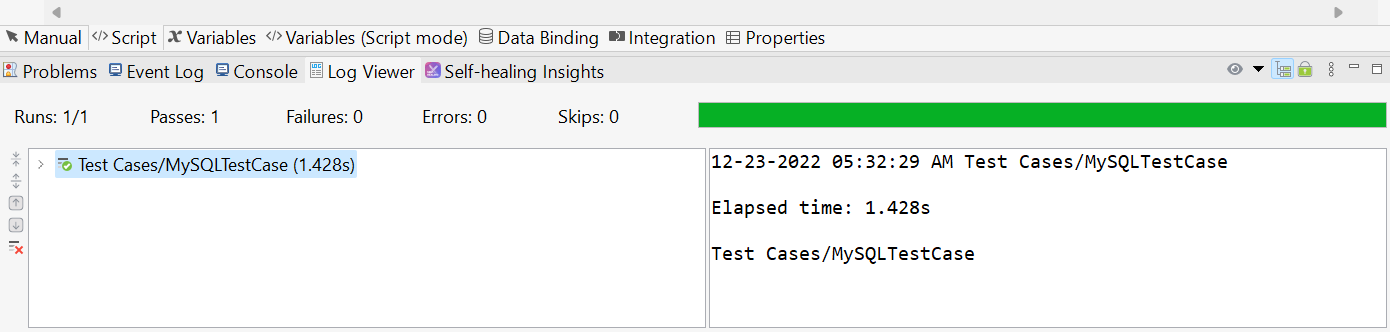
2. Now, we will run the test case.
Frequently Asked Questions
What are custom keywords?
Custom keywords behave just like built-in keywords after creation. Custom keywords can be used when building test cases once they have been created.
What are automated software testing tools?
Automated software testing tools assist teams and organizations in automating their software testing needs, decreasing the need for human intervention and attaining improved speed, reliability, and efficiency.
What language does Katalon use?
Katalon Studio uses Groovy, which is a Java-based language.
Conclusion
In this article, we will learn about Handling Databases in katalon and how to perform database testing using Katalon Studio.
If you want to explore more, here are some related articles -








 1+ registered

