Do you think IIT Guwahati certified course can help you in your career?
Introduction
HTTP stands for Hypertext Transfer Protocol, is an application-level protocol that is used to make HTTP requests. Clients make HTTP requests to access the data stored on a server. These requests are sent with the help of the URL(Uniform Resource Locator). The different methods are used for various operations such as deletion, creation, updation, and reading data.
The most commonly used methods are POST, PUT, PATCH, and DELETE.
In this article, we will mainly focus on the difference between POST and PUT requests and their functions.
What are POST Requests?
The transmission of data on the server is done through a POST request. The data is sent in HTML form or JSON.
The data sent by us is stored in the request body of the HTTP request. The POST request has no restrictions over the length of the data. The data here cannot be cached and bookmarked. One of the critical features of POST is that binary data is also allowed here.
An example of URL which is provided by server is
HTTP POST: http://www.domain.com/student/
Above is the example of the URL of the POST request. We have to send the JSON data along with this URL for acting, and the data will be stored.
Properties of POST Request
POST requests have many properties. Some of these properties are as follows.
Data cannot be Bookmarked. It is because the data is stored in the request body but not stored as a bookmark.
The parameters are not stored in the browser history, making it more secure. Therefore used to send passwords or other sensitive information.
Binary Data is allowed here.
Different variables are not shown or displayed in the URL.
Data cannot be cached.
There are no restrictions on data length.
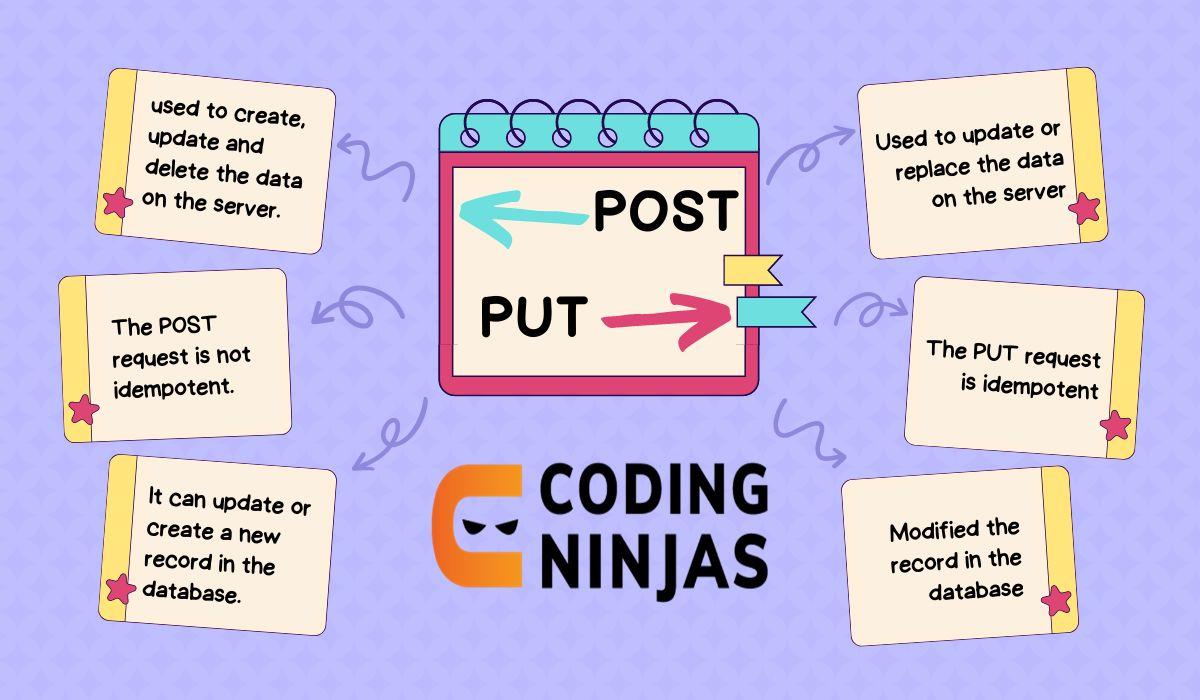
POST is not idempotent. For example, if we send a post request twice, the browser will warn us.
Advantages of POST Requests
Below some of the advantages of using POST requests:
1. Sends Large Amounts of Data
POST requests can send large amounts of data, making them suitable for scenarios like file uploads or sending large forms.
2. Secure for Sensitive Information
Unlike GET requests, POST requests send data in the request body, making it more secure for transmitting sensitive or confidential information.
3. Supports Various Data Formats
POST allows data to be sent in different formats like JSON, XML, or form-data, which provides flexibility for different web applications.
4. Ideal for Modifying Resources
POST requests are often used to create or modify resources on the server, unlike GET requests, which are typically used for retrieving data.
5. No URL Length Restrictions
POST requests do not have the same URL length limitations as GET requests, allowing for the transmission of larger and more complex data.
6. Triggers Server-Side Actions
POST requests can trigger various actions on the server, such as database updates, form submissions, or other dynamic processes.
7. Configurable for Caching
While POST requests are not cached by default, they can be configured for caching in specific use cases, offering flexibility for certain scenarios.
What are PUT Requests?
PUT Request is used to update existing data uploaded on the server. The PUT method is idempotent as if you send the same Request multiple times, and the data will remain unchanged. The PUT requests responses can be cached, and the queries can be UPDATED.
An example of URL which is provided by server is
HTTP PUT: http://www.domain.com/student/323
Above is the example of the URL of the PUT request in which we have to send the data we want to update, and it belongs to the particular id mentioned in the URL.
Properties of PUT Requests
PUT requests also have many properties. Some of them are as follows.
The PUT method is Idempotent, which implies if we send a request many times on the server, it will be counted as a single request.
The query used here is “UPDATE,” which is used to update the data of a particular user already stored in the database.
PUT requests can be cached.
We use PUT requests to modify particular data in the database. As this is idempotent, so didn’t create a new element if we fired it more than once but modify it.
It is flexible means the user tells which URL is to be used for further development in the program.
Advantages of PUT Requests
Below are some of the advantages of using PUT requests:
1. Idempotency
PUT requests are idempotent, meaning that repeated requests with the same data will result in the same server state. This ensures reliability and consistency in data operations.
2. Updating Existing Resources
PUT is typically used to update an existing resource on the server, making it ideal for scenarios like updating user information or modifying data in a database.
3. Clear Intent
Since PUT requests are used to update or replace a resource, they convey a clear and explicit intent, making it easier for both developers and API users to understand the purpose of the request.
4. Simplicity in Resource Management
PUT allows for simple resource management, where a client sends a complete resource representation, making it easy to overwrite or update the entire resource at once.
5. Better Data Integrity
As PUT requests send the full data representation to the server, there is less chance for incomplete or corrupted updates, ensuring better data integrity compared to methods that only modify partial data.
6. No Data Length Restrictions
Like POST requests, PUT requests can send a large amount of data in the request body, overcoming the URL length restrictions that apply to GET requests.
PUT allows clients to predict the outcome of their requests. If the resource exists, it will be updated; if it doesn’t, it will be created. This predictability makes it easier to design systems.
8. No Caching by Default
Similar to POST requests, PUT requests are not cached by browsers by default, ensuring that the client always retrieves the latest version of the resource when performing an update.
Comparison Table between POST and PUT Request
You must learn the difference between POST and PUT Requests to understand the correct use of both. So that we can use these requests according to the need of our project.
Let's see the difference between POST and PUT requests.
PUT
POST
The PUT method is called when you have to update a particular resource in the database.
POST method is called to create a new child resource in the database.
PUT Request is idempotent, ensuring that if we send the same data several times on the server, it will be counted as one request.
POST Request is not idempotent, ensuring the browser will warn us if we send a post request twice.
Updation is performed here using queries.
The transmission of data on the server is done.
PUT requests can be cached.
POST requests cannot be cached.
It is flexible means the user tells which URL is to be used for further development.
It is not flexible means the server tells which URL is to be provided for the user.
PUT Request is used on particular data.
The POST request is used for abstract data.
Frequently Asked Questions
What HTTP request is used to update the data?
We use PUT instead of the POST request to update the data as it is idempotent. It updates the data instead of creating a new element or resource in the database.
How a POST Request is different from PUT Request?
PUT request is used to update the data, while POST Request is used to create a new element in the database. The PUT Request is implemented only once, even if it is called many times, although a POST request makes a new database component. These are the main difference between POST and PUT.
What is the 201 Created Response code in HTTP?
This code is displayed when the resource is created in the database and the request is successfully sent to the server. It also ensures the success of the POST and PUT Requests.
What is the idempotents method?
We get the same result on calling the same request multiple times in the idempotents method. The result will remain the same even if a request is called once or ten times.
Conclusion
In this article, we learned about the difference between POST and PUT requests. As we saw, POST and PUT are the two essential HTTP requests used in development for sending and updating data on the server. Further, we saw different properties of HTTP Requests, i.e., POST and PUT, and how to use these properties to make the project more efficient.
We also learned the implementation of POST and PUT requests and some other differences.







 7+ registered

