Do you think IIT Guwahati certified course can help you in your career?
Introduction
ACCELQ is an effective API Testing tool. It helps to achieve test automation without writing a single line of code. It accelerates the continuous testing methods. ACCELQ is a cloud-based testing framework. It is accessible as both on-premise and SAAS models.
This article will discuss the execution parameters for tagging test runs and defining the test operating environment in ACCELQ. Firstly, we will discuss what execution parameters are. So, without any further ado, let’s start!
Execution Parameters
Test execution involves running the code and contrasting the desired and actual results. The execution parameters are the placeholders for actual values. They allow test execution performers to execute test cases and stages abstractly. It allows the testers to test cases using particular variants.
When executing tests, you can supply any configuration data using execution parameters.
The admin sets the parameters vital to the project. When the test is initiated, the user will provide this data.
This data can be used to create unique test logic or to classify your test runs. Examples include "Target DB Instance" (which may denote some type of application setup data required in constructing test logic), "Release Number," etc. The option to filter runs based on these flags can be helpful for manual test runs.
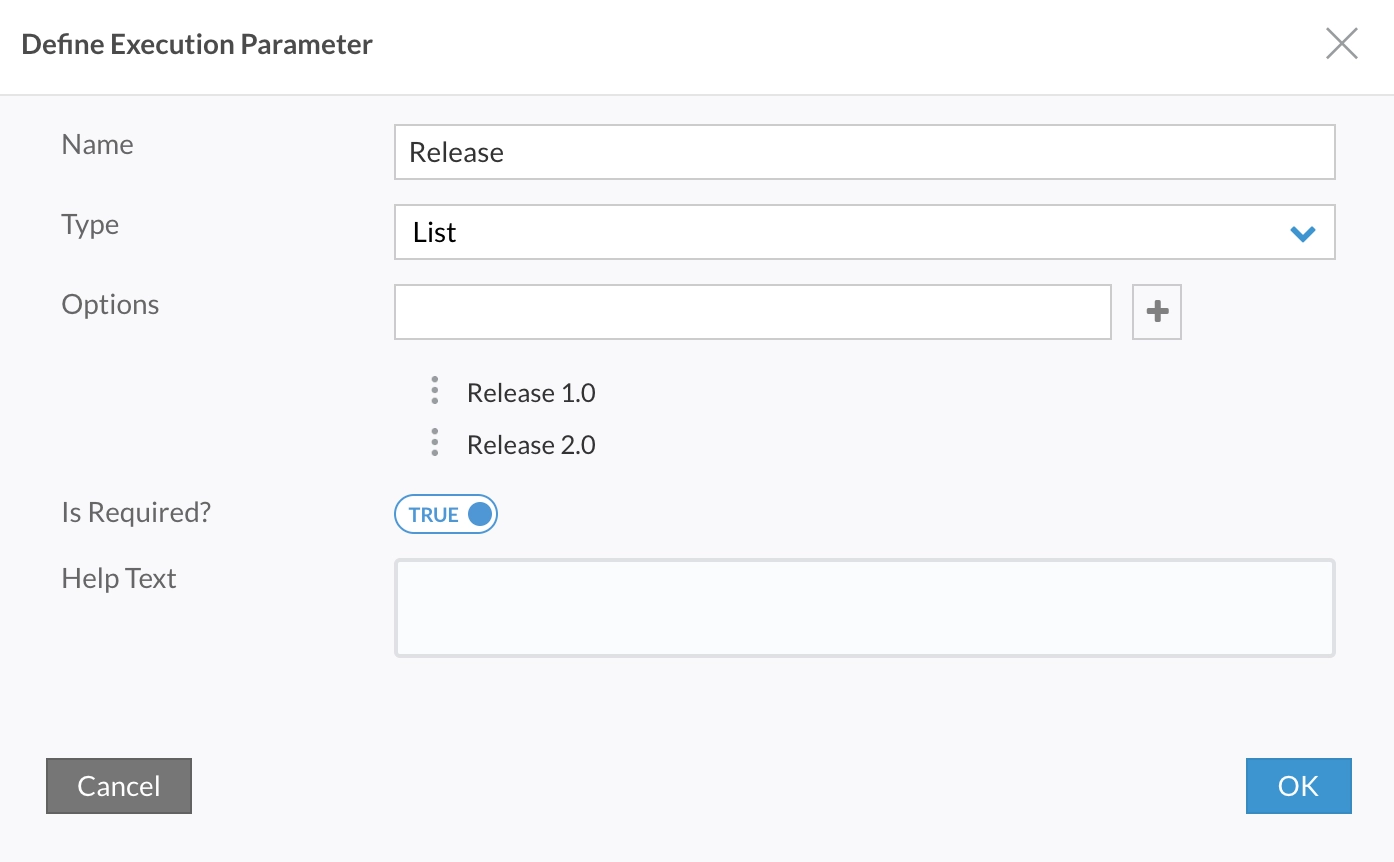
Execution Parameters Creation
To create the execution parameters consider the following steps.
🧩 Step 1: Open the web browser and access the admin portal.
🧩 Step 2: Enter the username and password. Log in as a project admin.
🧩 Step 3: Navigate to the execution parameters.
🧩 Step 4: You can create the following types of parameters:
✅ Boolean
✅ Date
✅ List
✅ Text
✅ Text Area
✅ User List
🧩 Step 5: You can specify if a parameter is required.
Running a Test
The run automation test window will consist of the following fields:
📌 Purpose of Run.
📌 Test Suite.
📌 Execution Parameters.
📌 Release Version.
📌 Date.
📌 Run settings.
You will need to provide values for the mandatory parameters when executing tests in a project with defined Execution Parameters. The run is then registered against these parameter values to aid further downstream analysis.
Filters
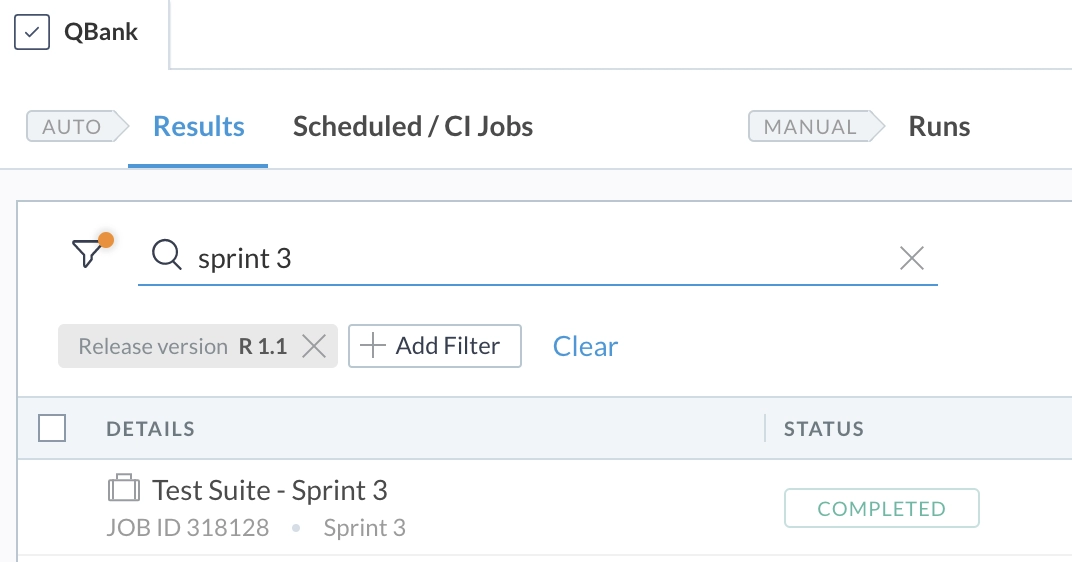
Now, we will discuss some filters based on execution parameters for tagging test runs. We can develop a seamless test flow using these filters. We will discuss here two filter results:
⭐ Filter results based on the execution parameters.
⭐ Filter from Jira Plugin.
Based on Execution Parameters,
You can filter the Test Results grid (manual and automated) based on the Execution parameter values. For instance, you can filter out all Sanity Test Suite 1.3 executions. Similarly, we can filter out all the Smoke Test Suite.
From Jira Plugin
Jira is a Software. It is a tool for managing projects in teams of all sizes. Jira was initially intended to be a bug and issue tracker. However, Jira has developed into a powerful work management solution for various use cases. It also includes agile software development and the management of requirements and test cases.
You can limit the results based on Execution Parameters to only show the most relevant results while examining ACCELQ test coverage from the Jira-Connect dashboard. You can focus your analysis on test coverage, and pass/fail results against user stories for a particular release or sprint.
Conditional Test Logics
Conditional logic, as its name suggests, is the concept that you may create rules or conditions that make your process change depending on the input. For example, you can consider the "IF/THEN" statements.
You can conditionally apply Action logic by using the value of an Execution Parameter. Take the Execution Parameter "Operating Brand" as an example. Based on the Operating Brand, the image's logic constructs various verifications. Using conditional logic enables you to create portable test logic across the various Operating Brands your application supports.
A software test method called "smoke testing" assures whether or not the released software build is stable. We consider the application's positive flow and enter only accurate data, never false information. Smoke testing, also known as build verification testing, is used to determine whether each build can be tested or not.
What do you mean by Sanity Testing?
Regression testing has a subclass known as sanity testing. Sanity testing is carried out after the software build to ensure the introduced code changes are operating as anticipated. It serves as a checkpoint to determine whether or not testing for the build can continue.
What does ACCELQ’s self-healing mean?
The self-healing activity can be displayed and analysed using ACCELQ's rich visual interface. Users can identify the cause of element flakiness and learn how the programme responds to modification.
Conclusion
We have extensively discussed Execution parameters for tagging test runs and defining test operating environments in ACCELQ. We discussed the execution parameters and how to create execution parameters. We also discussed the test running and filters based on execution parameters.
We hope this blog has helped you. We recommend you visit our articles on different topics of API Testing Tools, such as








 9+ registered

