Flask app Deployment on apache
For hosting Python-based web applications, a flask application on Apache server, we need an Apache module, mod_wsgi, that provides a WSGI compliant interface.
Installing mod_wsgi
From PyPi install an official release by running the following command on command prompt -
pip install mod_wsgi
Output-

For checking if installation is done successfully, run the following command -
mod_wsgi-express start-server
After this, Apache/mod_wsgi on port 8000 will get started.
It will point your browser to http://localhost:8000/.
Creating .wsgi file
yourapplication.wsgi file should be present, which contains the code mod_wsgi. This code is to get the application object get executed on startup.
Following the given command should be sufficient for most of the applications-
from yourapplication import app as application
Ensure that the libraries and yourapplication we are using should be on the Python load path.
Configuring Apache
The location of the flask application should be provided to mod_wsgi.
<VirtualHost *>
   CodingNinjaexample.com
   WSGIScriptAlias / C:\mydir\myapp.wsgi


   <Directory C:\yourdir>
      Order deny,allow
      Allow from all
   </Directory>


</VirtualHost>
Must Read Apache Server
Flask app Deployment on Heroku
Before deploying the flask app to Heroku, ensure that the git and heroku CLI(Command Line Interface) are installed; we will now learn how to use Heroku CLI and git for flask app deployment. Heroku CLI allows you to manage and create applications directly from the terminal.
First of all, create an app on Heroku to prepare it to get your app's source code.
heroku create
When creating your app, the git remote called Heroku is designed and associated with your local git repository.
By default, Heroku gives a random name to your app, but you can also pass a parameter for specifying your app name.
Now for deploying the app on Heroku, run the following code-
git push heroku main
Congratulations! your app is currently deployed.

heroku ps: scale web=1
While running the above command, if you get an error that is "Couldn't find that process type (web)," it means the deployment of your app is taking more time than usual. After waiting for a few minutes, run the same command.
Now you can go to your app from the URL generated by your app name, or you can use the following command to open it in your browser directly-
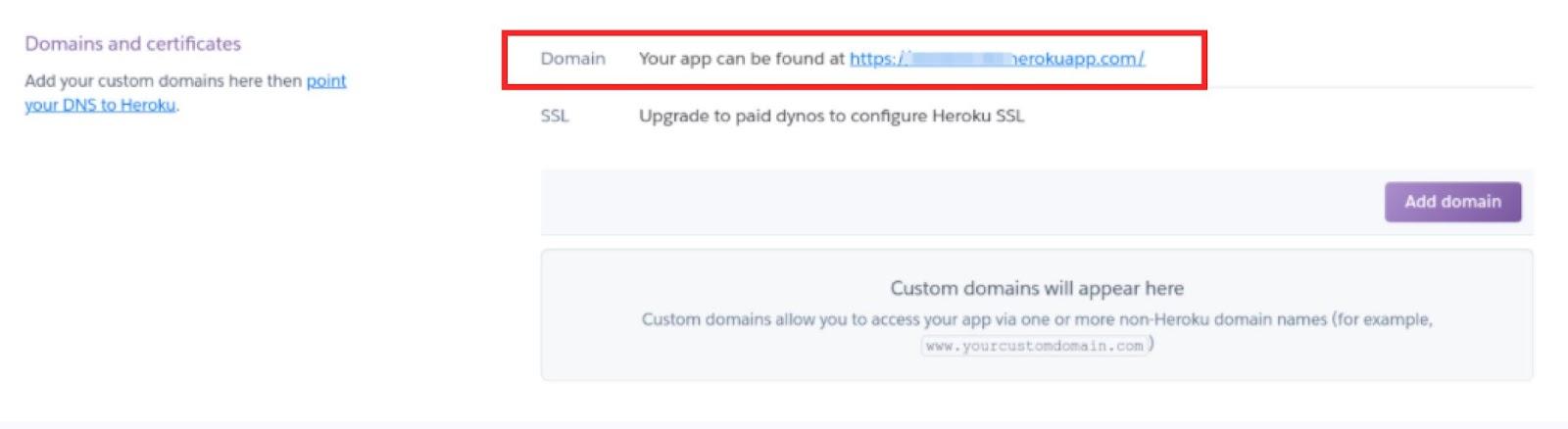
heroku open
Output-

Check out most important Git Interview Questions here.
Frequently Asked Questions
1.Name some platforms on which we can deploy flask applications other than discussed above.
Here are some of the platforms where we can deploy our flask application-
- Deploying Flask on Google App Engine
- Deploying Flask on Google Cloud Run
- Deploying on Azure (IIS)
- Deploying on PythonAnywhere
- Deploying Flask on AWS Elastic Beanstalk
2.What dependencies are required for flask app deployment on the Google app engine?
App engine uses pip ( python package manager ) to install dependencies during deployment, defined in a file located in your project's root directory, the ‘requirements.txt’ metadata file. As App Engine performs a fresh install, we do not need to upload dependencies. Also, Pipfile/Pipfile.lock files should not be present in your project, and dependency specifications using these files are not currently supported.
3.Name some Standalone WSGI containers.
WSGI applications and HTTP are contained by many popular servers written in python.
- Gunicorn
- Gevent
- Twisted Web
- Tornado
Key Takeaways
In this blog, we learned about Flask Deployment. Don't come to a halt here. Check out our Flask vs Django in 2021:Which Framework to Choose? Coding Ninjas Blog . Can you also check out the Top 30 Intermediate Django Interview Questions: Part 2 | CN Blog blogs? Check out more blogs here. More blogs.
Happy Learning!





 7+ registered

