





Introduction
Flask is a framework used to create web applications written in Python. It is a microframework because it does not need specific tools or libraries to develop the applications. Flask provides and supports extensions that help keep the application simple with cool features without complex codes. The files that use flask code are saved with an extension .py and executed using a python server. Let’s discuss how to send mails using Flask further in this article.
Sending mails using Flask
An application with many subscribers and followers often needs to send emails to notify them about new features, offers, newsletters, etc. But a person can't send them manually to everyone even if they use techniques like mail merge. So what could be the best solution to this problem? Yes, you guessed it right. They need some technology and few APIs which can automate this work. But which framework provides us with this functionality? This brings us to our topic, FLASK.
Flask can automate sending emails for us through its extensions. The Flask-Mail extension makes it easy for developers to establish a simple interface with any email server. So to enable this extension, we need to install Flask. Run the following command using pip in your terminal to install Flask.
pip install Flask-Mail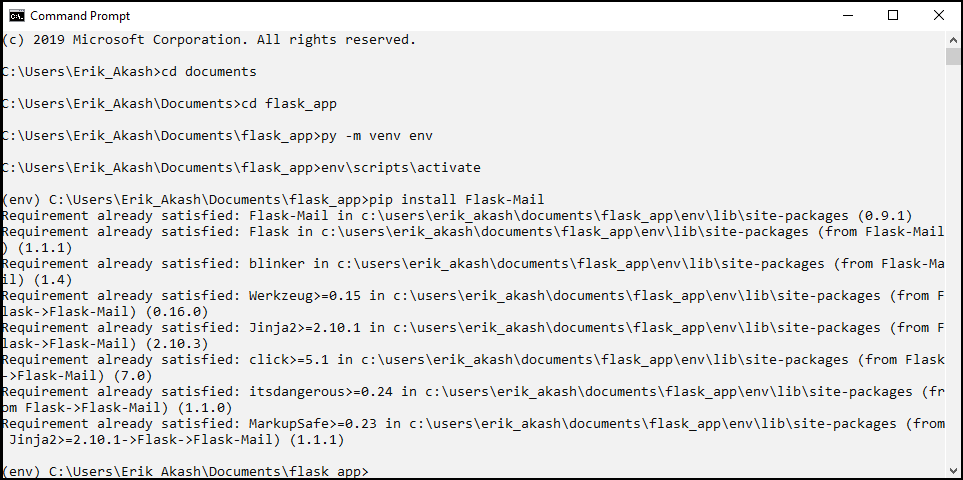
This installs the Flask-Mail and all the extensions and packages we need. We have to configure the Flask-Mail by setting the values for a few standard parameters to use it. Let’s explore what these parameters are.
- MAIL_SERVER - Name/IP address of the email server. The default server is localhost
- MAIL_PORT - Port number of the server. The default value is 25.
- MAIL_USE_TLS - Enable/disable Transport Security Layer encryption. The default value is false.
- MAIL_USE_SSL - Enable/disable Secure Sockets Layer encryption. The default value is false.
- MAIL_DEBUG - Debug support, The default support is app.debug.
- MAIL_USERNAME - User name of the sender, default username is None
- MAIL_PASSWORD - password of the sender, default password is None
- MAIL_DEFAULT_SENDER - sets the default sender for the mail; the default sender is None.
- MAIL_MAX_EMAILS - Sets maximum mails to be sent; the default value is None.
- MAIL_SUPPRESS_SEND - Sending is suppressed if app.testing is set to true
- MAIL_ASCII_ATTACHMENTS - If set to true, attached filenames are converted to ASCII. The default value is false.
Let’s learn how to set few important parameters among these.
app.config['MAIL_SERVER']= ’example.gmail.com’
app.config['MAIL_PORT'] = 25 // default value
app.config['MAIL_USERNAME'] = 'codingninjas@gmail.com'
app.config['MAIL_PASSWORD'] = 'xxxxx'
app.config['MAIL_USE_TLS'] = False // default value
app.config['MAIL_USE_SSL'] = False // default value
The mail class or instance manages the emails and their requirements. The Mail has to be imported from Flask before using it in our code as shown below.
from flask_mail import Mail

app = Flask(__name__)
mail = Mail(app)All the emails are sent using the configuration values of the application passed to the Mail constructor. We can also set the mail instance at the configuration time by writing the code as follows:
from flask_mail import Mail

mail = Mail()
app = Flask(__name__)
mail.init_app(app)We use the init_app() method to set the mail instance at configuration time. This is useful if multiple applications run in the same process with different configurations. The emails will be sent using the current application’s configuration.
The mail class has three important methods they are
- send() - Sends the contents of Message class object
- connect() - establishes a connection with the mail host
- send_message() - Sends the message object
Now that we learned about mail class and configuration let’s learn how to send messages.


 7+ registered

