Do you think IIT Guwahati certified course can help you in your career?
Introduction
This article teaches you about Helm Charts in Azure. Helm is a free and open-source solution for managing the installation and lifecycle of Kubernetes applications. Helm maintains Kubernetes charts, which are collections of pre-configured Kubernetes resources akin to that of Linux package managers like APT and Yum.
Charts
Charts are the packaging format that Helm utilizes. A chart is a group of files that list several Kubernetes resources that are related to one another. One chart may be used to deploy a Memcached pod, something straightforward, or an entire web app architecture, including HTTP servers, databases, caches, and other components.
Charts are made from files that are organized in a specific directory tree. To be deployed, they can be put into versioned archives.
Helm pull chartrepo/chartname can be used to obtain and view the files for a published chart without installing it.
This paper describes the chart format and offers rudimentary instructions for creating charts using Helm.
The use of Helm Charts enables Kubernetes packages with a single button click or CLI command. Helm charts can also be included within other Helm charts and have different dependencies.
The foundation of Helm charts is Kubernetes. These diagrams complete Kubernetes' cluster architecture. Scalability is a built-in advantage when using Helm to deploy applications to Kubernetes since all the charts of the container images used by Helm are kept in a registry called Helm Workspace that DevOps teams can easily search for and add to their projects.
Helm allows for customization of application configurations during deployment, which is another distinctive feature it offers. The Kubernetes resources that are a part of the application can all be configured by the DevOps team, along with any environment-specific requirements. Thanks to this, teams can reuse a single Helm chart in several situations.
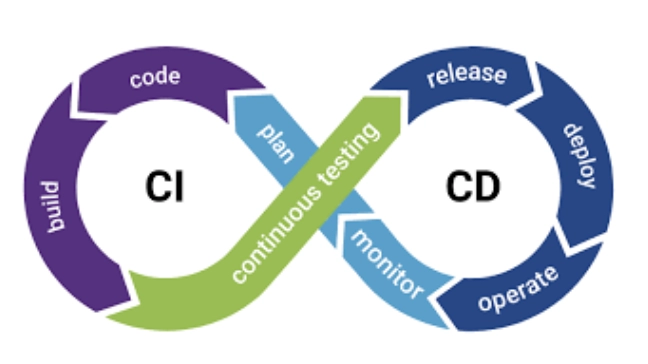
Helm is without a doubt necessary for Kubernetes deployments. But its role in optimizing your CI/CD workflows is where the real advantages lie.
Helm automatically keeps track of every iteration of your releases in a database. So, reverting to the earlier version is simple to do anytime something goes wrong during deployment.
In Helm, several CI/CD integration hooks let teams automate specific operations so that they happen by default, much like macros in Microsoft Office, for example, before an update starts or after it has been done. Helm even allows you to schedule health checks to ensure a successful deployment.
Why is Helm so well-liked?
Helm is relatively easy to use, even though managing apps on Kubernetes might be a challenging task. Here is an example of deployment without Helm and how Helm makes it simpler.
Without Helm
Teams must configure Kubernetes workload using YAML files. Everything necessary for deploying containers is specified in these YAML files. These YAML files must contain information about everything, including the configuration requirements for each Pod and how the Kubernetes cluster handles load balancing. Thus, you must produce a YAML file specifically for that workload to configure a new Kubernetes workload. Writing multiple YAML files for each task you create is required if you choose to do it manually.
With Helm
You can simply create a Helm chart and let Helm deploy the application to the cluster on your behalf rather than having to generate separate YAML files for each application manually. Templates for different Kubernetes resources are found in helm charts, which come together to make applications. It can be modified when a Helm chart is installed on many Kubernetes clusters. In order to specify these values when the Helm chart is deployed, environment- or deployment-specific configurations can be pulled out of a Helm chart and placed in a separate file. For instance, deploying an application in development, staging, and production environments does not require using distinct charts.
Helm has developed over time, and each major upgrade has made Kubernetes application management more effortless. The benefits of Helm 3 have beyond the DevOps community's expectations, and it has been gladly added to the list of essential tools for deploying apps to Kubernetes.
The Structure of the Chart Files
wordpress/ = A wordpress/ directory would contain a chart outlining WordPress.
Chart.yaml: An information-containing YAML file for the chart.
LICENSE: A simple text file containing the chart's licence is optional.
README.md: Optional: a README file in human-readable form.
values.yaml: The default settings for this chart's configuration.
values.schema.json: A JSON Schema is optional for applying a structure to the values.yaml file.
charts/: A list of all charts that this chart is dependent upon.
crds/: Custom Resource Definitions
templates/: A collection of templates that, when used in conjunction with values, produce legitimate Kubernetes manifest files.
templates/NOTES.txt: A plain text file with brief usage notes is optional.
Versioning and charts
There must be a version number on every chart. A version must adhere to the SemVer 2 specification. Helm v2 and beyond employs version numbers as release markers, in contrast to Helm Classic. Packages are identified in repositories by their name and version.
For instance, the name of an Nginx chart with a version field set to 1.2.3 is:
nginx-1.2.3.tgz
Versions with more complicated SemVer 2 names, like 1.2.3-alpha.1+ef365, are also supported. However, the system expressly forbids non-SemVer names.
NOTICE: Helm v2 later does not rely on or require GitHub or even Git, in contrast to Helm Classic and Deployment Manager, which were both very GitHub-focused regarding charting. As a result, it does not at all employ Git SHAs for versioning.
Helm charts that need at least Helm 3 should have the apiVersion field set to v2. Charts compatible with earlier Helm versions still support Helm 3 and have an apiVersion set to v1.
V1 to V2 changes:
A variable called dependencies defined the chart dependencies contained in a different requirement v1 charts' yaml file (see Chart Dependencies).
Charts for the type field, selective applications, and libraries (see Chart Types).
Application Version Field
Keep in mind that the version field and the appVersion field are unrelated. It is a method of indicating the application's version. As an illustration, the appVersion: "8.2.1" in the Drupal chart denotes that the version of Drupal used to create the chart is 8.2.1 by default. Informational only, this field has no bearing on how the chart version calculations are made. It's strongly advised to quote the version. The version number must be handled as a string by the YAML parser as a result. In rare circumstances, parsing difficulties can result from leaving it unquoted. For instance, a git commit SHA of 1234e10 is interpreted as scientific notation in YAML, while 1.0 is interpreted as a floating-point integer.
Helm creates now encloses the default appVersion field in quotes as version 3.5.0.
Chart types
The type field specifies the type of chart. The two categories are application and library. Application is the typical chart that can be utilized entirely and is the default type. The library chart offers the chart creator facilities or capabilities. A library chart is different from an application chart in that it is typically devoid of resource items and cannot be installed.
Note: A library chart can be created using an application chart. Setting the type to library enables this. The chart will then be displayed as a library chart that may be used for all utilities and functions. The chart's resource items won't all be rendered.
Helmet alternative
For CI/CD with Kubernetes, it is difficult for a solution to handle every case effectively. Helm makes an effort to make application deployment more straightforward however it has significant drawbacks. If Helm doesn't suit your needs, you might want to look into some of the other alternatives.
Customize is the most widely used Helm substitute available. A template-free method of managing Kubernetes workloads and customizing application parameters is Customize. Using Helm for templating can be challenging in several situations. When this happens, Customize can save the day. The adoption of Helm and Customize by developers varies based on their needs. The answer to the query of which of the two is superior is still up for debate.
With the touch of a button or a single CLI command, Helm Charts enable the use of Kubernetes packages. Additionally, you can have different dependencies and incorporate Helm charts inside of other Helm charts. Helm charts are constructed using Kubernetes. These charts enhance the Kubernetes cluster design.
How do Helm and Kubernetes compare?
Consider the Kubernetes cluster in this instance as an operating system and the Helm tool as to how users can install applications on the Kubernetes cluster. Helm is a packaging format that functions well with straightforward programs like stateless microservices and REST-based APIs with externally saved cloud states.
What is included in a Helm chart?
Kubernetes objects, deployed as part of the chart, can be found in any number in a Helm chart. A Helm chart typically contains a deployment and a service, but it may also have other Kubernetes objects, such as ingress or persistent volume claims.
Is Kubernetes required in Helm?
Installing Kubernetes is a requirement. We advise using Kubernetes' most recent stable release, which is often the second-latest minor release, in conjunction with the most current version of Helm. Additionally, you ought to have a locally configured copy of kubectl.
How does Helm template work?
Helm Charts are source trees that include one or more templates, a Chart. YAML self-descriptor file and other components. The resources you want on the cluster are described in template files in Kubernetes. Default settings for Helm use the Go templating engine. Values files are typically present in charts.
Conclusion
This article has gone through Helm Charts. One final thing to remember when beginning container deployment is not to lose sight of the bigger picture. DevOps users must be free to select the best tool for their needs. However, it's also critical to be aware of these tools' limitations, so your project doesn't get stuck or be delayed. When it comes to packaging your apps, Helm is unquestionably a popular solution. Container management platforms like Nirmata also support Helm the most.
If you find any doubt regarding Helm Chats, please write it down in the comments. We love to answer your questions. I hope you liked the article.









 7+ registered

