Do you think IIT Guwahati certified course can help you in your career?
Introduction
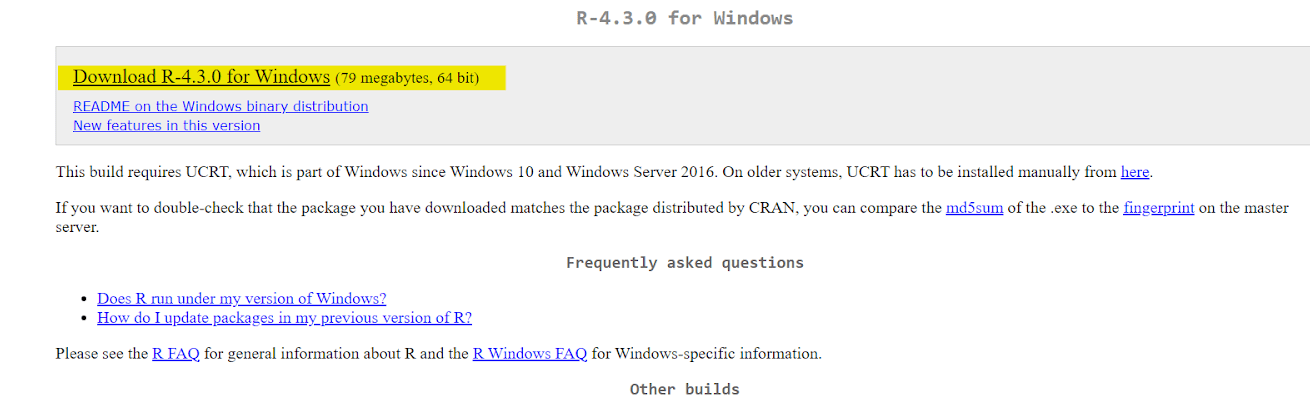
R is a powerful programming language for statistical analysis and data manipulation. Whether you're a student or professional, downloading R is the first step in unlocking its rich potential. Follow the Windows, Linux, or macOS instructions, and you'll be ready to explore and analyse your data quickly. Let's download R to your computer.
About R
R is an open-source programming language for statistical analysis and Data manipulation . It offers a wide range of statistical and graphical techniques. R is widely used by statisticians, data scientists, and researchers
R is a popular programming language and environment for statistical analysis.
It offers extensive tools for data manipulation, visualisation and modelling.
R is widely used in science, research, and industry for data analysis tasks.
The R community actively develops and shares packages that extend its functionality.
It has both a command line interface and graphical user interface options. R is open-source and freely available to users.
Its syntax is flexible and can handle complex data structures efficiently.
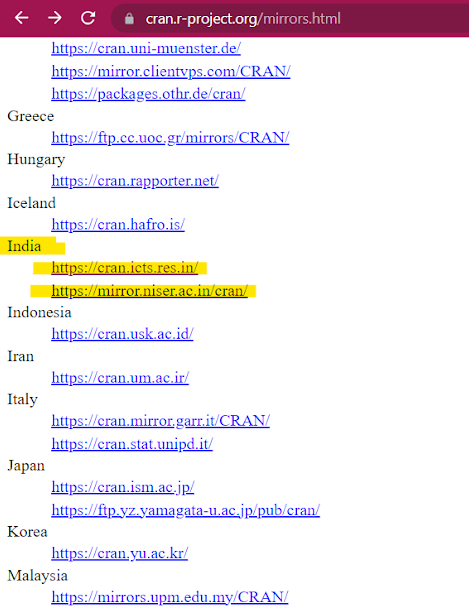
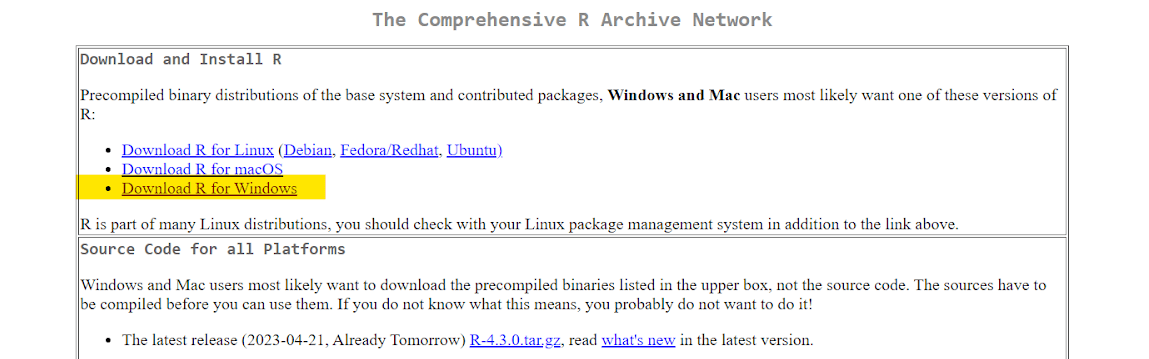
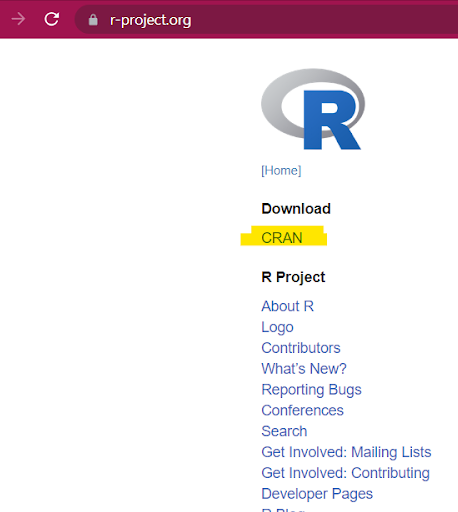
Select a nearby mirror from the "Download and Install R" section on the CRAN page.
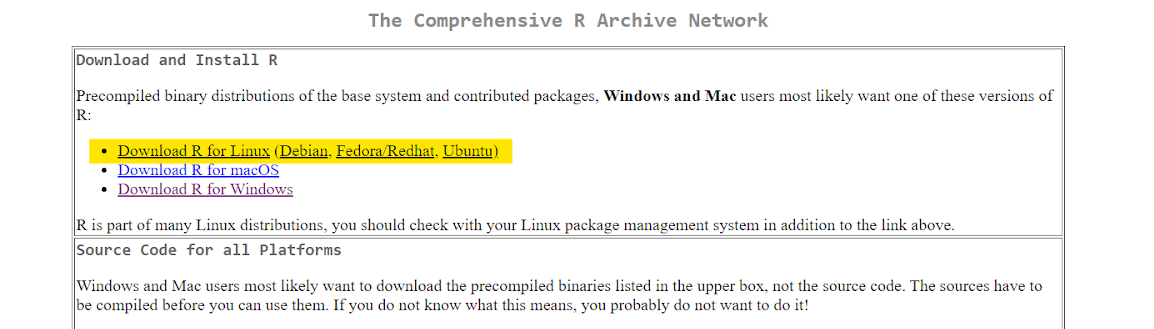
Click on the link corresponding to your Linux distribution.
Choose the appropriate download option based on your distribution and processor architecture.
Then run the following commands in terminal:
# Update indices
sudo apt update -qq

# Install two helper packages we need
sudo apt install --no-install-recommends software-properties-common dirmngr

# Add the signing key (by Michael Rutter) for these repos
# To verify key, run gpg --show-keys /etc/apt/trusted.gpg.d/cran_ubuntu_key.asc
# Fingerprint: E298A3A825C0D65DFD57CBB651716619E084DAB9
wget -qO- https://cloud.r-project.org/bin/linux/ubuntu/marutter_pubkey.asc | sudo tee -a /etc/apt/trusted.gpg.d/cran_ubuntu_key.asc

# Add the R 4.0 repo from CRAN -- adjust 'focal' to 'groovy' or 'bionic' as needed
sudo add-apt-repository "deb https://cloud.r-project.org/bin/linux/ubuntu $(lsb_release -cs)-cran40/"
Then run:
sudo apt install --no-install-recommends r-base
These commands will install R and its dependencies.
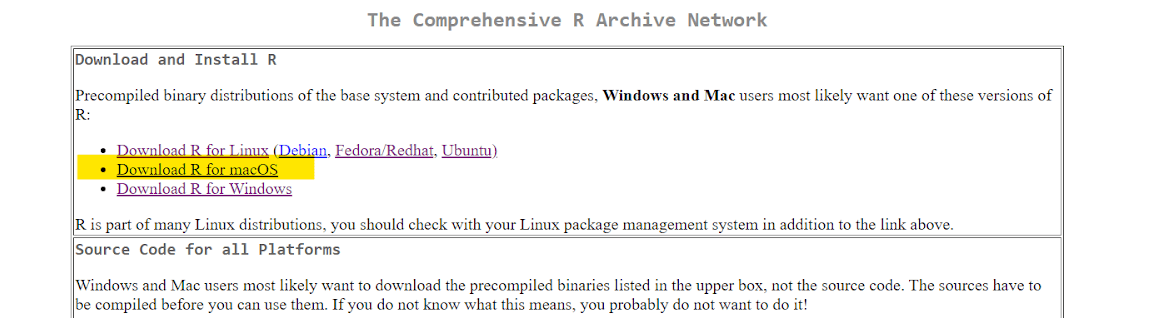
Select a nearby mirror from the "Download and Install R" section on the CRAN page.
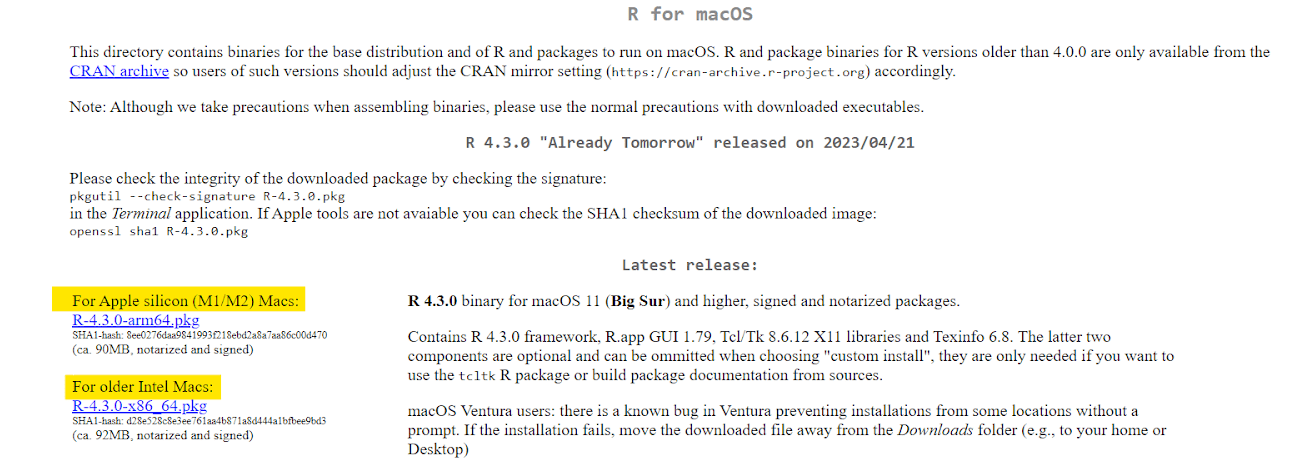
Then Select Download R for macOS.
Click on the link corresponding to your version of macOS.
Your download will begin automatically.
Frequently Asked Questions
Is R available for free?
Yes, R is an open source programming language and software environment, completely free to download and use.
Can we download R on Windows, Linux, or macOS?
Absolutely! R is compatible with all major operating systems including Windows, Linux and macOS. Specific versions are available for each platform.
Are there any system requirements for downloading R?
System requirements for R are minimal. It runs smoothly on most modern computers, but it is recommended to have enough RAM to handle large amounts of data effectively.
Can we use R without programming experience?
Some programming knowledge is beneficial, but even beginners can use R. There are many resources, tutorials, and online communities to help you learn and work with R syntax and features.
How often is R updated? How can we stay up to date?
R is actively maintained and regularly updated by a dedicated developer community. To stay up to date, visit the R official website or subscribe to R-related newsletters and forums for the latest updates and announcements.
Conclusion
Finally, this comprehensive guide provides step-by-step instructions on how to download R to your computer for Windows, Linux, and macOS. R provides powerful tools for statistical analysis, data manipulation, and visualisation. Leverage the versatility of R and start exploring data-driven insights with confidence and excitement.
If you want to dive deep into the knowledge pool of R programming language, do read the following:-








 1+ registered

