Do you think IIT Guwahati certified course can help you in your career?
Introduction
Input handling is a fundamental aspect of programming in C++. It allows programs to interact with users by receiving data during execution. Whether it's reading numbers, strings, or complex objects, mastering input techniques is essential for building dynamic and user-friendly applications. C++ provides several methods for input, ranging from simple functions like cin to advanced file-handling techniques. In this blog, we’ll explore various input methods and examples.
What is Input in C++?
Input in C++ refers to the process of receiving data from an external source, such as a user or a file, during program execution. It enables dynamic interaction and functionality by allowing the program to process and respond based on the received data.
C++ primarily uses the Standard Input Stream (cin) from the <iostream> library for user input through the console. Additionally, other methods like file input using file streams (ifstream) allow the program to read data from files. Input facilitates tasks like reading numbers, strings, or complex data structures essential for interactive and data-driven applications.
What Are Input and Output in C++?
C++ is an object-oriented programming language. C++ is very similar to C invented in the 1970s. C++ is so similar to C that it compiles over 99% of C programs without changing the code. C++ is a more well-structured C as it has OOPs concepts.
Every machine requires input and gives its corresponding output. In the case of C++ language, we can consider it as a processor also to which we share information after the process is done, and it gives the output.
Taking the example of a calculator, we only get the required work when we provide some numbers input. Without giving any input, we won’t be getting any results.
We can take the example of our exams too. If we don’t study (not giving information), we don’t get the marks (no output).
Input and Output in C++
In C++, also we need to provide input and output. Here we have a standard library that includes all essentials for input and output to work along with other functionalities. This standard library is known as the iostream library. Iostream refers to as Input Output Stream.
Iostream Library
Iostream is of 2 types input stream and outputs stream. Any sequence of characters we write to or read from an input and output device is known as a stream. So these two make up the input-output stream.
Iostream Library defines four objects, namely.
Cin- standard input (object of the type input stream or istream).
Cout- standard output (object of the type output stream or ostream).
Cerr- standard error (object of the type output stream or ostream).
Clog- general information (object of the type output stream or ostream).
The standard important among all four are the cin and cout. We will be using them now and see how they work. To make them work, we must first include the standard library iostream in our file.
You can also do a free certification of Basics of C++.
Working of Cin and Cout
Basic program
C++
C++
#include <iostream>

int main()
{
	std::cout << "Enter your age: " << std::endl;
	int n = 0;
	std::cin >> n;
	std::cout << "The age is " << n << std::endl;

	return 0;
}
You can also try this code with Online C++ Compiler
Understanding each line of the above code and try it on online C++ compiler.
#include <iostream>
It is the header file that should be included in every c++ program. Also, iostream is the library that enables the cin and cout functioning.
int main()
It is the main function that should be included in every c++ program; without this function, we will get an error. Its return type is an integer, which means it will return an integer after the processing of the function is done.
std::cout<<"Enter your age: "<<std::endl;
int n=0;
std::cin>>n;
std::cout<<"The age is "<<n<<std::endl;

return 0;
This is the body of our function, which means the operation that is to be performed.
std::cout<<"Enter your age: "<<std::endl;
As we studied above that, C++ does not define any statements for doing input or output, but it has a standard library that defines these input and output, so this cout is present in the Standard library, and these two colons represent that cout is present within the scope of the standard library.
<<
This is the output operator; we write them after the court.
"Enter your age: "
Whatever is written inside these double quotes will be printed.
std::endl;
Tells us to change the line, and written with std means endl is in the standard library and ends the entire cout statement with a semicolon.
int n=0;
Declaring a variable here, n, which is of integer type, and closing the line with a semicolon.
std::cin>>n;
Taking input from the user, here the cin is used along with std telling that it is part of the standard library, and semi-colons tell that cin is in the scope of the standard library. We are storing value in n.
std::cout<<"The age is "<<n<<std::endl;
Printing the sentence using the cout, which we discussed above. Here we output the stored value of n using the cout operator. For string to print, we use double quotes, but for variables, we don't use double quotes. Closing the statement with a semi-colon is a must.
return 0;
Since we have our main function returning an integer, we return 0.
We have two different ways of taking input to a program in C++
We have the data to be taken written in the code itself.
The program asks the user to provide the required input value.
User-Defined Inputs in C++
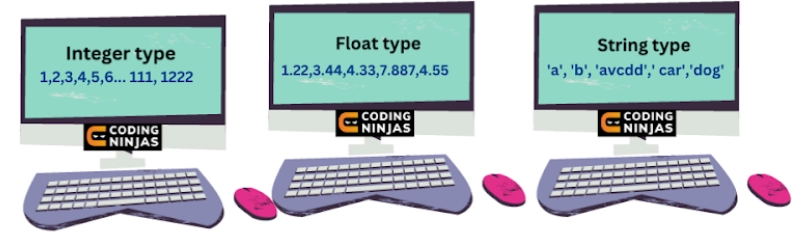
We take input in C++ from the user or define it in the code itself, so this input can be of many types, such as integer, string, float, etc. We will study them one by one now.
String and Char User Input
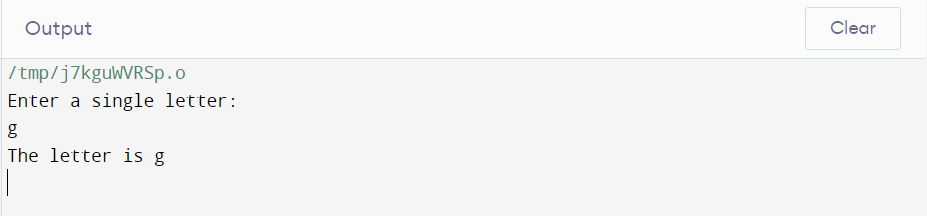
Here the user will provide the input as a character or string.
We initialize the variables with the keyword char for characters and string for input as a string.
Understanding by code below.
Implementation of char Input
C++
C++
#include <iostream>
using namespace std;

int main()
{
	// Printing the sentence
	cout << "Enter a single letter: " << endl;

	char a;

	// User giving input as character
	cin >> a;

	cout << "The letter is " << a << endl;
	return 0;
}
You can also try this code with Online C++ Compiler
Ninjas, there are mainly two different ways of taking Input in a C++ program.
We have the data to be taken written in the code itself.
The program asks the user to provide the required input value.
We have discussed the user-defined inputs above.
We initialise a variable defining its data type as an integer, string, character, or float type. Then we ask the user to enter the input value similar to the data type we defined for the variable. Then we make use of that particular variable accordingly.
Example of user-defined Input in C++
Implementation
C++
C++
#include <iostream>
using namespace std;
int main()
{

	// Making float variable
	float n;

	// Printing the sentence
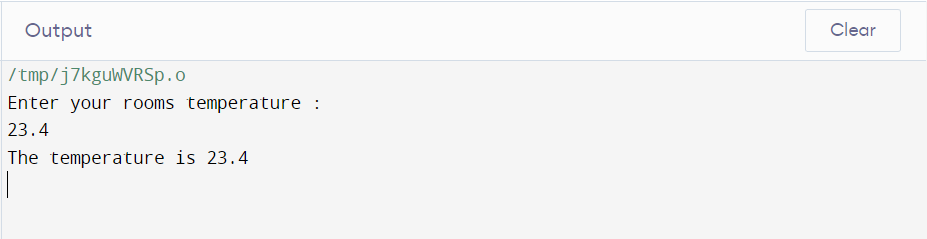
	cout << "Enter your rooms temperature : " << endl;

	// User giving input as float value
	cin >> n;

	// Printing the input we took above
	cout << "The temperature is " << n << endl;	//Printing the input we took above

	return 0;
}
You can also try this code with Online C++ Compiler
Here, the variable's value is defined, and we are directly using it. So, this is the second way of taking input.
How to Take User Input in C++?
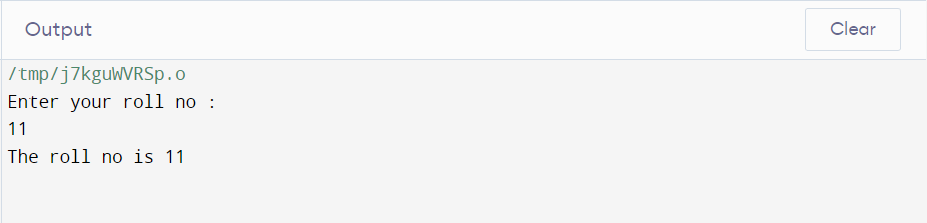
Essentially, we make a variable defining its data type, whether integer, string, character or float type. Then we ask the user to enter the input value similar to the data type which we defined for the variable, and then we make use of that particular variable accordingly.
Implementation
C++
C++
#include <iostream>
using namespace std;

int main()
{
	int n;

	// Printing the sentence
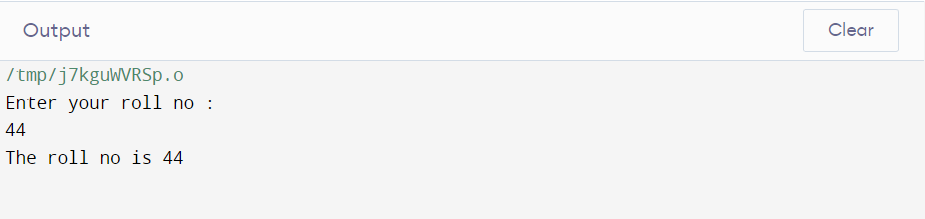
	cout << "Enter your roll no : " << endl;

	// User giving input as integer
	cin >> n;

	// Printing the input we took above
	cout << "The roll no is " << n << endl;

	return 0;
}
You can also try this code with Online C++ Compiler
To detect the Enter key as input, use cin.get() or getline() for strings. For example:
char enter; cin.get(enter); // Captures the Enter key
This is especially useful for pausing or handling line breaks.
How do you input a number in C++?
A user enters the number using the cin operator, where the variable defined is an integer type.
What are output and input explained?
Input is received by the system, and output is given out through the system.
What are cout and cin in C++?
Cin is an object of input stream taking input from the user. Cout is also an object of the output stream that shows output to the user.
How do you get user input in C++?
We use cin in addition to the operator (>>). And this way, we take the input.
Conclusion
We have studied different types of Input in C++. We discussed various types of taking Input too. They are the basics, so they help us build our understanding skills. So ninjas practice them and code themselves after understanding the logic in C++ language.












 1+ registered

