Do you think IIT Guwahati certified course can help you in your career?
Introduction
Have you ever tried using Boomerang in a social app? If you have, it's a perfect example for our topic today: loops in R. When you use Boomerang, you may have noticed that your video plays repeatedly for a certain period of time.
In programming, loops are a way to repeat a set of instructions multiple times or as many times you want it to repeat. They are like a loop in a roller coaster that takes you around again and again or a Boomerang.
The scope of this article to provide you a brief overview of the Loops in R language and its types with examples.
So, let us start without any delay.
What are Loops in R?
In R or any programming language, a loop is a way to repeat a set of instructions for some period of time. You can also make them run infinitely by crashing your program.
Now, you may think why to use loops when you can write those instructions as many times as you want.
For example, if you want to print your name on the screen 5 times, you can easily write the print statement five times. That’s absolutely correct, but think of the situation when you are not aware of the number or when the number is huge. In that case, it will be very annoying and hectic.
So, to overcome this problem, we have Loops for you. Loops are handy when you have tasks that need to be repeated many times or when you don't know the exact number of repetitions beforehand. They save time and make your code more organized and concise.
Let us now understand the structure of a loop and how it works.
Structure of a Loop
There are different types of Loops that share different structures yet the statements remain same in all the types.
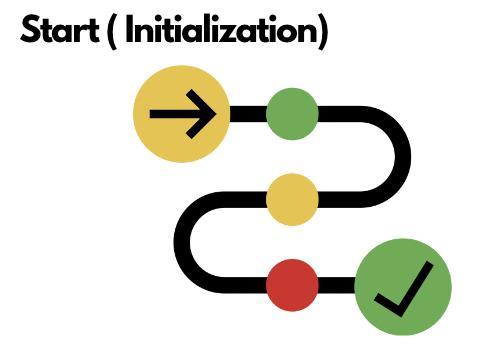
1.Initialization: A starting point is required for the loop to begin. A loop must have a starting value and an ending point. The initialization is the same as providing the starting value to the loop.
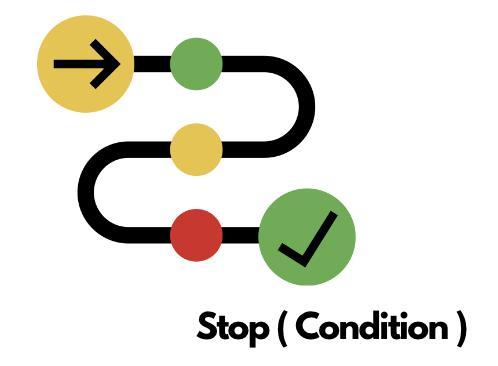
2. Condition: The next part is providing the loop to the condition when to stop moving further. On every iteration, the condition is checked whether to continue or stop. If the condition is not applied properly, then it may lead to infinite iterations.
3. Incrementation/Decrementation: Now this part plays a vital role because it gives the direction to the loop whether to increase or decrease the next step. You can customize the no. of steps according to the need of the program.
Now that you understand the three most important statements for a loop. Let us now see the different types of loops you can use in your program.
Types of Loops in R
There are three types of loops in R:
For loop
While loop
Repeat loop
Let us discuss them in detail:
1. For loop
A for loop is used to iterate over a collection of objects, such as a vector, a list, a matrix, or a dataframe, and apply the same set of operations on each item of a given data structure.
The syntax of a for loop in R is:
Syntax
for (i in seq(length(x))) {
  # Do something with x[i]
}
where x is a vector, list, matrix, or dataframe, and i is a counter that iterates over the elements of x. The seq() function generates a sequence of numbers from 1 to the length of x.
Flowchart
Let us now see the working of a for loop for iterating a list:
Code Example
# Create a list
list = list(1, 2, 3, 4, 5)
# Iterate through the list
for (i in list) {
  print(i)
}
Output
[1] 1
[1] 2
[1] 3
[1] 4
[1] 5
2. While loop
A while loop is used to repeat a block of code as long as a certain condition is true.
The syntax of a while loop in R is:
Syntax
while (condition) {
  # Do something
}
where condition is a logical expression that evaluates to either TRUE or FALSE. If the condition is TRUE, the block of code will be executed. If the condition is FALSE, the loop will terminate.
Flowchart
Let us now see the working of a while loop for iterating a list:
Code Example
#create a list
my_list <- list(1, 2, 3, 4, 5)

i <- 1
# Iterate through the list
while (i <= length(my_list)) {
  print(my_list[[i]])
  i <- i + 1
}
Output
[1] 1
[1] 2
[1] 3
[1] 4
[1] 5
3. Repeat loop
A repeat loop is similar to a while loop, but the condition is checked at the end of the loop. This is similar to do-while loop in other programming languages.
The syntax of a repeat loop in R is:
Syntax
repeat {
  # Do something
  if (condition) {
    break
  }
}
where condition is a logical expression that evaluates to either TRUE or FALSE. If the condition is TRUE, the loop will terminate. If the condition is FALSE, the block of code will be executed again.
Flowchart
Let us now see the working of a repeat loop for iterating a list:
Code Example
my_list <- list(1, 2, 3, 4, 5)
i <- 1
# Iterate through the list
repeat {
  if (i > length(my_list)) {
    break
  }
  print(my_list[[i]])
  i <- i + 1
}
Output
[1] 1
[1] 2
[1] 3
[1] 4
[1] 5
Difference between For, While and Repeat Loop in R
The difference between For, While and Repeat loop is mentioned below:
Type
For
While
Repeat
Use-case
Used for iterating over a sequence of values.
Executes a block of code repeatedly as long as a given condition is true.
Executes a block of code repeatedly until a break condition is met.
When to use
The loop variable is typically used to access the elements of the sequence.
It is useful when the number of iterations are known in advance.
It is useful when the number of iterations or the termination condition is not known in advance.
Termination Condition
The loop runs until all elements of the sequence are processed.
It allows for more flexible looping based on dynamic conditions.
You need to include a break statement inside the loop to exit the loop and avoid infinite looping.
Type of Loop
Entry Controlled Loop
Exit Controlled Loop
Exit Controlled Loop
Controlling the Flow of Loops
Sometimes it may happen that you need to skip, terminate or jump to a certain point from the current position. In programming worlds, it is also possible. Henceforth, there are some statements which let you accomplish the same.
Here we will discuss how we can control the flow of loops in a program:
The break statement: The break statement terminates the loop immediately. This can be used to exit a loop if a certain condition is met.
For example, the following code will print the first 10 even numbers, and then break the loop:
Example
for (i in 2:20) {
  if (i %% 2 == 0) {
    print(i)
    # terminate condition
    if (i == 10) {
      break
    }
  }
}
Output
[1] 2
[1] 4
[1] 6
[1] 8
[1] 10
In the above code, the program gets terminated when the condition ( i becomes 10) is met due to the break statement written inside the if statement.
The next statement: The next statement skips to the next iteration of the loop. This can be used to skip a particular iteration of the loop if a certain condition is met.
For example, the following code will print all the even numbers except for 10:
Example
for (i in 2:20) {
  # skip condition
  if (i == 10) {
    next
  }
  if (i %% 2 == 0) {
    print(i)
  }
}
In the above code, when the counter variable i becomes 10, the program skips to the next iteration skipping the current iteration.
The return statement: The return statement terminates the function and returns a value. This can be used to control the flow of a loop that is nested inside a function.
For example, the following function will print all the even numbers till 20, but terminates and return the value of the counter variable ( i ) when i becomes 10:
Example
my_function <- function(n) {
  for (i in 2:20) {
  if(i == 10){
      return(i)
  }
    if (i %% 2 == 0) {
      print(i)
    }
  }
}
# Call the function and store the return value

final_result <- my_function(2)

#print the returned value when the i becomes 10

print(final_result)
Output
[1] 2
[1] 4
[1] 6
[1] 8
[1] 10
The above output only prints the even numbers till 8 since when i becomes 10 that is the next even number, the condition becomes TRUE and terminates right after it. The last number, i.e.10 is the returned value.
Best Practises of writing Loops in R
Writing efficiently can save the program from falling into the issues and errors. Below are some best practices of writing loops in R or any programming language:
Avoid infinite loops: This can happen if the condition in the loop is always TRUE, or if the loop is not properly terminated. To avoid infinite loops, make sure that the condition in the loop is well-defined and that there is a way to terminate the loop.
Use break and next statements to control the flow of the loop: The break statement terminates the loop, while the next statement skips to the next iteration of the loop. These statements can be used to control the flow of the loop and to avoid infinite loops.
Comment your code: Commenting your code will help you and others understand what the code is doing. For loops can be especially complex, so it is important to comment your code so that you can easily understand it later.
Test your code: Before you use your loop in a production environment, you should test it to make sure that it works correctly. You can test your loop by using different input values and checking the output.
Frequently Asked Questions
What are the advantages of the R programming language?
It is an open-source programming language compatible with other languages. It is independent of the platform it is being used on. It offers several packages for data analysis. It is also used for machine learning algorithms, data science, etc.
What is the difference between a for loop and a while loop in R?
The main difference is that a for loop is entry-controlled, meaning it iterates over a sequence or range of values. In contrast, a while loop is exit-controlled, where it continues executing as long as a specified condition is true.
Are there other types of loops in R besides for, while, and repeat?
The for, while, and repeat loops are the primary loop constructs in R. However, R also provides higher-order functions like lapply, sapply, apply, etc., which offer a more concise and functional approach to iteration over data structures.
Is R language in demand today?
R programming language is trendy among data scientists and analysts because it helps them import and clean their data to perform analysis. Also, many companies use the R language.
Conclusion
To conclude the discussion, we have explored loops and their types in R language. We have also discussed what are the best practices out there to consider while writing the loops. Understanding the differences between them is a key for enhancing the knowledge in Loops.
If you want to dive deep into the knowledge pool of R programming language, do read the following:-







 5+ registered

