Do you think IIT Guwahati certified course can help you in your career?
Introduction
Is mathematics your favourite subject? Do you enjoy solving problems? Are you familiar with matrices and want to dig deeper? If you answered any of these questions as a yes, you're at the right place!
In this blog, Introduction to Matrix class, we will look into the matrix class in Eigen, several matrix operations, and how we can use Eigen's array class. Let us get started with some basic concepts required to understand the topic!
Matrix
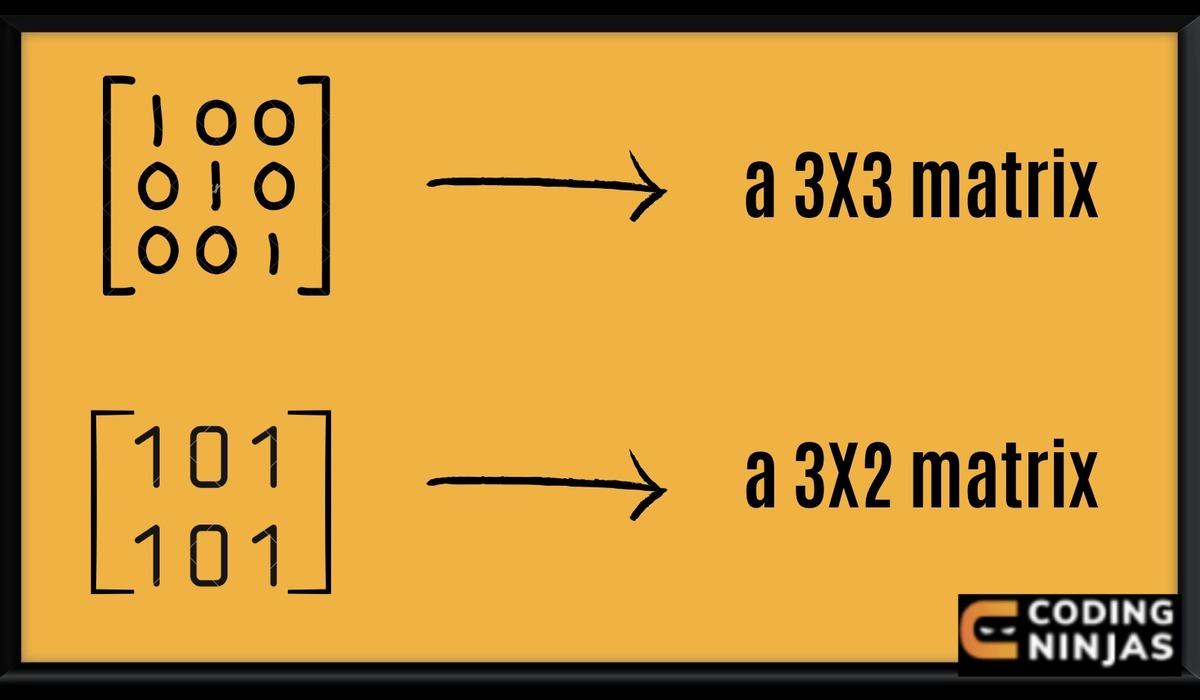
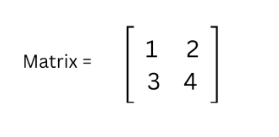
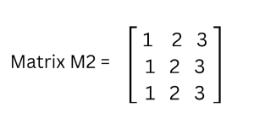
A matrix is an arrangement of numbers or functions arranged in a rectangular array consisting of several rows and columns. For example - a matrix with 'A' number of rows and 'B' number of columns is represented as A x B. The following image shows what a matrix looks like:
Eigen Matrix Library
The Eigen Matrix library in C++ programming language is a potent tool for matrix and vector operations, linear algebra operations, geometrical transformations, numerical solving, and other similar algorithms. It is a template library and is defined using header source files. Now, you may ask why we use C++ for performing matrix operations when we have MATLAB and python. C++ is used because -
We can implement our algorithms in an embedded system.
It is an industry-standard language for real-time or embedded systems.
The advantage of Eigen Matrix Library is that we don't have to compile and install anything on our systems; we just need to include the header files.
Eigenvalues
Eigenvalues are a set of scalars related to the linear system of equations in Matrix equations. We can use various arithmetic operations like addition, subtraction, multiplication, etc.
Eigenvectors
An eigenvector is a nonzero vector whose scalar factor can change after applying the linear transformation. It is also called a characteristic vector. It represents directions.
Installing the Eigen Matrix Library
To install the Eigen Matrix Library in your system, follow the steps given below:
Step 1: Click here < select the zip file at the top right corner.
Step 2: Open the zip file in your downloads folder < Eigen < You will find a source folder with all the necessary files.
Including the Eigen Matrix Library in a Project
Note - We will be working on Microsoft Visuals Studio for this Project. The steps that we are going to follow can be generalised to any compiler that you might prefer.
Step 1: Install Eigen matrix toolbox < Add the Eigen Matrix toolbox to your Project.
Step 2: Open the zip file < copy the source folder < and paste it into a new folder.
Step 3: Open a new Microsoft visual project < Windows Console Application < Okay
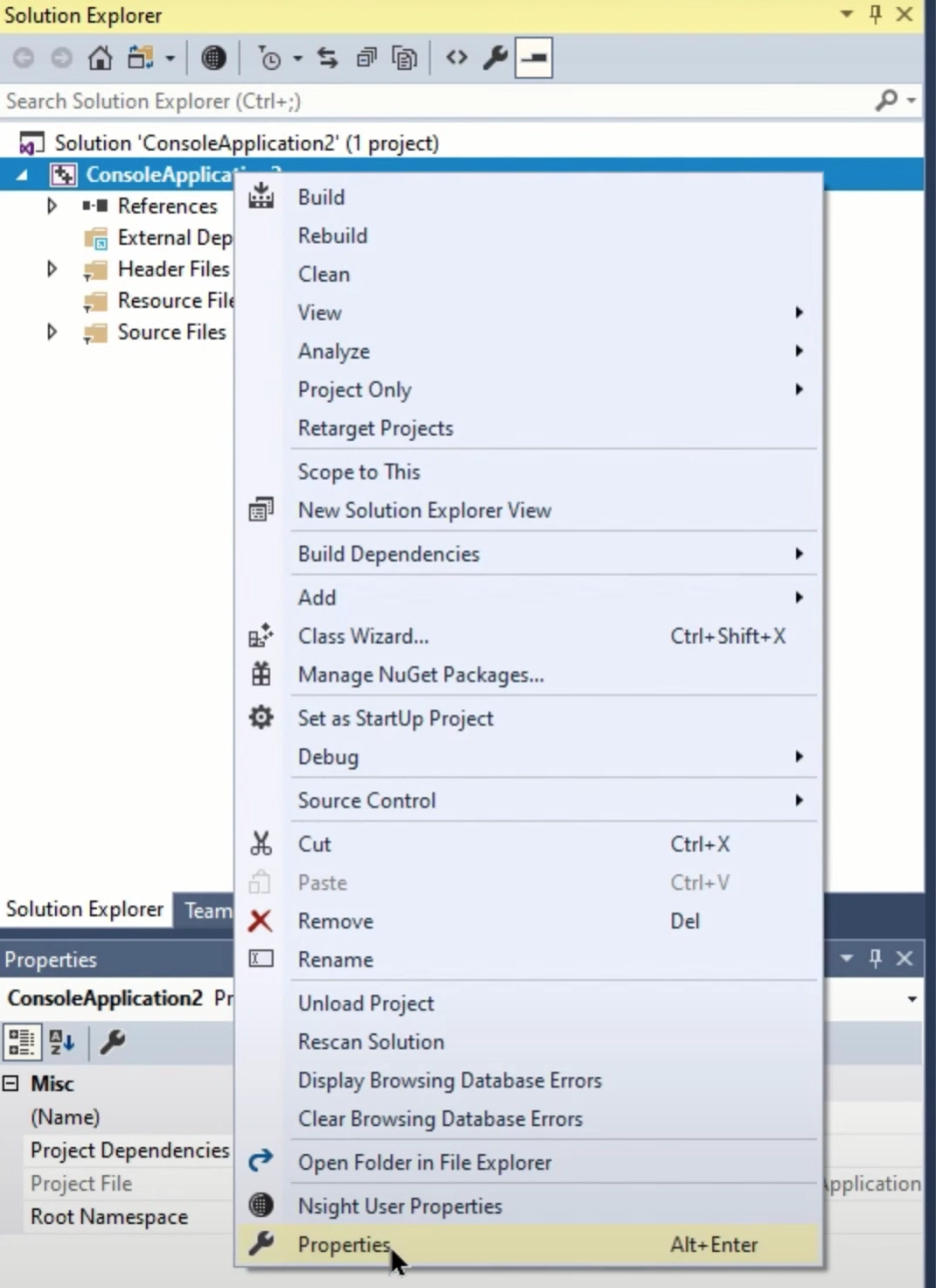
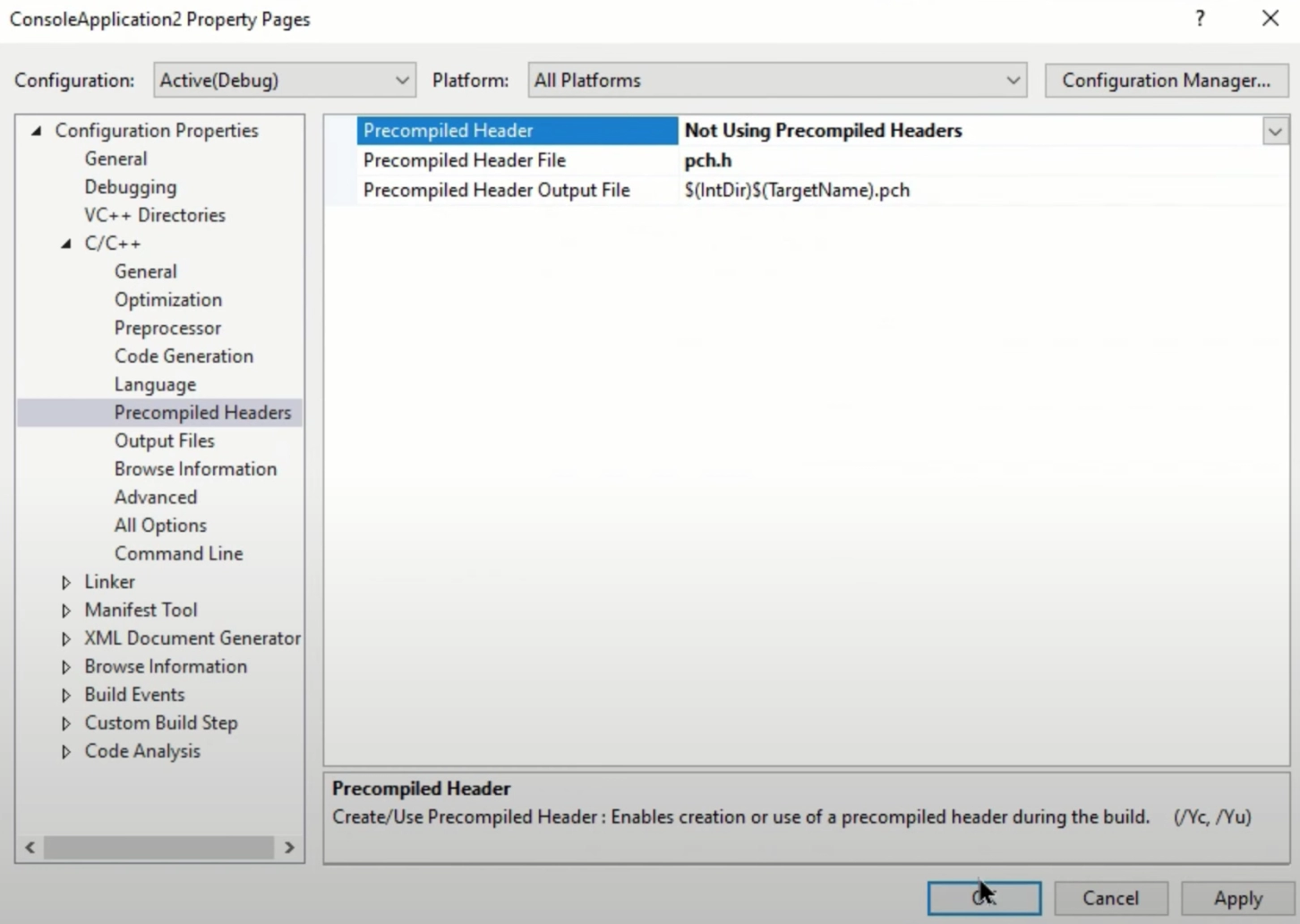
Step 4: When a new project is created, Right-click on console application < Properties < C++ < Precompiled headers < Select Not-using precompiled headers < Okay
Step 5: Adding Eigen source files to our project path.
Right-click on console application < Properties < C++ < General < Additional Include directories < Select the folder wherein we pasted the source folder < Okay
Voila! Our source and header files are added to our project path.
Matrix Operations
This section of the Introduction to Matrix class covers the various Matrix Operations that the Eigen Matrix Library has to offer. Listed below are the various matrix operations we are going to discuss.
Addition and Subtraction
Things to keep in mind while performing addition and subtraction operations -
Both sides, i.e., left and right must have an equal number of rows and columns.
They must be of the same scalar type.
We will be discussing the following three operators here -
Binary operators (a+b) and (a-b)
Unary operator (-a)
Compound operator (a+=b) or (a-=b)
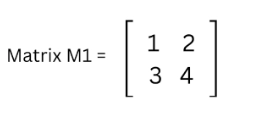
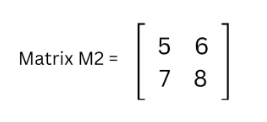
Let us understand the addition and subtraction matrix operation through an example -
Implementation
#include <iostream>
#include <Eigen/Dense>
using namespace std;
int main()
{
   // Define two matrices A and B (2X2)
   Eigen::Matrix2d A(2,2);
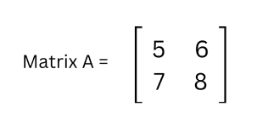
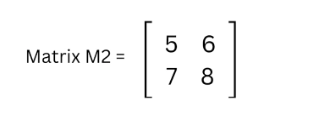
   A << 5,6,7,8;
   Eigen::Matrix2d B(2,2);
   B << 1,2,3,4;

   // Performing addition, subtraction and compound operator on them.
   cout << "A + B =" <<endl<< A+B << endl;
   cout << "A - B = " <<endl<<A-B << endl;
   cout << "A +=B;" << endl;
   A += B;
   cout << "New A =" <<endl<< A << endl;

}
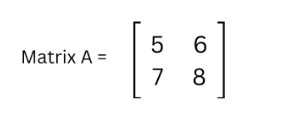
Input
A =
B =
Output
Scalar Multiplication and Scalar Division
In this section of our article, Introduction to Matrix class, we will learn about the multiplication and division of scalars. The matrix operations that we can perform are as follows -
Let us understand the scalar multiplication and scalar division matrix operation through an example -
Implementation
#include <iostream>
#include <Eigen/Dense>
using namespace std;
int main()
{
   // Define and initialise a matrix m
   Eigen::Matrix2d m(2,2);
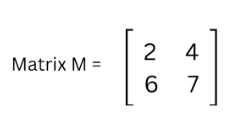
   m << 2,4,6,7;

   // Matrix multiplication with a scalar
   cout << "m * 2 =" <<endl<< m * 2 << endl;

   // Matrix division with a scalar
   cout << "m / 2 =" << endl << m / 2 << endl;

   // Using compound operators
   m *= 2;
   cout << "m *= 2 :" << endl << m <<endl;
   m /= 4;
   cout << "m /= 4 :" << endl << m <<endl;

}
Input
M =
Output
Transposition and Conjugation
There are predefined matrix operations available to determine a matrix's transpose, conjugate, and adjoint. Let us first understand what these terms mean.
Transpose
If, in a matrix, we switch the elements of the rows with the elements of the columns, we obtain the transpose of a matrix. For example -
Conjugate
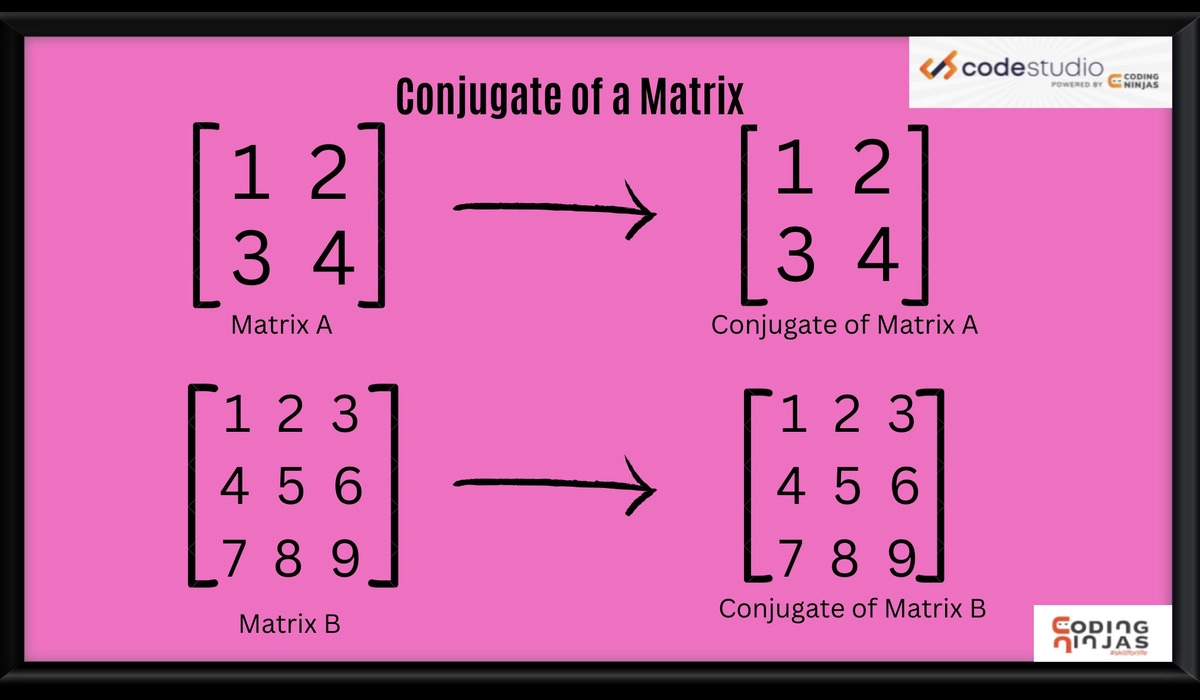
When we replace all matrix elements with their respective complex conjugate numbers, the resulting matrix is conjugate. For example -
Adjoint
The transpose of a cofactor matrix is the adjoint of the matrix. For example -
Let us understand the transpose, conjugate, and adjoint matrix operation through an example -
Implementation
#include <iostream>
#include <Eigen/Dense>
using namespace std;

int main()
{
   //Creating a 2X2 matrix using eigen
   Eigen::Matrix2d A(2,2);
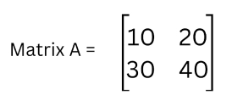
   A << 10, 20, 30, 40;
   cout << "Matrix A" <<endl<< A << endl;

    //Transpose of matrix A
   cout << "Transpose of A" <<endl<< A.transpose() << endl;

    //Conjugate of matrix A
   cout << "Conjugate of A" <<endl<< A.conjugate() << endl;

    //Adjoint of matrix A
   cout << "Adjoint of A " <<endl<< A.adjoint() << endl;
}
Input
A =
Output
Matrix-matrix and Matrix-vector Multiplication
The matrix operators used for performing matrix-matrix multiplication are -
Let us understand the matrix-matrix and matrix-vector multiplication matrix operation through an example -
Implementation
#include <iostream>
#include <Eigen/Dense>
using namespace std;
int main()
{
    Eigen::Matrix2d A;
    A << 1, 2, 3, 4;
    Eigen::Vector2d u(-1, 1), v(2, 0);

    cout << "Here is A*A:\n" << A * A <<endl;
    cout << "Here is A*u:\n" << A * u << endl;
    cout << "Here is u^T*A:\n" << u.transpose() * A <<endl;
    cout << "Here is u^T*v:\n" << u.transpose() * v << endl;
    cout << "Here is u*v^T:\n" << u * v.transpose() << endl;
    cout << "Multiplying A with itself" << endl;

    A = A * A;
    cout << "Now A is A:\n" << A<< endl;
}
You can also try this code with Online C++ Compiler
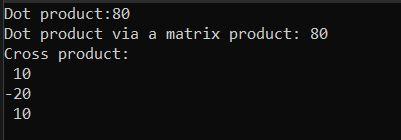
In this section of our article, Introduction to Matrix class, we will discuss the dot and cross-product operations. To perform dot and cross-product operations, we use dot() and cross() functions. The use of these functions is depicted in the following example -
Apart from the operations discussed in the adobe sections, we also have some predefined functions that come with the Eigen Matrix Library. Let us understand why they are implemented and how we can use them with the help of an example -
Implementation
#include <iostream>
#include <Eigen/Dense>
using namespace std;
int main()
{
   Eigen::Matrix2d A;
   A << 1, 2,3, 4;

   cout << "Matrix Sum is : " << A.sum() << endl;
   cout << "Matrix Product is : " << A.prod() << endl;
   cout << "Matrix Mean is :  " << A.mean() << endl;
   cout << "Matrix MinCoefficient is :  " << A.minCoeff() << endl;
   cout << "Matrix MaxCoefficient is : " << A.maxCoeff() << endl;
   cout << "Matrix Trace is : " << A.trace() << endl;
}
You can also try this code with Online C++ Compiler
Now that we have covered the matrix operators section of our blog, Introduction to matrix class, let’s move on to Eigen’s array class
Eigen’s Array Class
Before getting on to the implementation and use of Eigen's array class, let us understand what an Eigen array class is and the different Eigen array class types.
What is an Eigenarray class?
In this section of our article, Introduction to Matrix class we will discuss the Eigenarray class. Both the Eigen array class and Eigen matrix class are somewhat similar. However, one of the differences between them is that Eigen's array class provides the users with general-purpose arrays, and its API makes it easier for them to access coefficient-wise operations. Whereas Eigen's matrix class is purely for linear algebra, its API makes it easier to access operations related to linear algebra.
Eigen Array Class Type
Array refers to both 1D and 2D arrays in this section. The ArrayNt form of typedefs represents 1D arrays, and the ArrayNNt form represents 2D arrays. Here, N is the size type, and t is the scalar type.
Accessing Values inside an Array
The following example shows how we can assign values in an array -
Implementation
#include <Eigen/Dense>
#include <iostream>
using namespace std;
int main()
{
   Eigen::ArrayXXf  A(2, 2);

   // Initialise matrix coefficient by coefficient
   A(0, 0) = 1.0; A(0, 1) = 2.0;
   A(1, 0) = 3.0; A(1, 1) = A(0, 1) + A(1, 0);

   // Output values
   cout << A << endl ;

   // Using the comma-initializer is valid syntax
   A << 1.0, 2.0,
       3.0, 4.0;

   // Output values
    cout << A << endl;
}
You can also try this code with Online C++ Compiler
Note - While performing arithmetic operations in an array, the size of the arrays must be the same. Let's take a look at a code to understand its implementation better -
In this section of our article, Introduction to Matrix class, we will discuss array multiplication. Array multiplication can only be performed if their dimensions are similar to the product obtained by the multiplication of arrays and are interpreted coefficient-wise.
Apart from the basic operations discussed in the above sections, Eigen's array class also offers various coefficient-wise operations. For example, the .sqrt() method lets the user determine the square root of any given number.
A matrix is an arrangement of numbers or functions arranged in a rectangular array consisting of several rows and columns. For example - a matrix with A number of rows and B number of columns is represented as A x B.
What are Eigenvalues?
Eigenvalues are a set of scalars related to the linear system of equations in Matrix equations. We can use various arithmetic operations like addition, subtraction, multiplication, etc.
What are Eigenvectors?
An eigenvector is a nonzero vector whose scalar factor can change after applying the linear transformation. It is also called a characteristic vector. It represents directions.
How can we find the adjoint of a matrix?
To find the adjoint of a matrix, we first see the cofactor and then transpose it.
What is the conjugate of a matrix?
If all matrix elements are replaced by their respective conjugates, we get the conjugate of that matrix.
Conclusion
This article, Introduction to Matrix class, explored the Matrix class in Eigen, different types of matrix operations, and how to use Eigen's array class. If you want to dig deeper into Eigen, here are some related articles -



















 1+ registered

