




Introduction
Welcome readers! In this blog, we will learn jest and the DOM. When you interact with the browser, you will interact with the DOM, Document Object Module. Codes that manipulate the DOM are another class of function that is often considered challenging to test. We cannot use the browser at the time of testing DOM. So to test DOM, we need test runners like karma. Alternatively, we can also use Jest with jsdom to achieve the same result. Jsdom is a package to interact with DOM within node.js.
Let's get started, and I hope you learn a lot from this tutorial.
What is DOM
The DOM (Document Object Model) is the data representation of the objects, which consists of the structure and content of a document on the web.
The DOM (Document Object Model) is a programming interface for web documents. It represents the page so that programs can change the document structure, style, and content. The DOM represents the document as nodes and objects; that way, programming languages can interact with the page.
A web page is a document that can be either displayed in the browser window or as the HTML source. DOM representation allows it to be manipulated in a program with a scripting language such as JavaScript as an object-oriented representation of the web page.
The HTML DOM model is constructed as a tree of Objects.
Example DOM
Let’s create an example DOM to test.
index.html
<html>
  <body>
    <input id="newTodoInput" />
    <button id="addTodoBtn">Add todo</button>
    <ol id="todoList"></ol>
    <script type="text/javascript" src="./script.js"></script>
  </body>
</html>
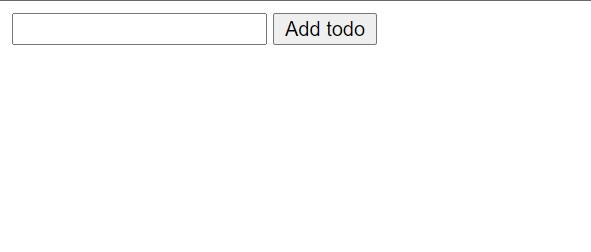
This is what it will look like when running in the browser.
script.js
const addTodo = () => {
    const newTodoInput = document.getElementById('newTodoInput');
    let currentTodoList = document.getElementById('todoList').innerHTML;
    currentTodoList += `<li>${newTodoInput.value}</li>`;
    document.getElementById('todoList').innerHTML = currentTodoList;
    newTodoInput.value = '';
  }
document.getElementById('addTodoBtn').addEventListener('click', addTodo);


 7+ registered

